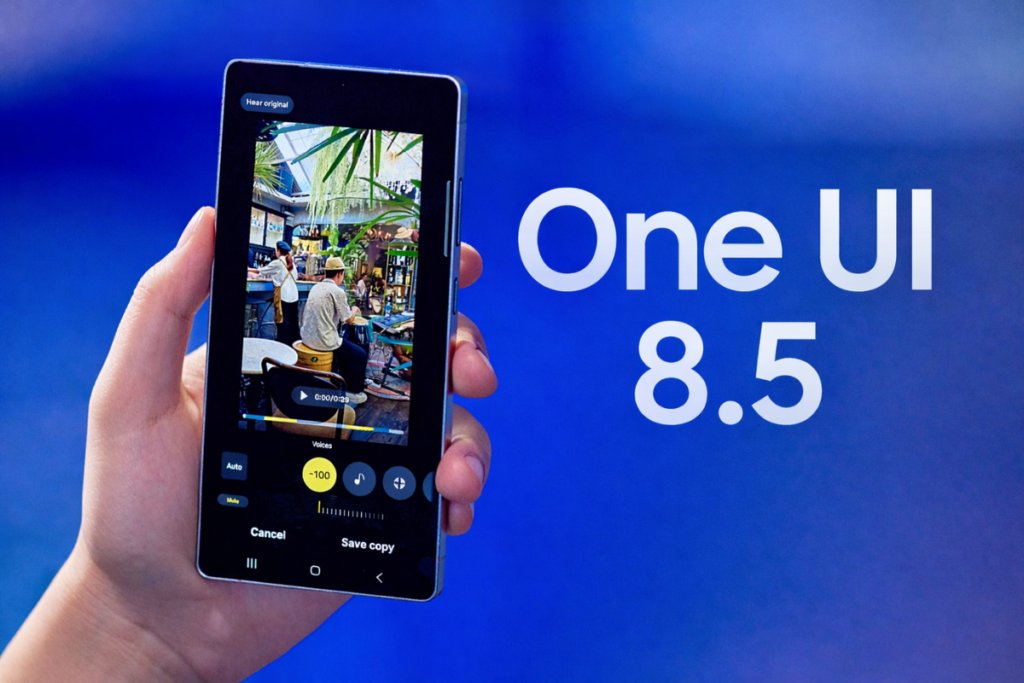
After extensive beta testing, Samsung has finally started rolling out the stable One UI 8.5 update, based on Android 16 QPR2. As anyone would easily guess, it’s the Galaxy S25 series getting the first bite of the stable rollout.
Samsung wasted no time in expanding the One UI 8.5 rollout to more Galaxy devices. The Galaxy S25 FE, Galaxy S24 Edge, Galaxy Z Fold 7, and Galaxy Z Flip 7 were quick to follow. The rollout should expand to more Galaxy phones and tablets over the coming days and weeks.
Here’s a list of Galaxy devices that have received the stable One UI 8.5 update so far:
Galaxy S25
Galaxy S25+
Galaxy S25 Ultra
Galaxy S25 Edge
Galaxy S25 FE
Galaxy Z Fold 7
Galaxy Z Flip 7
As always, South Korea is the first region to receive the update. Users in other regions should expect to receive the update over the next few days. If your device is on the list, navigate to Settings > Software updates > Download and install to check whether the update is ready to download.
Stable One UI 8.5 rollout took a lot longer
Samsung took a lot longer to kick off the stable One UI 8.5 rollout than we had expected. The beta program for the Galaxy S25 went live in December 2025, and over the next five months, Samsung released ten beta builds. That’s well above four or five betas Samsung usually pushes before the stable release.
The stable rollout has finally gone live, and Samsung appears to be speeding things up. The update has already reached seven devices in a single day. Hopefully, it will continue to cover the rest of the eligible Galaxy devices at a good pace. If you’re unsure about the update’s eligibility for your device, check the complete list here to find out.
We’ll update you with the latest developments in our Samsung section. You can visit the page from time to time to stay updated. Or, join our Telegram channel to get instant updates.
Samsung’s One UI 8.5 update is close to perfection, but one UI glitch is still unresolved. We discovered the same problem in the Beta 6 around two months back, and the same repeated in the Beta 10 as well.
The Notification panel brings a button entitled Notification settings. This functional button lets Galaxy users access the settings page. That specific component has a bug, which Samsung hasn’t yet addressed.
The bug doesn’t permanently stay here, and we were not able to reproduce it either. It occurs suddenly while using the phone, hinting that the final build hasn’t even patched the glitch.
The Notification settings button turns smaller and takes a wrong positioning. The small button slides toward the right side, which isn’t the center either. Swiping the notification panel brings the key back to its optimal state.
It’s said that Samsung is holding off the Stable update’s rollout due to major bugs. If this UI glitch falls under that category, it should be addressed in the official build. If not, Samsung engineers aren’t paying attention to the issues.
Image – Notification panel in One UI 8.5
Notification panel is one of the most heavily used aspects of the mobile user interface. The scaling bug isn’t a deal breaker at all, but it ruins the perfection. We’ve submitted the bug report as well, yet Beta 10 has the same problem.
Hopefully, Samsung would finally bring improvement to the user interface scaling. The Stable update should be almost perfect as the company has already tested the software in the Open Beta Program for five months.
One UI 8.5 rollout is about to begin, and dozens of Galaxy models are lined up to receive this feature-rich upgrade that doesn’t look like an incremental upgrade at all. It brings numerous visual upgrades, new features, and expanded customization options that really level up the software experience.
Among the long list of changes coming to One UI 8.5, there are five features I am most excited about. I really wish Samsung would bring them to the majority of eligible devices.
1. Modern Liquid Glass interface with smoother animations
Liquid Glass interface in One UI 8.5
One UI 8.5 introduces Liquid Glass design for the first time on Galaxy devices. We know where the inspiration comes from (hello, Apple). The updated design language emphasizes transparency, floating surfaces, rounded controls, and soft depth effects across core apps and the system UI, making One UI feel more premium and modern.
Part of this new design language includes floating navigation bars with semi-transparent panels and more pronounced blur and shadow layering to create a “glass” feel. You’ll see it in the Settings app and first-party apps like Dialer, Gallery, and Calculator, replacing the traditional flat, rectangular navigation bar. The back button and other controls appear as separated floating elements, allowing more room for content.
The new Liquid Glass design is most prominent in Samsung’s own apps, but other areas, including notifications, widgets, and the control center, also receive a subtle glass-style treatment.
2. Fully customizable Quick Panel
Quick Panel customization in One UI 8.5
The Quick Panel in One UI 8.5 is receiving its biggest customization update yet. You can now move tiles and widgets wherever you want, resize them, or change their orientation to create a layout that is perfect for you. You can even remove every toggle to get an almost empty panel.
Brightness and volume sliders are also part of the latest changes, with the ability to switch between horizontal and portrait-style layouts. You can customize the panel however you like instead of using Samsung’s default layout. The panel can become messy if you over-customize, but Samsung’s got you covered. You can easily reset to the default layout.
3. Calling gets a major AI upgrade
Image credit: Sammobile
One UI 8.5 brings major upgrades to calling, now allowing the phone to automatically answer unknown or suspected spam calls. The AI assistant asks the caller’s purpose, shows you a live transcript, and lets you decide whether to pick up or mark as spam. This is a big step up from the manual Bixby Text Call, helping you avoid interruptions from robocalls or telemarketers.
You can also enable the auto answer with AI feature to let the device automatically answer calls after a specific delay (5-30 seconds) and provide a live text transcript. This is particularly useful when you are busy or have Do Not Disturb enabled, allowing you to see the caller’s query via a live transcript before even picking up the call.
One UI 8.5 also introduces a direct voicemail feature that lets callers leave a voice message directly on your device rather than a carrier server. You can see the live transcript of the voicemail as it is being recorded in real-time.
Even during a normal call, you can see real-time call options, making it easier to follow in loud environments. Another small but useful upgrade is that the Now Bar shows a dedicated counter for missed calls, making it easier to track without unlocking the device.
4. A new Creative Studio app for AI creativity
Samsung has added a new Creative Studio app in One UI 8.5, which is basically a central hub for generative AI creativity. The app lets users create wallpapers, stickers, greeting cards, invitations, and profile cards with simple sketches, existing photos, or text prompts.
Image credit: Sammyfans
The app supports multiple aspect ratios (such as 16:9 and 4:3) and various art styles, including Childhood Sketch, Marker Drawing, and Oil Painting.
5. Sharing files got a lot easier (even with Apple devices)
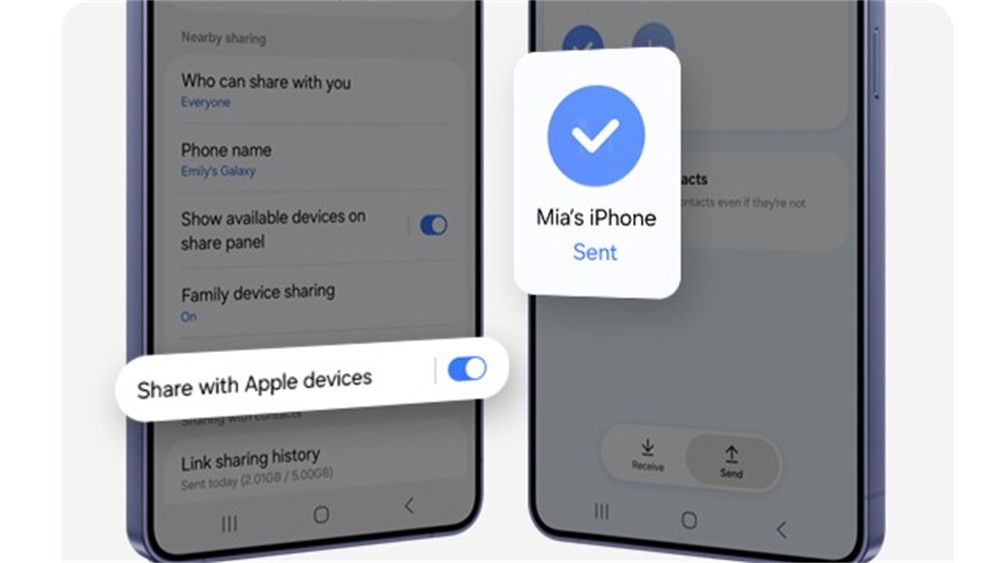
Samsung has made significant upgrades to file sharing to bridge the gap between its ecosystem and other platforms, particularly Apple devices. A major addition is a new “Share with Apple devices” option in the Quick Settings menu, enabling seamless, high-speed transfers to iPhones, iPads, and Macs that use AirDrop.
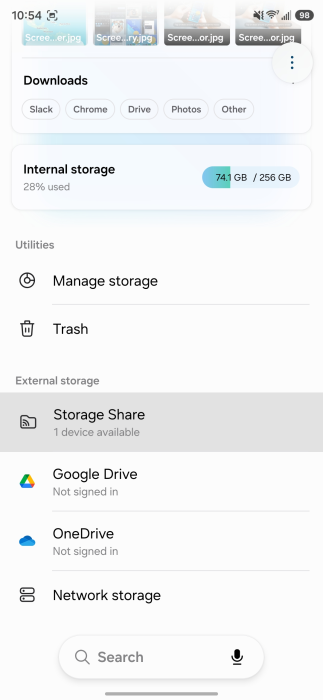
One UI 8.5 also makes it easier to access the storage of one Galaxy device directly from another through the My Files app. For example, you can browse photos, music, and documents stored on your Galaxy Tab directly on your Galaxy phone, provided both devices are signed into the same Samsung account.
We’ll keep sharing with you the latest One UI updates in the Samsung section on this website. You can visit that page regularly to get fresh details. Or, if you prefer news on the go, make sure to follow our Telegram channel.

 Login
Login