
Normal view

Before yesterdayMain stream

Samsung One UI 9 introduces new optional Secure Lock with Power button

15 July 2026 at 16:34

Samsung One UI 9 Beta 4 introduces an optional “Secure lock with Power button” setting, allowing users to decide whether opening the power menu from Quick Settings should automatically activate Lockdown mode.

The company first integrated Lockdown mode into the power menu with One UI 9 Beta 2, making it much easier to instantly secure a device.

Once activated, the feature locks the phone and temporarily disables fingerprint and face authentication until the user unlocks it using their PIN, password, or pattern.

With One UI 9 Beta 4, Samsung has refined that behavior by introducing a new Secure lock with Power button toggle. Newly discovered strings confirm the feature is headed to the settings menu, giving users an option that wasn’t available before.

By default, tapping the power button shortcut in the Quick Settings panel no longer triggers Auto-Lockdown. Instead, users can access the power menu and dismiss it without the device locking, returning directly to the app.

Those who prefer the previous behavior can restore it by heading to Settings > Lock screen and AOD > Secure lock settings and enabling Secure lock with Power button.

Samsung One UI 9 Secure Lock Power Menu

Image: One UI 9 Secure Lock Power Menu | Source: Android Authority

Once switched on, exiting the Quick Settings power menu immediately locks the phone and disables biometric authentication, just as it did in Beta 2 and Beta 3.

Meanwhile, the change affects only the Quick Settings power button, while the physical side button continues to trigger Lockdown by default.

The adjustment appears to be aimed at balancing convenience with security. Many users open the power menu simply to restart or power off their phone, and forcing Lockdown every time may have felt unnecessary.

If the feature remains unchanged, it should be a welcome quality-of-life improvement when One UI 9 reaches its Stable release.

Related article:

The post Samsung One UI 9 introduces new optional Secure Lock with Power button appeared first on Sammy Fans.
One UI 9.0 Beta 4 rolling out to Galaxy S26 series: Here’s what’s new

14 July 2026 at 15:31
Samsung Galaxy S26 series

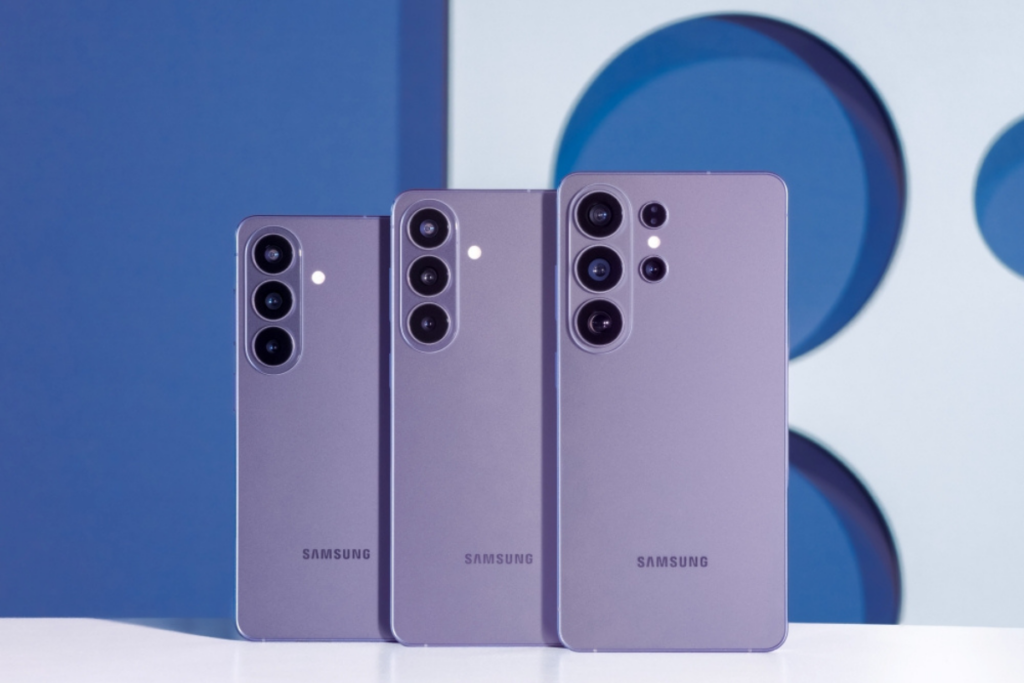
Nearly a month after the beta 3 release, Samsung has just dropped another beta for the Galaxy S26 series, moving a step closer to the stable release. The latest release focuses on resolving bugs and issues that were found in the previous build.

The One UI 9.0 Beta 4 update for the Galaxy S26 series initially went live in India, and then quickly expanded to more regions, including the UK, Poland, Germany, and Korea. Only the US remains to receive the beta update, and the rollout could begin at any moment.

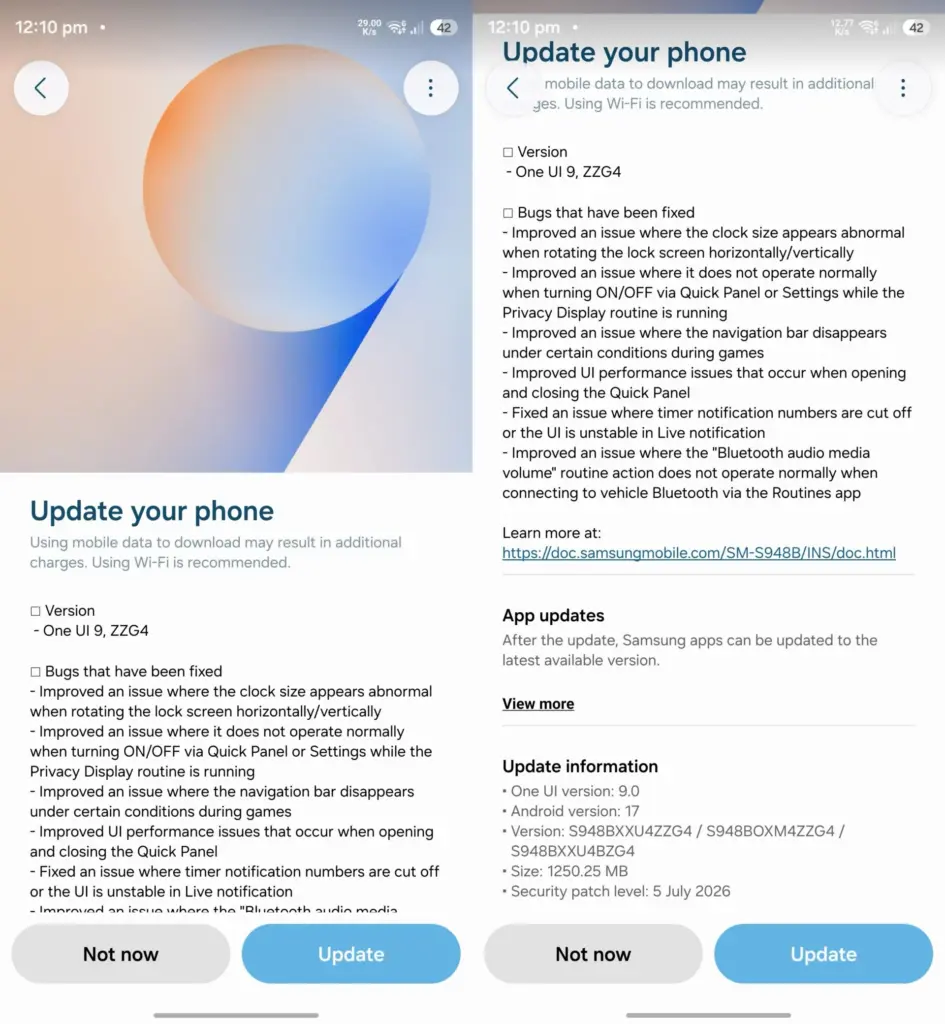
The latest beta update can be identified by a firmware version ending with ZZG4. It has a download size of about 1.25GB. While the update primarily focuses on bug fixes, it also includes the July 2026 security patch, making the device more secure than before.

Read the complete changelog below for a detailed look at the changes.

Galaxy S26 One UI 9.0 Beta 4 changelog:

  • Improved an issue where the clock size appears abnormal when rotating the lock screen horizontally/vertically.
  • Improved an issue where it does not operate normally when turning ON/OFF via Quick Panel or Settings while the Privacy Display routine is running.
  • Improved an issue where the navigation bar disappears under certain conditions during games.
  • Improved Ul performance issues that occur when opening and closing the Quick Panel.
  • Fixed an issue where timer notification numbers are cut off or the Ul is unstable in Live notification.
  • Improved an issue where the “Bluetooth audio media volume” routine action does not operate normally when connecting to vehicle Bluetooth via the Routines app.

If you have a Galaxy S26 running One UI 9.0 beta, you should be able to upgrade to the latest beta by navigating to Settings > Software updates > Download and install. Once the update package is downloaded, tap the Install now button.

Samsung would probably release a few more beta updates before the stable build starts rolling out sometime later this year. The stable One UI 9.0 is confirmed to debut later this month on the upcoming Galaxy Z Fold 8 and Galaxy Z Flip 8. A few weeks after that, older Galaxy devices will begin to receive the update.

Remember to visit our Samsung section regularly for fresh details. Or, you can join our Telegram channel to receive instant notifications when we post new stories.

The post One UI 9.0 Beta 4 rolling out to Galaxy S26 series: Here’s what’s new appeared first on Gizmochina.

Galaxy S26 users see One UI 9 Beta 4 as an important step

11 July 2026 at 21:00

Samsung Galaxy S26 users will receive the One UI 9 Beta 4 update next week, and it will be an important step. The next release is significant in many ways, including the potential to hit the “platform stability” milestone.

Galaxy S26 users, who joined the Beta Program in May 2026, are closely watching the One UI 9 developments. The rollout of the fourth Beta update will bring a boost to the pace of testing and pave the way for future expansion.

Why do Galaxy S26 users see One UI 9 Beta 4 as an important step?

Samsung has made us think more and more about the next Beta. The first Beta landed upon initial signup in early May 2026. The same month welcomed the second Beta update, and June witnessed the rollout of the third build.

Extended testing period

We anticipated the Beta 4 to arrive by June 30, but it didn’t. Instead, Samsung confirmed earlier this week that the rollout is expected in the next week, starting on July 13.

The company maintained a gap of around two weeks in each Beta rollout. Beta 2 and Beta 3 took approx 15 days to arrive after the rollout of the earlier Beta. Meanwhile, Samsung has stretched the testing of the Beta 4 update.

Samsung’s stability push

Korean community moderator stated that the team will “do our [its] best to release a stable version.” It sounds like a usual statement, but hides the sentiments of the testing team, who is assigned the task to achieve stability.

Near-official release

Another big reason is the timing of the Beta 4 update’s rollout. The build is landing just a week before the company introduces the official One UI 9 version.

The new foldable phones will ship with the Android 17-based One UI 9 official version. Beta testing will continue, but the next versions will approach the Public/Stable rollout.

Samsung One UI 9 Beta 4 release timeline

The post Galaxy S26 users see One UI 9 Beta 4 as an important step appeared first on Sammy Fans.

❌
❌