Login
Login
Android 17 Beta 2 rolling out with meaningful upgrades: Eligible devices, new features, and more


Just two weeks after dropping the first Android 17 beta, Google has released the second beta update with a limited-access contacts picker, EyeDropper API, enhanced connectivity, and better cross-device capabilities. The most exciting addition is the new Bubbles feature, which lets users turn any app into a floating bubble.
Android 17 Beta 2: What’s new and what’s changing?
Bubbles make multitasking easier
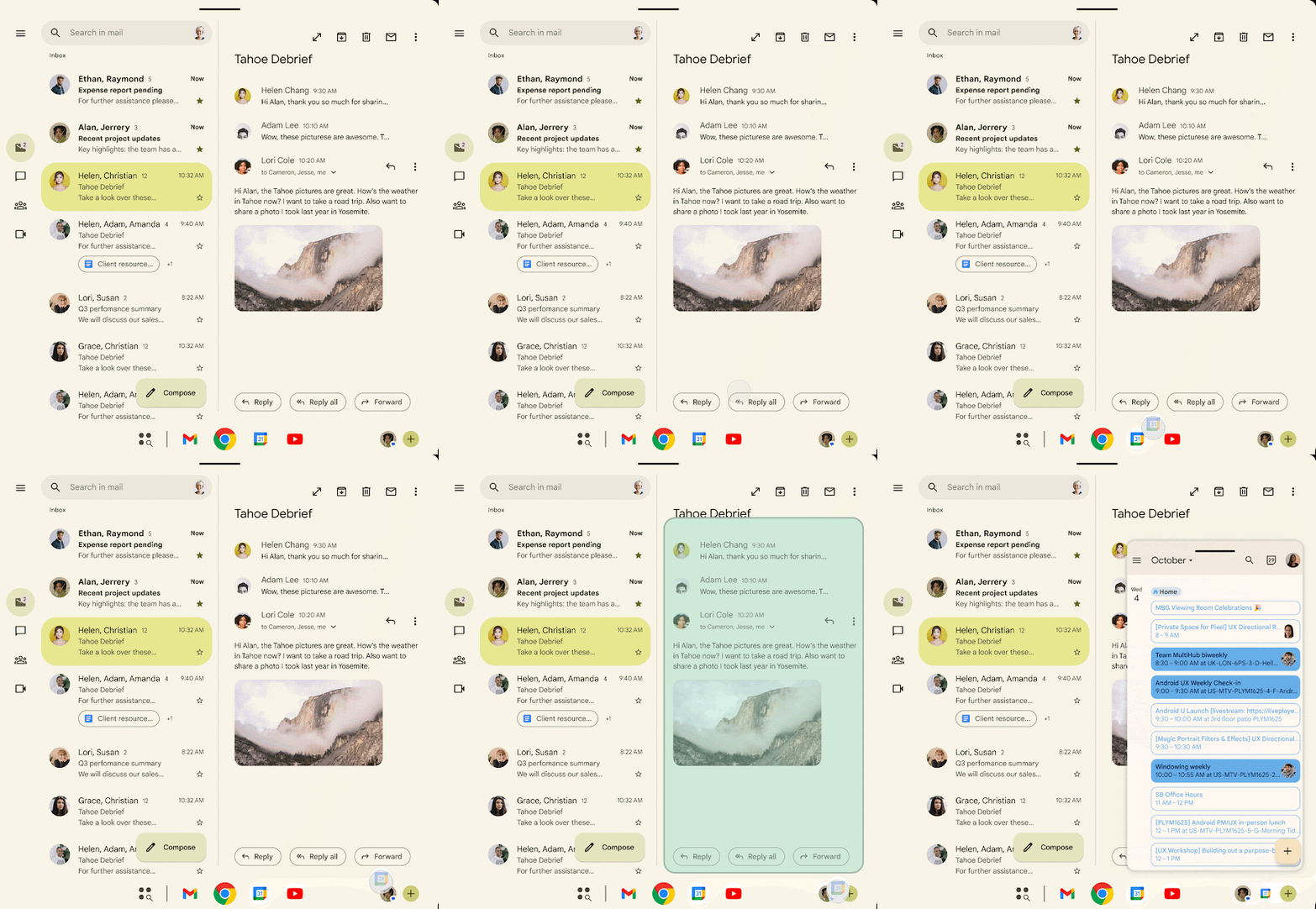
The new Bubbles feature turns any app into a floating bubble. This is an excellent multitasking feature, allowing users to run multiple floating apps without ever having to leave the full-screen app.
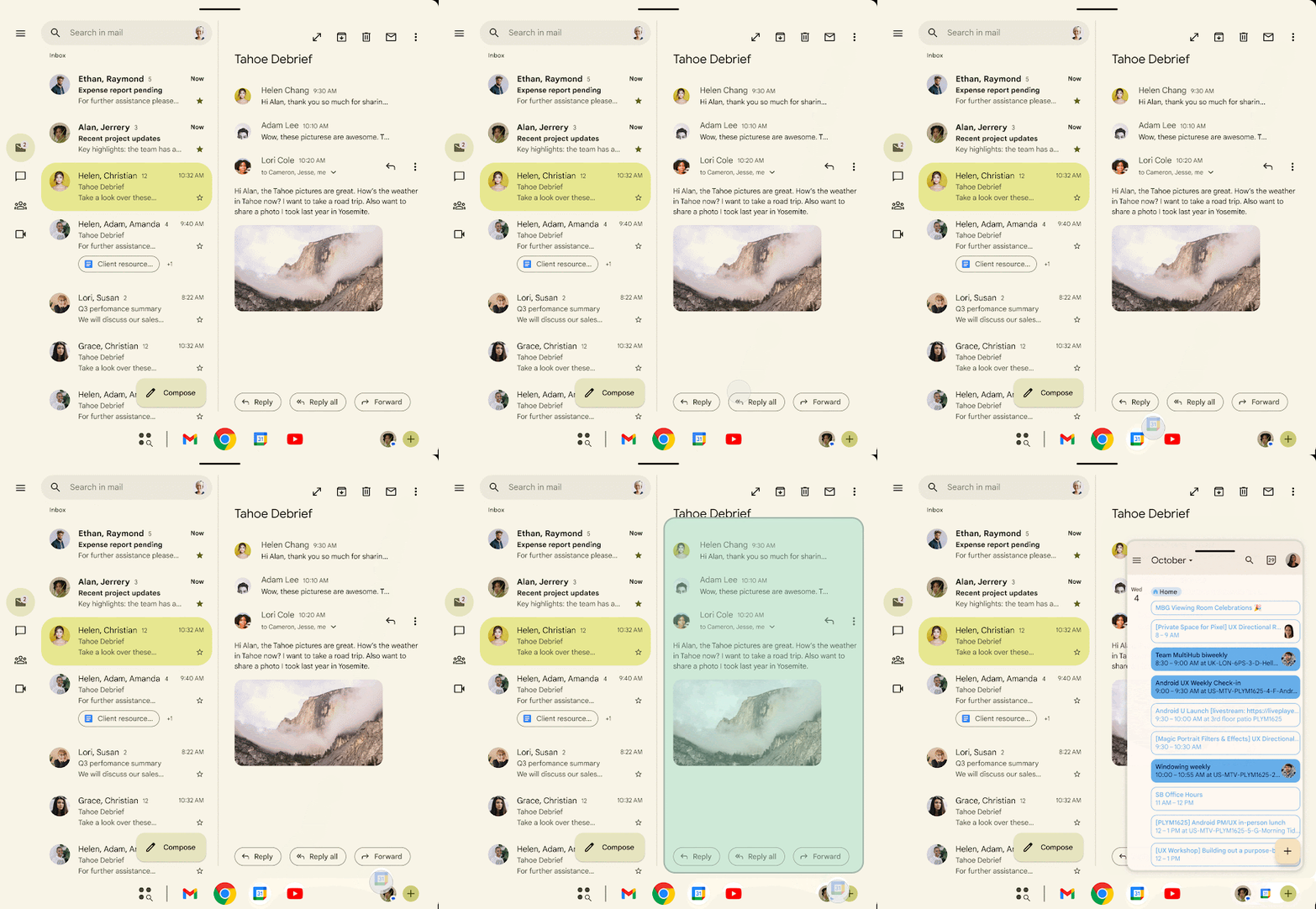
To use this feature, long-press an app icon, and you’ll see a “Bubble” option. That option quickly opens the app in a floating window. Tap it, and the app will shrink into a floating circle that stays at the top. On large-screen devices, there’s a dedicated bubble bar in the taskbar to organize and anchor bubbles.
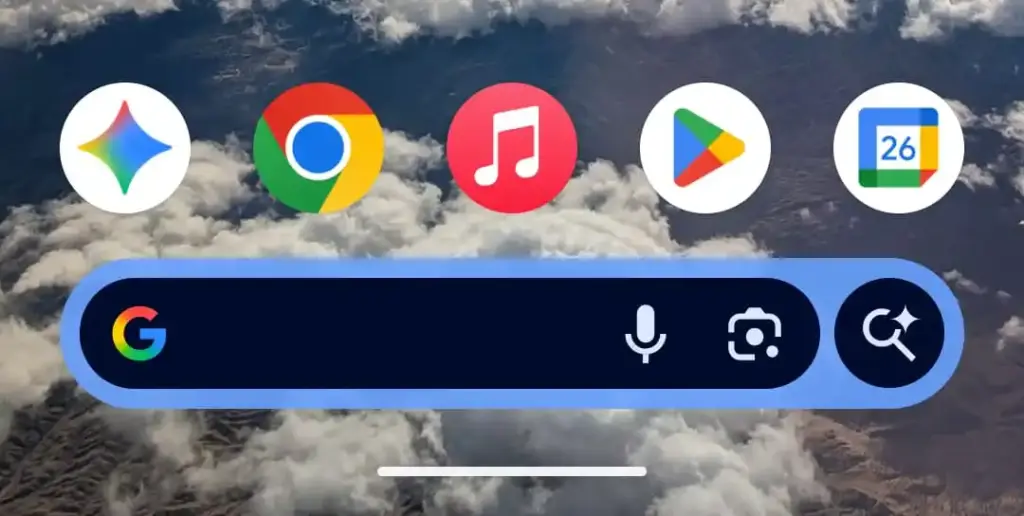
The previous Pixel Launcher Search bar is back
The Android 17 Beta 1 removed the ring around the search bar and featured a dominant color from the user’s wallpaper. Well, that return in the Beta 2 for the Pixel Launcher, as spotted by Phone Arena. The AI Mode icon is now featured inside the circle towards the end of the search bar.
Redesigned privacy indicators
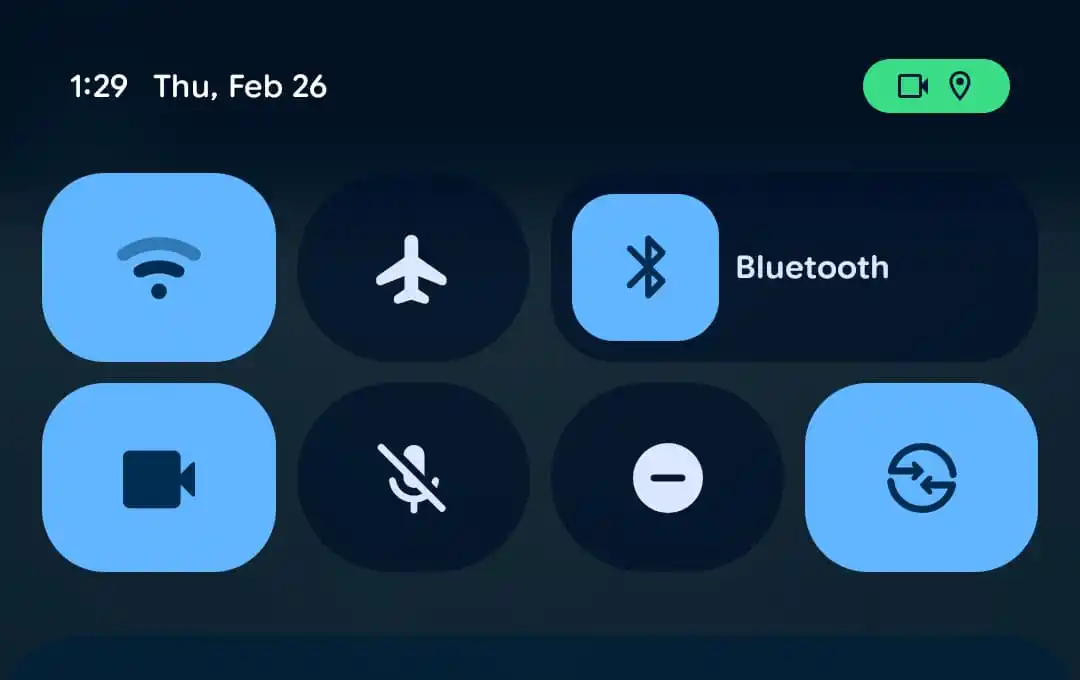
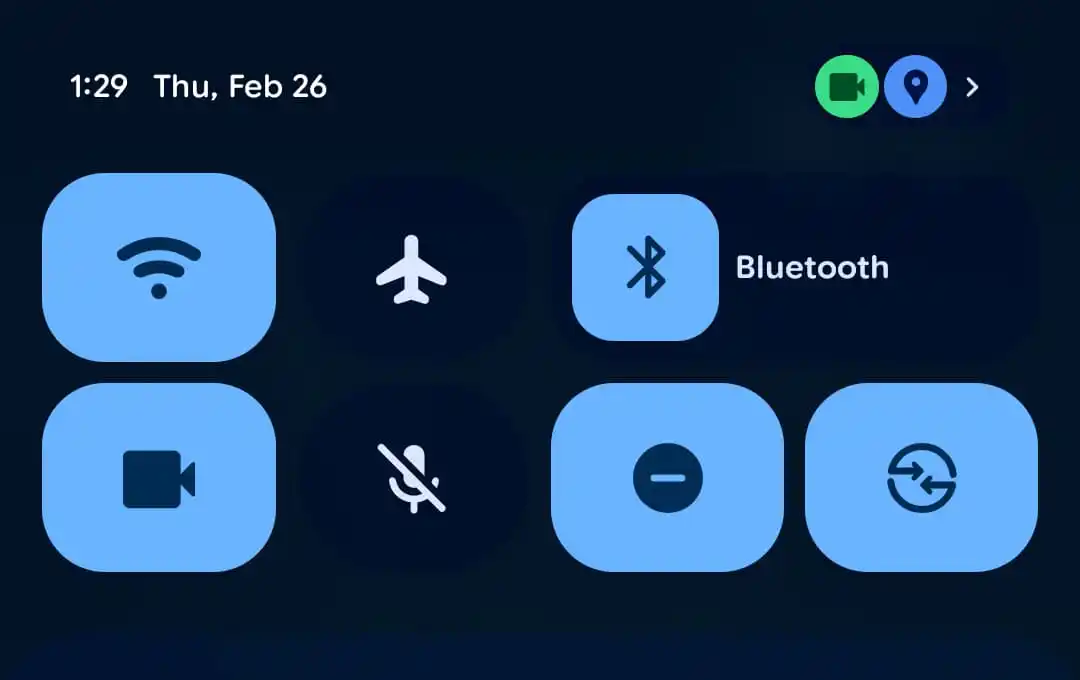
The Android 17 Beta 2 also brings minor design upgrades to privacy indicators. Earlier, when an app used your phone’s camera, location, and microphone, the icons were visible in the top-right corner, inside a pill-shaped green enclosure. In Beta 2, they are shown in separate circles. Also, the location is shown in blue instead of green.
Small but meaningful upgrades
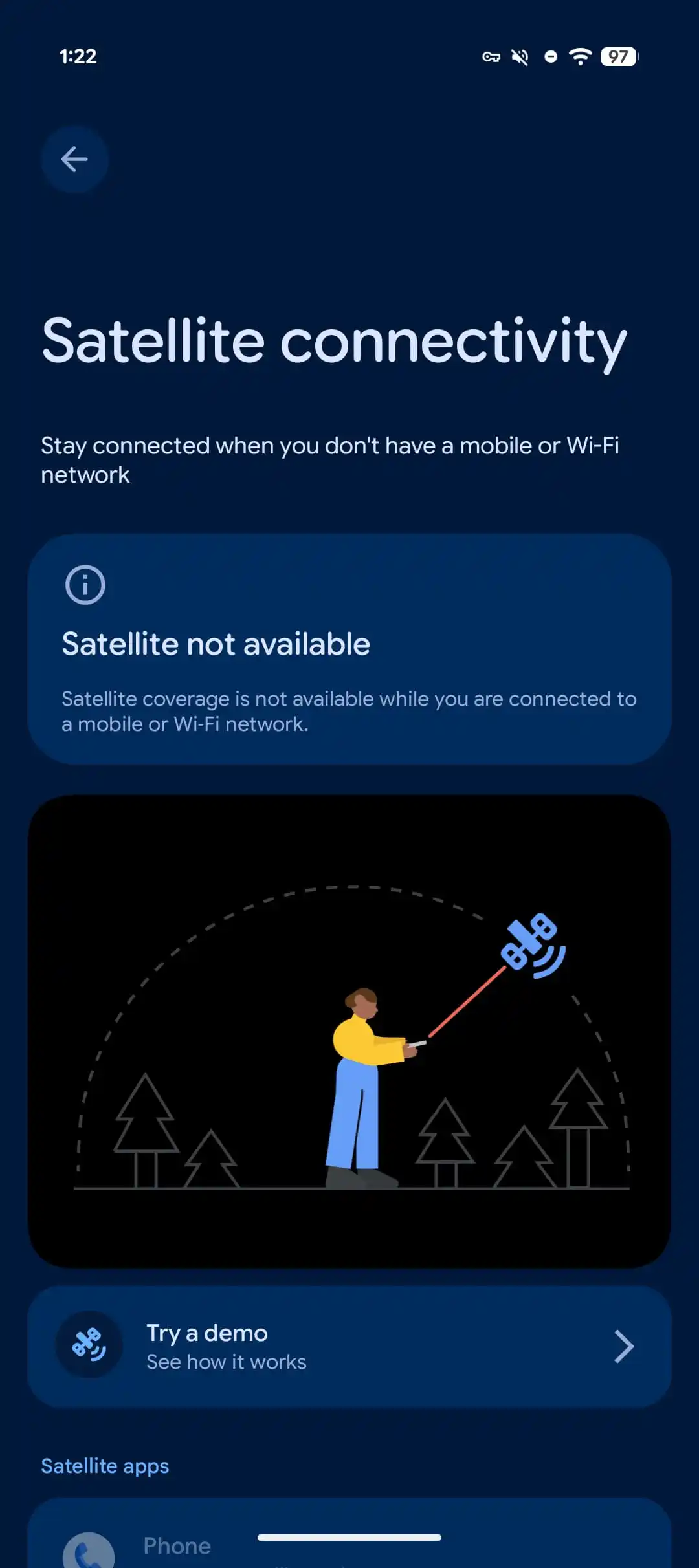
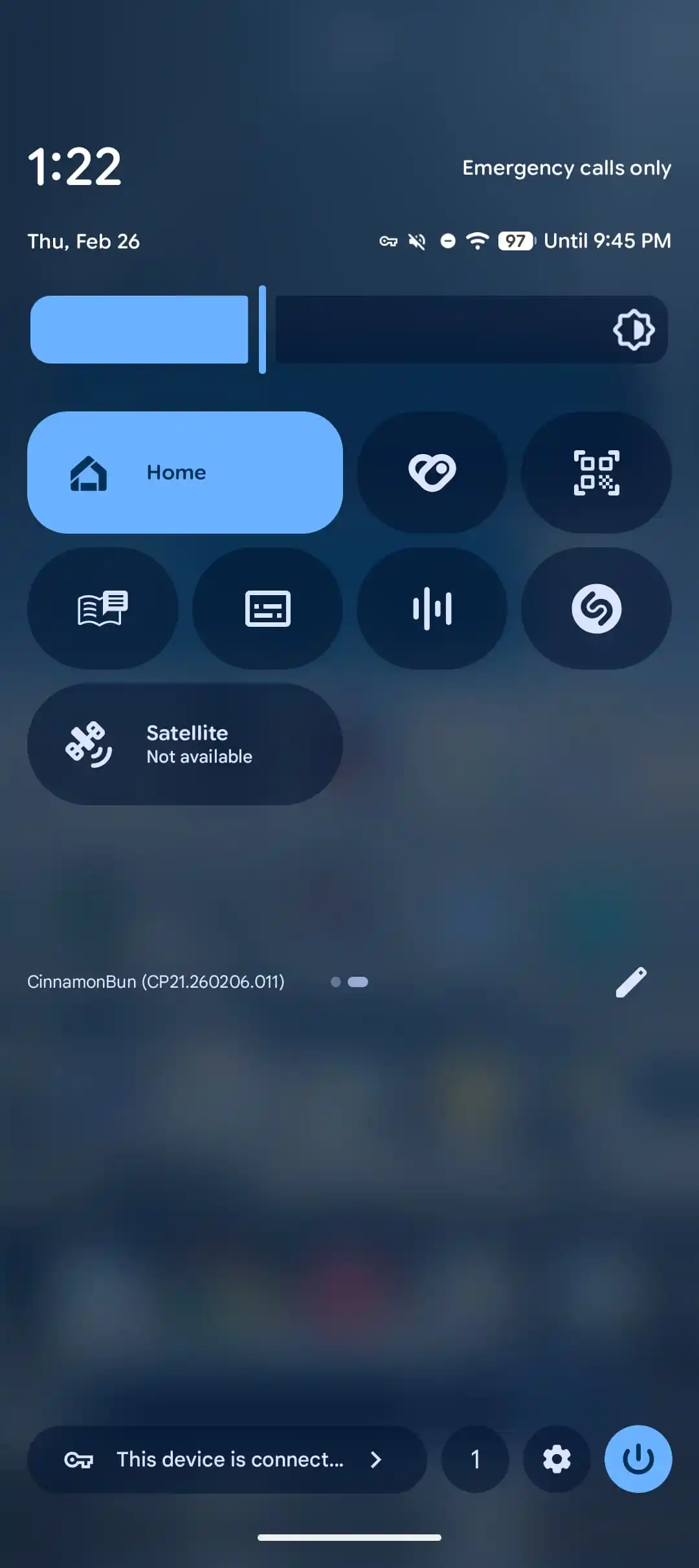
- Satellite tile in Quick Settings: The Quick Settings in Android 17 Beta 2 features a new “Satellite” tile with the current status.
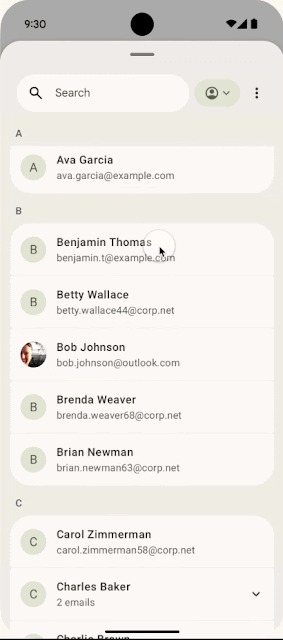
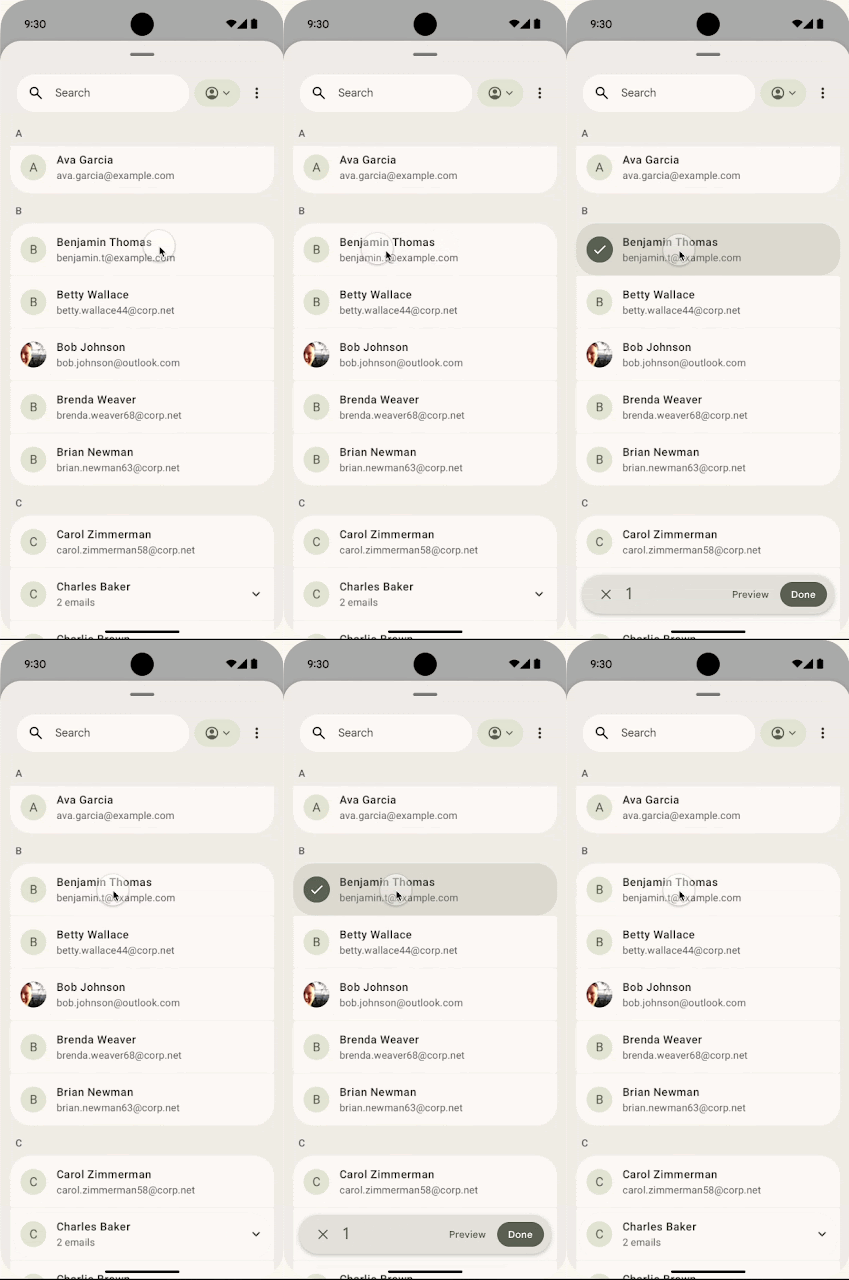
- System contacts picker: The new system-level contacts picker grants temporary, session-based read access to only the specific data fields selected by the user. It also allows users to choose between personal and work profiles, giving them more control over data sharing.
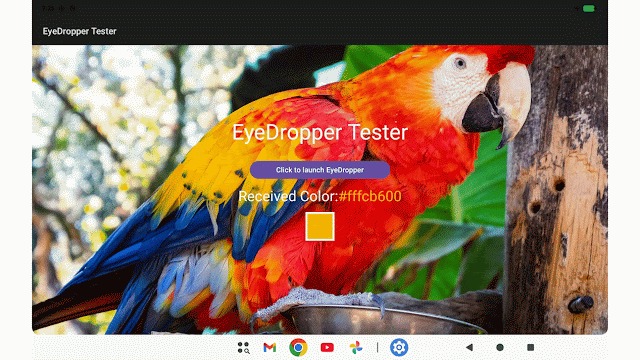
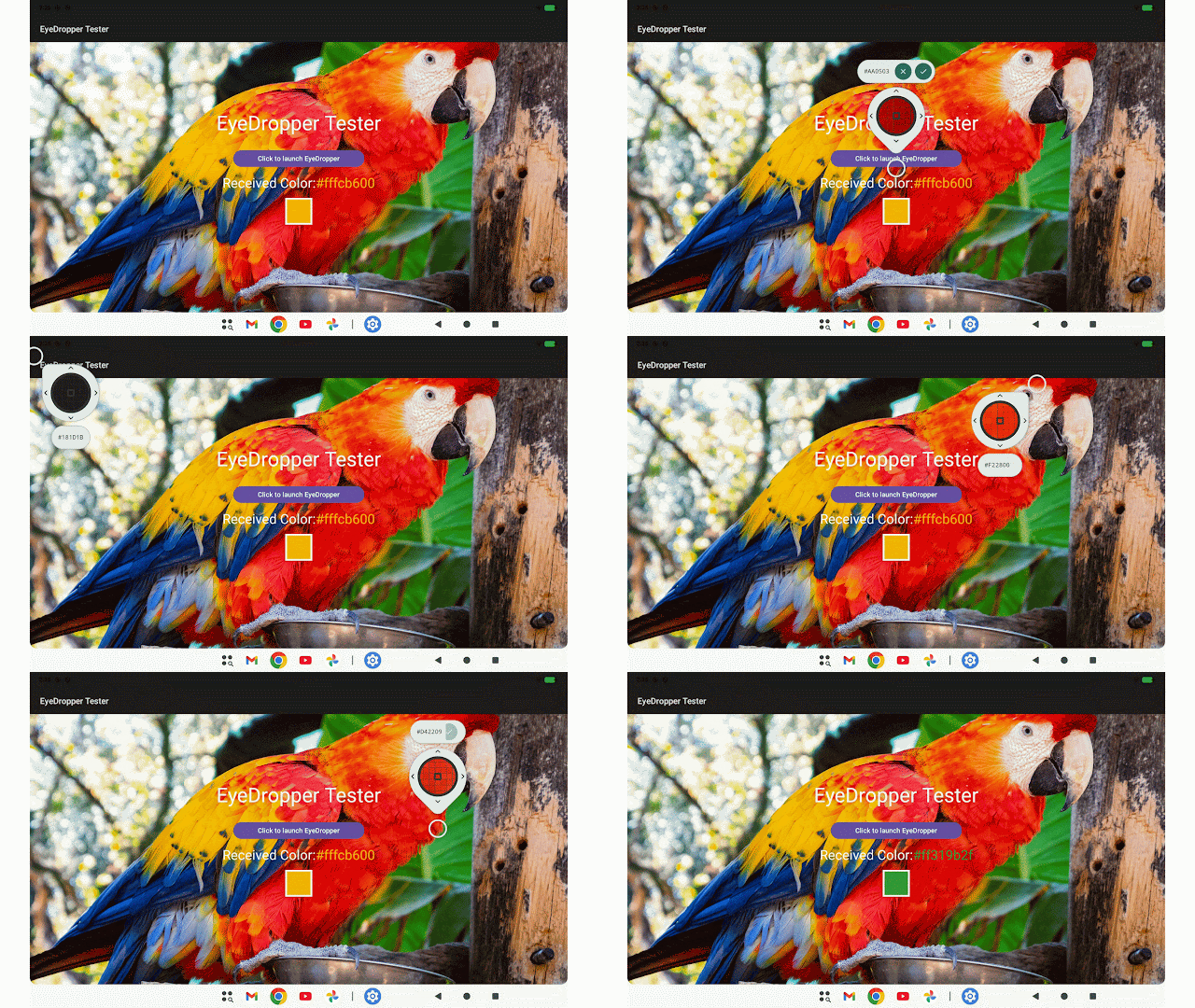
- System EyeDropper: Beta 2 introduces a new system-level EyeDropper API that allows apps to request a color from any pixel on the display without requiring sensitive screen-capture permissions.
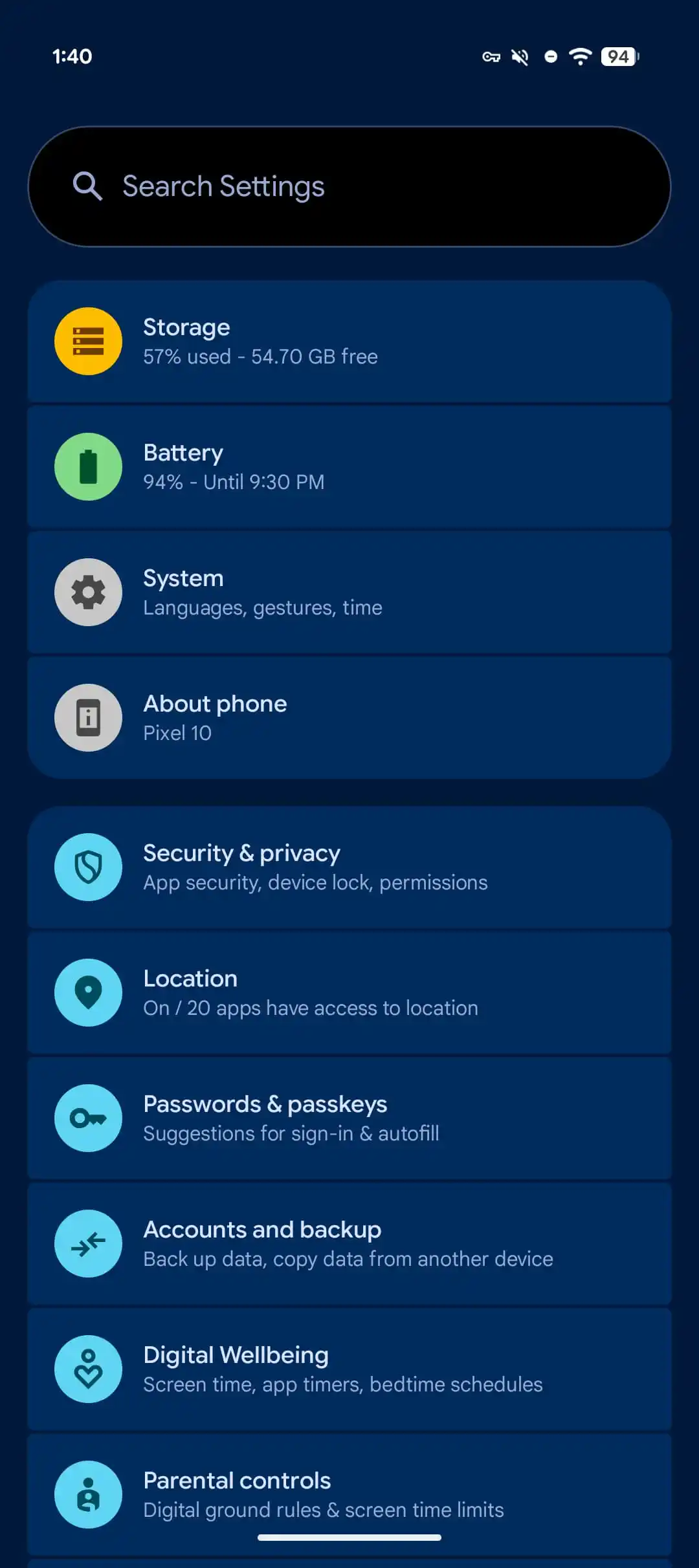
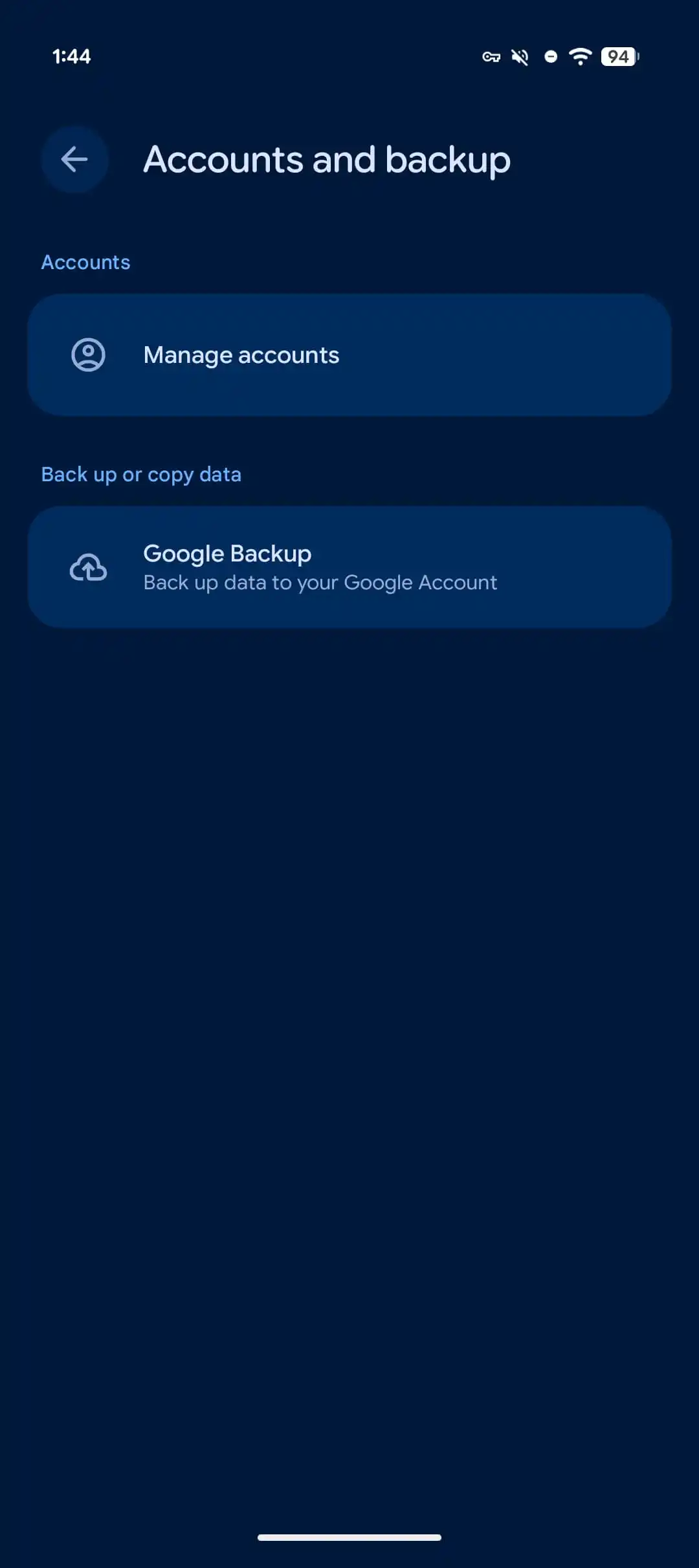
- New “Accounts and backup” menu in Settings: It replaces “Back up or copy data” and “Passwords, passkeys & accounts.”
- SMS and OTP protection: For apps that are not intended as receipts, OTP messages are delayed for three hours. It doesn’t include the default SMS app, assistant apps, and companion apps for connected devices.
This change applies to:
- WebOTP messages
- SMS Retriever format messages
- Standard OTP SMS messages
In addition to these changes, Android 17 Beta 2 includes improvements to connectivity, cross-device connectivity, and more. Plus, it also fixes 16 issues. You can check the complete changelog here.
Devices eligible to receive Android 17 Beta 2
- Pixel 10, Pixel 10 Pro, Pixel 10 Pro XL, Pixel 10 Pro Fold
- Pixel 9, Pixel 9 Pro, Pixel 9 Pro XL, Pixel 9 Pro Fold, Pixel 9a
- Pixel 8, Pixel 8 Pro, Pixel 8a
- Pixel 7, Pixel 7 Pro, Pixel 7a
- Pixel 6, Pixel 6 Pro, Pixel 6a
- Pixel Fold
- Pixel Tablet
The second beta of Android 17 is currently rolling out to only Google Pixels.
How to install Android 17 Beta 2 update?
If your Google Pixel is already running Android 17 Beta 1, you can easily install Beta 2 by navigating to Settings > System > Software Updates > System Updates.
If you’re not already part of the beta program, visit google.com/android/beta and “Opt in” on your selected device. Make sure you’re logged into the website with the same Google account. After opting in, you should be able to install the latest beta update on your Google Pixel from the Software Updates section in the Settings app.
Keep in mind that there’s no going back once you install a beta update. If you try to leave the Beta early, you’ll need to perform a full data wipe.
According to the official release timeline, Android 17 will enter the platform stability phase next month, with the stable version expected to be released in Q3 2026. Stay tuned for more updates.
The post Android 17 Beta 2 rolling out with meaningful upgrades: Eligible devices, new features, and more appeared first on Gizmochina.