
❌

Reading view

Avoid latest Camera Assistant on Samsung Galaxy S26 – Here’s why

Samsung recently released a new Camera Assistant update with version 4.5.00.20, but Galaxy S26 users should be careful. The update brings some improvements, but it also has a frustrating bug.

The main change in this update is the 24MP photo option. Before, it was hidden in the advanced settings, so many people didn’t notice it. Now, Samsung has moved it to the main settings screen. This makes it easier and faster to switch to 24MP mode without going through multiple menus.

The 24MP mode gives better photo detail than the regular 12MP mode but avoids the problems of very high-resolution photos. Also, the update is reported to improve camera stabilization, helping you take clearer photos even if your hands shake slightly.

However, there’s a big issue with this update. Many Galaxy S26 users report (via @Wvisioncreation) that switching between 12MP and 24MP doesn’t work properly. After switching away from 24MP, the camera sometimes won’t go back unless you wait, try again, or restart your phone. This bug keeps repeating, which can be very annoying for anyone who likes using both modes.
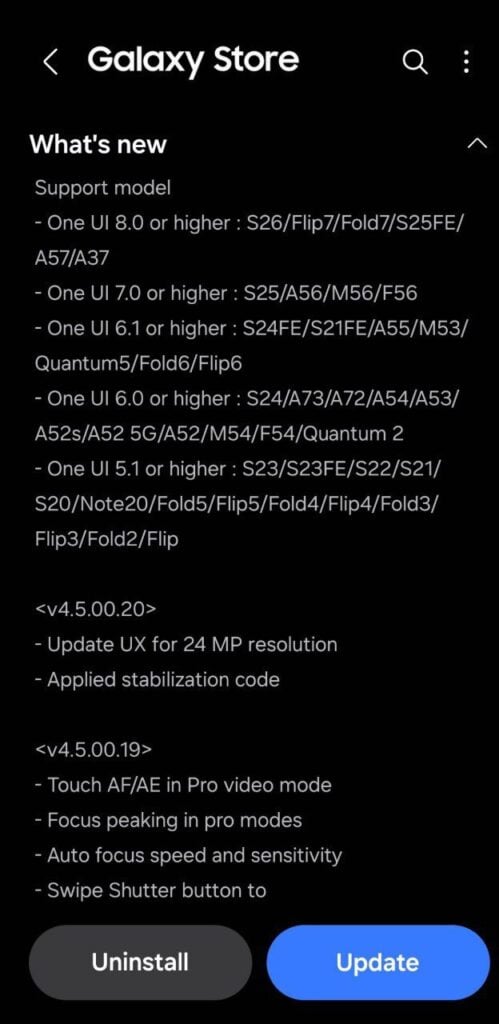
Samsung Camera Assistant 24MP update

While the update makes the 24MP option easier to use and improves stabilization, the bug reduces its usefulness. Many users are frustrated because updates are supposed to fix problems, not create new ones.

For now, Galaxy S26 owners might want to avoid updating to version 4.5.00.20 until Samsung releases a fix. It’s always good to check user reports before installing updates, mainly when a new feature comes with bugs.

The update improves 24MP access and camera stability, but the switching bug makes it less reliable. Galaxy S26 users should wait for a more stable version before updating. Stay tuned for more information.

Google Search Top Stories Preferred Source

The post Avoid latest Camera Assistant on Samsung Galaxy S26 – Here’s why appeared first on Sammy Fans.
One UI 8.5 to offer advanced Quick Settings options via QuickStar

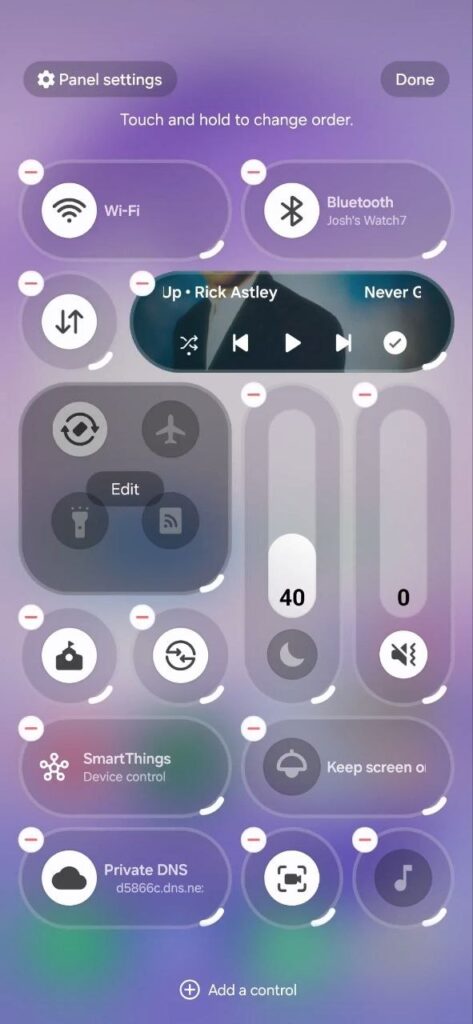
Samsung is making its Quick Settings panel much more flexible with a new QuickStar feature in One UI 8.5. Earlier, One UI 8.5 already improved Quick Settings by letting users add, remove, and rearrange toggles. With new options, users will have more control over the Quick Settings Panel.

Samsung QuickStar is a Good Lock module, and it will soon allow users to fully control how their Quick Settings look. According to the information via @thatjoshguy69, a new option of the QuickStar lets you change how many tiles appear on the screen and even adjust their size.

It means that if you want a cleaner and smaller layout, you can shrink tiles or make the media player more compact. If you prefer bigger buttons, you can do that too. This gives users more freedom to design the panel the way they like.

Samsung QuickStar One UI 8.5 feature

Image via @thatjoshguy69 (X)

But the feature is not officially released yet for One UI 8.5 devices. But it can already turned on manually. To do this, you need an app called SetEdit and a tool called Android Debug Bridge.

After installing SetEdit, you connect your phone to a computer and run a simple ADB command to give permission. The ABD command is:

adb shell pm grant by4a.setedit22 android.permission.WRITE_SECURE_SETTINGS

Then, inside SetEdit, you change certain Quick Settings (QS) values from 0 to 1.Β Once this is done, you can open Quick Settings, tap edit, and try the new options. However, there are a few downsides. The feature may have small visual bugs, and the extra options reset after restarting your phone. You will need to enable them again. Stay tuned for the official release.

The post One UI 8.5 to offer advanced Quick Settings options via QuickStar appeared first on Sammy Fans.

❌