When it comes to smart home innovation, Xiaomi has been leading the charge with its expansive product ecosystem, designed to integrate seamlessly into everyday life.
In 2026, the brand offers some standout devices that reimagine convenience, style, and functionality. Here’s a look at 7 unique Xiaomi smart home products you can buy this year, each bringing something extraordinary to the table.
Xiaomi Robot Vacuum 5 Pro
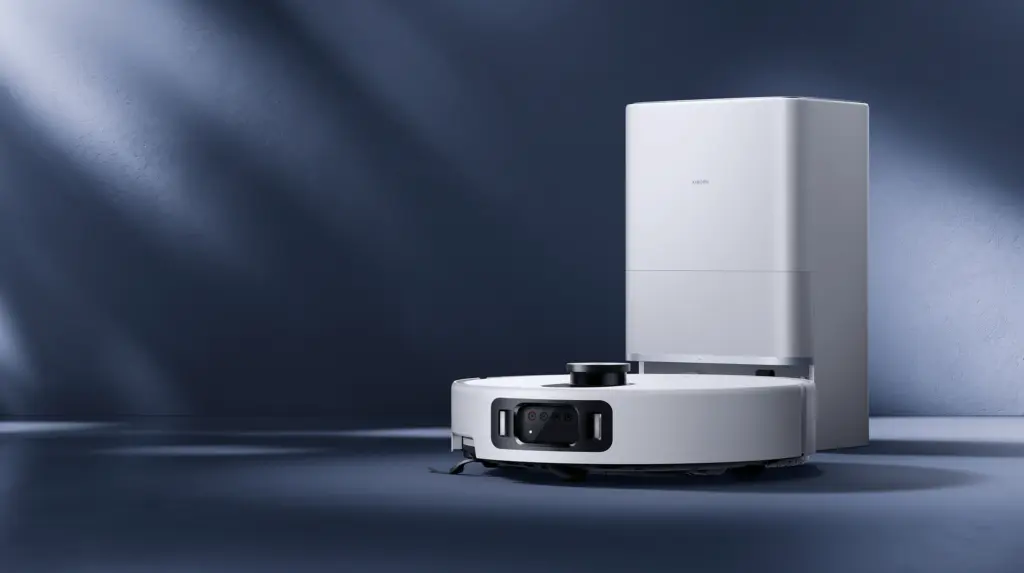
The Xiaomi Robot Vacuum 5 Pro delivers exceptional cleaning performance with advanced AI technology. It detects over 200 objects, including cables and pet bowls, using a triple-camera system. Its suction power reaches an impressive 20,000Pa, which allows it to clean carpets, corners, and low-clearance areas with ease.
The robot comes with a self-cleaning base that reduces maintenance tasks. Its anti-tangle brushes and precise navigation simplify household cleaning, making it one of the smartest robot vacuums available.
Xiaomi Semi-Automatic Espresso Machine
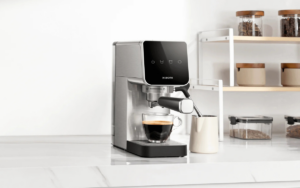
The Xiaomi Semi-Automatic Espresso Machine provides café-quality coffee at home. It uses a 20-bar pump and low-pressure pre-infusion technology to extract rich flavors from coffee grounds. The compact 14cm-wide stainless steel design fits easily into any kitchen.
It comes with a professional steam wand that creates dense milk foam for drinks like lattes and cappuccinos. The machine also offers customizable brew volumes, allowing users to enjoy single or double servings based on their preferences.
Xiaomi Dust Mite Vacuum Cleaner 2 Pro
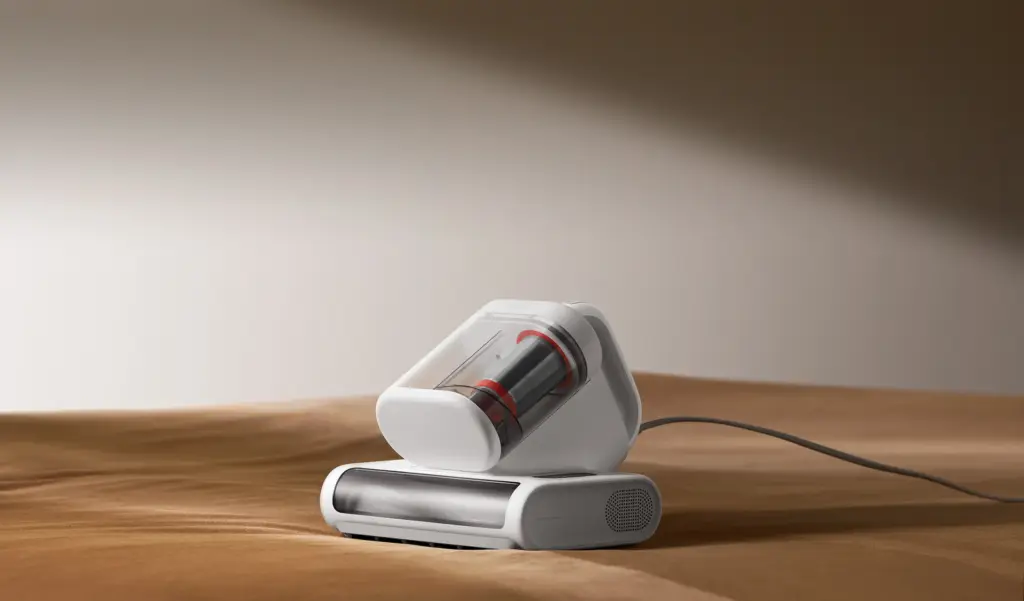
The Xiaomi Dust Mite Vacuum Cleaner 2 Pro tackles allergens and dust mites in household fabrics. It features 16kPa suction power and offers 72,000 taps per minute to dislodge dirt from mattresses and sofas. The built-in UV sterilization and 65°C hot-air drying system ensure a germ-free and comfortable clean.
The vacuum uses an intelligent dust sensor that adjusts suction power according to dirt levels. Its six-stage filtration system prevents secondary pollution, making it an essential tool for maintaining clean and healthy spaces.
Mijia Smart Air Purifier 6
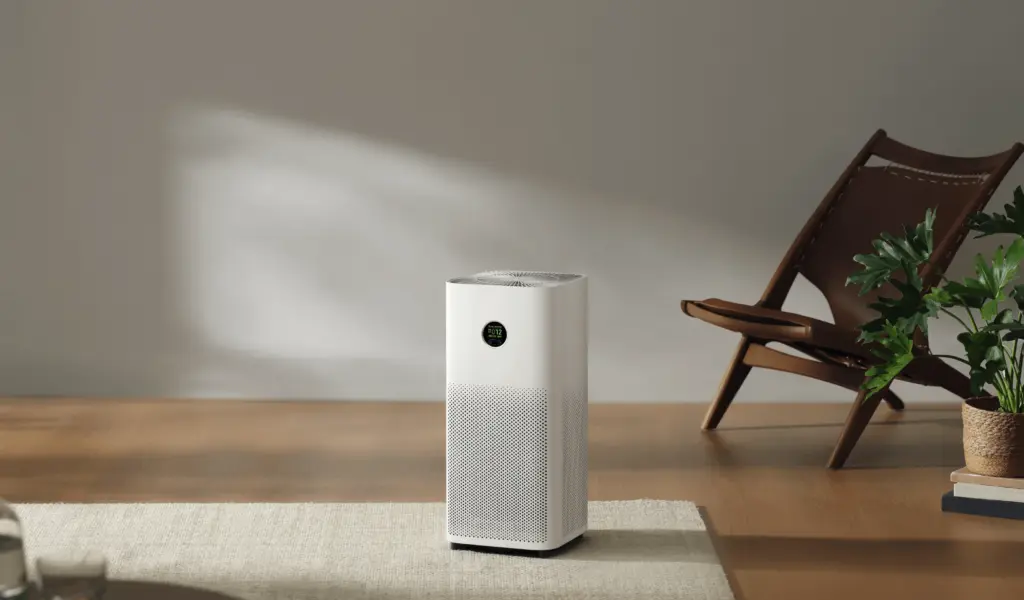
The Mijia Smart Air Purifier 6 improves indoor air quality with its five-sensor system. It detects PM2.5, dust, and other pollutants while providing real-time feedback via an LCD display. Its five-layer composite filtration system removes allergens, bacteria, and VOCs, including formaldehyde.
The air purifier has a CADR of 443m³/h, which ensures the entire room is purified in just 3.5 minutes. It integrates with the Xiaomi Home app for remote control and features voice control compatibility, making it an ideal choice for allergy-prone households.
Xiaomi Vacuum Cleaner G30 Max
The Xiaomi Vacuum Cleaner G30 Max provides powerful cleaning performance with 280AW maximum suction power. The vacuum can clean deep crevices and handle stubborn dirt, making it ideal for homes with carpets and hard floors.
The device features dust detection, automatic suction adjustment, and three cleaning modes (Eco, Auto, Turbo). Its bendable tube and attachments ensure versatile cleaning, including pet hair and hard-to-reach spots, with up to 90 minutes of runtime in Eco mode.
Xiaomi Outdoor Camera CW100 Dual
The Xiaomi Outdoor Camera CW100 Dual offers enhanced home security with dual-lens functionality. This surveillance camera provides nearly 180° panoramic coverage and ensures no blind spots. It records sharp visuals in 2K resolution and uses smart full-color night vision to capture details even in the dark.
The camera uses AI to detect people, vehicles, and motion, sending instant alerts via the Xiaomi Home app. It features two-way audio for communication and is IP66-rated for outdoor reliability.
Xiaomi Rechargeable Mini Fan
The Xiaomi Rechargeable Mini Fan offers a simple yet effective solution for portable cooling. The fan features multiple speed settings and operates quietly, making it suitable for home, office, or outdoor use.
Its lightweight, rechargeable design ensures convenience for users on the go. The fan powers on via USB and offers a surprising amount of airflow for its size. Xiaomi combines practicality and minimalist style in this device, catering to everyday needs.
For more daily updates, please visit our News Section.
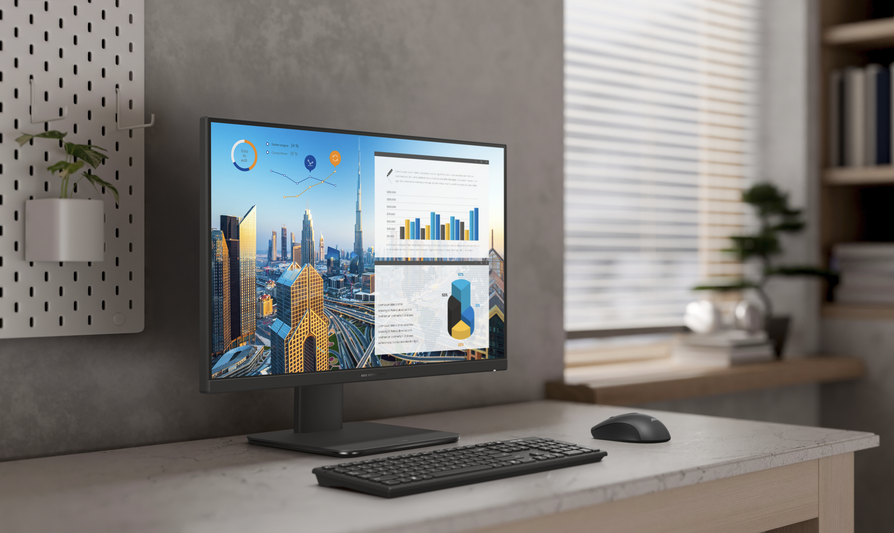
Asus has launched its latest all-in-one desktop series, the ExpertCenter P600 AiO, designed to deliver next-generation AI performance for business users. The lineup includes two models, the 27-inch PM670GA and the 24-inch-class PM640GA.
Asus ExpertCenter P600 AiO Specifications
The ExpertCenter P600 AiO features AMD Ryzen AI processors, with options including the AMD Ryzen AI 5 430 (4 cores, up to 4.5GHz, 8MB cache, 50 TOPS NPU) and the AMD Ryzen AI 7 445 (6 cores, up to 4.6GHz, 16MB cache, 50 TOPS NPU). It supports up to 64GB DDR5 memory and 2TB PCIe 4.0 SSD storage.
The PM640GA features a 23.8-inch FHD IPS panel with 250 nits brightness, while the PM670GA boasts a larger 27-inch FHD IPS display with 300 nits brightness. Both models offer 178° wide viewing angles, 99% sRGB color accuracy, TÜV Rheinland-certified low blue-light emissions, an anti-glare coating, and optional touchscreen functionality.
Asus offers two camera options for these models: a 2MP FHD+IR camera and an upgraded 5MP FHD+IR camera. Both include a retractable mechanism to ensure privacy by physically blocking the lens when not in use. For audio, these PCs feature dual 5W internal stereo speakers.
The ExpertCenter P600 AiO series offers extensive connectivity, including a USB 2.0 Type-A port, a microphone/headphone combo jack, a Kensington lock slot, and an HDMI-in button on the side. The rear panel features three USB 3.2 Gen 1 Type-A ports, one USB 3.2 Gen 1 Type-C port, HDMI-out 2.1, HDMI-in 1.4, an RJ45 LAN port, and a power input. Wireless connectivity includes WiFi 6 and Bluetooth 5.2, with optional upgrades to WiFi 7 and Bluetooth 5.4.
For ergonomic comfort, the lineup includes an optional height-adjustable stand. The stand allows users to tilt, swivel, and rotate the display for different work needs.
The P600 AiO is built for high security and durability, featuring Asus ExpertGuardian with TPM 2.0 and biometric login. It meets the MIL-STD 810H military durability standard for reliability.
Asus also provides optional accessories such as a full-sized keyboard, ergonomic mouse, height-adjustable stand (HAS), and VESA mount support.
In related news, HP has recently introduced the Star Studio Pro 27 all-in-one PC, powered by the Intel Core 5 210H processor, paired with a 27-inch FHD display featuring a 120Hz refresh rate and 16GB of DDR5 RAM.
For more daily updates, please visit our News Section.
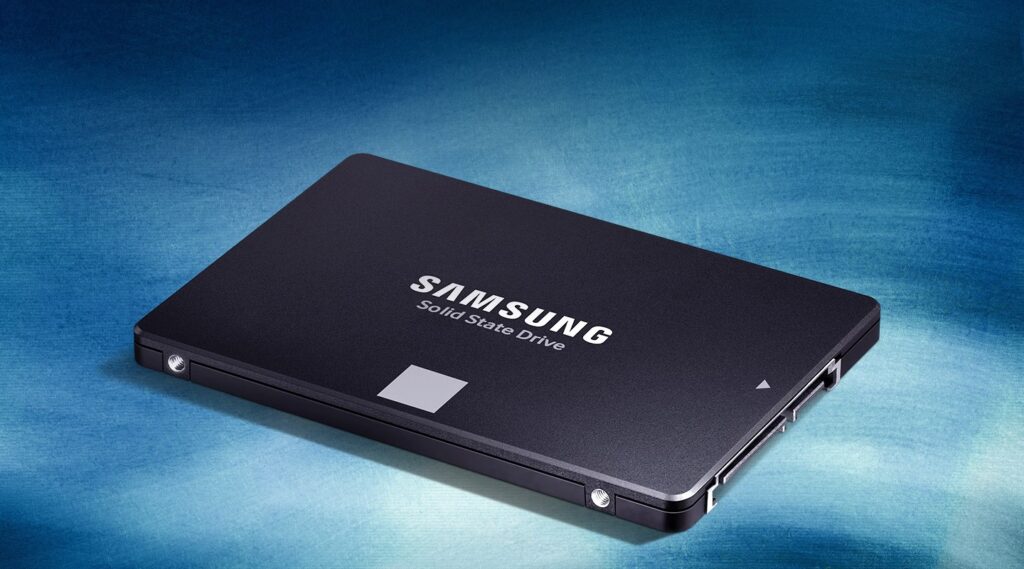
Samsung has launched the 8TB version of its 870 Evo SSD. The new model is now available in China for 12,999 yuan through major retailers like JD.com. In Europe, the SSD is priced at around €1,259, while in Singapore it is priced at $1,864.
Samsung 870 Evo 8TB SSD Specs
Samsung introduced the 870 Evo series in 2021 with capacities ranging from 250GB to 4TB. The new 8TB model doubles the previous maximum capacity, providing more options for users with heavy storage needs.
The 870 Evo SSD achieves sequential read speeds of up to 560 MB/s and write speeds of up to 530 MB/s, which are the highest possible speeds for the SATA interface. Samsung uses Intelligent TurboWrite technology to deliver consistent write performance over extended periods. Everyday users can expect professional-grade performance for tasks like gaming, media editing, and large file transfers.
Samsung designed the 8TB model for reliability and longevity. The SSD includes a five-year limited warranty and a 4,800 TBW (terabytes written) endurance rating, making it suitable for data-intensive workloads like 4K/8K video processing. The 870 EVO uses Samsung’s V-NAND TLC memory and the in-house MKX controller to ensure stable performance and compatibility across a wide range of devices.
This new SSD supports a standard 2.5-inch SATA form factor, which allows it to work with most desktop PCs, laptops, and NAS devices. Samsung Magician software lets users easily migrate data, monitor drive health, and install firmware updates. The SSD weighs approximately 48 grams and maintains compatibility with SATA 6Gb/s connections, while also supporting older SATA 3Gb/s and SATA 1.5Gb/s standards.
Thin-and-light laptops have always been my go-to for their portability and sleek aesthetics.
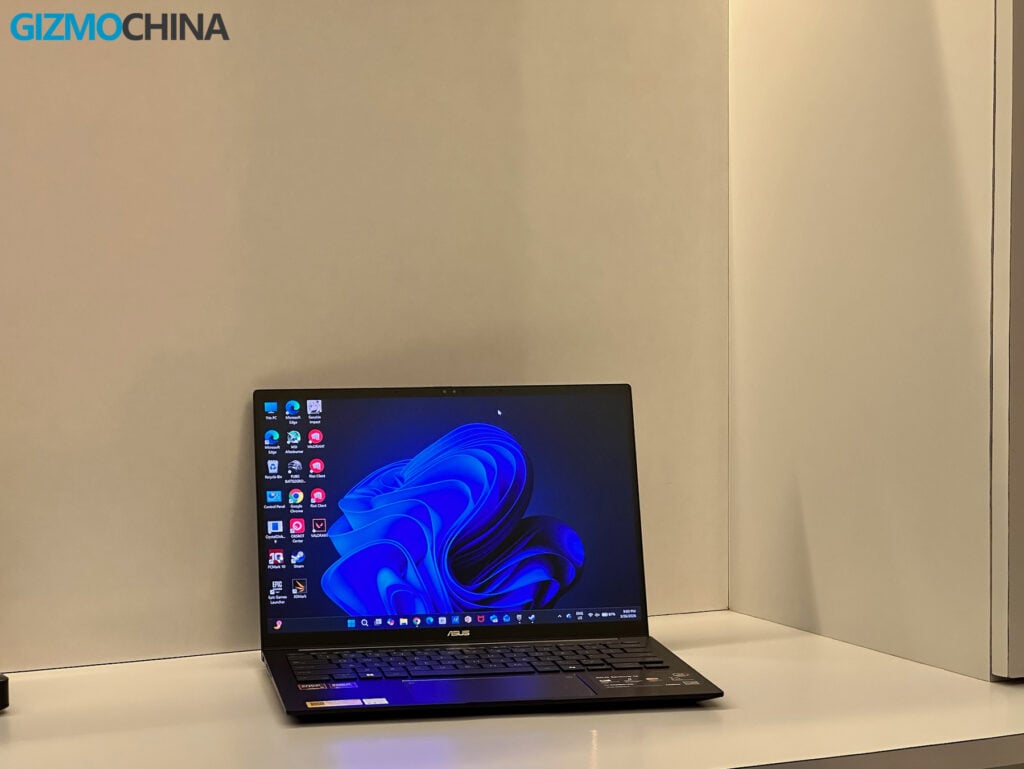
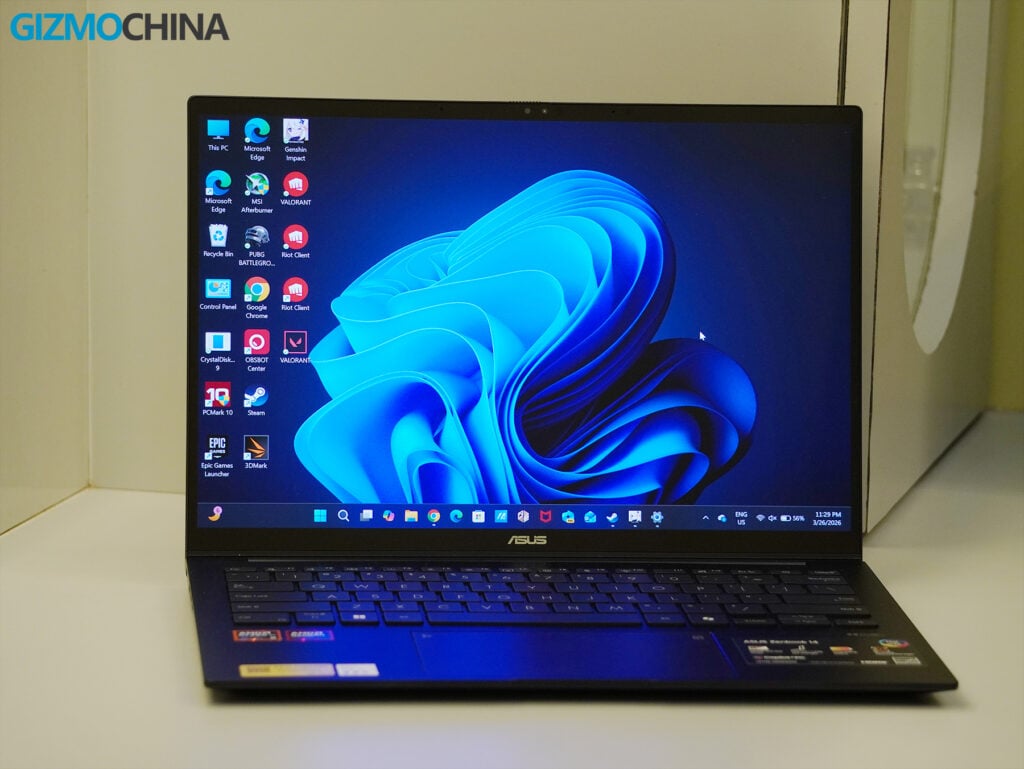
Over the past couple of weeks, I had the chance to test out the Asus Zenbook 14 (UM3406G), a machine that promises the best of modern design, AI-infused performance, and impressively long battery life.
While marketed as an ultraportable, it’s clear that Asus also wanted to make a device that stands out in terms of build, features, and utility. But does it deliver on all fronts? Let’s break it down.
Design and Build Quality
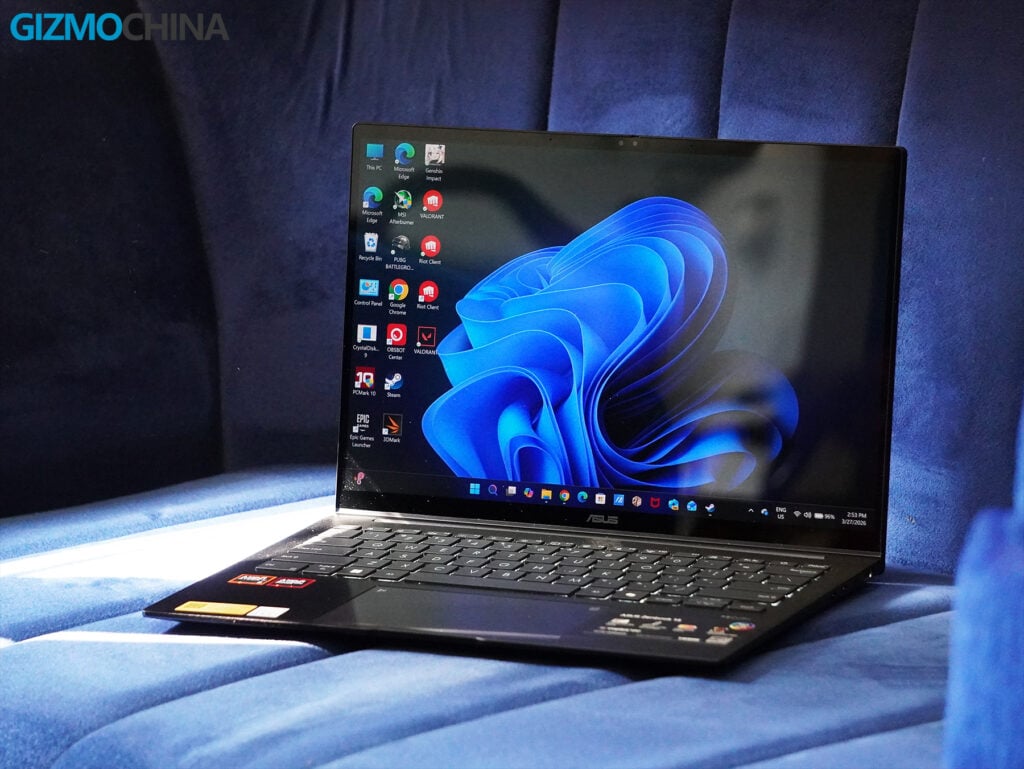
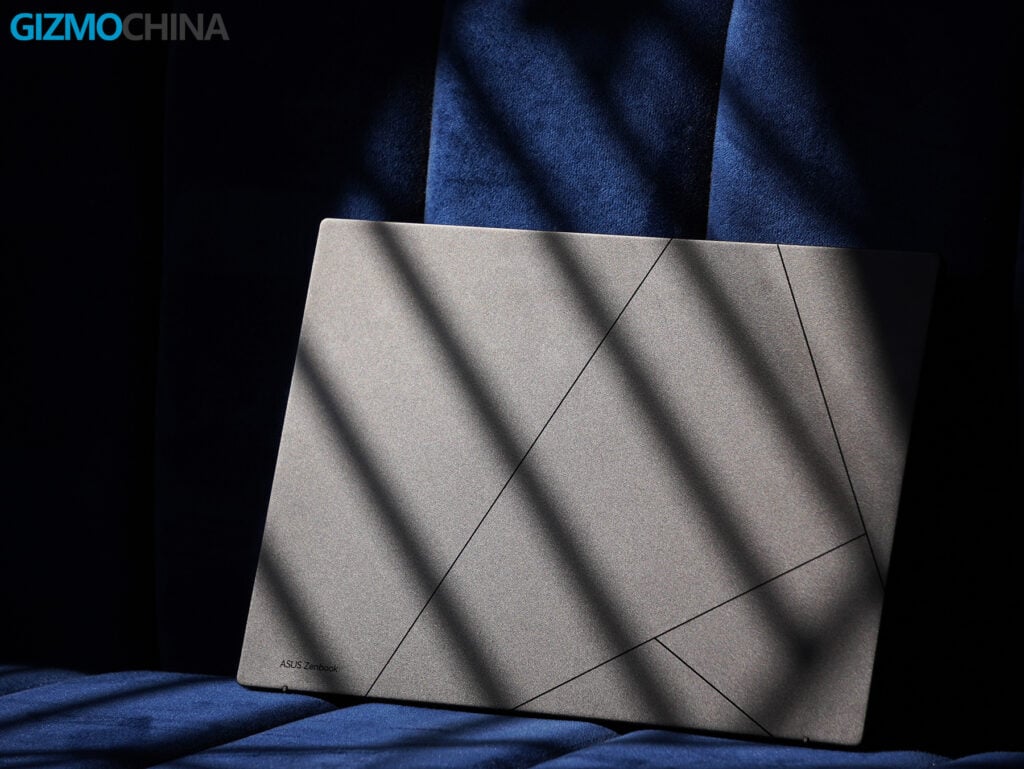
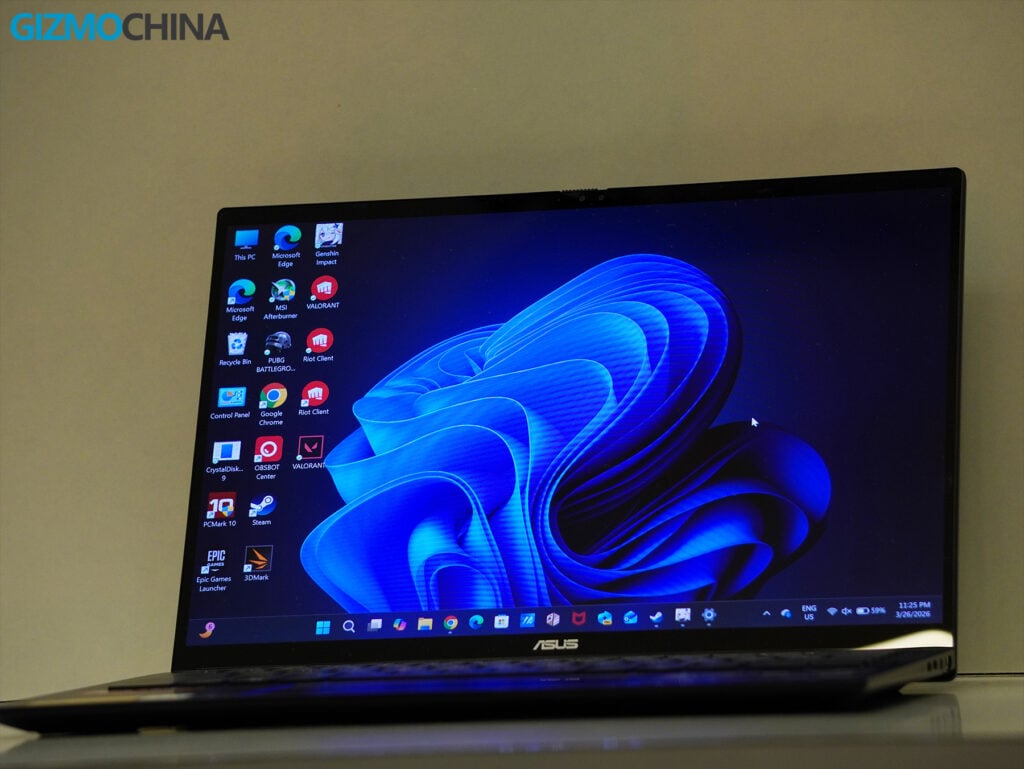
Straight out of the box, the Zenbook 14 makes an impression with its minimalist, all-aluminum alloy chassis. Asus has gone for a clean, professional aesthetic that blends seamlessly into both casual and office settings. The Jade Black finish steals the spotlight, subtle, sophisticated, and premium. However, it’s a fingerprint magnet, which detracts slightly from its otherwise polished look. You’re going to want to keep a microfiber cloth handy.
At 1.49 cm thin and weighing 1.28 kg, this laptop is designed for those on the move. It’s incredibly lightweight and slim, yet it doesn’t compromise structural integrity. The MIL-STD 810H certification for military-grade durability adds some peace of mind. I tossed it into my work bag every day and used it in various coffee shops without worrying about accidental bumps.
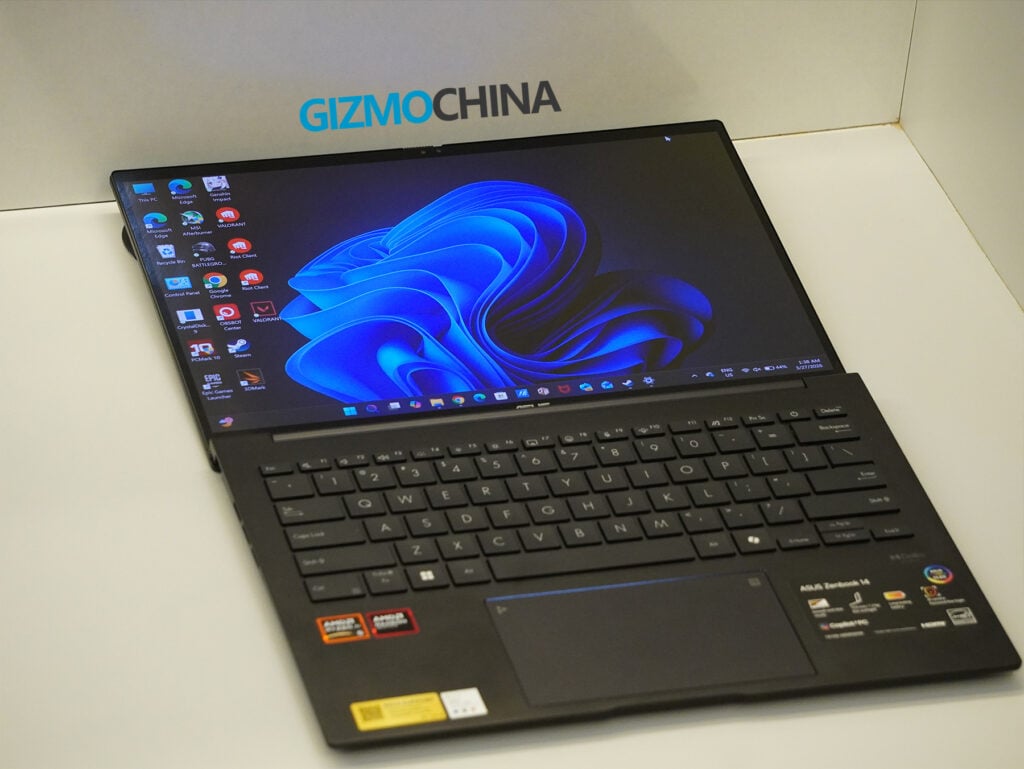
The hinge design allows the lid to open a full 180 degrees, making collaboration or angled viewing comfortable. However, the one downside in practical use is that you can’t open the lid with one hand, a very annoying hiccup in an otherwise thoughtful design.
Display
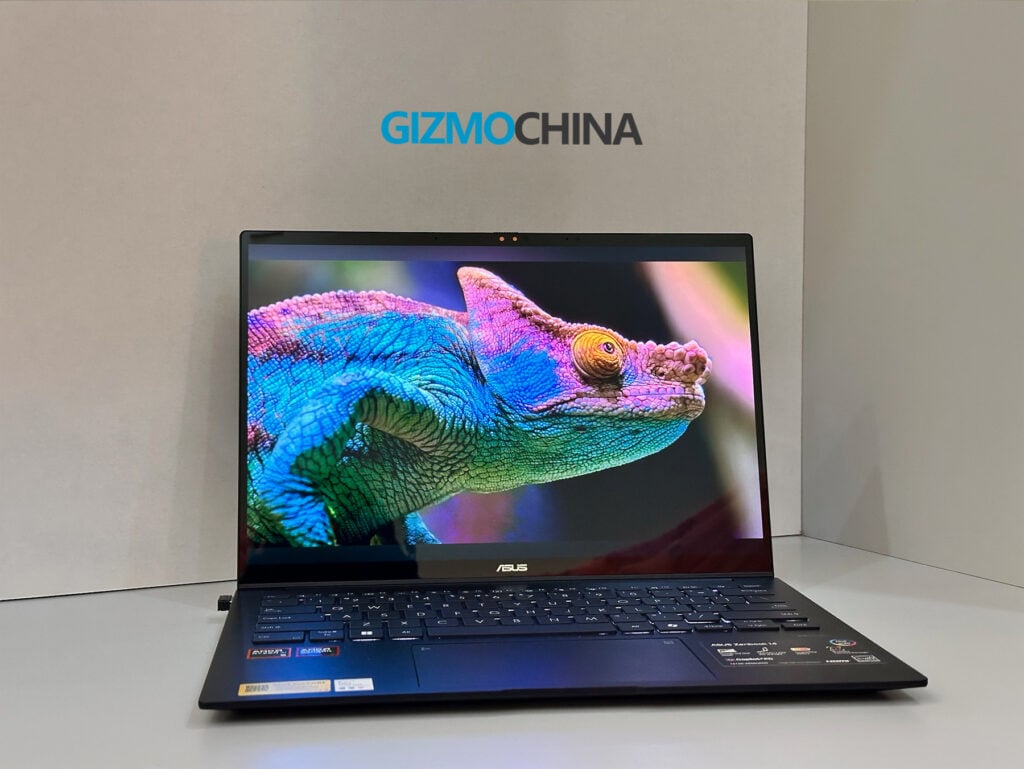
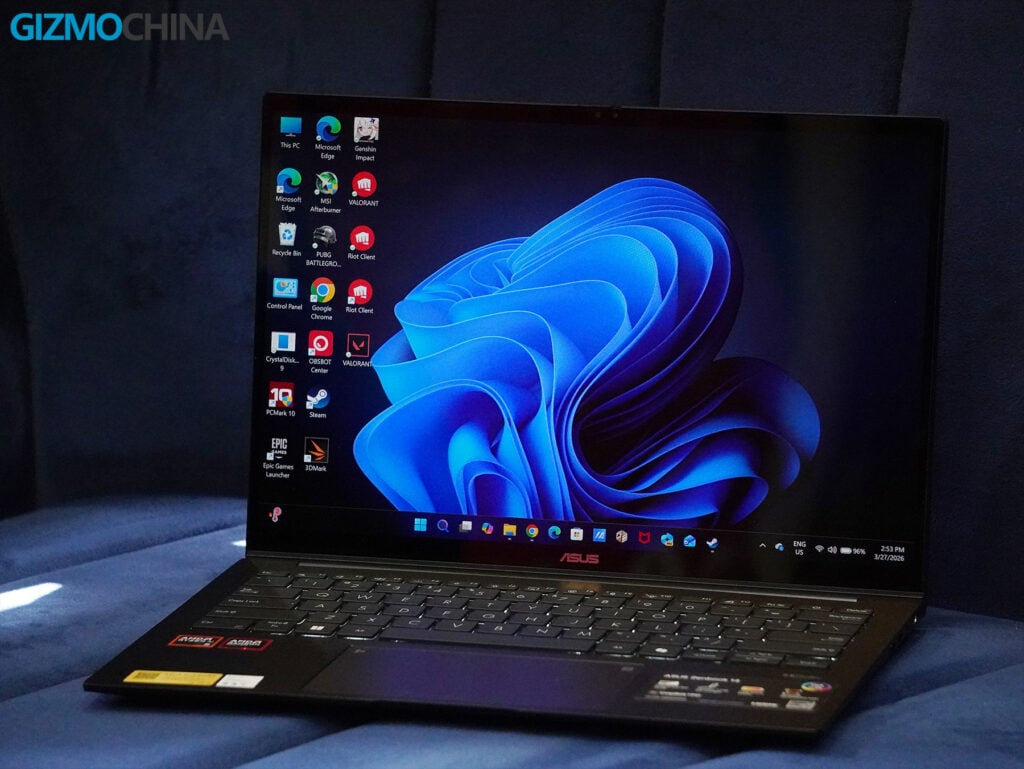
The display is easily one of the standout features of the Zenbook 14 for me. It comes with a 14-inch FHD+ Lumina OLED panel (1920×1200) surrounded by incredibly thin bezels and an aspect ratio of 16:10, giving it an impressive 87% screen-to-body ratio.
Even though the resolution might feel a little low compared to higher-res panels, the colors are absolutely stunning. They’re vivid and deeply saturated, covering 100% of the DCI-P3 color gamut with a 1,000,000:1 contrast ratio. Whether I was editing photos, watching HDR videos, or just scrolling through documents, the display felt immersive and incredibly true-to-life.
HDR content looks fantastic on this VESA-certified DisplayHDR True Black 500 panel. The 0.2ms response time makes motion smooth and fluid, which is perfect for watching videos or working on media-heavy tasks.
That said, there are a couple of downsides. The glossy screen, while gorgeous indoors, can be highly reflective in bright lighting. On top of that, the refresh rate is capped at 60Hz, which is fine for my general productivity tasks but might feel limiting for gamers or anyone used to 120Hz or higher.
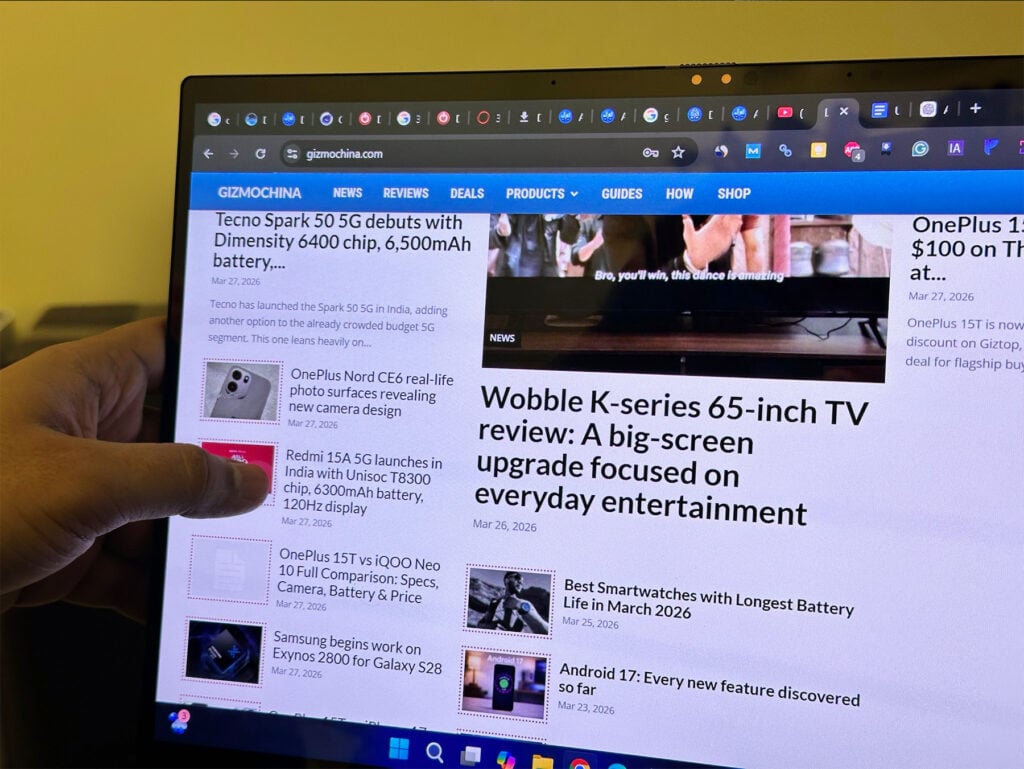
On the positive side, my unit includes a touchscreen, and it works flawlessly. It also supports a stylus, which has made the laptop even more versatile for creative or note-taking tasks.
Ports and Connectivity
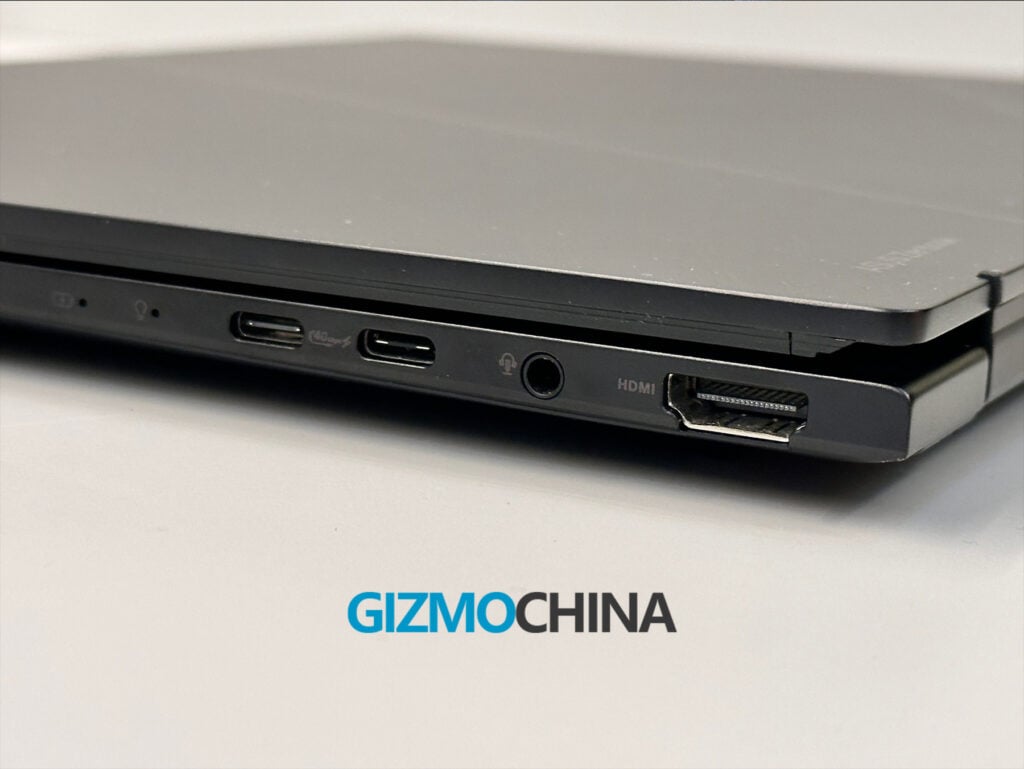
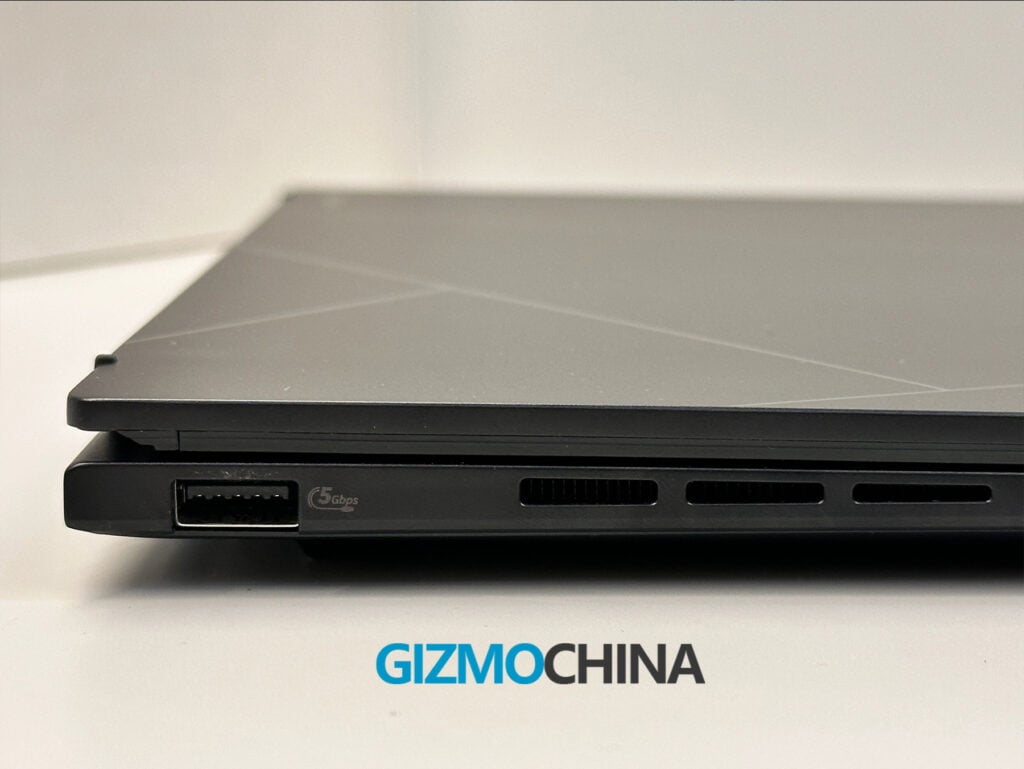
The laptop comes with a well-rounded selection of ports. You get one USB 4.0 Gen 3 Type-C port with DisplayPort and Power Delivery, one USB 3.2 Gen 2 Type-C port, one USB 3.2 Gen 1 Type-A port, an HDMI 2.1 port, and a 3.5mm combo audio jack.
The port selection is versatile enough to cover most of my needs, but I did notice that Asus placed all the USB-C ports on the right side of the laptop. For me, this design choice can make cable management a bit tricky when connecting multiple peripherals or an external monitor on my desk. I also found myself missing an SD card reader, which would have been helpful for transferring files from my camera or other recording devices.
Keyboard and Trackpad
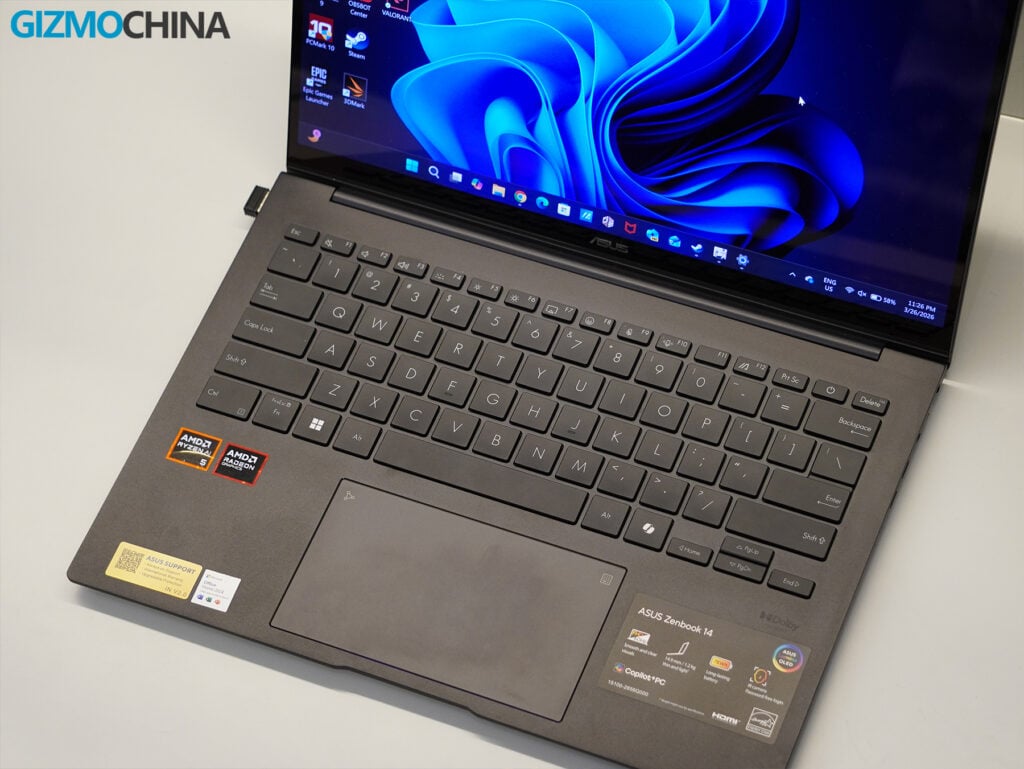
I found the keyboard on the Zenbook 14 to be a joy to type on. The well-spaced keys, natural layout, and backlit made it easy to start typing right away without any awkward adjustments.
The 1.4mm key travel feels smooth and satisfying, while still being quiet enough for any setting. I also liked the smudge-resistant keycaps, which keep the keyboard looking clean and tidy even after extended use.
I found the trackpad to be smooth and accurate, with plenty of space for swipes and multitouch gestures. It also comes with an integrated numpad shortcut, which is a clever feature that worked really well.
Benchmarks
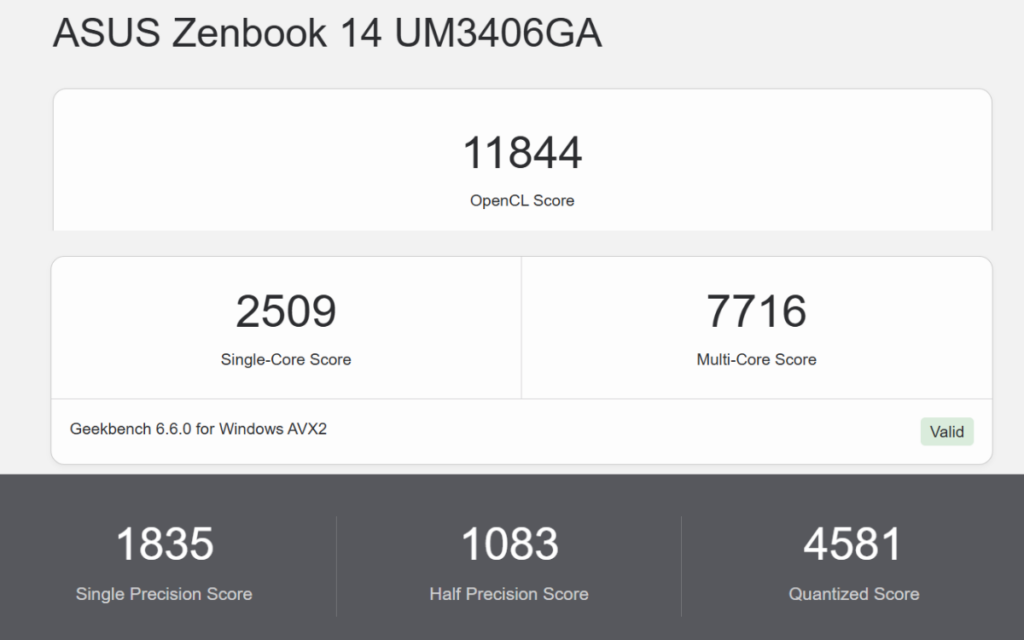
Here’s how the Zenbook 14 (UM3406G) performed in my benchmarking suite:
PCMark 10: 6,985 overall – Smooth and consistent for everyday multitasking.
Geekbench AI: 6,875 – Competent for handling on-device AI-related tasks like productivity features and video call enhancements.
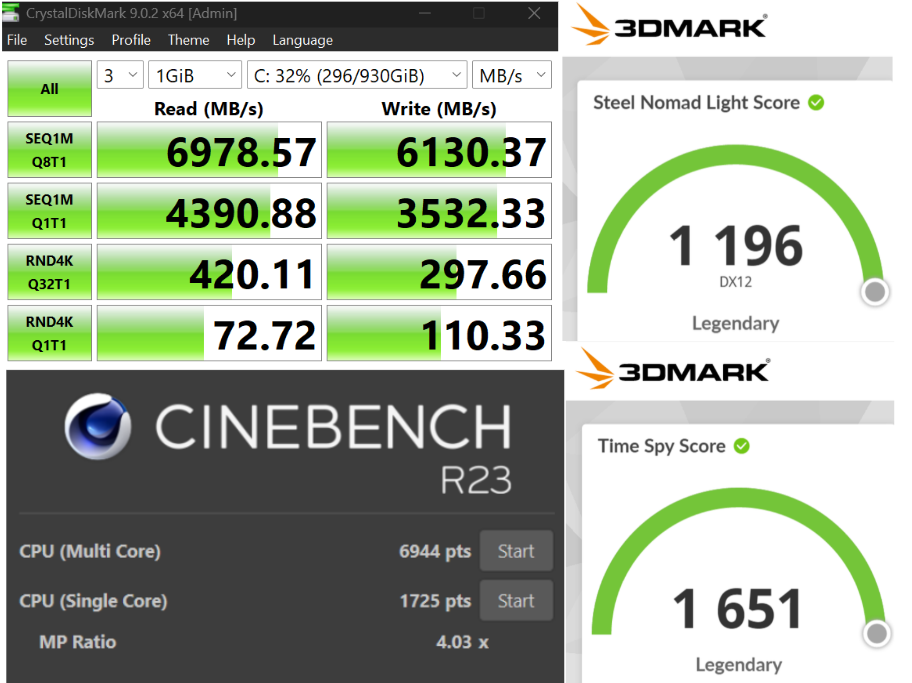
3DMark Time Spy: 1,650 overall – Decent for casual gaming and minimal 3D workloads.
CrystalDiskMark: 6,978 MB/s read / 6,130 MB/s write – Ensures fast boot times, large file handling, and responsive app performance.
These results position the Zenbook 14 as an ultraportable designed for everyday productivity and portability, rather than a powerhouse for intensive workloads or gaming. It performs reliably for general tasks, but if you are seeking high-range performance for creative applications or gaming should look elsewhere. It’s best suited for professionals, students, and casual users.
AI and Performance
The Zenbook 14 (UM3406G) uses the Ryzen AI 5 430 processor, and I’ve found it great for enhancing everyday productivity with its AI-powered features. Windows Copilot works seamlessly with 50 TOPS, offering tools like background blurring for video calls, real-time translation, local AI-based summarization, and even basic image editing.
These features have been super convenient and made my workflow feel more efficient. Office apps also run incredibly smoothly, handling everything from heavy Excel sheets to PowerPoint presentations without any issues.
In my testing, the laptop handled over 30 Chrome tabs without breaking a sweat, but pushing beyond that introduced noticeable slowdowns, especially when multitasking with other programs.
For day-to-day tasks like web browsing, casual Photoshop sessions, light editing tasks, writing documents, and working with office apps, it runs perfectly as long as I keep the workload moderate.
Gaming
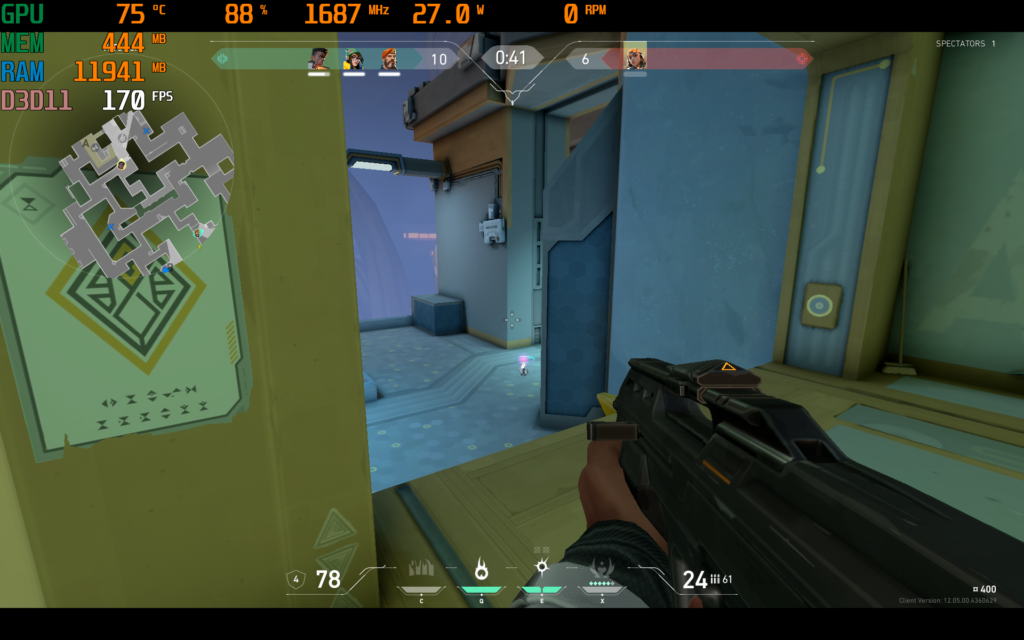
The laptop offers entry-level gaming performance with its integrated Radeon 840M GPU, which I found good enough for casual gaming. In esports titles like Valorant, it performs really well, delivering a smooth 170-230 FPS. The GPU runs at around 85-90% usage and consumes about 28W of power, which provides a stable and competitive experience.
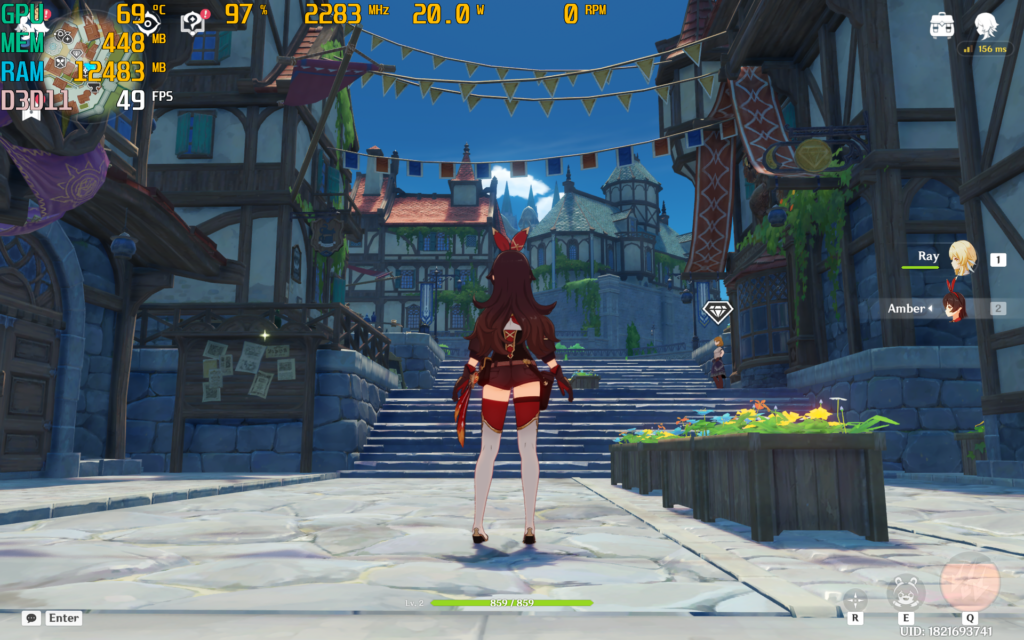
For slightly more demanding games like Genshin Impact, the laptop manages 49-57 FPS on medium settings. The GPU is fully utilized at 97-99%, drawing about 20W of power. It’s definitely playable, but there are occasional dips during more intense moments.
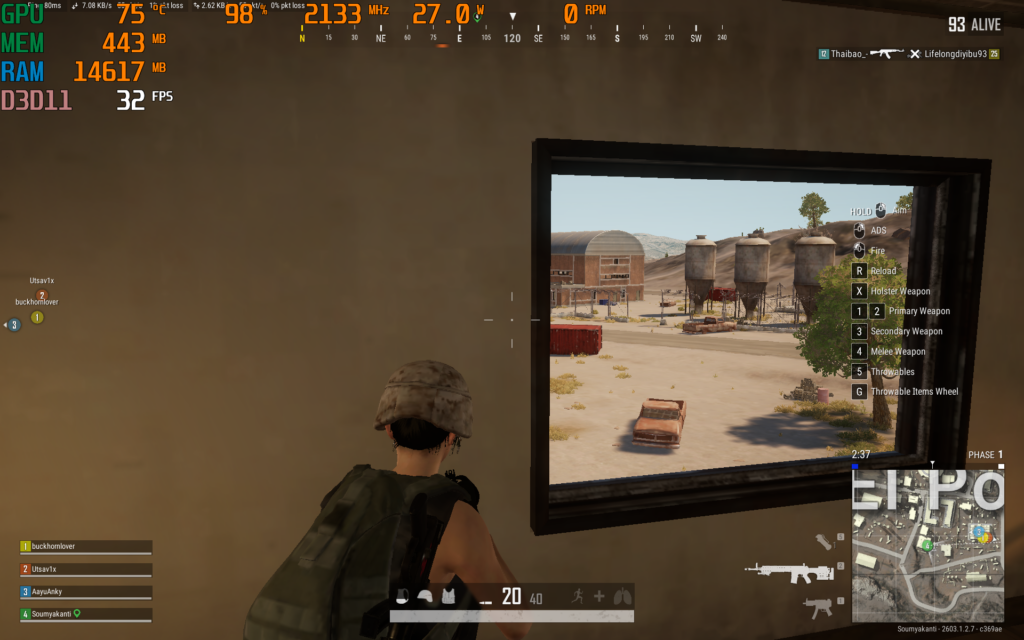
When I tested PUBG on its lowest settings, the laptop averaged around 32 FPS, with the GPU maxed out at 98%. It’s clear that it struggles with modern AAA or resource-heavy titles.
While the Zenbook 14 isn’t a gaming laptop, it handles light gaming and older esports titles quite well. It’s great if you’re looking to game casually or play less demanding titles, but it’s not suited for intense DX12 workloads or modern AAA games on higher settings. For me, it works perfectly as a secondary device for light gaming when I’m not looking for peak performance.
Thermal and Fan Performance
Thermals were remarkably well-managed, thanks to the single-heatpipe cooling system. Even under sustained workloads, the device remained cool to the touch, with the fan ramping up only during heavy tasks. For everyday usage, this is one of the quietest laptops I’ve tested.
Battery Life, Sound, and Camera
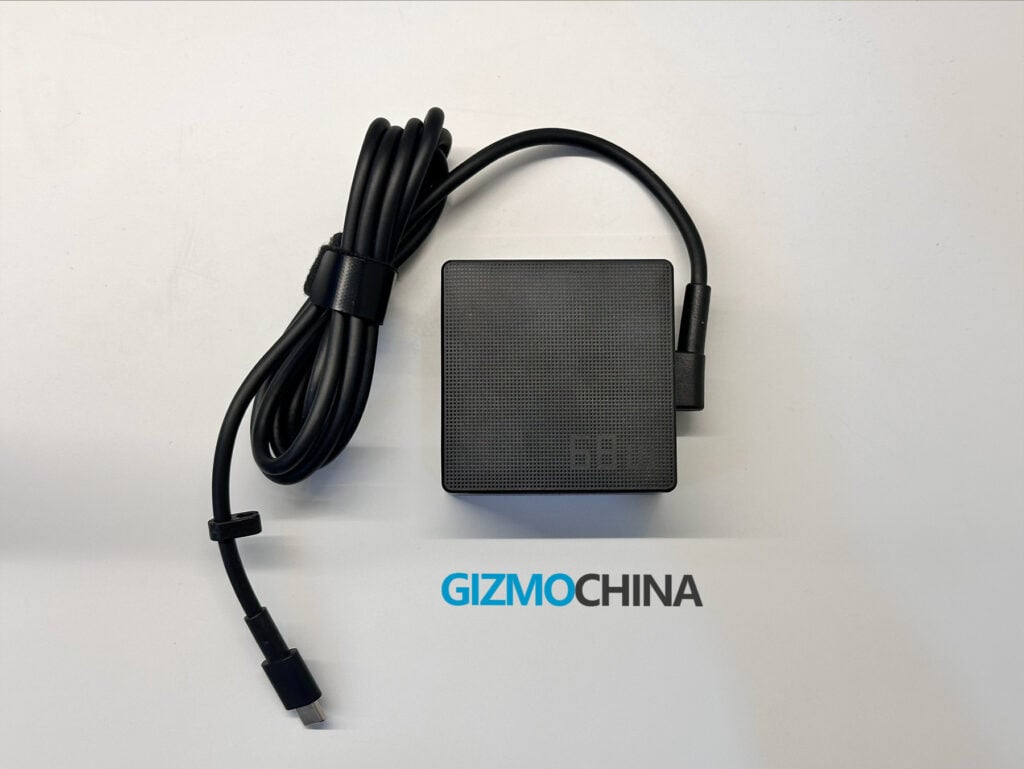
The Zenbook’s 75Wh battery is solid. I got over 10 hours of use with tasks like browsing, writing, using Office apps, and streaming. For heavier workloads, like multitasking with demanding apps, it lasted around 7-8 hours, which was enough to get me through the day without charging. The 65W fast charging is handy, it took around 50 minutes to go from 0 to 60%.
The speakers, however, were a bit disappointing. They’re bottom-firing and don’t have much bass. They’re okay for casual media and calls but don’t stand out if you’re hoping for great sound quality.
The 1080p webcam works fine for video calls. The quality is decent, and features like AI background blur and low-light adjustments help. It’s not amazing, but I didn’t have any complaints using it for meetings.
Verdict
The Asus Zenbook 14 (UM3406G) gets a lot of things right.
It combines a premium design, a fantastic OLED display, excellent battery life, and strong everyday performance into a lightweight package that’s easy to live with. The Ryzen AI 5 430 may not be the most powerful chip in its class, but it focuses on efficiency, and that’s exactly what this category needs.
There are compromises. The 60Hz display feels limiting, the reflective panel can be annoying, and the speakers could have been better. Port placement also feels slightly inconvenient.
But none of these break the experience.
After using it for over two weeks, this feels like a laptop designed for real life not benchmarks. It’s reliable, consistent, and comfortable to use daily.
If you’re looking for a Windows ultrabook that prioritizes battery life, portability, and a great display over raw power, this is an easy recommendation.
The Zenbook 14 (UM3406) starts at ₹85,990 for the Ryzen AI 5 340 variant, while the higher-end Ryzen AI 5 430 model is priced around ₹115,990 on the Asus store.
For more daily updates, please visit our News Section.

 Login
Login