
 Login
Login
Samsung Sound app introduces a new way to manage audio devices
Samsung Sound is a brand-new app from Samsung that facilitates the management of audio devices. The app made its first appearance in February 2026 and is readily available for free download on the Play Store.
After rolling out Hearapy, Samsung followed up with a second app called Samsung Sound. It’s a dedicated tool for controlling Samsung Wi-Fi speakers and soundbars, landing in a slightly awkward spot next to SmartThings.
Samsung Sound looks modern, bringing soft gradients, subtle transparency, and a cleaner layout compared to SmartThings. However, the app hasn’t matched the One UI 8.5 aesthetics yet, which is a major letdown.
The app is arguably cleaner than SmartThings, but the lack of visual consistency stands out. Samsung Sound mirrors the soundbar controls inside SmartThings. You can tweak sound modes, adjust equalizer settings, and manage audio sync.
Meanwhile, there is no IP control, no Auto Power Off toggle, and no Tap Sound shortcut. ou cannot turn the soundbar off from the app. You can power it on remotely, but once it is on, the option to turn it off disappears.
Samsung has placed a large “Open music app” button right on the main screen. However, the button simply launches third-party apps like Spotify, Apple Music, or YouTube Music if they are installed.
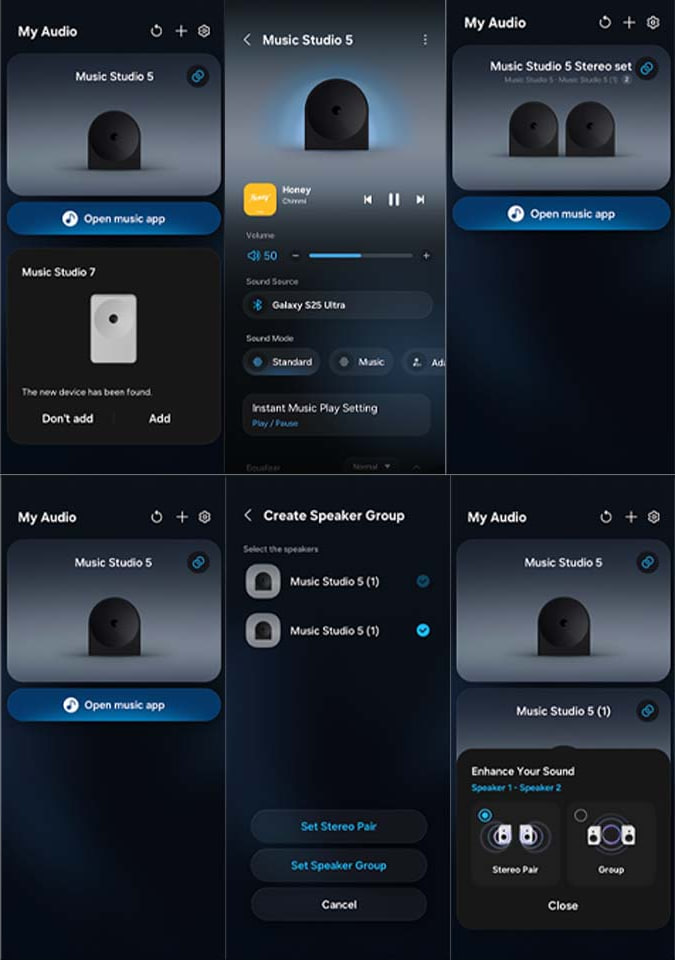
Source – Google Play Store
Samsung Sound is an interesting addition. It offers a cleaner interface and a more focused experience for managing audio devices. For users who prefer a dedicated app over the broader SmartThings ecosystem, there is some appeal here.
- Samsung Sound on Google Play Store – Download
The post Samsung Sound app introduces a new way to manage audio devices appeared first on Sammy Fans.
