
 Login
Login
One UI 9 vs One UI 8.5: A side-by-side comparison of top features and UI changes
One UI 8.5 and One UI 9 are the latest software versions available on Samsung Galaxy smartphones. The difference between the two versions isn’t significant, but some aspects are literally seeing welcome changes.
Samsung’s Android 17-based One UI 9 update brings changes to the Quick Panel, Media Player, Now Bar, Lock Screen, Settings page, Galaxy AI interface, and Accessibility.
The new One UI 9 Beta is yet to be available widely, but a video posted by the YouTube channel Mr Android FHD showcases a side-by-side comparison of key changes over the One UI 8.5 update.
Lock Screen
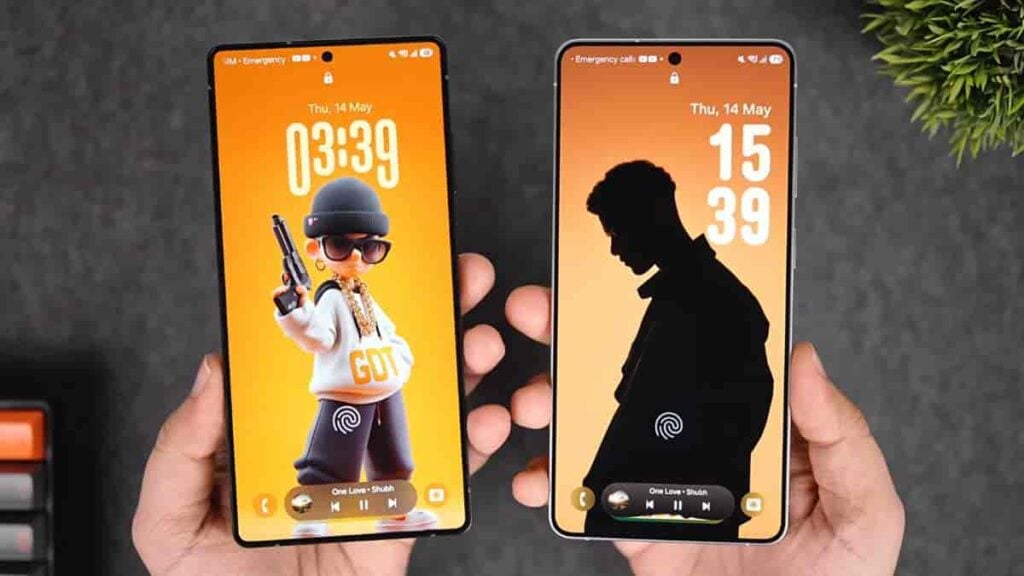
Samsung isn’t bringing many changes to the lock screen. The Adaptive Clock has added another font style, which looks familiar. Meanwhile, the UI tweaks connected to Now Bar and Media Player elevate the user experience.
For instance, the upgraded media player UI shows dynamic waveforms on Now Bar.
Lock Screen Media Player
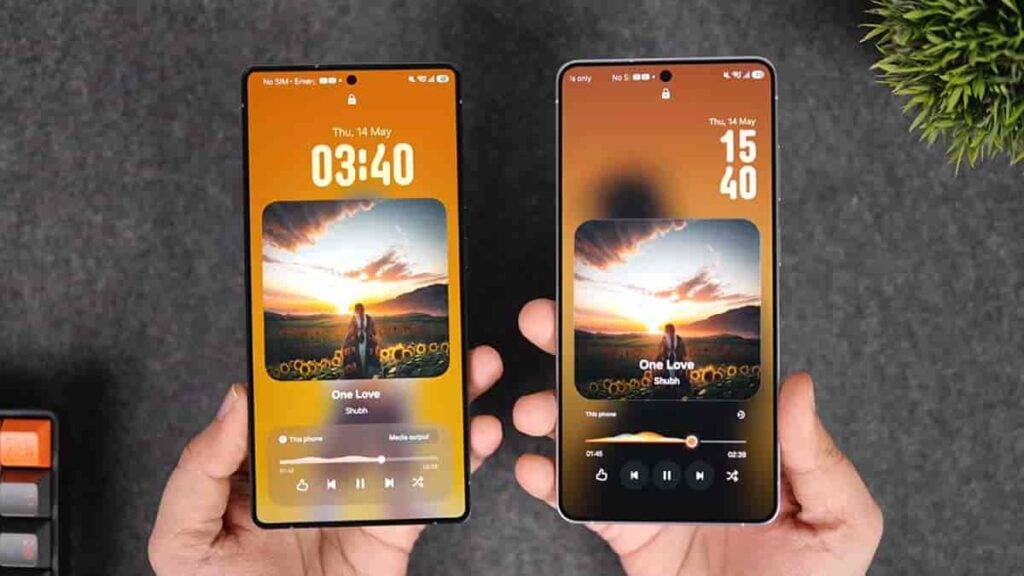
The expanded version of Media Player shows colorful waveforms on the lock screen. The visuals change as per the audio and media thumbnail.
The bottom card has also been removed, offering a more streamlined appearance on the lock screen. The buttons now sit independently, and the expansion animations have also become fluid.
Quick Panel
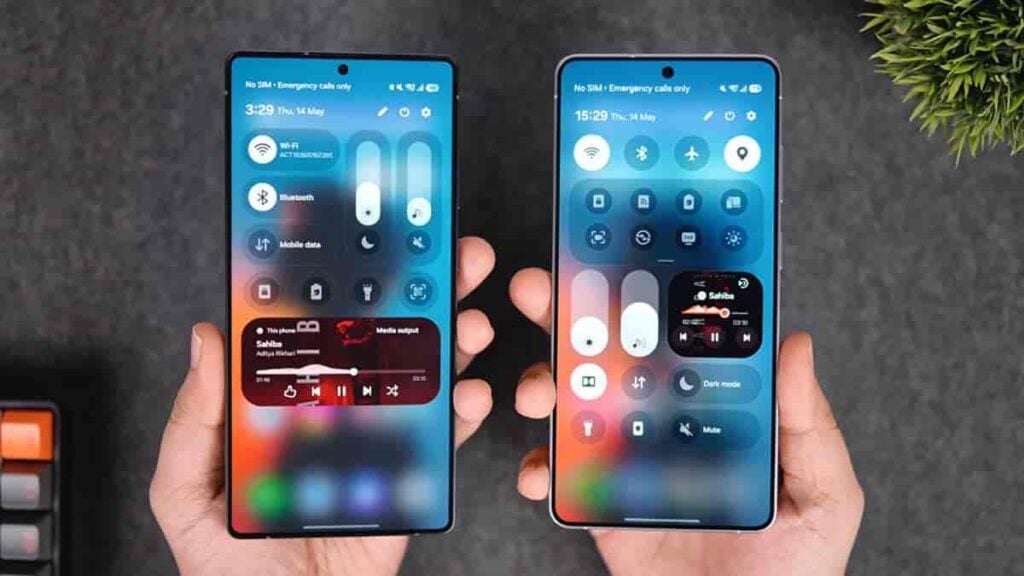
Quick Panel has become much cleaner in One UI 9. The sliders of brightness and media sound have become open for personalization.
Users can customise them according to their preferences, such as alignment, size, and orientation. The dark/light mode buttons have also been separated from the sliders.
Individual toggles now look cleaner in One UI 9, as they no longer have circular borders.
Galaxy AI feature suite
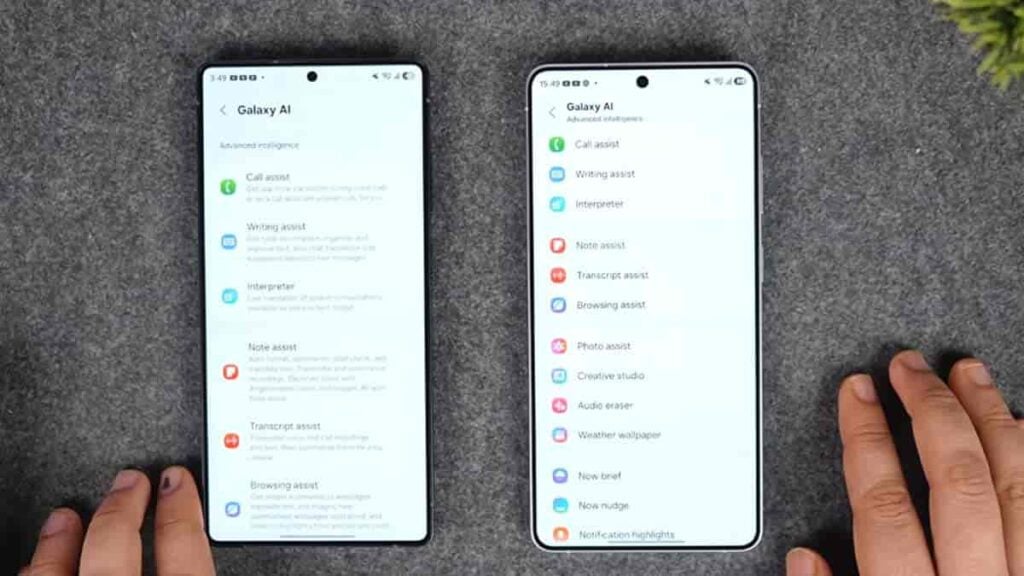
Samsung’s focus continues to be on refinements in One UI 9. The biggest beneficiary is the Galaxy AI features page, which no longer has that lengthy description tagged with each feature.
This is a major change, which cleans up the entire page and makes navigation easier. Opening a feature shows the related information and description of the function.
Accessibility
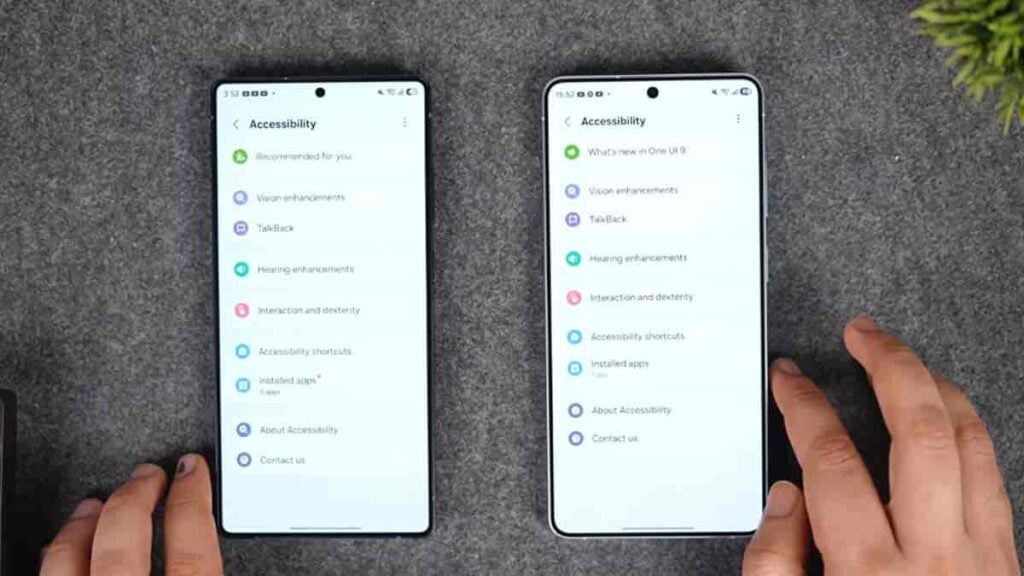
Samsung’s One UI 9 Beta press release focused much on Accessibility. One UI 8.5 has all the necessary features inside the Accessibility page, but One UI 9 takes it to another level.
The software has added a dedicated tab called “What’s new in One UI 9” in the Accessibility section. Opening the tap displays the newly added Accessibility tools, which ease the use cases in certain cases.
One UI 9 is still in development, and more changes will emerge as the Beta testing progress. We will conduct a continuous deep dive once the Beta software lands in the remaining Beta markets, highly expected on May 26.
You may like:
The post One UI 9 vs One UI 8.5: A side-by-side comparison of top features and UI changes appeared first on Sammy Fans.
