Google has introduced Gemini 3.1 Pro, the latest version of its advanced AI model. The update delivers significant improvements in reasoning and problem-solving, making it one of the most powerful AI systems available today. The model is now rolling out in preview for developers, enterprises, and consumers, with wider availability expected soon.
Gemini 3.1 Pro focuses on handling complex, multi-step tasks that require advanced reasoning. The model can build interactive experiences, translate creative ideas into functional code, and connect complex APIs with user-friendly interfaces.
It can generate immersive projects such as 3D simulations with real-time interaction, create live data dashboards like ISS orbit visualizations, and turn literary themes into modern web designs.
The model also generates animated SVGs directly from text prompts. These animations are created as code rather than video files, which preserves image quality at any scale while keeping file sizes smaller.
In terms of performance, Gemini 3.1 Pro achieved a score of 77.1% on the ARC-AGI-2 benchmark, which tests abstract reasoning. This result more than doubles the score of its predecessor, Gemini 3 Pro, and outperforms competitors like GPT-5.2 (52.9%) and Opus 4.6 (68.8%). The model also posted strong results on GPQA Diamond, SWE Bench Verified, and BrowseComp, which evaluate scientific reasoning, coding ability, and search-related tasks.
Google is making Gemini 3.1 Pro available through several platforms. Developers can access it via Google AI Studio, Gemini CLI, and Android Studio. Enterprises can use it through Vertex AI and Gemini Enterprise. Consumers can try it on the Gemini app and NotebookLM, with Pro and Ultra subscribers receiving higher usage limits.
Gemini 3.1 Pro is the company’s most capable LLM with stronger core reasoning and better performance on complex, multi-step work. It outperforms the best from Anthropic and OpenAI across many benchmarks. Here, I’ll show you the top 5 ways to access Gemini 3.1 Pro for free with all the steps.
Image credit: Google
How to use Gemini 3.1 Pro for free (5 methods)
1. Google Gemini
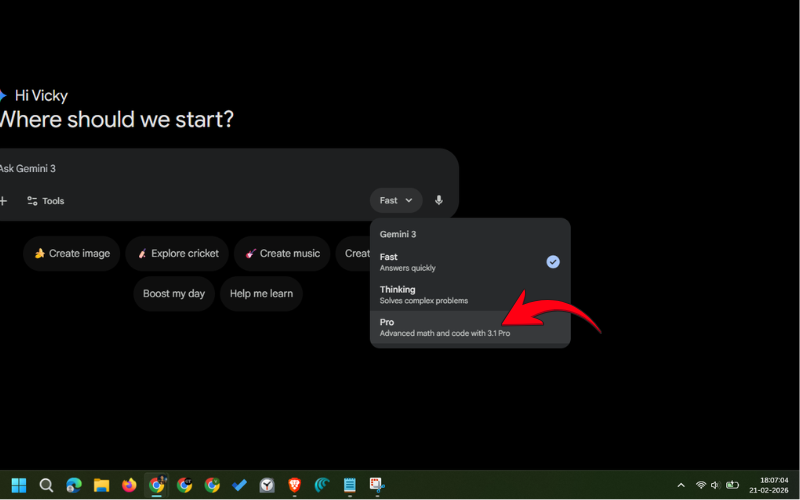
This is the easiest and quickest way to test the capabilities of Gemini 3.1 Pro. Simply go to gemini.google.com, choose the “Pro” option, and get things done.
Step 2: Log in to your Google account (if not logged in).
Step 3: Tap the mode selector and choose “Pro”.
Step 4: Type your prompt and hit Enter.
If you’re using a smartphone, it’s best to download the Google Gemini app from Google Play Store (Android) or App Store (iPhone). The steps remain the same.
Please note that the free version of Google Gemini allows only a few messages per day for Gemini 3.1 Pro. That’s best for the testing purpose. However, you can upgrade to the Pro or Ultra plan to increase your limits. Luckily, there are ways to get Google Gemini Pro for free for a year. Comment below if you want a detailed post on that.
2. Google’s Vertex AI platform
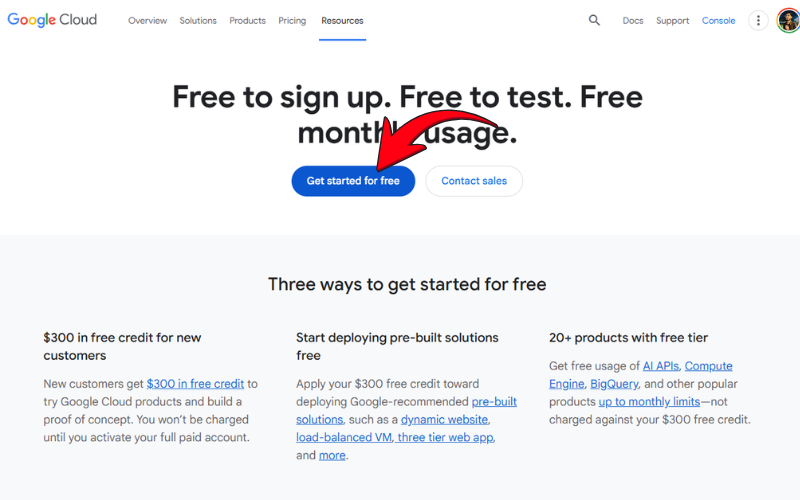
Google is offering $300 in free credits to use Google Cloud services, including the Vertex AI platform, which allows us access to Gemini 3.1 Pro, Google Veo, and many other AI tools. Note that free credits are available for 90 days. After which, they expire.
Step 2: Choose your Google account and your country.
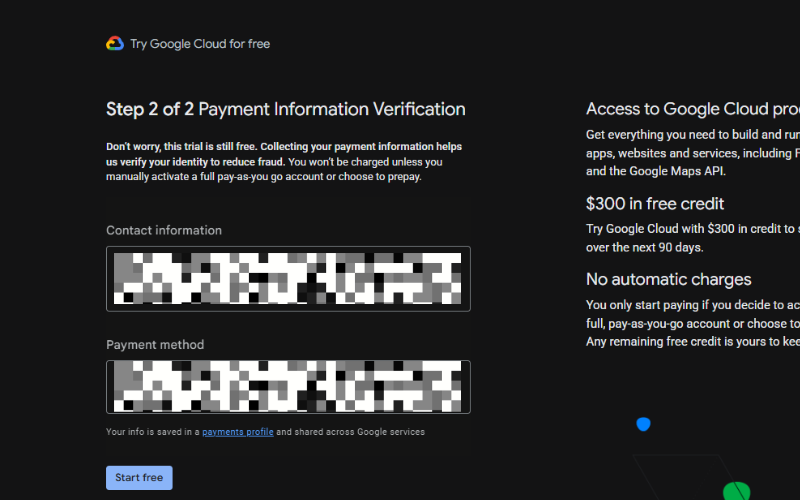
Step 3: Fill in your contact information, then verify a payment method.
[Note: You won’t be charged automatically even after the free trial ends unless you do a manual activation. You can verify the same in the screenshot below.]
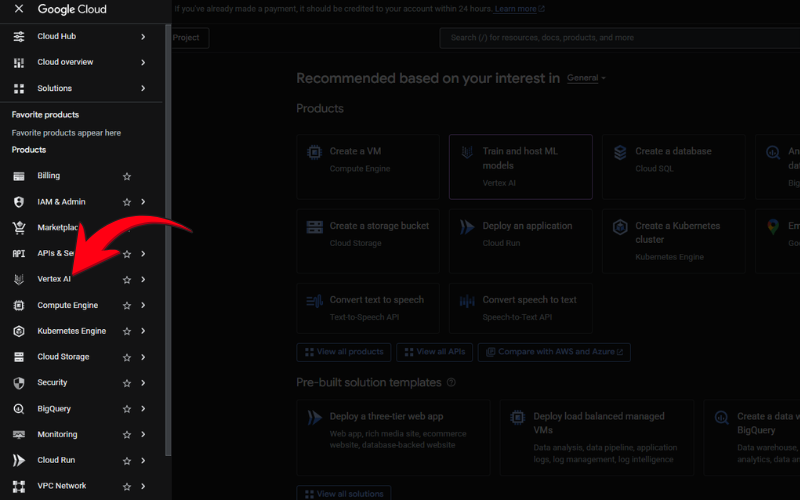
Step 4: In your Google Cloud dashboard, tap the menu button and choose “Vertex AI”.
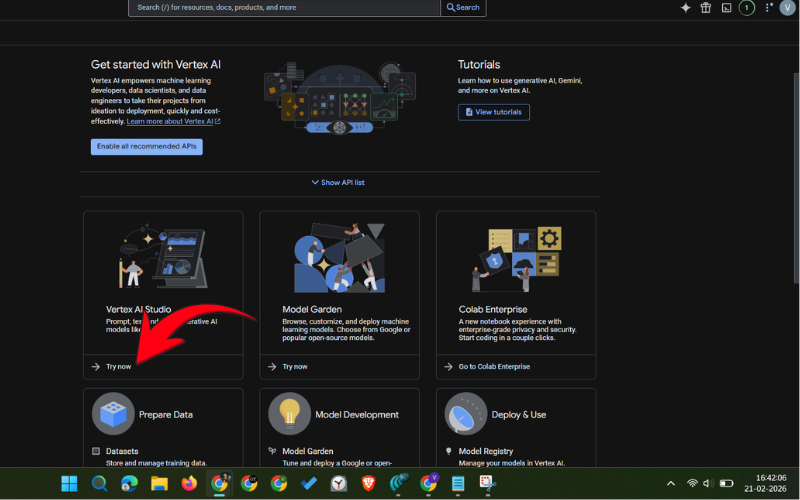
Step 5: Click “Try now” below Vertex AI Studio.
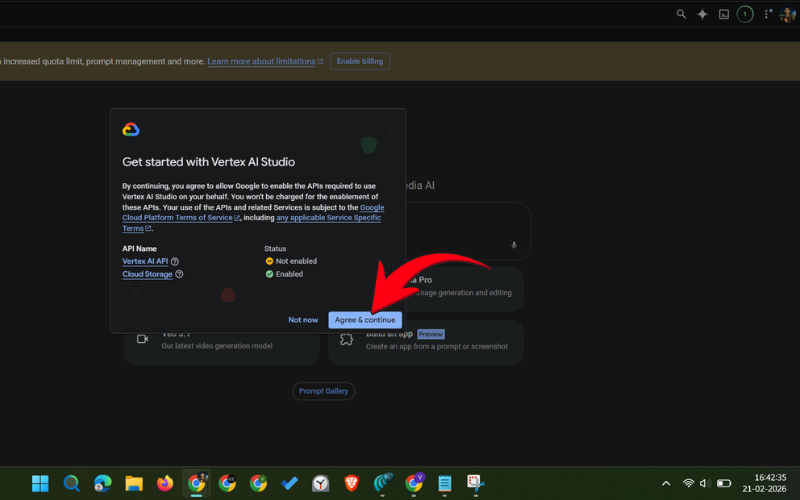
Step 6: Click “Agree & continue” to enable the required APIs for using Vertex AI Studio.
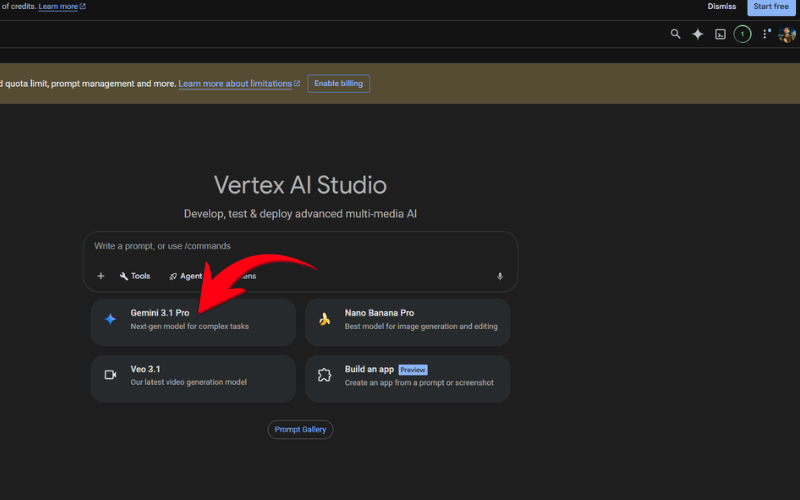
Step 7: Choose “Gemini 3.1 Pro” and start using it.
The $300 free credit gives you very high usage limits to Google’s top AI models for 90 days. You can even create videos, build tools using coding, and do a lot more stuff without paying a penny.
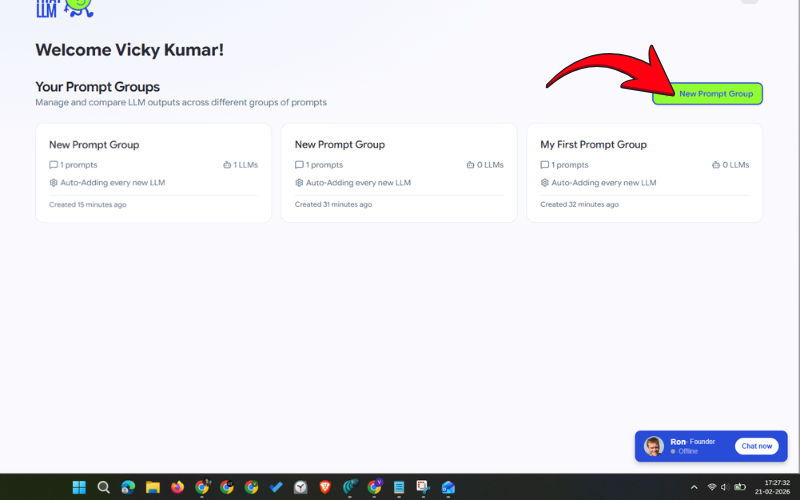
3. Try That LLM
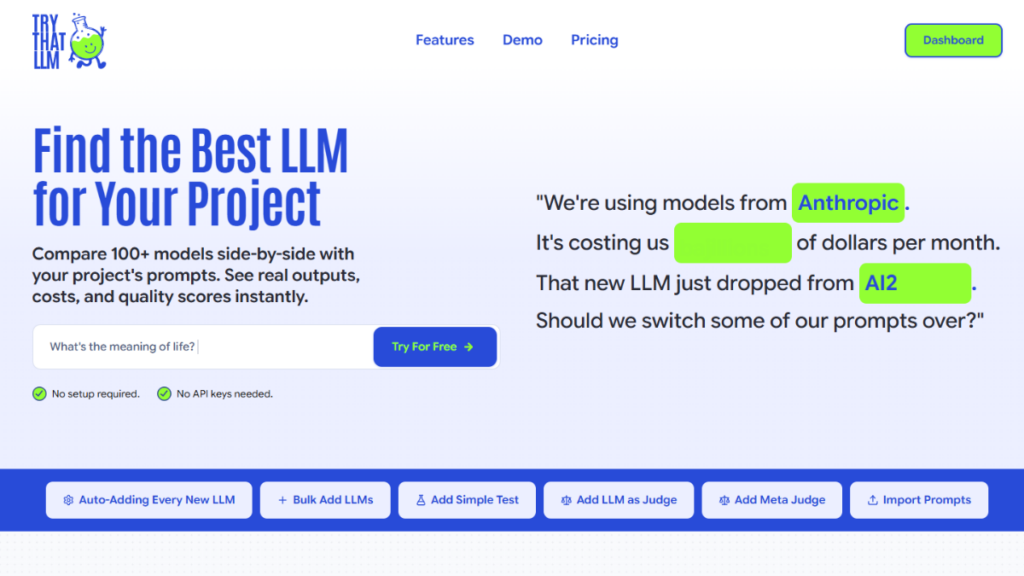
This is an easy and free tool for comparing responses from various LLMs. The platform offers dozens of LLMs to test your prompt, including Gemini 3.1 Pro, Claude Opus 4.6, and ChatGPT 5.2.
This is super easy to use. Just sign up on the website (it takes less than a minute), choose your model, and start using it. The best part is you don’t need to fill in payment details.
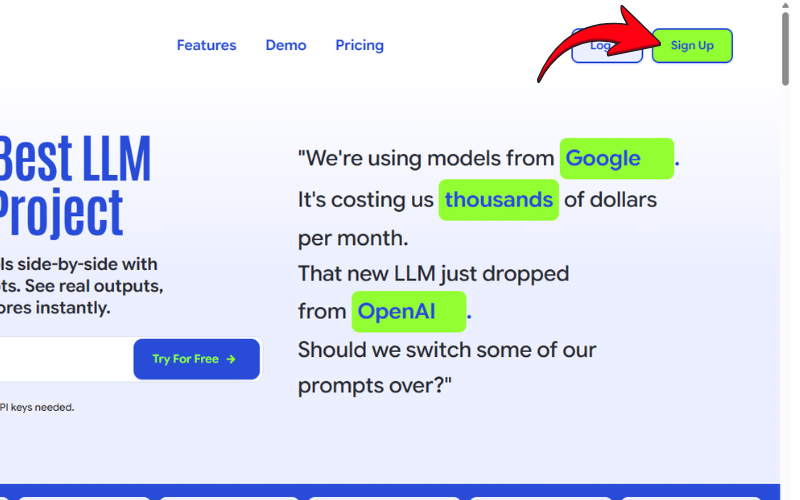
Step 1: Go to trythatllm.com and click the “Sign up” button.
Step 2: Fill in basic details to create your account.
Step 3: Verify your email.
Step 4: Tap “New Prompt Group”.
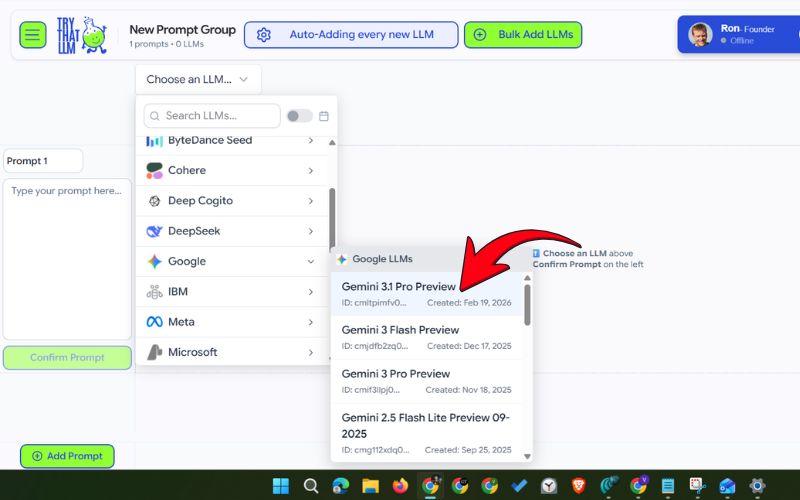
Step 5: Click “Choose an LLM” and select Google > Gemini 3.1 Preview.
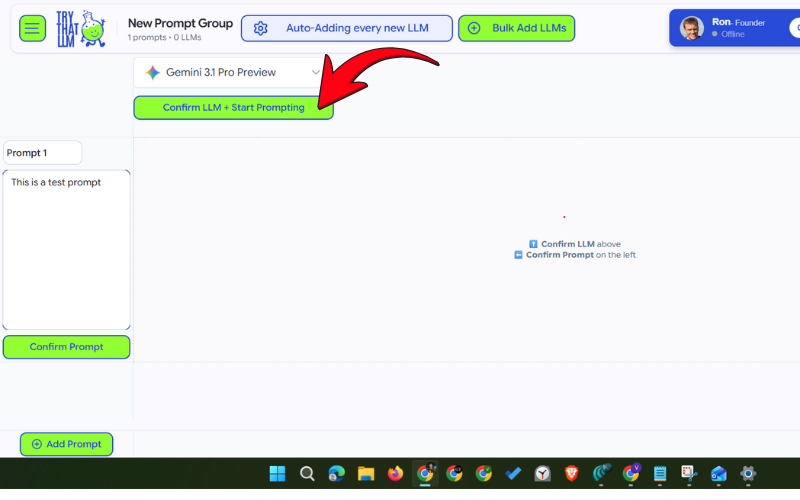
Step 6: Click “Confirm LLM + Start Prompting”.
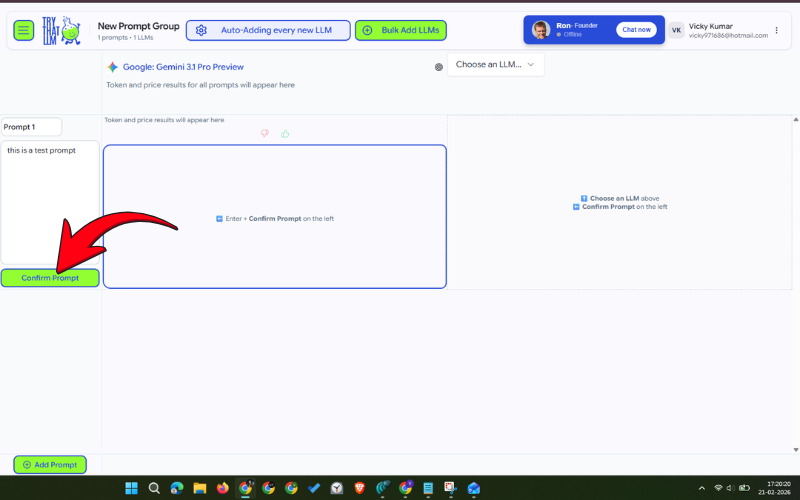
Step 7: Enter your message in the prompt section and click “Confirm Prompt”.
You get 1000 free credits when you create an account. Note that these are one-time credits and are not added every month.
4. Arena AI
Arena AI also lets you compare different LLMs for free. The best part is that you don’t need to sign up on the platform to use Gemini 3.1 Pro or any other LLM. Just open the website, choose your AI model, and start messaging.
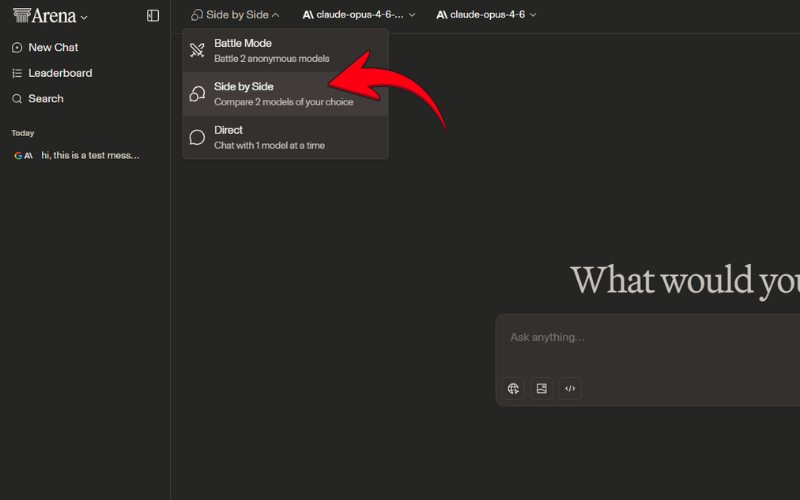
Step 1: Go to Arena.ai and make sure side-by-side mode is selected.
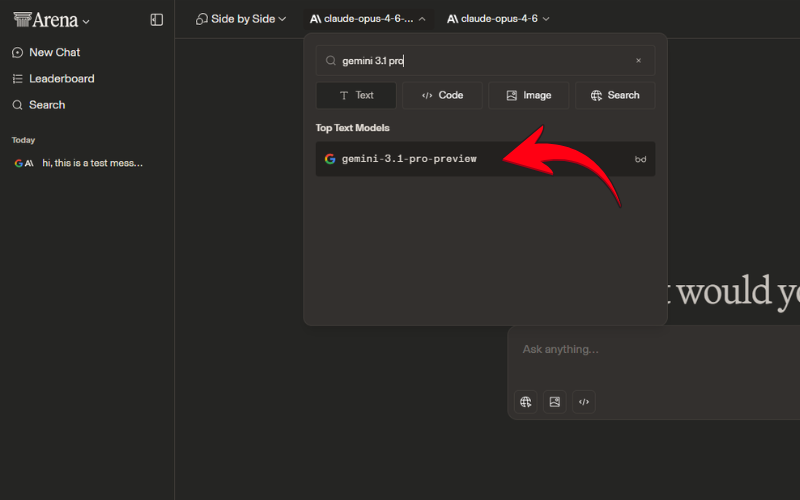
Step 2: Tap on the first LLM field.
Step 3: Search for “Gemini 3.1 Pro” and choose the right LLM from.
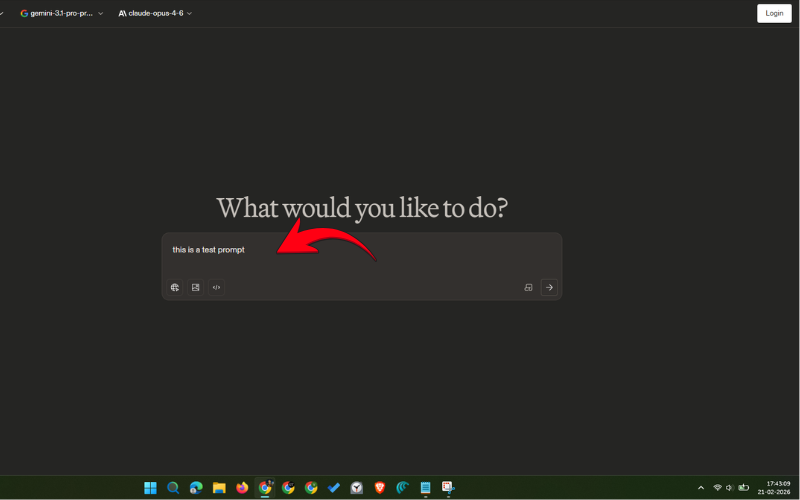
Step 4: Write your message/prompt in the Ask anything section and enter.
Arena AI is completely free to test LLMs, but it doesn’t offer unlimited responses. The platform provides pretty generous limits, which should be more than enough for small use cases.
5. ChatPlayGround AI
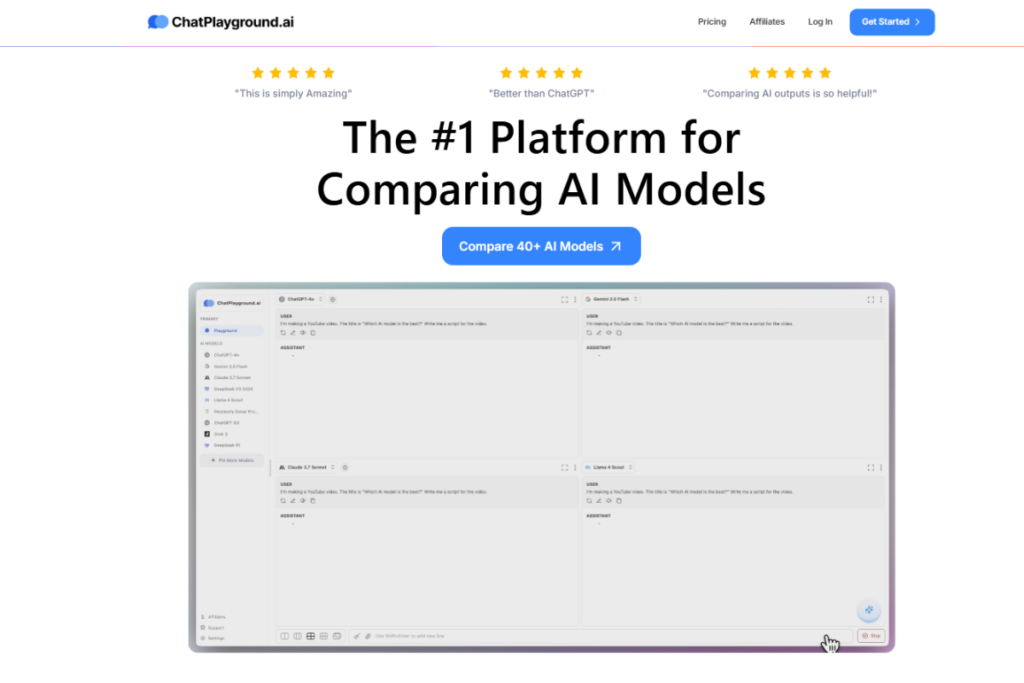
ChatPlayGround AI also offers access to dozens of LLM models, including Gemini 3.1 Pro, Claude Opus 4.6, and ChatGPT 5.2. Unlike Try That LLM and Arena AI, this AI tool lets you use images and PDFs with your message. But what’s the catch here? It doesn’t have a free plan; instead, it offers a 3-day free trial, and for that, you’ll need to link your bank cards.
So, if you only need access to Gemini 3.1 Pro and other LLMs with better capabilities, you can go for the free trial, but make sure to cancel the plan before three days to avoid any charges. Simply go to chatplayground.ai, tap “Sign Up”, and fill in the required details to get started.
Be sure to visit the AI section on Gizmochina regularly for the latest updates.

 Login
Login