
 Login
Login
Samsung polishes NotiStar with better notification management
Samsung has pushed a new update for the NotiStar Good Lock app. NotiStar helps users see old notifications that were missed or cleared by mistake. The new update comes with version 8.0.88.0 and fixes problems, which makes the app work better and smoother.
The latest change in this update is a fix for app-freezing issues. Earlier, some users noticed that NotiStar would stop working or become slow. With this update, the app should now open faster and run without freezing.
Moreover, the update also removes the duplicate notifications. In some cases, the same notification appeared more than once. This update helps prevent that issue, so users can see a clear and correct list of notifications.
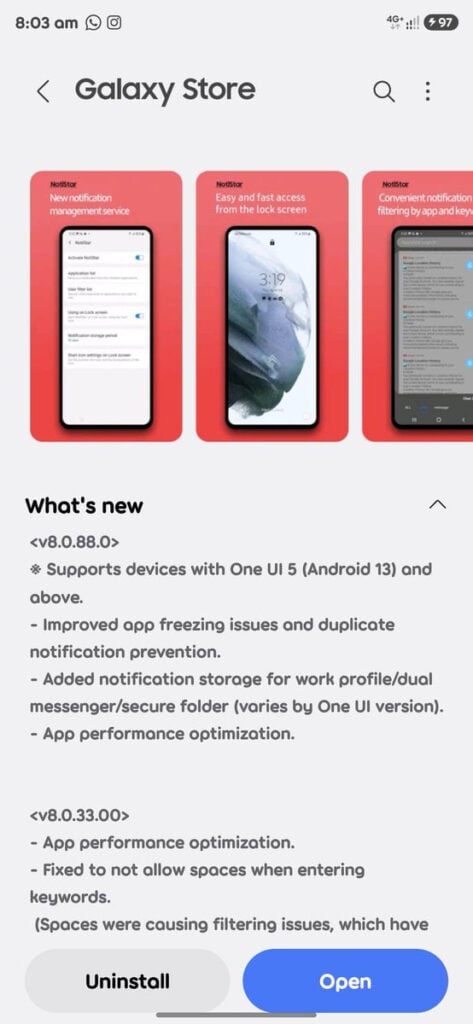
Image via @KAILASH61229293 (X)
Samsung has also added notification saving for Work Profile, Dual Messenger, and Secure Folder. This means NotiStar can now store notifications from these special app spaces. This feature may not work on all phones, as it depends on the One UI version installed on the device.
Aside from this, Samsung has also been working to improve app performance. The app now runs smoother, uses less phone power, and feels faster overall. These changes make NotiStar more reliable for daily use.
Good Lock’s NotiStar 8.0.88.0 update is available through the Galaxy Store. To download it, open the Galaxy Store, search for Good Lock, then open NotiStar and tap the Update button if it appears. Updating the app helps ensure better performance and fewer issues.

The post Samsung polishes NotiStar with better notification management appeared first on Sammy Fans.
