Casio has officially released the GMWBZ5000D-1, GMWBZ5000BD-1, and GMWBZ5000GD-9 G-Shock watches in the US market. These models first debuted in Japan in November 2025 and now expand availability to global buyers. The new lineup continues the brand’s 5000-series legacy with a full-metal construction and updated internals.
Design Details
Each watch in the series features a square stainless steel case, measuring 49.3 x 43.6 x 13 mm, and a solid metal bracelet with a three-fold clasp. The GMWBZ5000D-1 uses a natural silver finish, the GMWBZ5000BD-1 adopts a black ion-plated treatment, and the GMWBZ5000GD-9 is coated in a gold ion-plated finish. All three watches maintain the signature G-Shock design but introduce a redesigned internal structure developed through AI-assisted design processes.
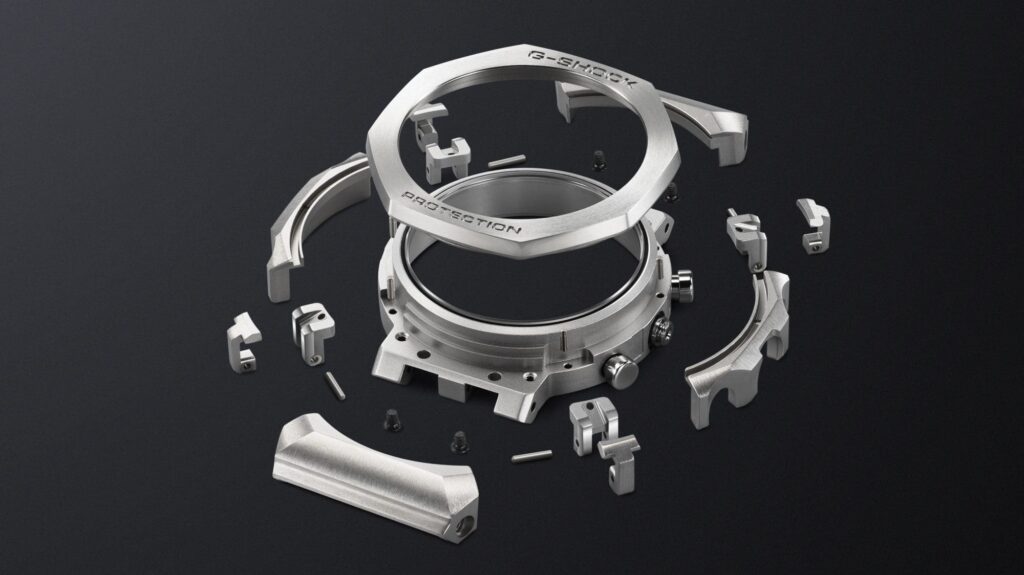
Casio created a new shock-resistant structure after studying decades of G-Shock performance data. Using AI, the company designed a case extension that connects with the lugs to minimize shock transmission. Inside, a resin protector absorbs impacts while preserving the strength of the full-metal exterior.
The watches use a high-contrast, full-dot Memory in Pixel (MIP) LCD for improved readability and energy efficiency. Casio enables eight display modes across two font styles, with options for dual time, day-date, and triple time layouts. The LCD offers wide viewing angles and remains visible even in direct sunlight.
Connectivity features include Bluetooth support through the Casio Watches app and Multi Band 6 radio signal calibration. Casio includes its Tough Solar charging system, which powers the watch from ambient light. The battery can run for up to 22 months in power-saving mode after a full charge.
Other functions include 38 world time zones, a 1/100-second stopwatch, a countdown timer, five daily alarms, an LED backlight, and a full auto-calendar valid through 2099. The watches are water-resistant to 200 meters and feature a screw-lock case back for added durability.
Pricing and Availability
Casio has priced the GMWBZ5000D-1 at $660, while the black and gold models retail for $720. All three models are now available through Casio’s official US channels, select online stores, and authorized jeweler-exclusive outlets.
In related news, Casio has recently launched the premium G-Shock MRGB2100D-2A in the US, featuring a titanium build and Bluetooth connectivity. The company has also introduced its latest Baby-G series with playful pastel tones and translucent straps.
For more daily updates, please visit our News Section.
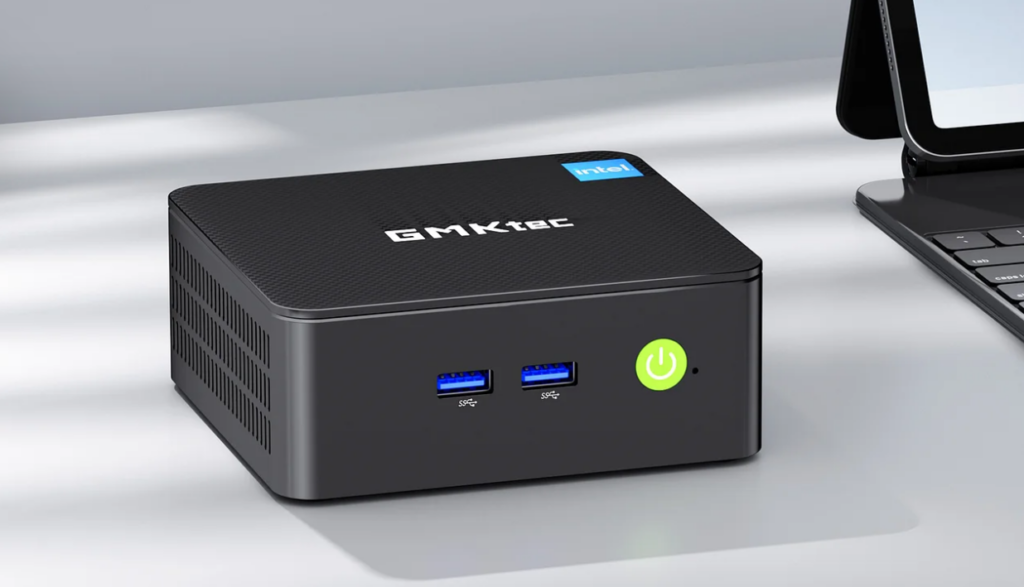
Gmktec has launched the NucBox G3 Pro mini PC for global markets, following its earlier debut in China. The compact desktop targets users looking for an affordable and efficient system for everyday productivity, media consumption, and home server use.
Gmktec NucBox G3 Pro Specifications
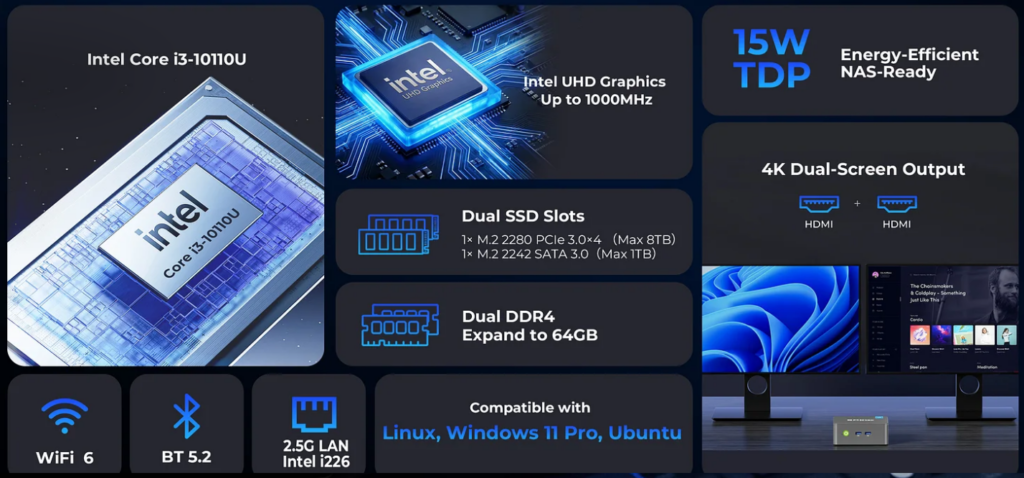
The NucBox G3 Pro runs on a 10th Gen Intel Core i3-10110U processor with two cores and four threads. The chip clocks at 2.1GHz and reaches up to 4.1GHz with Turbo Boost. Gmktec allows power tuning with three thermal profiles: Silent Mode at 8W, Balanced Mode at 10W, and Performance Mode at 15W. The CPU is paired with Intel UHD Graphics, which enables dual HDMI output at up to 4K resolution.
The mini PC is available in several configurations. The barebone model ships without RAM or storage, while prebuilt variants include 8GB RAM with a 256GB SSD and 16GB RAM with a 512GB SSD. It houses two SO-DIMM DDR4 slots supporting up to 64GB of memory and dual M.2 slots for storage expansion. One M.2 slot supports PCIe 3.0 x4 drives up to 8TB, and the other supports SATA 3.0 drives up to 1TB.
For connectivity, the G3 Pro includes Wi-Fi 6 (RTL8852BE), Bluetooth 5.2, and a 2.5G Ethernet port (Intel i226). The front panel includes two USB 3.2 Gen1 ports and a power button. The rear panel features two more USB 3.2 Gen1 ports, dual HDMI 1.4 outputs, a 3.5mm audio jack, and a DC input.
For cooling, the device comes with a single-fan and copper heat pipe cooling solution to maintain low temperatures during use. The mini PC supports dual 4K output at up to 24Hz and comes in a small chassis measuring 114 x 106 x 44mm.
The unit weighs around 280 grams and includes VESA mount support. Gmktec states the fan noise stays below 38dB during use. The NucBox G3 Pro supports Windows 11 Pro and major Linux distributions.
Pricing and Availability
The NucBox G3 Pro starts at $169.99 for the barebone model (regularly $309.99). The 8GB + 256GB version is priced at $239.99, and the 16GB + 512GB configuration sells for $299.99.
In related news, Thunderobot has recently launched the Mix Pro II Mini PC featuring Intel Core Ultra 200H processors, a glass design, and ARGB lighting, while Beelink has unveiled the SER10 Max Mini PC powered by the Ryzen AI 9 HX 470 chip, offering 86 TOPS of AI performance, DDR5 memory, and USB4 connectivity.
For more daily updates, please visit our News Section.
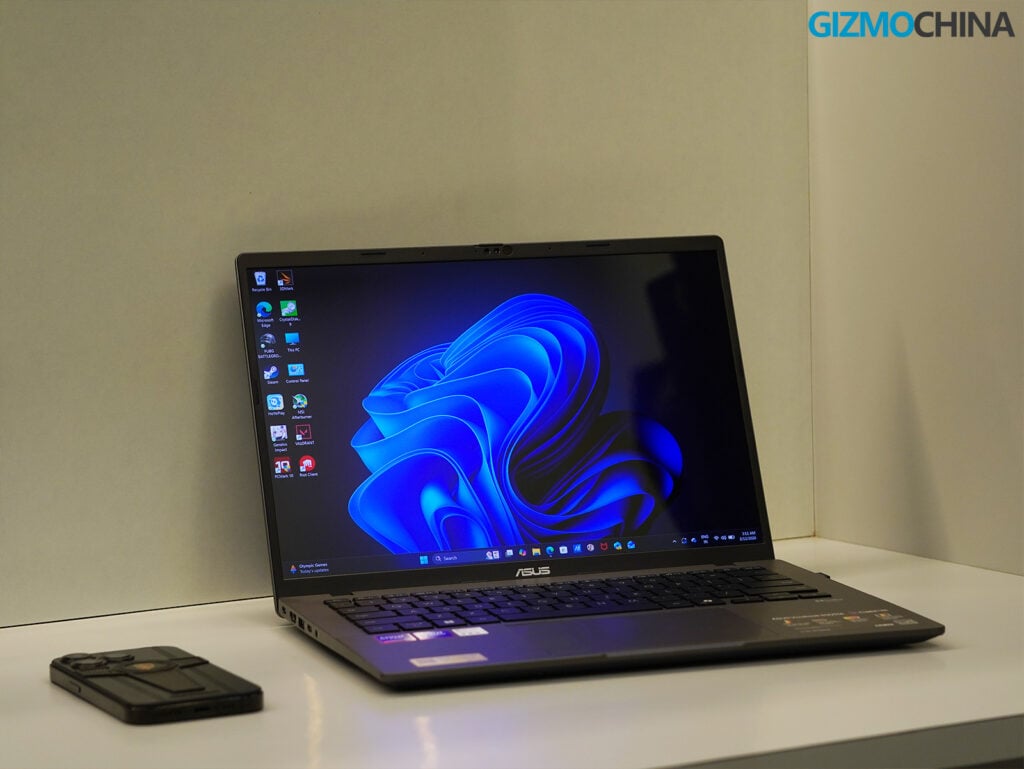
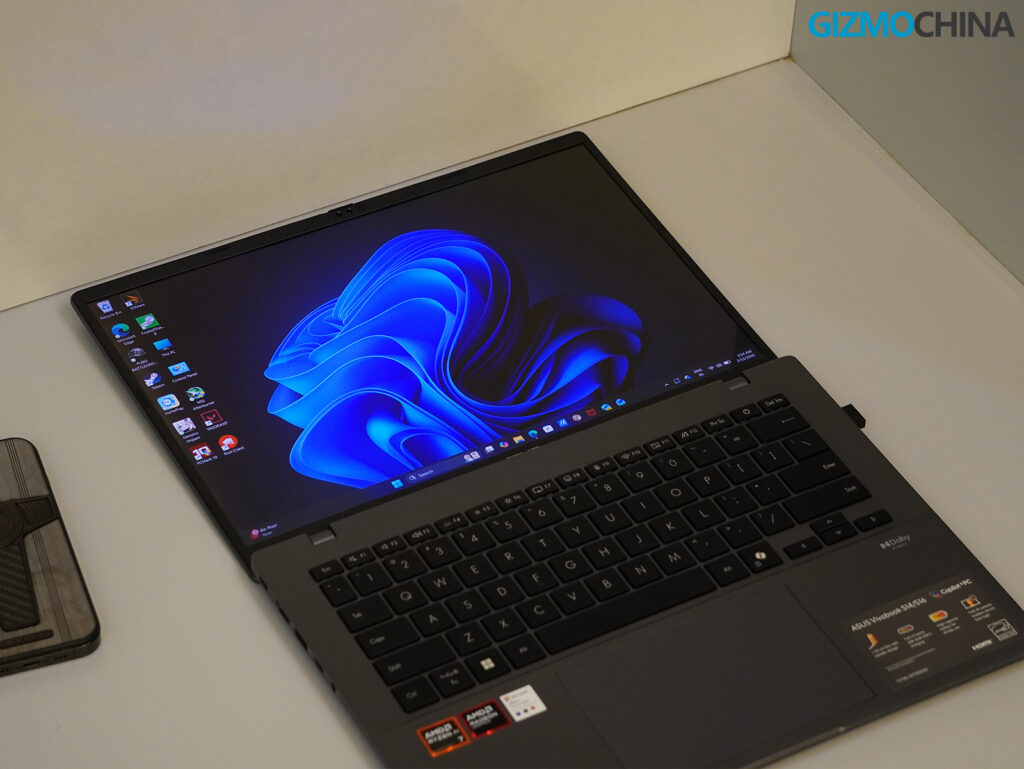
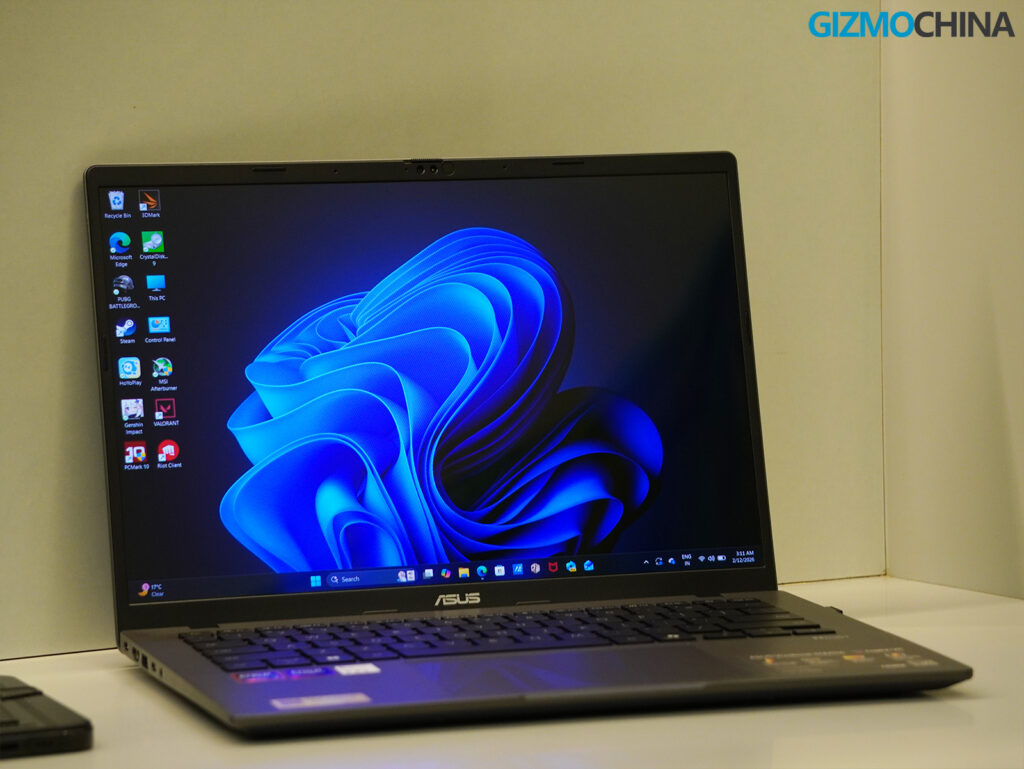
If you’ve ever wanted a no-nonsense Windows laptop that feels as sleek and sharp as a MacBook Air but with a dash of futureproof AI acceleration, the Asus Vivobook S14 (M3407KA) might be exactly what you’re looking for.
I’ve been using this machine, powered by the AMD Ryzen AI 7 350, for everything from work to light gaming, and I can say with confidence: this is a seriously competent ultraportable that doesn’t just chase trends. It builds a practical, intelligent foundation for the next generation of computing.
Design and Build Quality
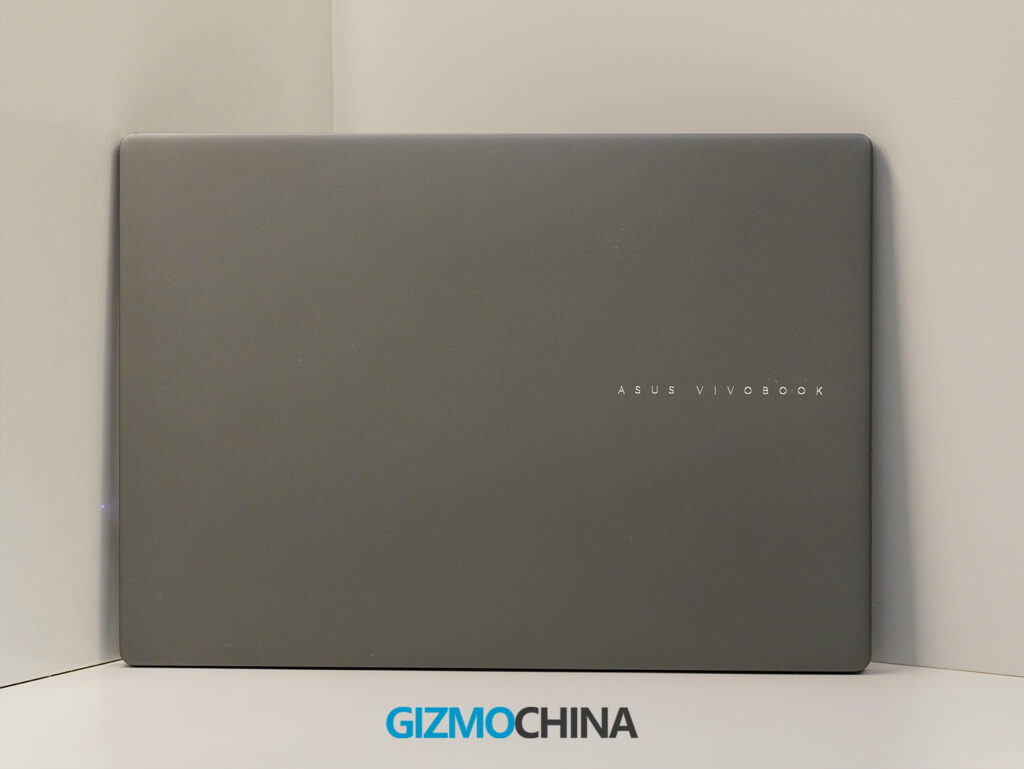
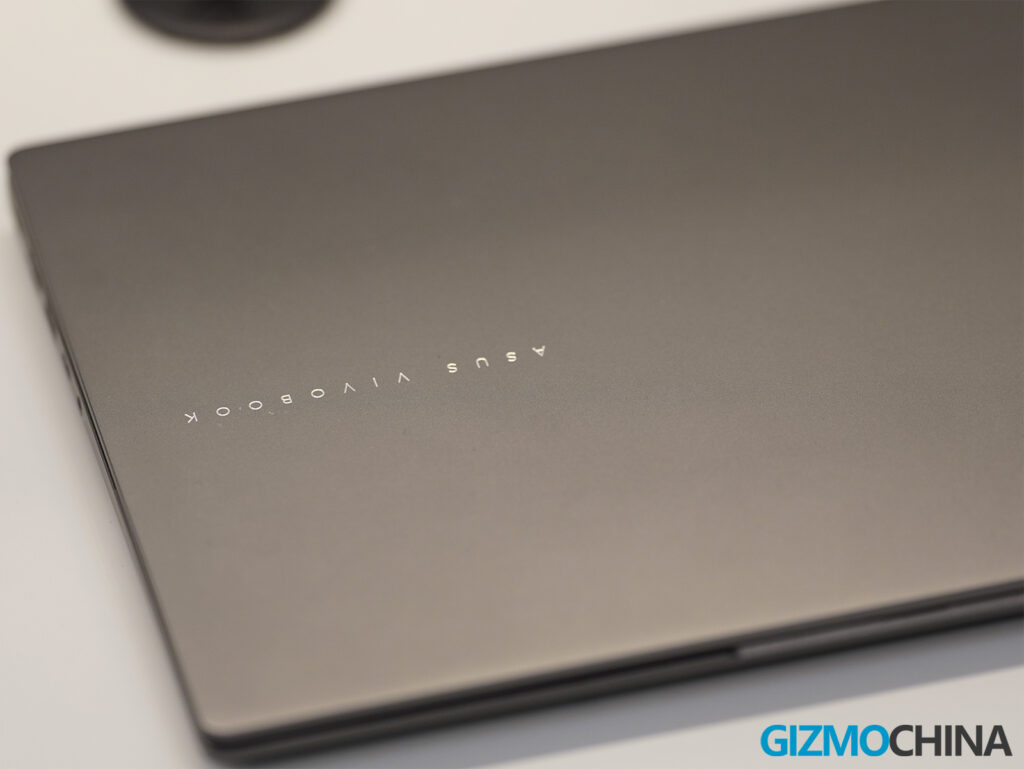
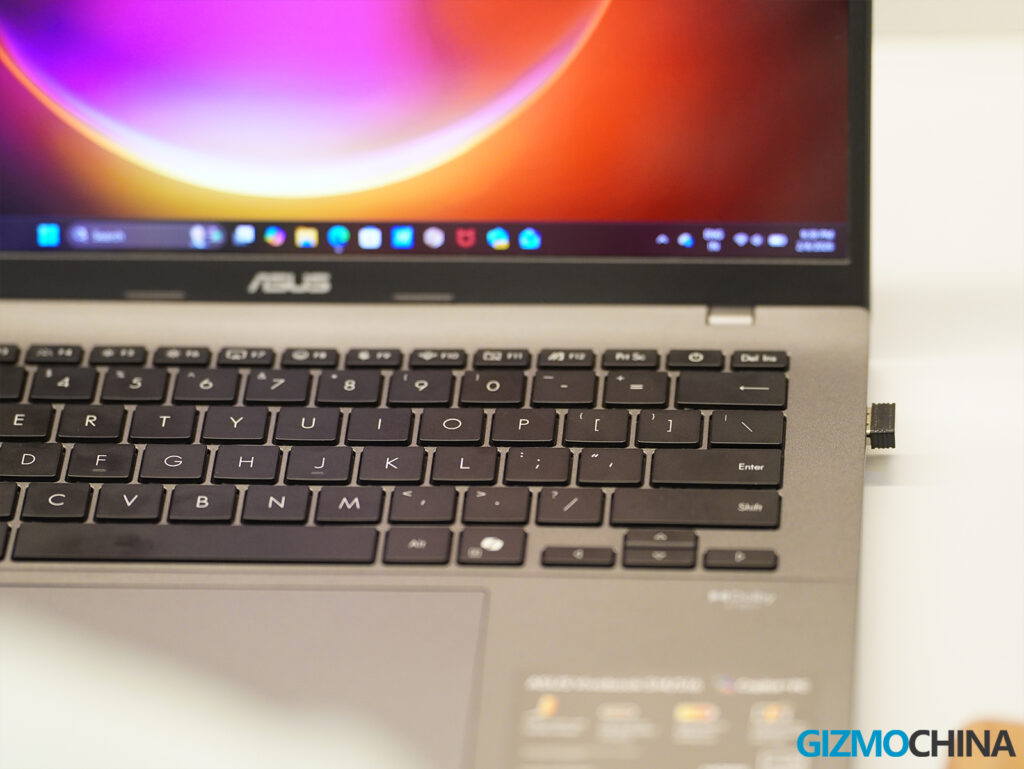
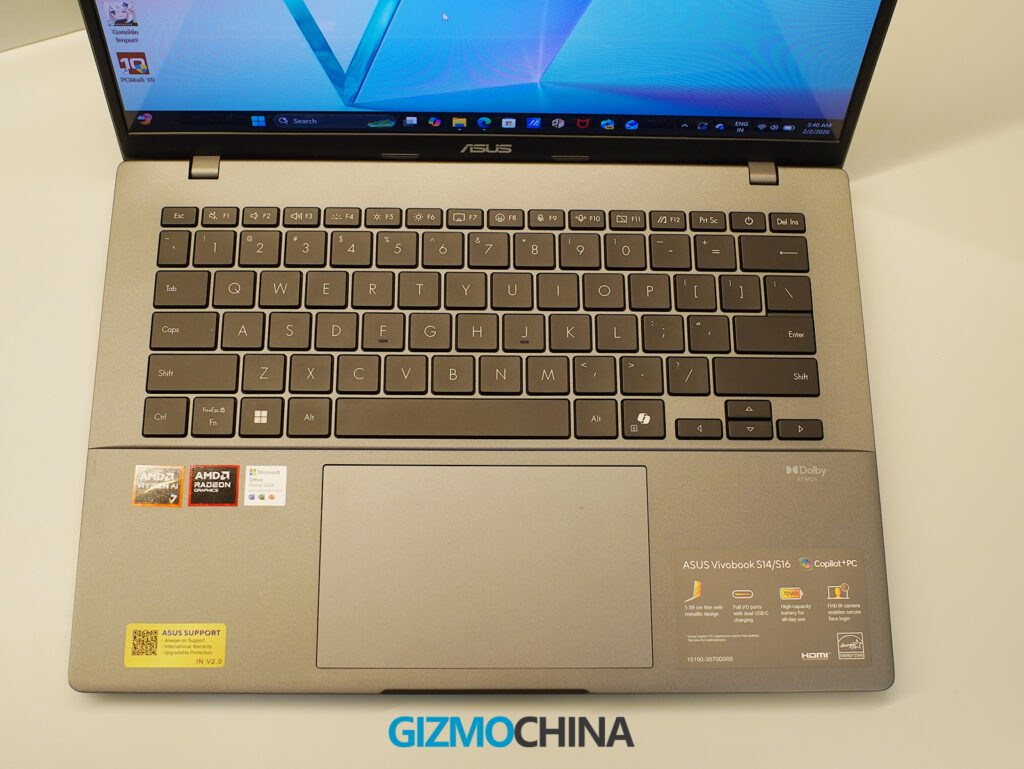
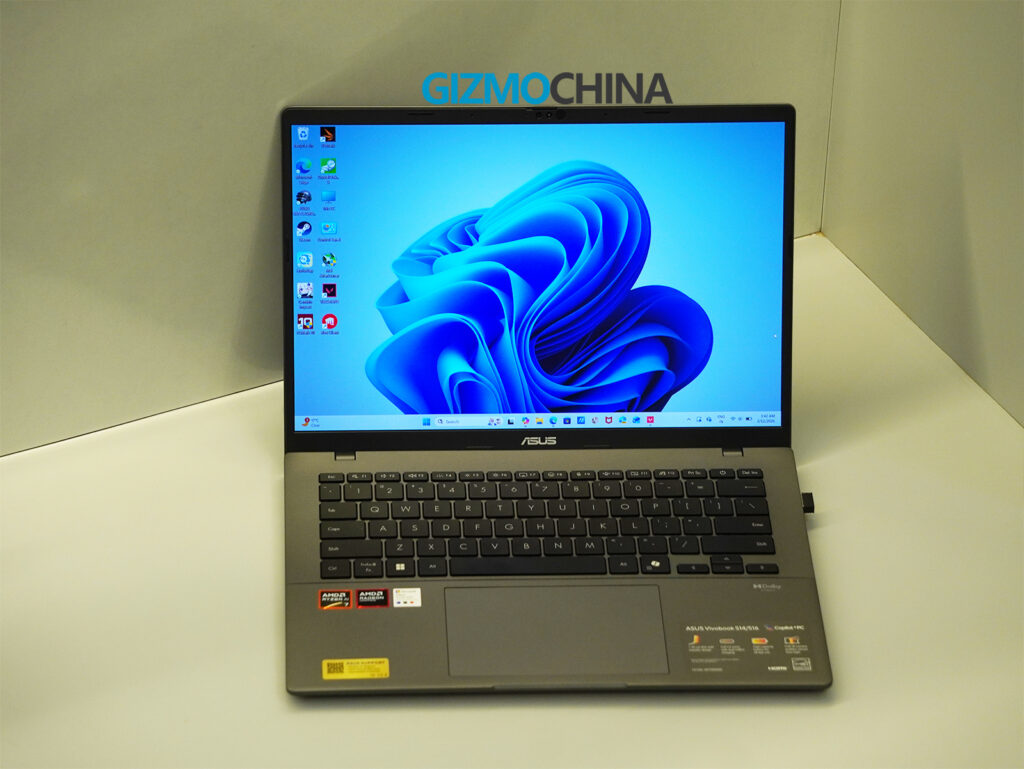
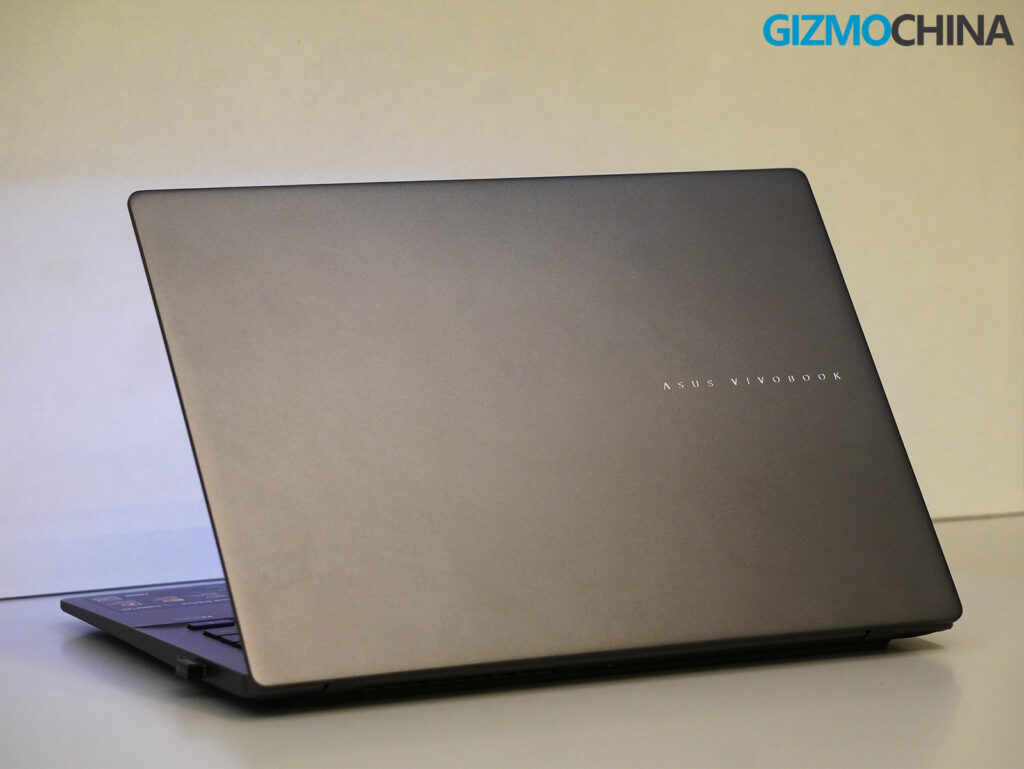
The Vivobook S14 might not be the flashiest device in the room, but it blends in well. The Matte Gray finish on my unit looks subdued and classy, with a CNC-engraved chrome Asus Vivobook logo that adds a bit of character without drawing too much attention. The overall design feels clean and minimal, and it does not attract fingerprints the way some glossier ZenBooks tend to.
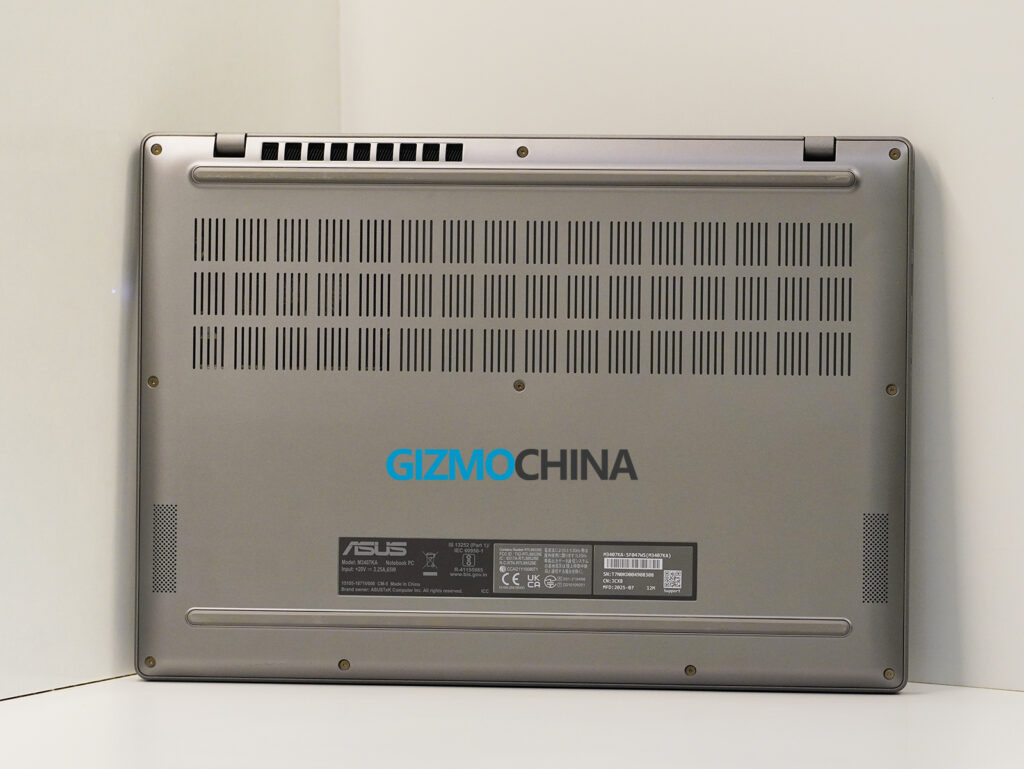
It weighs just 1.4 kg and measures about 15.9 mm in thickness, which makes it easy to carry around in a backpack. Despite the lightweight design, the build feels solid. There is no flex in the keyboard deck, no noticeable screen wobble, and the hinge supports a full 180-degree lay-flat design. Asus also meets MIL STD 810H military-grade durability standards, which adds confidence when using the laptop in cafes or during travel assignments.
Display
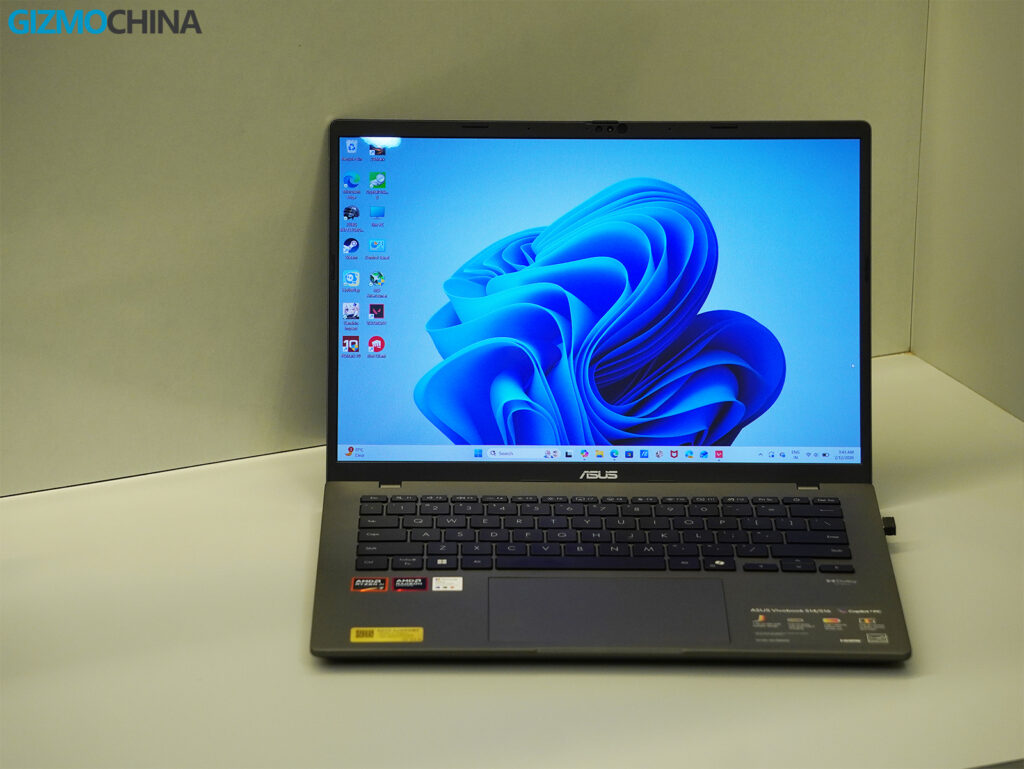
The 14-inch OLED panel with thin bezels on this laptop looks excellent. Asus labels it as a Lumina OLED display, a panel technology used across several of its professional laptops. The 1920×1200 resolution, combined with a 16:10 aspect ratio, works well for productivity. Text appears sharp, colors look vibrant without appearing exaggerated, and black levels are deep, as expected from an OLED panel.
Asus claims support for 1.07 billion colors and full 100% DCI P3 color gamut coverage, making the display suitable for casual creative work such as photo editing and light color grading. Since this model is not aimed at gaming, it features a standard 60Hz refresh rate.
For eye comfort, the display supports low blue light hardware certification and DC Dimming. This avoids PWM flicker at lower brightness levels and helps reduce eye strain during extended work sessions or nighttime use.
Brightness peaks at around 300-400 nits, which is suitable for indoor use and remains usable outdoors as long as direct sunlight is avoided. The display uses a glossy finish, so reflections are visible at times, but Asus includes an anti-reflective coating to reduce glare.
To be honest, the Vivobook S14’s display is class-leading for its segment. Many competitors at similar prices offer only IPS LCDs (often lower resolution or lower color gamut), whereas Asus has made OLED more accessible. The only trade-offs to be aware of are the typical ones with OLED: potential image retention if static content is left for hours. However, Asus mitigates this with pixel shifting and a screensaver timeout.
But this is a minor issue in day-to-day use. Having such a high-quality panel on a laptop geared at students and working professionals means you get an ultra-portable device that’s excellent for watching movies, doing creative hobby work, or simply enjoying a beautiful Windows UI every day. It’s a big selling point for the Vivobook S14.
Ports and Connectivity
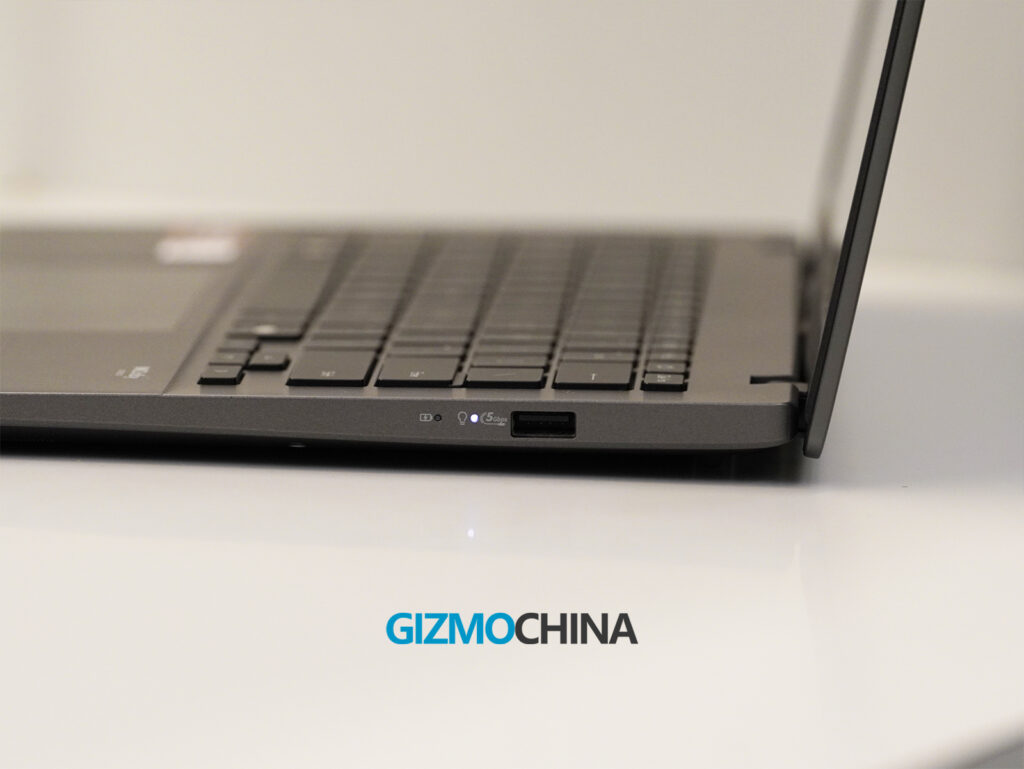
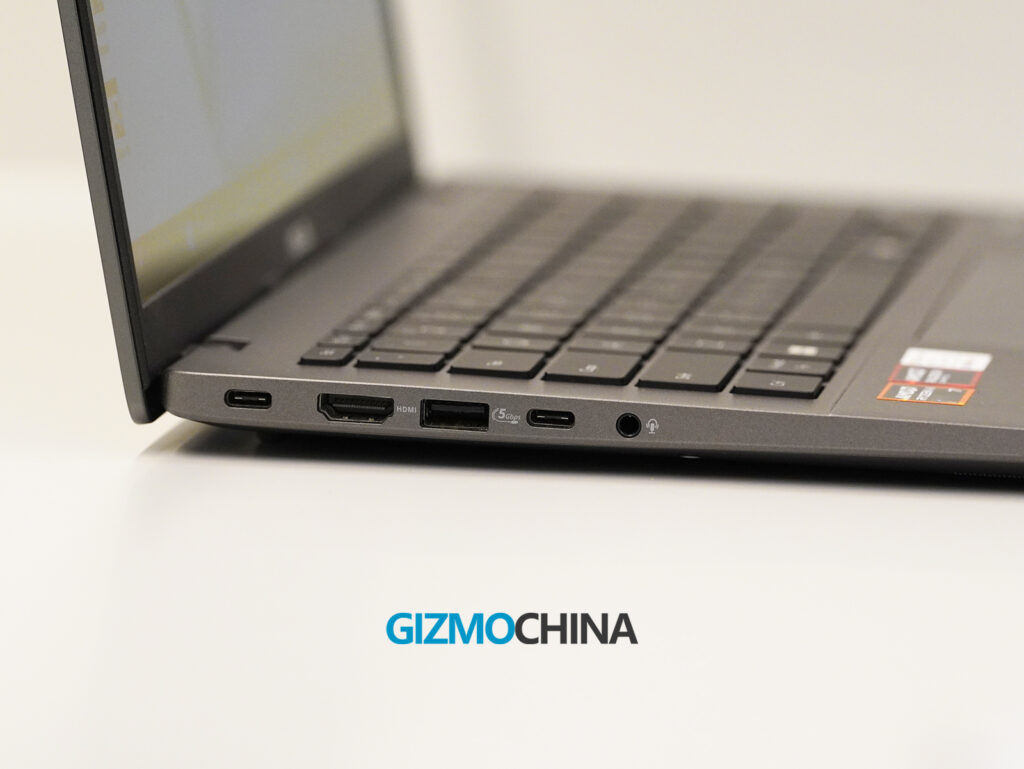
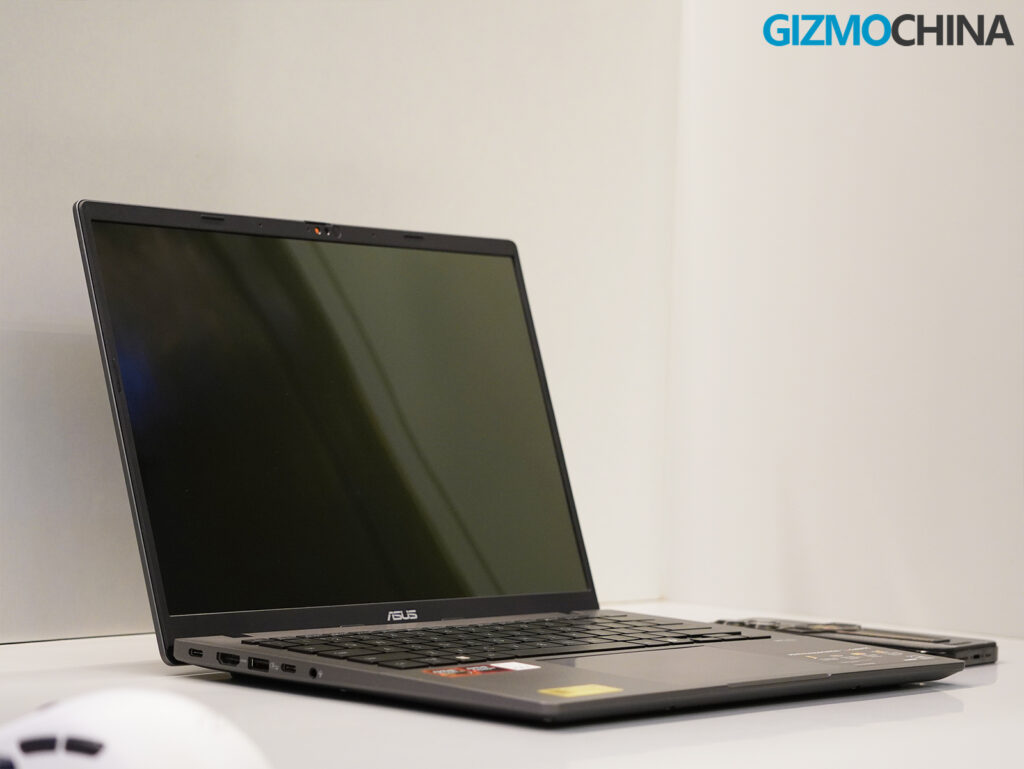
Asus equips the Vivobook S14 with a well-balanced selection of ports. It includes two USB-C 3.2 Gen 1 ports that support both charging and DisplayPort output, along with two USB-A ports for older peripherals, a full-size HDMI 2.1 port, and a 3.5 mm audio jack.
The laptop omits an SD or microSD card slot, which could disappoint creators and photographers, but overall, it covers the essentials without the need for extra adapters.
Wireless performance is equally solid. With Wi-Fi 6E and Bluetooth 5.3, I didn’t face any hiccups during my use, whether it was pairing devices or maintaining a stable connection across tasks.
Keyboard and Trackpad
Typing on this laptop feels comfortable and precise. The keyboard provides 1.7 mm of travel, which is impressive for a thin and light device. Each key offers a quiet yet tactile response, and the deck feels solid enough to support extended writing sessions without flex. I have typed entire articles, including this one, without needing an external keyboard. It also includes a backlight for easier use in dim environments.
The trackpad is spacious, smooth, and highly responsive. Its large surface area takes a little getting used to, and I initially experienced a few accidental palm touches, though it quickly became manageable. Palm rejection could use minor improvement, but it does not interfere with regular use. Clicks feel slightly firm near the edges, while tap-to-click functions accurately. Multi-finger gestures such as three-finger swipes, four-finger taps, and pinch to zoom are well supported and work seamlessly.
Benchmarks
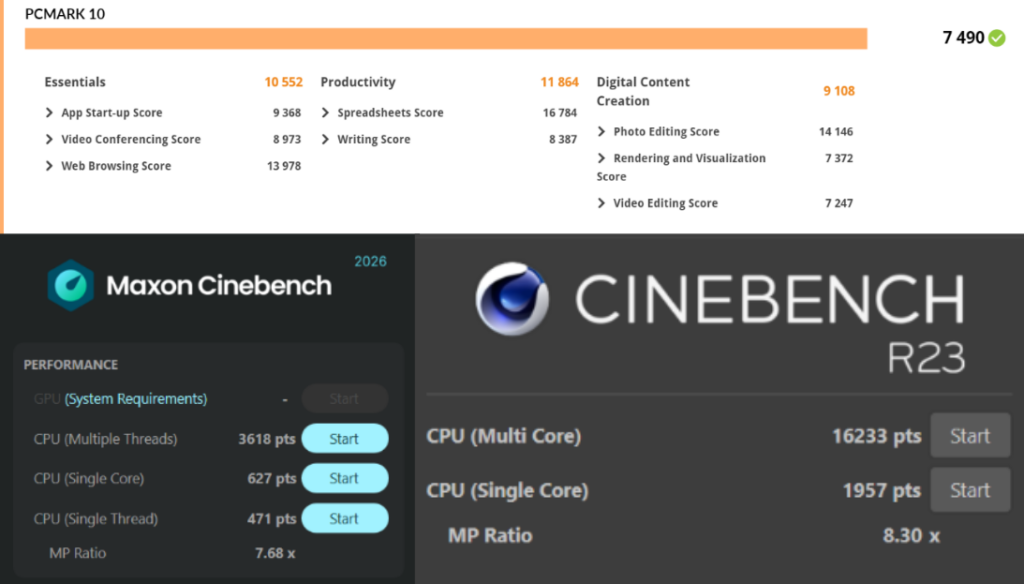
Here’s how the Vivobook S14 (Ryzen AI 7 350, Radeon 860M) performed in my benchmarking suite:
PCMark 10: 7,490 overall – Fast and fluid in day-to-day use.
3DMark Time Spy: 1,961 overall – OK for integrated graphics.
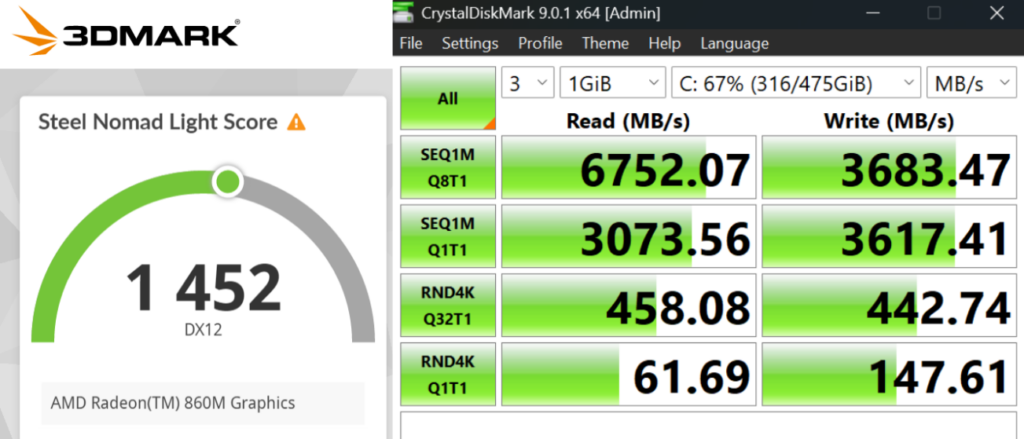
3DMark Steel Nomad Light: 1,452 – Shows limitations for modern AAA gaming.
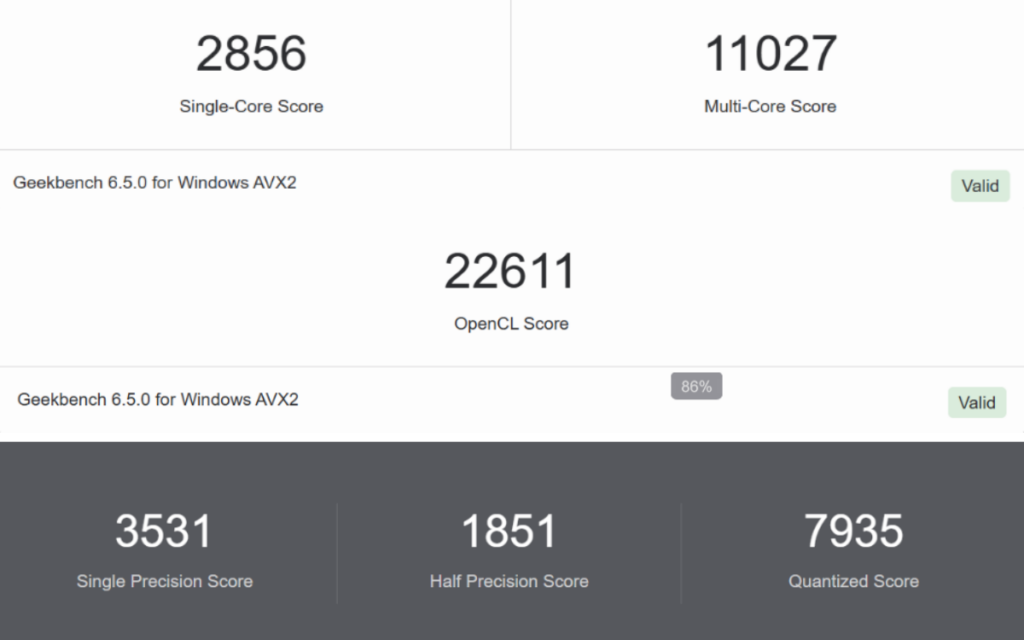
Geekbench AI (quantized): 7,935 – Impressive for on-device AI tasks.
CrystalDiskMark: 6,752 MB/s read / 3,683 MB/s write – Fast Gen 4 SSD, no slowdowns.
These numbers put it in solid upper-midrange territory, above budget machines and well into premium thin-and-light territory without costing flagship money.
AI and Performance
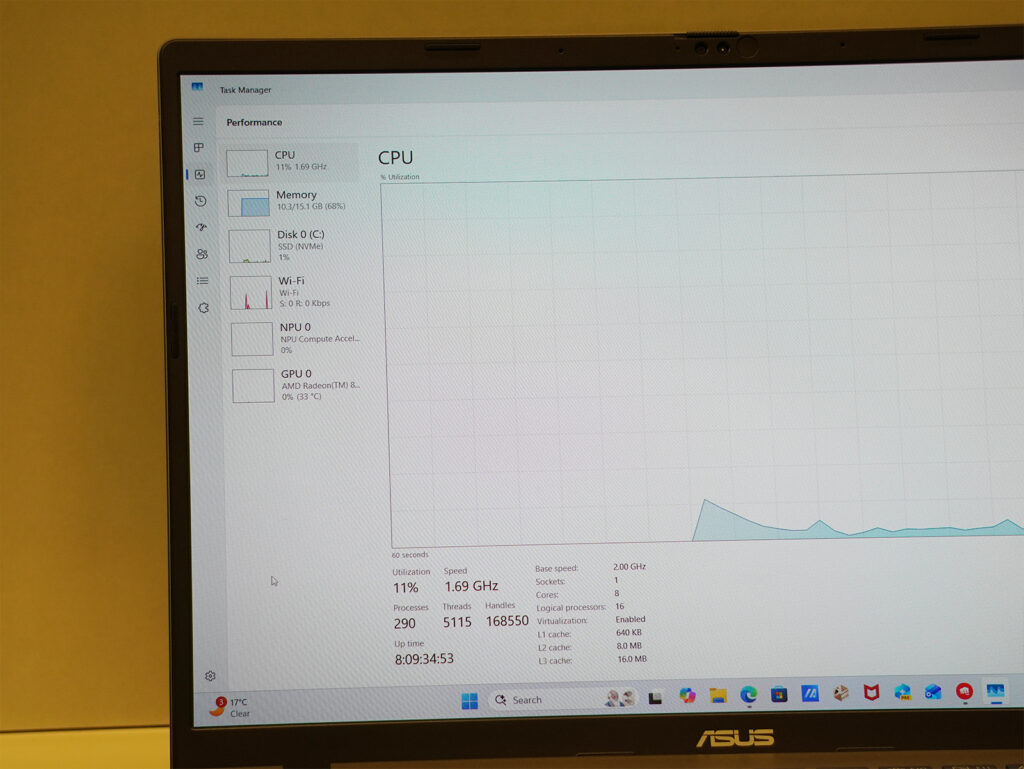
This is where the Vivobook starts to separate itself. The Ryzen AI 7 350 features an XDNA NPU capable of 50 TOPS, and that matters, especially as Windows 11 leans into AI integration. Copilot, background blur in video calls, real-time translation, and local AI summarization all run smoother and more efficiently on this chip than on older CPU or GPU-bound systems.
And it is not just theoretical. I used AI-powered features in Office apps, Windows Studio Effects, and several local applications that benefit from NPU offload, and they consistently performed without any issues. The advantage lies in the quiet and efficient operation, as AI tasks happen seamlessly in the background without draining the battery or triggering fan noise.
In terms of raw performance, the laptop never felt limited during everyday workloads. It handled heavy Chrome sessions, 1080p video editing, large WordPress dashboards, and even moderate gaming with ease.
Gaming
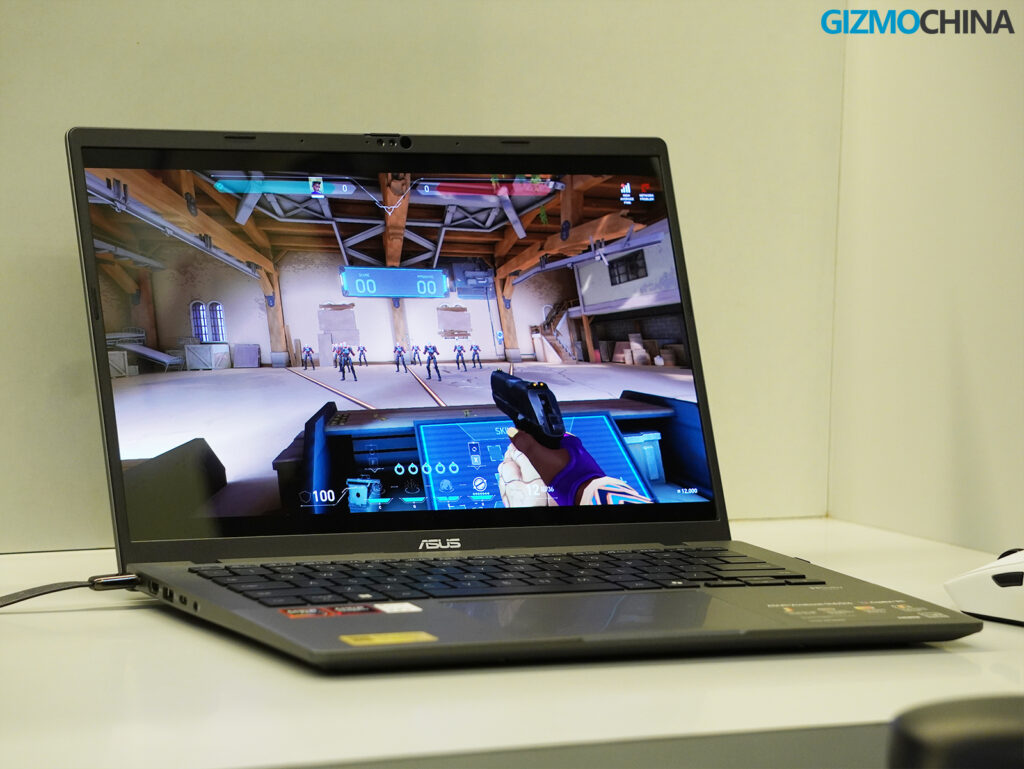
No, this isn’t a gaming laptop. But the Radeon 860M GPU with RDNA 3.5 architecture is surprisingly capable for an integrated chip. I tested a few titles:
Valorant: 170-230 fps (Low settings, 1080p)
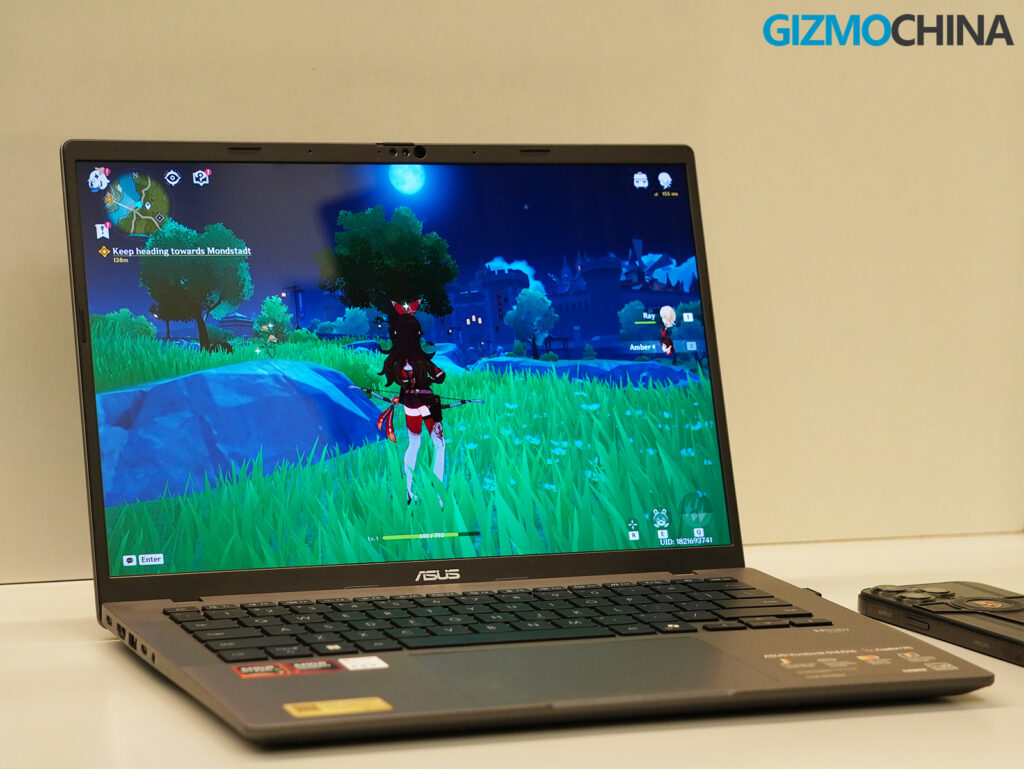
Genshin Impact: 60 fps (Low), 20-25 fps (High)
PUBG: ~50 fps (Lowest settings)
These aren’t groundbreaking numbers, but for an ultrabook? Very respectable. If you’re into casual gaming, this can hold its own.
Thermal and Fan Performance
Asus has done an excellent job with thermal management on this laptop. Even during benchmarks or light gaming, the fans never became noticeably loud. Most of the time, they stayed silent, especially when running in Standard or Whisper mode. When pushed in Performance mode, fan noise hovered around 38 dB, producing a low whoosh rather than a distracting sound.
Temperatures remained in the 75s °C range under load, with very little heat buildup across the chassis. After a Valorant session, the keyboard area felt only slightly warm, and the palm rest stayed cool. This efficiency comes from the dual fan cooling system that Asus adapted from its higher wattage designs, which provides more cooling headroom than the chip actually requires.
Battery Life, Sound, and Camera
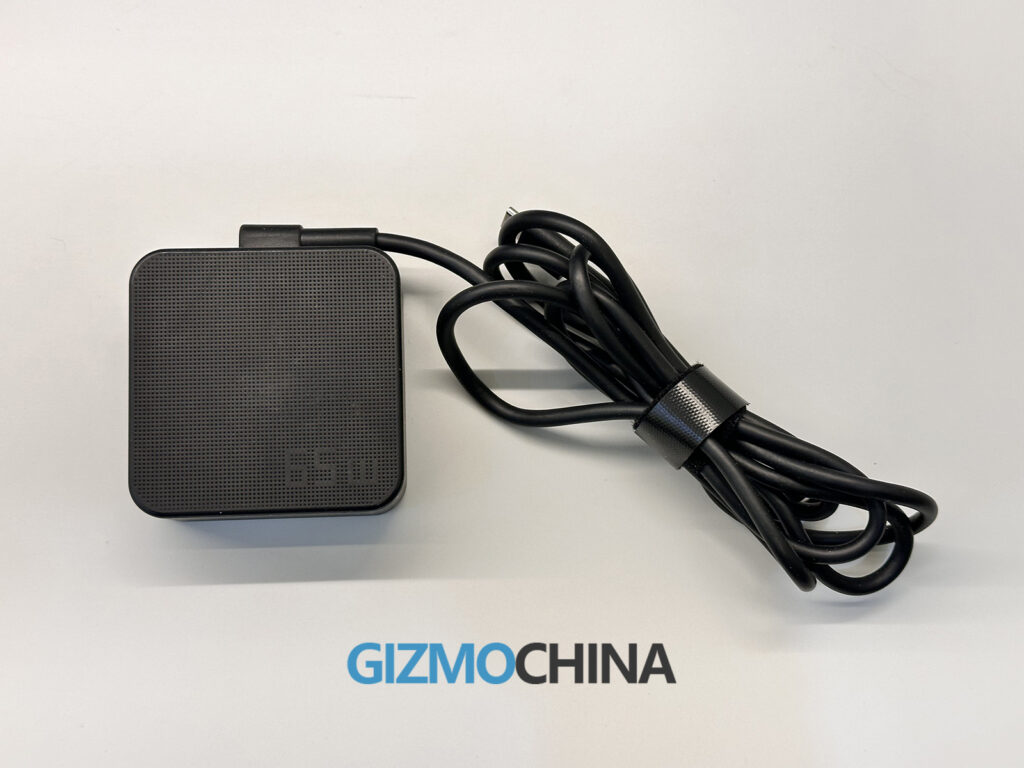
Asus claims up to 23 hours of battery life, and while I did not reach that exact figure, I consistently achieved around 10 to 12 hours in real-world use. For my workflow of writing, browsing, streaming music, and light photo editing, I only needed to charge it every other day. When recharging was necessary, the 65W USB-C fast charging brought the battery back to 50% in under 40 minutes.
Audio performance is solid for a thin and light laptop. The stereo speakers deliver clear sound at high volume levels without noticeable distortion. Bass is limited, as expected, but the output remains crisp enough for calls, videos, and casual music playback. Asus’s Audio Booster tuning adds a bit of warmth and depth. For critical listening, headphones are still preferable, but the built-in speakers perform well for everyday use.
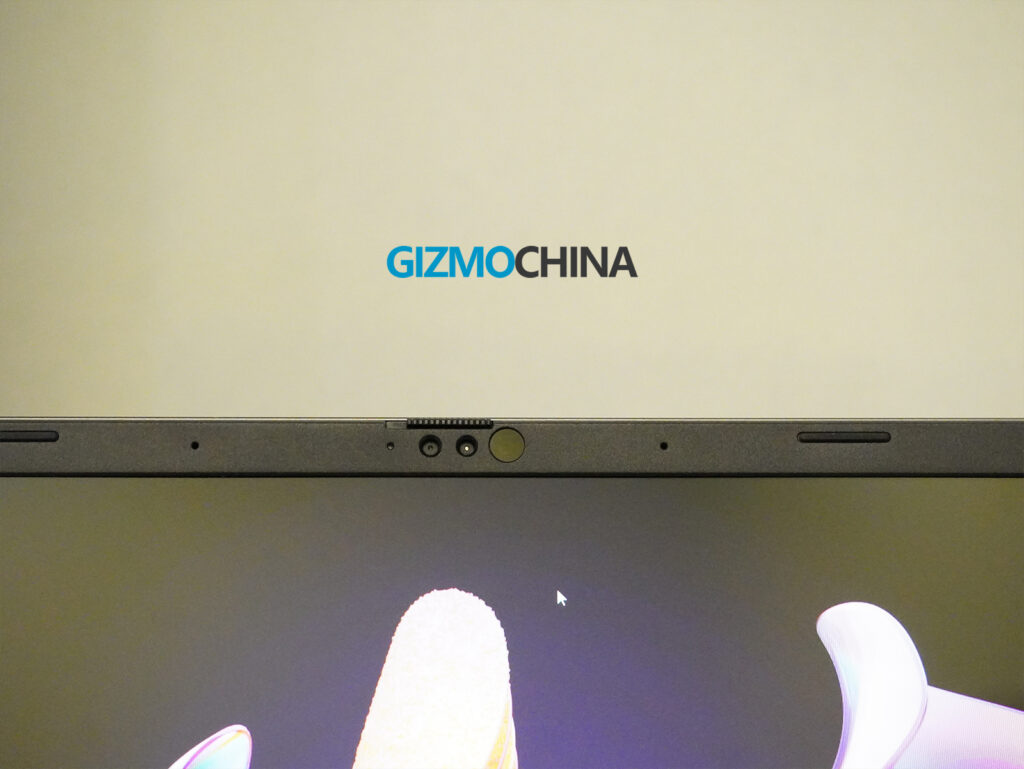
The 1080p webcam also performs well. It supports Windows Hello facial recognition through an IR sensor, enabling quick and reliable logins. Video quality is good enough under good lighting conditions, and the built-in microphone array captures voices clearly for online meetings. It may not rival dedicated webcams in sharpness, but with AI background blur and enhancements, it handles video calls effectively and without any issues.
Storage and Upgradability
The Vivobook S14 delivers impressive storage performance with its PCIe Gen 4 SSD. The review unit I tested featured a 512GB NVMe PCIe 4.0 drive, while Asus also offers a 1TB option depending on the configuration. Sequential read speeds exceeded 6,700 MB/s, and write speeds reached around 3,600 MB/s in testing. These results translate into fast app launches, smooth multitasking, and quick file access.
For memory, the laptop comes with 16GB of DDR5 RAM onboard, which is fast and efficient for daily productivity and creative workloads. Unlike many ultrabooks, Asus includes a DDR5 SO-DIMM slot for future upgrades, allowing users to expand memory beyond 16 GB if required.
The storage is also user accessible via a standard M.2 2280 PCIe 4.0×4 slot, making it possible to replace or expand the SSD later. This mix of soldered and upgradable components gives the Vivobook S14 more flexibility than most thin and light laptops in its class.
Verdict
After spending more than two weeks with the Asus Vivobook S14 (M3407), it is clear that this is one of the most balanced ultrabooks in its category. It does not aim to be a creator’s workstation or a gaming powerhouse, but it delivers strongly on the essentials: productivity, portability, battery life, and AI readiness.
The combination of Ryzen AI 7 350 processor and its integrated NPU makes it future-ready for AI-assisted tasks, while the OLED display and comfortable keyboard make daily use enjoyable and efficient.
It starts at Rs. 78,990 for this variant in India, and for students, bloggers, professionals, and anyone who values responsiveness, battery endurance, and a great screen over high-end graphics performance, this laptop is a strong fit.
For more daily updates, please visit our News Section.
Casio has launched the MRGB2100D-2A in the United States. The premium G-Shock MR-G timepiece had previously been released in Japan, Europe, and the UK. It is priced at $4,700 and now joins the brand’s US catalog as part of the flagship MRG-B2100 series.
Casio MRGB2100D-2A Specifications
The MRGB2100D-2A has a silver-toned case with a blue dial inspired by the Japanese hanada-iro shade. The dial features a horizontal texture, bold metallic hour markers, a framed date window at 3 o’clock, and a small day sub-dial at 7 o’clock, creating a balanced, highly legible layout.
Casio builds the MRGB2100D-2A using premium materials. Its octagonal bezel is made of Cobarion, a Japanese alloy four times harder than titanium with a platinum-like shine. The case and crown use Ti64 titanium, while the bracelet is crafted from DAT55G, another titanium alloy prized for its durability and wear resistance. Each of the 27 bezel components is individually polished for precision, and a titanium carbide coating further improves scratch resistance.
The watch features solar-powered timekeeping, Multi-Band 6 radio calibration, and Bluetooth connectivity via Casio’s Mobile Link app, which enables auto time adjustment, watch status updates, and a phone finder. It offers 200-meter water resistance, magnetic resistance, a screw-lock crown, and sapphire crystal glass with an anti-reflective coating.
Casio includes additional design elements inspired by traditional Japanese woodworking techniques. The dial’s latticework structure, known as kigumi, allows light to pass through and power the solar panel. The 12 o’clock marker features a precision-assembled two-part structure that reflects Yamagata Casio’s advanced manufacturing technology.
The MRGB2100D-2A weighs 122 grams and measures 49.5 x 44.4 x 13.6 mm. It supports a full-auto calendar, LED Super Illuminator light, and power-saving mode. The watch is available now through the official Casio store and select retailers.
Lenovo has officially started teasing its upcoming Legion Y700 (2026), which is set to launch in March. The company claims the device features a new AI-powered network acceleration system that can reduce game latency by 54.8% in complex network conditions. The tablet also lowers in-game stutter rates by 42.7% compared to rival models, according to Lenovo’s internal data.
The Legion Y700 (2026) introduces a dedicated acceleration channel for gaming. Lenovo says the AI engine detects congested or unstable network environments and prioritizes real-time gaming traffic to reduce packet loss and jitter.
Lenovo also teased that the tablet supports a 2640Hz touch sampling rate. The display is tuned for ultra-fast response, allowing for near-instant input detection. The company describes it as “instant touch, instant response,” reinforcing the tablet’s focus on performance gaming.
In an earlier teaser, Lenovo confirmed that the Legion Y700 will feature an 8.8-inch 3K+ LCD display with a resolution of 3040 x 1904 pixels, a 165Hz refresh rate, and 12-bit color depth. The screen supports up to 800 nits of peak brightness and the DCI-P3 wide color gamut.
Lenovo also explained that the 165Hz refresh rate reduces the refresh interval to 6.06ms, compared to 6.94ms at 144Hz and 16.67ms at 60Hz, resulting in lower input latency and improved motion clarity during gameplay.
According to a leak from Digital Chat Station, the Lenovo Legion Y700 (2026) will be powered by Qualcomm’s Snapdragon 8 Elite Gen 5 chipset. The tablet is expected to launch in multiple variants, including 12GB + 256GB, 16GB + 512GB, and 24GB + 1TB configurations.
It will feature a 50MP rear camera with an RGB ring light and pack a roughly 9,000mAh battery. The retail box will include a 68W fast charger, and the device is also said to come with dual USB-C ports.
While it’s not Lenovo’s first AI-enabled product, this is its most aggressive attempt to blend AI into the gaming tablet experience. The Legion Y700 (2026) will be available in black and white colors.
For more daily updates, please visit our News Section.
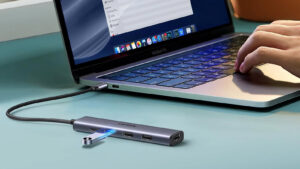
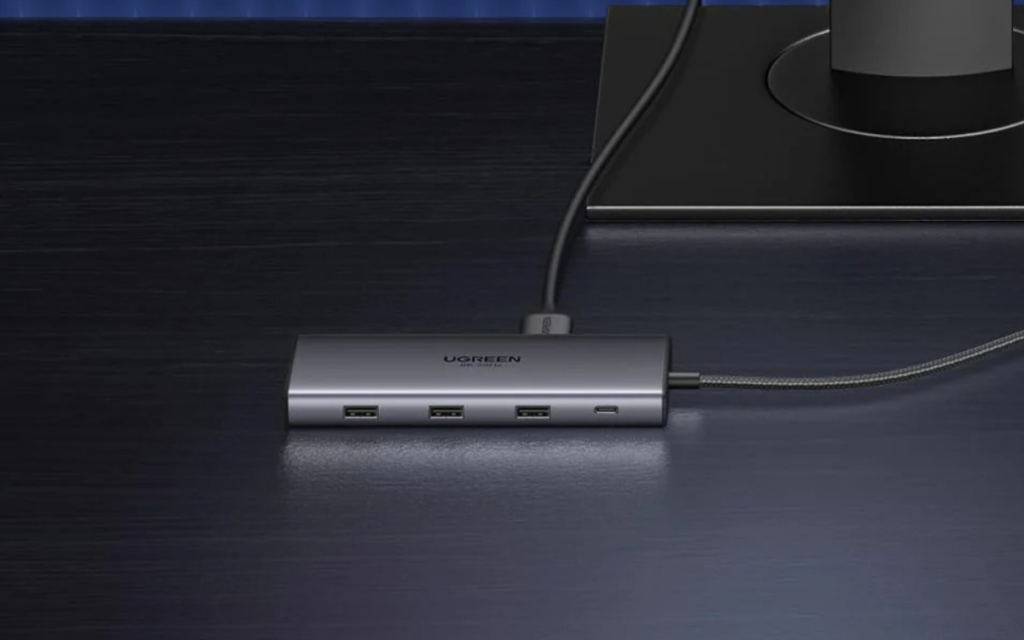
In 2026, USB-C hubs continue to serve as critical accessories for laptops, tablets, and hybrid workspaces. The best hubs now combine fast charging, high-speed data transfer, 4K displays, and multi-device compatibility into compact packages.
The market includes streamlined options for travel and powerful docks for desktop use. Here are five top-rated USB-C hubs of 2026 that stand out in performance, reliability, and value.
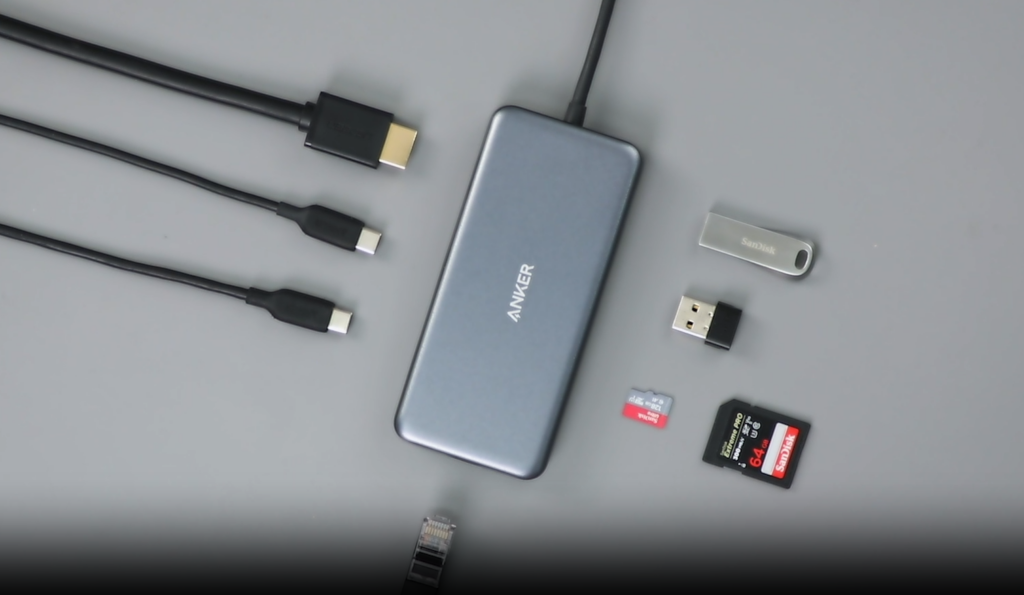
Anker 555 USB-C Hub (8-in-1)
The 555 USB-C Hub from Anker remains a reliable choice for users who need basic expansion without clutter. It adds eight ports, including a 4K HDMI output, 100W USB-C Power Delivery (with 85W pass-through), two USB-A 3.2 ports, a USB-C data port, Ethernet, and dual SD card readers.
The USB-C data port supports 10Gbps transfers, but it does not support video output. The hub is compatible with most MacBook Pro and Air models, Dell XPS laptops, and iPad Pro. It delivers dependable performance for general productivity, video streaming, and media transfer. The build feels solid, and its compact form factor makes it ideal for mobile users who don’t need advanced display setups.
Baseus 12-in-1 USB-C Hub
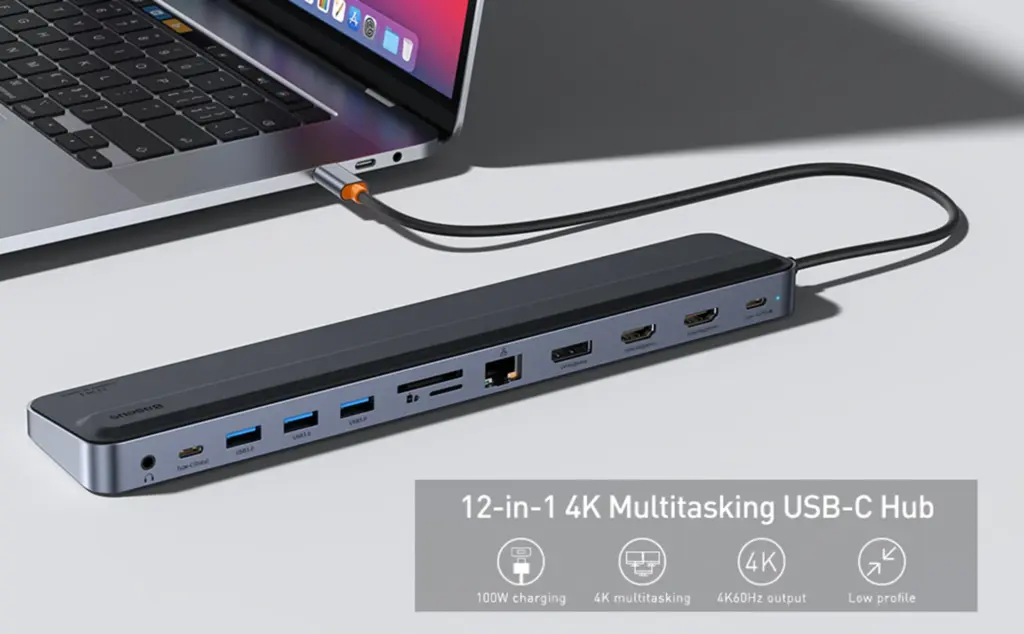
Baseus takes a more feature-rich approach with its 12-in-1 USB-C hub. It includes dual HDMI (both supporting 4K@60Hz), DisplayPort, three USB-A 3.0 ports, a USB-C data port, SD/TF card readers, Ethernet, a 100W PD port, and a 3.5mm headphone jack. This hub can support three extended displays on Windows laptops with AMD graphics and DP 1.4 support.
The hub sits beneath the laptop and raises it slightly for improved typing ergonomics. Its wide compatibility list includes MacBooks, Surface devices, Dell and HP ultrabooks, and many Android tablets and phones. It targets users who rely on multiple monitors and wired accessories. macOS display mirroring limitations still apply, but for Windows productivity users, this hub delivers impressive flexibility.
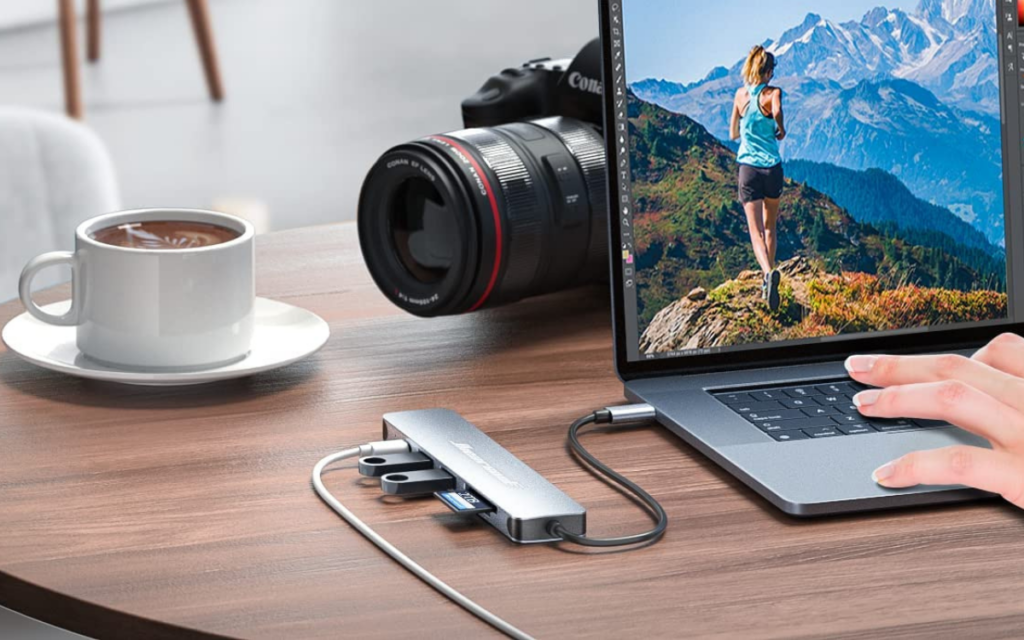
Hiearcool 7-in-1 USB-C Hub
The Hiearcool 7-in-1 USB-C hub remains one of the most affordable and best-reviewed compact hubs. It costs under $30 and includes 4K HDMI, dual USB-A 3.0 ports, SD and microSD slots, a 100W charging-only USB-C port, and plug-and-play setup.
Transfer speeds reach up to 5Gbps, and its aluminum body is durable for travel use. However, it lacks Ethernet and does not allow simultaneous SD and TF card use. For casual users, students, and those who travel light, it remains a dependable choice.
Ugreen Revodok Pro 210
The Revodok Pro 210 is built for creators and professionals who need multiple high-resolution displays. It supports dual HDMI output at 4K@60Hz or single HDMI at 8K@30Hz. The 10-in-1 port layout includes USB-C and USB-A 3.0 for 5Gbps transfers, USB-A 2.0 for peripherals, Gigabit Ethernet, SD/TF readers, and 100W PD charging.
The Revodok weighs more than others on this list, but its premium build and extended compatibility make it a reliable choice for creative professionals who depend on color-accurate displays and fast media transfers. It fits into complex workstation setups with ease.
Plugable 9-in-1 USB-C Hub
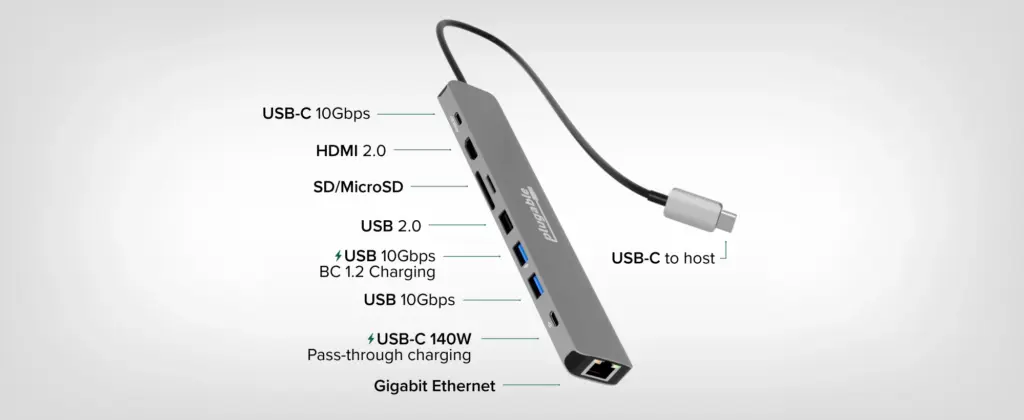
The 9-in-1 USB-C hub from Plugable includes features that target power users. It supports 140W USB-C PD 3.1 input and delivers up to 125W charging to laptops. The port layout includes 4K@60Hz HDMI, a USB-C 10Gbps port, two USB-A 10Gbps ports, a USB 2.0 port, SD/microSD card slots with UHS-II support, and a Gigabit Ethernet port.
Its built-in 7.5-inch cable simplifies cable management, and its compatibility list covers almost all modern USB-C laptops. This hub charges large MacBooks and Windows workstations quickly while handling high-speed file transfers and stable display output.
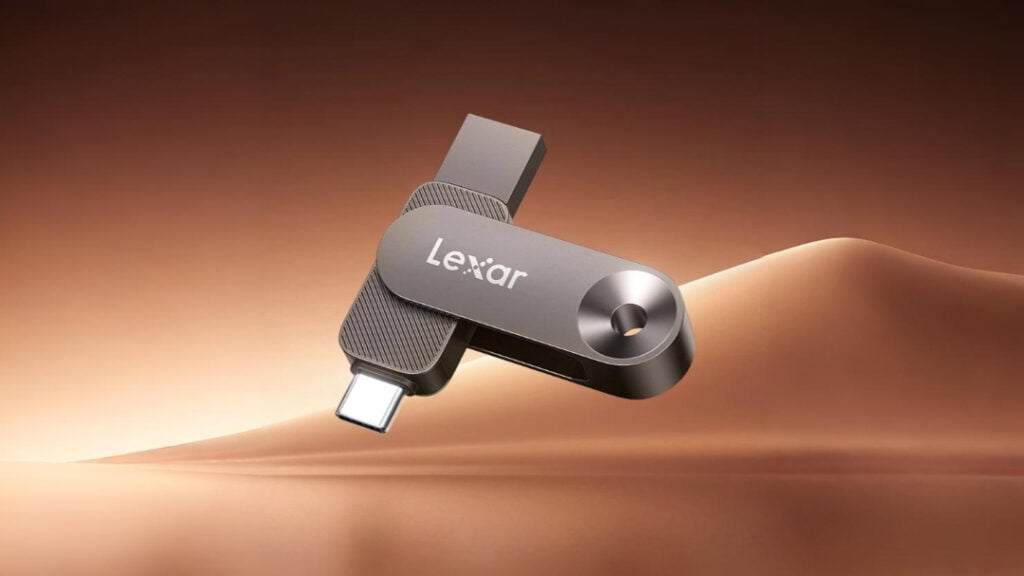
Lexar has officially launched the JumpDrive D500, a new high-speed solid-state USB drive with both USB Type-A and Type-C connectors. The product is now listed on the company’s website and targets users who want fast, reliable storage that works across multiple platforms, including phones, tablets, laptops, and desktops.
Lexar JumpDrive D500 Specifications
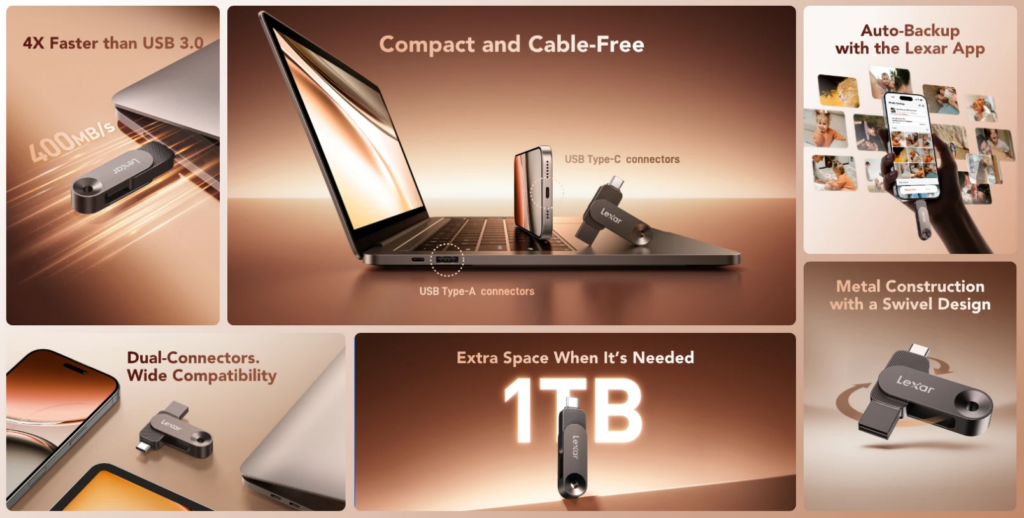
The JumpDrive D500 uses the USB 3.2 Gen 1 interface and is available in four capacities: 128GB, 256GB, 512GB, and 1TB. Lexar claims the drive can deliver maximum read speeds of up to 400MB/s and write speeds of up to 400MB/s.
The 128GB and 256GB models feature 400MB/s read and 360MB/s write speeds, while the 512GB version hits 400MB/s for both read and write. The 1TB variant records slightly lower read speeds at 390MB/s but maintains a 400MB/s write speed.
The drive features a compact swivel design with a metal housing made of aluminum alloy. It supports 360-degree rotation and includes a lanyard loop for added portability. Lexar has designed the drive to handle daily wear and tear while maintaining its performance across a wide temperature range from 0°C to 50°C.
Lexar has also integrated support for its dedicated mobile app. The Lexar app is available for Android, iOS, and HarmonyOS and enables automatic backup of photos and videos from smartphones. It works offline and supports features like Live Photo backup on iPhones. However, it does not support iCloud backup or devices running HarmonyOS Next.
The dual-connector layout allows seamless file transfer between devices without adapters. Lexar claims the 1TB version can store over 300,000 photos, 18,000 minutes of HD video, or more than 110,000 songs.
Lexar backs the JumpDrive D500 with a 5-year limited warranty. The drive is expected to become available through retail and online channels globally.
In related news, Lexar has also launched the JumpDrive A50V and C50V USB drives recently in 512GB and 1TB variants, offering read speeds of up to 200MB/s.
For more daily updates, please visit our News Section.
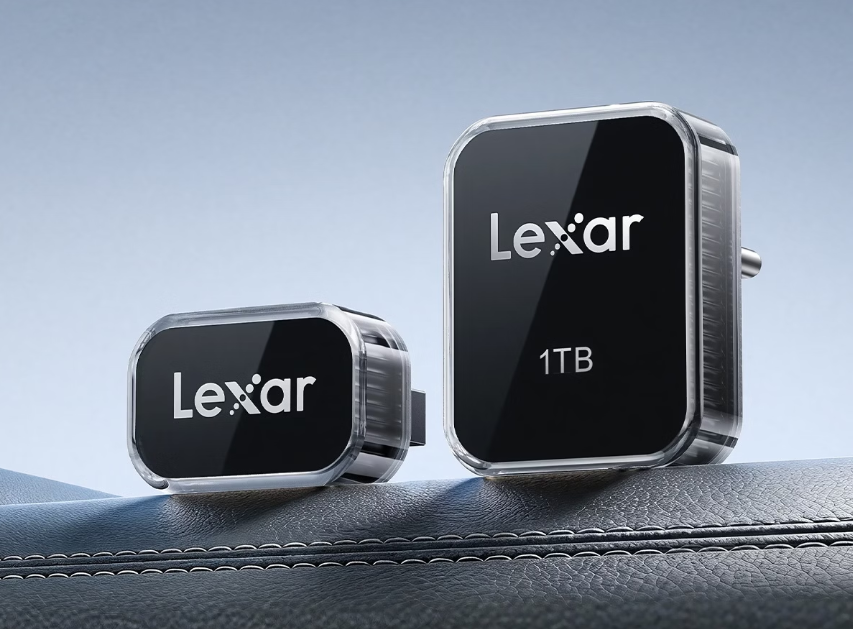
Lexar has launched new 512GB and 1TB variants of its JumpDrive A50V and C50V dashcam USB drives. The expanded storage lineup is aimed at drivers who require long-duration video recording for vehicle surveillance and security. The 1TB model can store up to 96 hours of footage from four dashcams in Li Auto vehicles.
Lexar JumpDrive A50V & C50V Specifications
The JumpDrive A50V uses a USB-A connector, while the C50V is equipped with USB-C. Both drives support USB 3.2 Gen 1 and offer read and write speeds of up to 200MB/s. Lexar uses high-quality TLC NAND flash memory in both models, which helps improve durability and allows the drives to handle high rewrite workloads over extended periods.
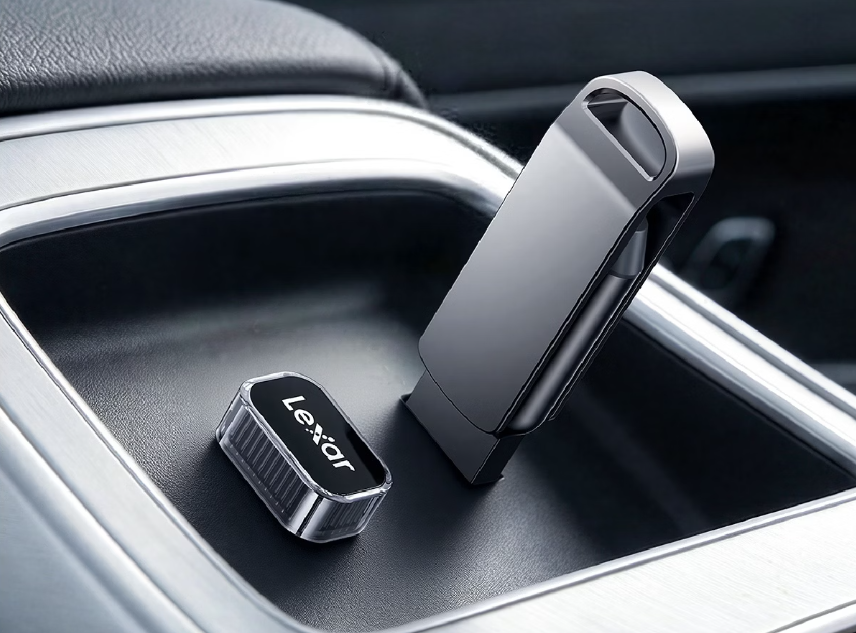
Lexar said the drives are designed for continuous 24/7 loop recording and can automatically overwrite older footage when storage is full. This feature supports dashcam and sentry mode use in electric and connected vehicles. The drives ship preformatted in exFAT but can be reformatted to FAT32 or NTFS if required.
The JumpDrive C50V measures 28.8 x 22.5 x 16.23 mm and weighs 13.5 grams. The USB-A based A50V is slightly smaller at 22.5 x 14.9 x 20.25 mm and weighs 6.2 grams. Both models are built to withstand extreme in-car temperatures. Lexar rates the drives to operate between -40°C and 75°C, with storage temperature tolerance up to 100°C.
Lexar said the drives passed compatibility testing with various new energy vehicles. They support plug-and-play functionality on many systems, though some vehicles may require formatting via the infotainment system. Each drive includes a one-year limited warranty and has passed Lexar’s internal automotive-grade reliability testing.
Pricing and Availability
The 512GB model is priced at 779 yuan ($112), while the 1TB version is priced at 1,419 yuan ($205). The new storage options are now available in China through official retail channels.
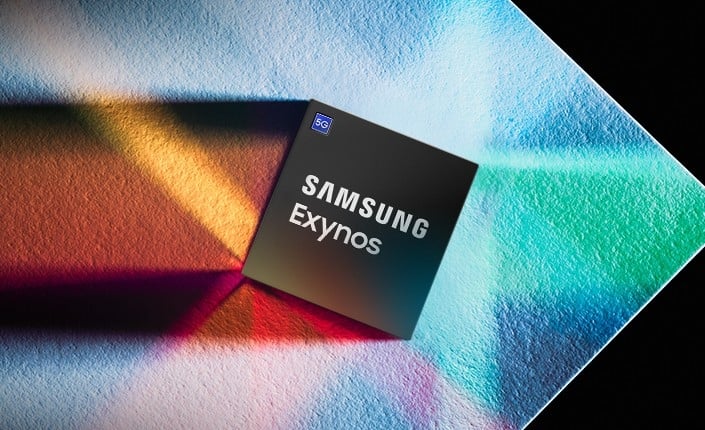
Samsung is expected to begin mass production of its Exynos 2700 processor in the second half of 2026, according to a report from The Korea Economic Daily citing Kiwoom Securities. Analyst Park Yoo-ak stated that the chip will be manufactured using Samsung Foundry’s second-generation 2nm GAA process (SF2P), with initial yields reaching approximately 50%.
The Exynos 2700 could mark a significant shift in Samsung’s mobile strategy. The chip is projected to power around 50% of the upcoming Galaxy S27 series smartphones. This would be a sharp increase compared to the Exynos 2600, which currently powers about 25% of the Galaxy S26 lineup. The Galaxy S26 Ultra exclusively uses Qualcomm’s Snapdragon 8 Elite Gen 5 chip across all markets.
Park Yoo-ak noted that yield improvements and growing customer demand for cost-effective solutions are expected to help the Exynos 2700 gain more traction. Samsung has reportedly asked its partners to promote the SF2P process, which indicates confidence in the chip’s production readiness.
Samsung completed the base design of the Exynos 2700 in 2025. Benchmark leaks suggest a 10-core CPU layout using a unique 4+1+4+1 cluster configuration and a new AMD-based Xclipse 970 GPU. The early test results showed lower clock speeds and performance figures, but the chip appears to be in its engineering phase.
Kiwoom Securities expects Samsung’s non-memory division to post a 21% year-over-year revenue increase to 36.4 trillion won ($24.8 billion) next year. The firm also forecasts an operating profit of 1.8 trillion won ($1.22 billion) for the division.
Samsung aims to cut reliance on Qualcomm’s Snapdragon chips and turn its mobile processor business profitable by expanding Exynos deployment in future flagship phones.
For more daily updates, please visit our News Section.
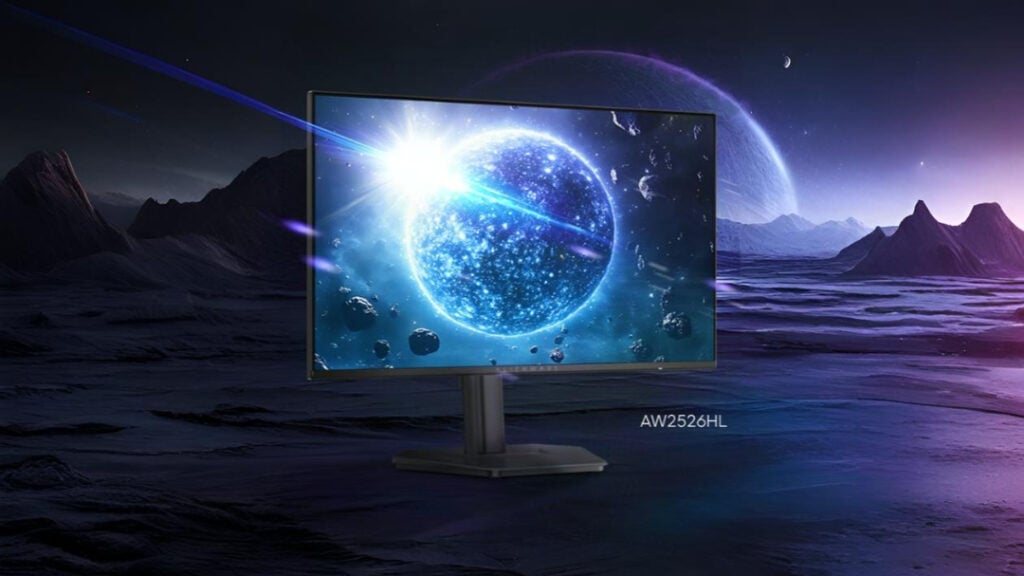
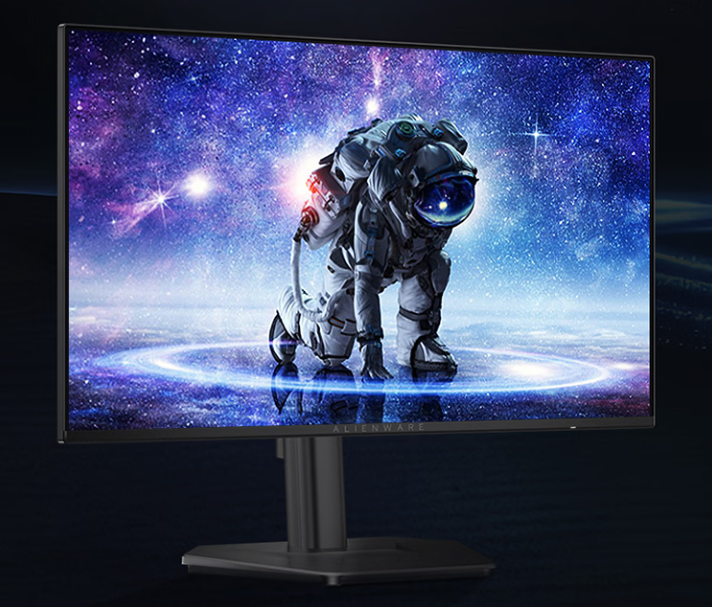
Alienware has officially launched the AW2526HL, a new 24.5-inch gaming monitor in the Chinese market. The monitor is now listed on JD.com and priced at 1199 yuan ($173).
Alienware AW2526HL Specifications
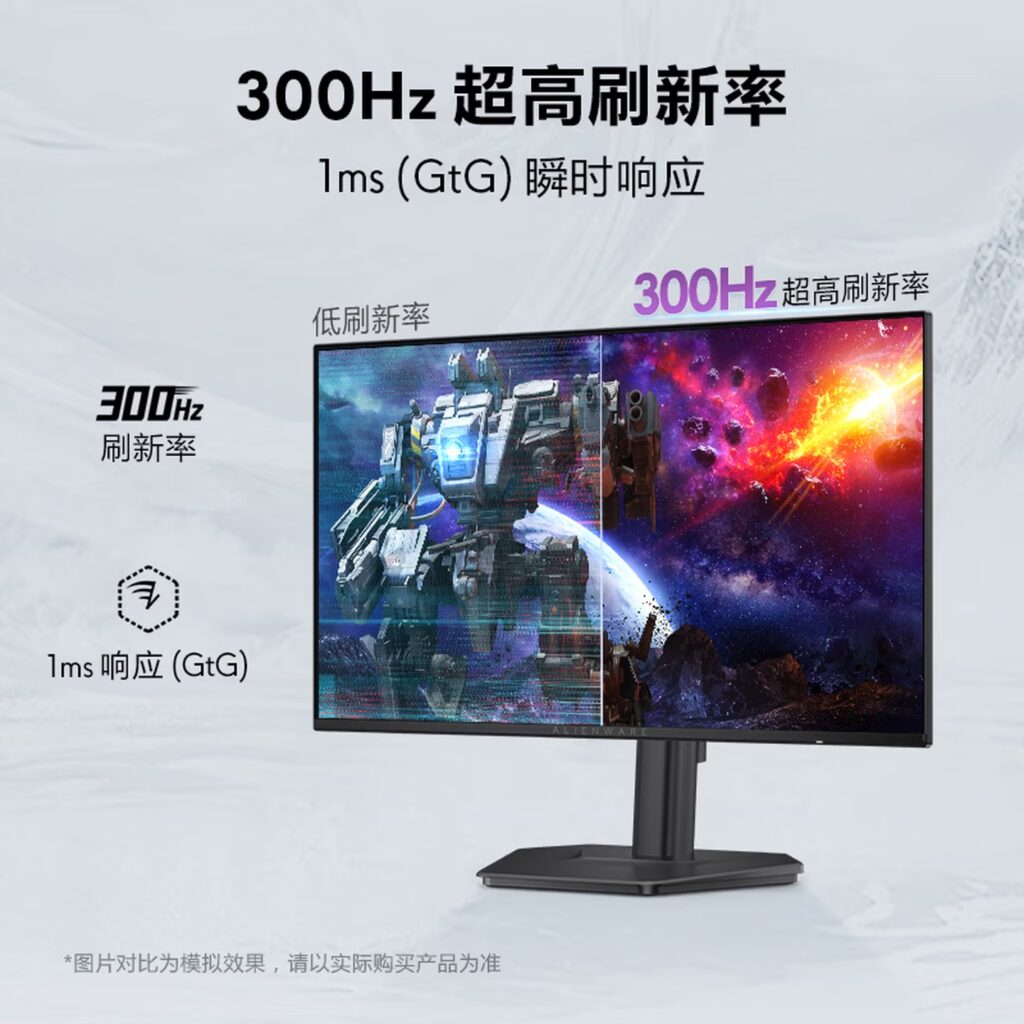
The AW2526HL features a 1920 x 1080 resolution IPS panel with a native 300Hz refresh rate. It delivers a 1ms grey-to-grey response time, which helps minimize motion blur and ghosting during fast movement.
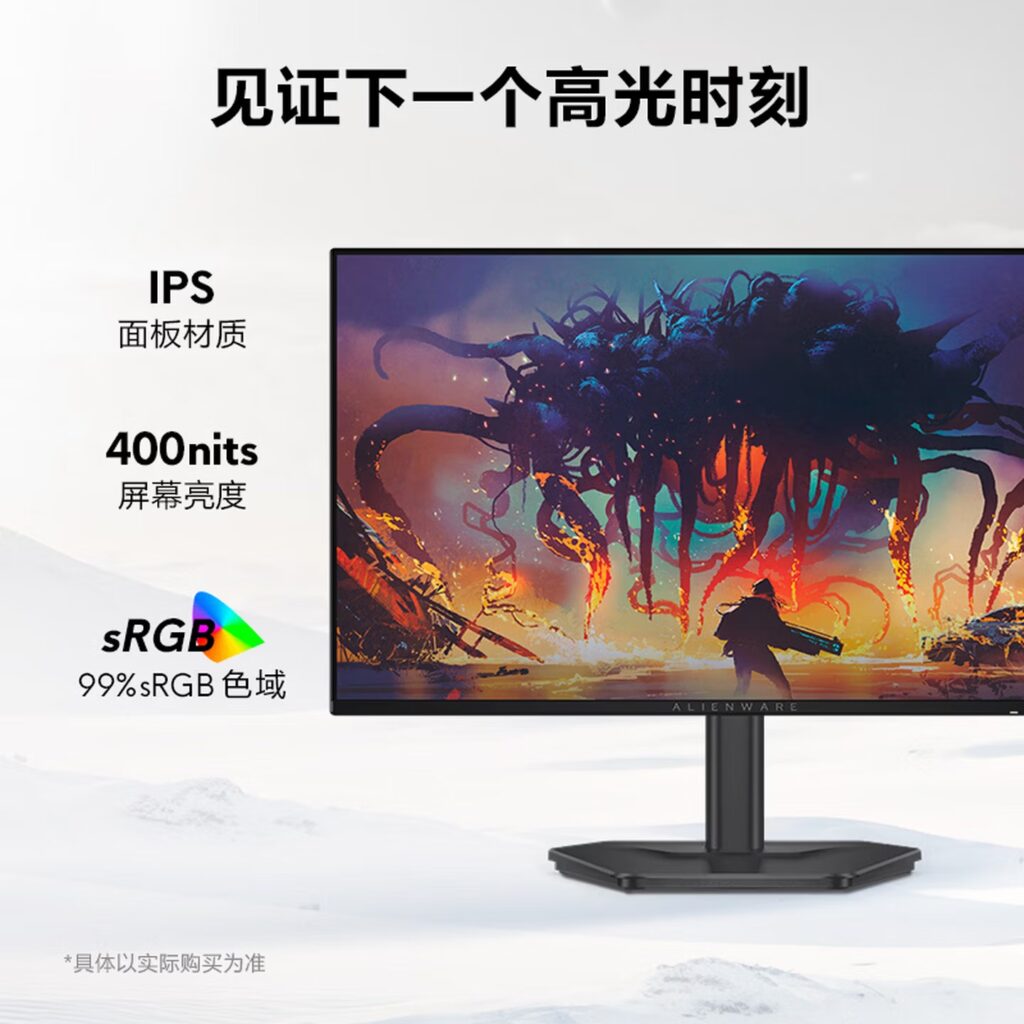
The display reaches a typical brightness of 400 nits and supports a 1000:1 contrast ratio. It produces 8-bit color and covers 99% of the sRGB color gamut, allowing for accurate color reproduction suitable for both gaming and general media tasks.
Alienware has equipped the monitor with AMD FreeSync Premium support along with VESA Adaptive-Sync compatibility. The monitor also includes TÜV Rheinland-certified ComfortView Plus hardware-based blue light reduction, which filters harmful blue light without compromising color accuracy.
In terms of design, the monitor features a fully adjustable stand that allows tilting from -5 to +21 degrees, height adjustment up to 130mm, and pivot rotation to suit different desk setups. It also supports VESA wall mounting for greater installation flexibility.
For connectivity, the monitor includes two HDMI 2.1 (TMDS) ports and one DisplayPort 1.4 input.
The monitor has also passed TÜV eye comfort certification and meets several visual performance criteria, including refresh rate stability and color accuracy. Alienware offers a 3-year warranty with original parts replacement under standard usage conditions.
In related news, Alienware has recently launched the Area-51 desktop powered by AMD’s Ryzen 9000X3D series, starting at $3,349.
For more daily updates, please visit our News Section.

 Login
Login