Reading view

OriginOS 6 (Android 16) update goes live for Vivo V30
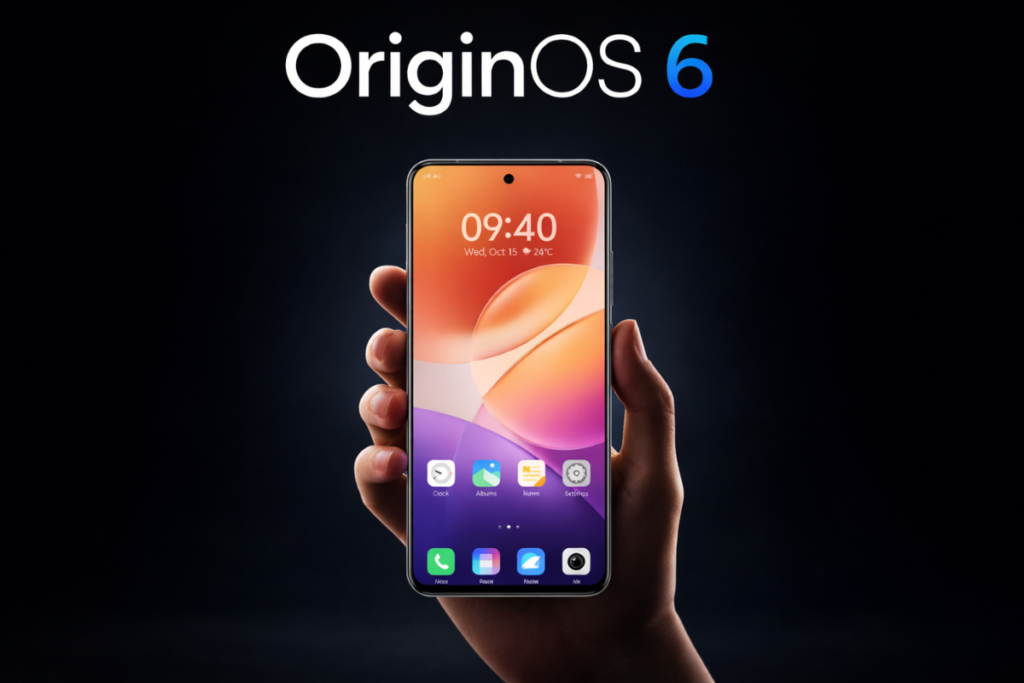
Vivo V30 OriginOS 6
Vivo V30 OriginOS 6

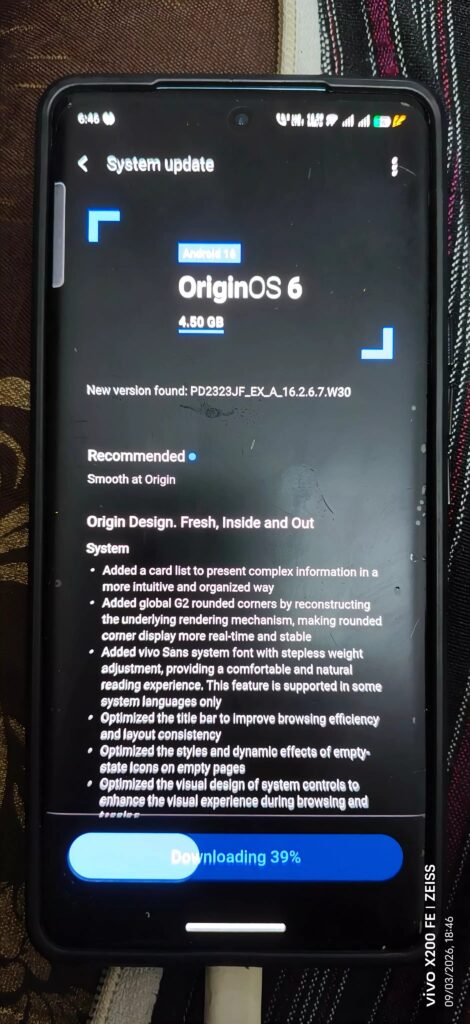
Vivo V30 users have started receiving the Android 16-based OriginOS 6 update, which could be the final major upgrade for the device. The latest update offers tons of visual upgrades, along with numerous features and enhancements throughout the system.

The company hasn’t officially announced the rollout yet, like any other Vivo device. However, some Vivo V30 users have confirmed the rollout on the official forum, as spotted by the folks at Ytechb. Currently, the update is rolling out to testers via the OriginOS 6 trial program with the firmware version PD2323JF_EX_A_16.2.6.7.W30. It will soon expand to the remaining users.

Vivo V30 OriginOS 6 update

The OriginOS 6 is a pretty significant update, weighing in at about 4.5GB for the Vivo V30. It’s best to download such hefty update packages over a stable Wi-Fi connection.

If you’re rocking a Vivo V30, check if an update is available on your device via the System updates section in the Settings app. If there isn’t one, you can apply for the trial version and get it sooner. For this, go to Settings > System update > settings/gear icon > Trial version > Update now > Download and install. Remember to charge your device to at least 40% before installing the update. You can also back up important data for additional protection.

Once you’ve upgraded to OriginOS 6, you’ll experience a fresh design, redesigned icons, and plenty of visual changes. It’s much more feature-rich, customizable, and smoother than Funtouch OS. The latest upgrade also introduces Origin Island, which offers real-time updates from supported elements and system features without opening them, along with multitasking support. OriginOS 6 also brings a redesigned Control Center, new clock styles, widgets, and stronger security features, among many upgrades. You can read the complete changelog here.

Well, this could be the last major upgrade for the Vivo V30. The device debuted in 2024 with Android 14 out of the box, and is expected to receive two OS updates at most. Vivo hasn’t officially confirmed the update policy for the Vivo V30, but since the V30 Pro promises just two OS updates, we can’t expect anything better for the regular model. Even if Android 16 is the last upgrade, security updates will keep coming in for a while.

Remember to visit our Vivo section regularly for fresh updates. Alternatively, you can join our Telegram channel to get instant notifications about the latest software updates and breaking tech news.

The post OriginOS 6 (Android 16) update goes live for Vivo V30 appeared first on Gizmochina.
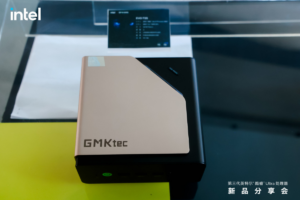
GMKtec EVO‑T2 mini PC launched with Intel Panther Lake CPUs, 64GB RAM and Phison SSDs

GMKtec EVO-T2 mini PC

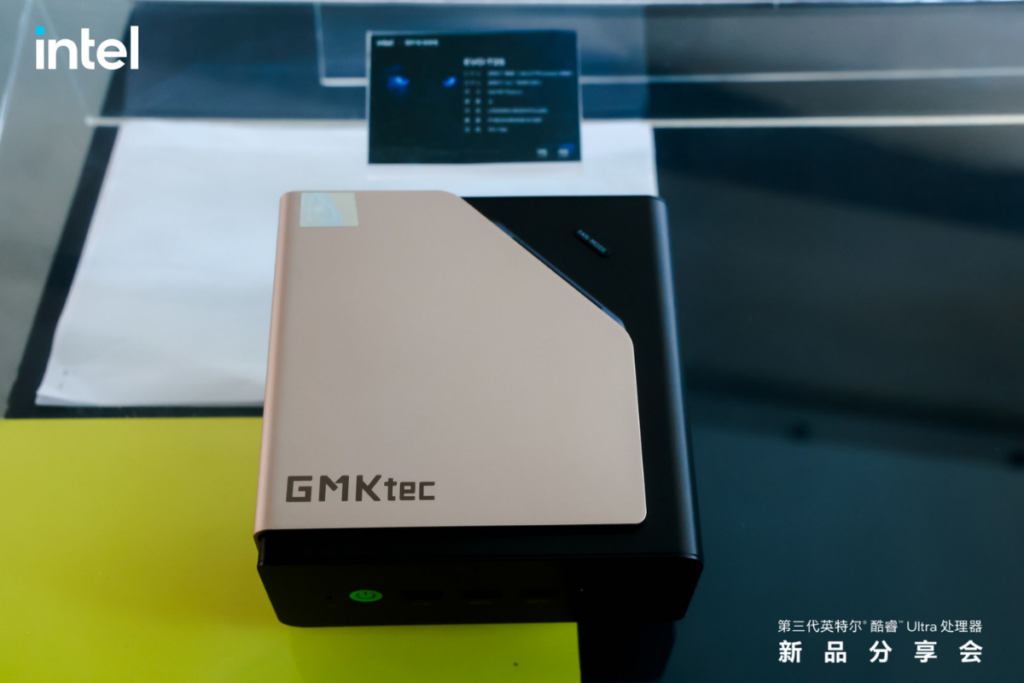
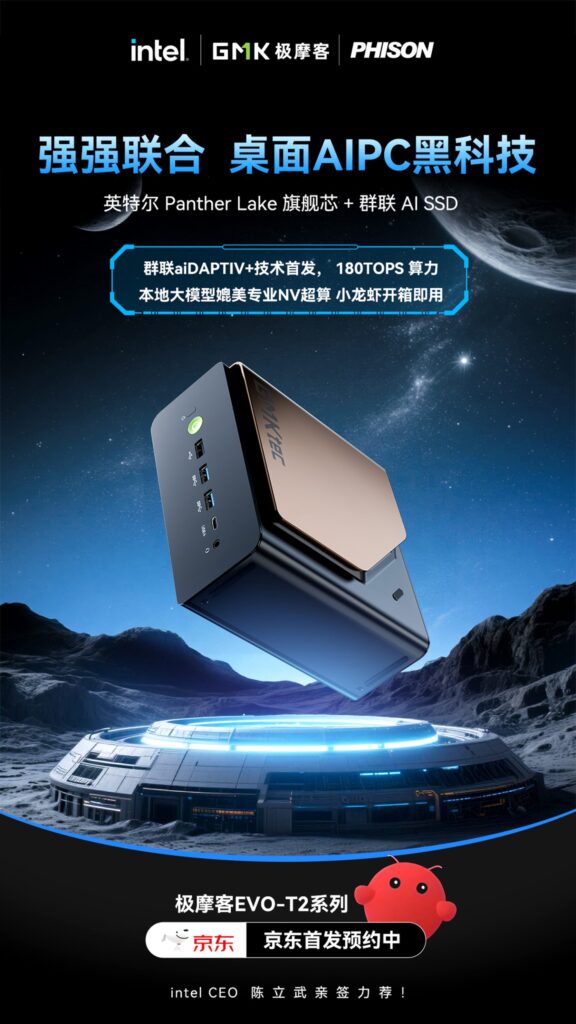
GMKtec has launched its EVO-T2 Mini PCs as a successor to the Arrow Lake-powered EVO-T1 aries, targeting AI workloads and premium computing. Powered by Intel Panther Lake CPUs, they bring a lot of AI performance, lots of memory, and high-performance Phison SSDs in a compact design.

GMKtec EVO‑T2 mini PC specifications

GMKtec EVO-T2 AI mini PC

The latest GMKtec EVO series mini PC comes in two CPU configurations: a Core Ultra X9 388H variant and a Core Ultra X7 358H variant. They include up to 16 cores, featuring 4 performance cores, 8 efficiency cores, and 4 low-power efficiency cores, clocked at up to 5.1 GHz (Core Ultra X9 388H) and up to 4.8 GHz (Core Ultra X7 358H).

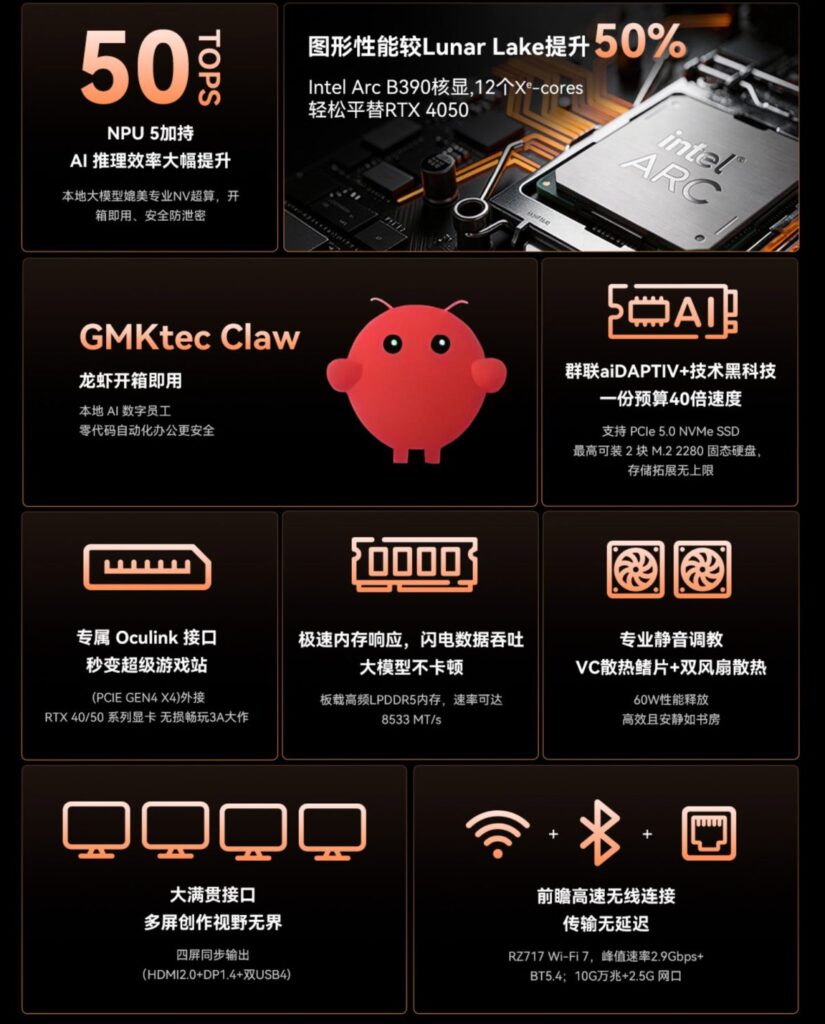
Both CPU configurations offer the same Arc B390 iGPU with 12 Xe3 cores clocked at up to 2.5 GHz. It provides up to 180 TOPS of computing power for AI tasks. Adding to that, the system can smoothly run models with up to 70B parameters. GMKtec has optimized this mini PC around the popular OpenClaw AI agent. It also comes loaded with GMKtec’s own “GMKtec Claw” utility, which is a fast and fully-local AI assistant and chatbot.

GMKtec EVO-T2 AI performance

The GMKtec EVO‑T2 comes with up to 64 GB of LPDDR5X-8533 memory soldered to the motherboard and Phison’s aiDAPTIV+ AI SSDs. This SSD can expand memory by caching, offering a major boost to memory performance. Users have the option to install two M.2 SSDs with one Gen5 and one Gen4 interface, up to 16 TB in total (or 8 TB each).

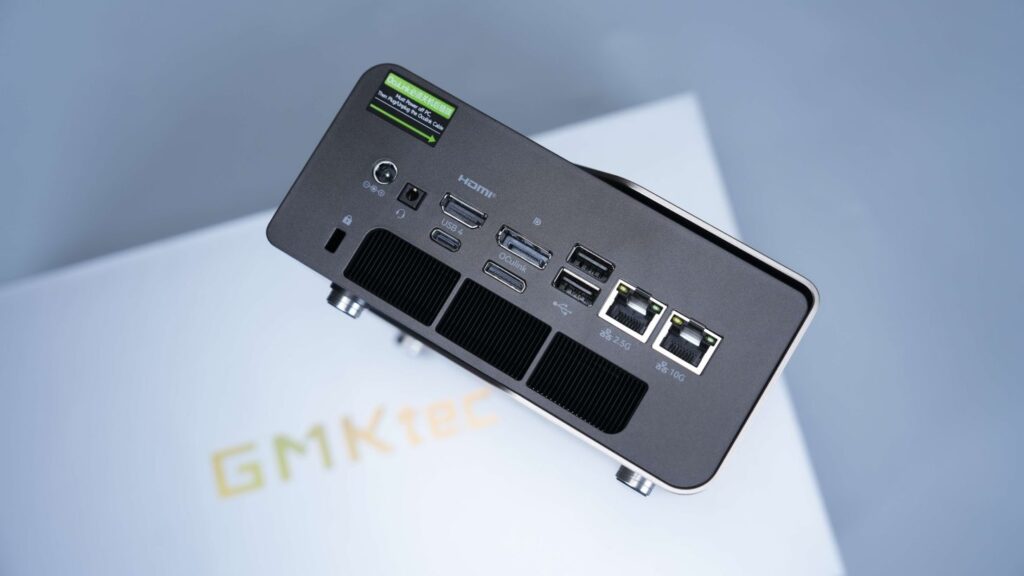
GMKtec EVO-T2 ports

You get Wi-Fi 7 support, Bluetooth 5.4, and the ability to drive four screens simultaneously at up to 4K resolution. Outside, the EVO-T2 uses a similar chassis as the EVO-T1, featuring two USB4 ports with 40 Gbps transfer speeds, 100W power delivery support, dual LAN (10 GbE + 2.5 GbE), five USB Type-A ports (5 Gbps + 10 Gbps), an OcuLink port for external GPUs, and an HDMI port. The chassis features a triple exhaust airflow design with two fans. It can sustain a maximum TDP of 60W and can be switched to a 45W balanced mode for near-quiet operation.

GMKtec EVO‑T2 mini PC price

The Core Ultra X7 358H variant with 64GB RAM is listed for 9,999 RMB, which is around $1500. We’ll soon have more clarity on the pricing.

GMKtec EVO-T2 price

For more daily updates, please visit our News Section. Also, join our Telegram community and sign up for our daily newsletter of top stories! 💡

The post GMKtec EVO‑T2 mini PC launched with Intel Panther Lake CPUs, 64GB RAM and Phison SSDs appeared first on Gizmochina.
Google Pixels eligible for Android 17 update: Here’s the complete list

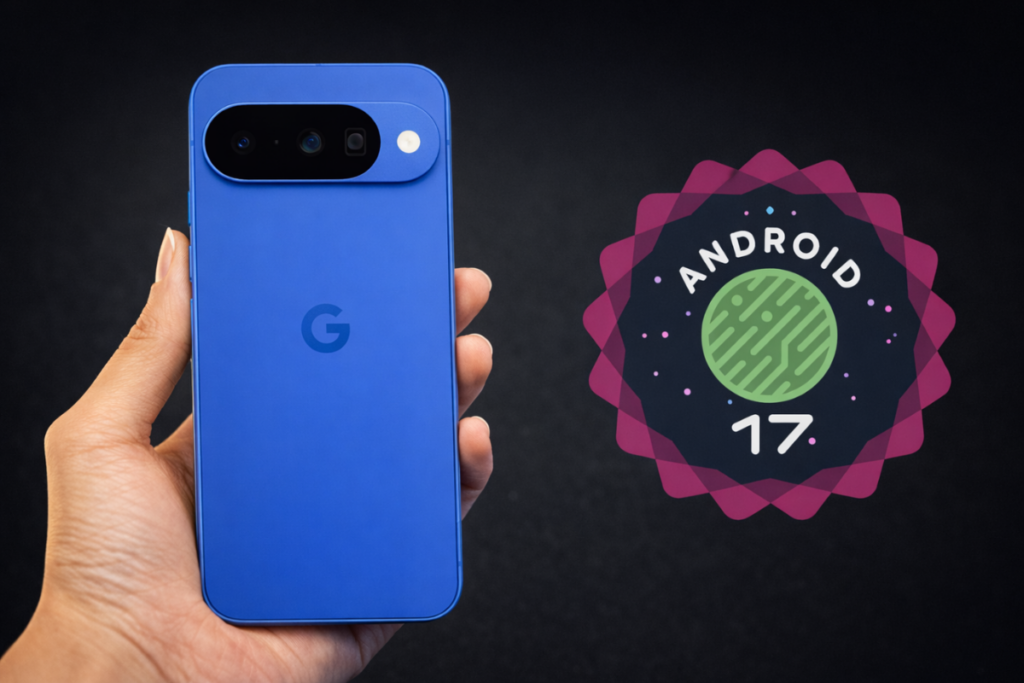
Google Pixel Android 17 eligible devices list

Android 17 development is in full swing. Google has already released two beta builds in a short time, and with the improved development cycle, the final version is expected to arrive as early as the second quarter.

The stable release is still a few months away, but Google Pixel users can install the beta build right now to play with the latest features and upgrades, but only if you have an eligible device. Review the list below to find out if your Google Pixel is eligible for an upgrade to Android 17.

These Google Pixels are eligible for the Android 17 update

  • Pixel 10
  • Pixel 10 Pro
  • Pixel 10 Pro XL
  • Pixel 10 Pro Fold
  • Pixel 10a
  • Pixel 9
  • Pixel 9 Pro
  • Pixel 9 Pro XL
  • Pixel 9 Pro Fold
  • Pixel 9a
  • Pixel 8
  • Pixel 8 Pro
  • Pixel 8a
  • Pixel Tablet
  • Pixel Fold
  • Pixel 7
  • Pixel 7 Pro
  • Pixel 7a
  • Pixel 6
  • Pixel 6 Pro
  • Pixel 6a

It’s worth pointing out that Google hasn’t included the Pixel 10a on the list of eligible devices for the beta program. That’s likely because it was released after the Android 17 Beta 2 went live, and Google may not have updated the list since then. The Pixel 10a should be supported by the next beta release, which could arrive later this month.

Unfortunately, this will be the last major Android OS upgrade for the Pixel 6 and Pixel 6 Pro, as their update support ends in October. That also means these Google Pixels will likely miss out on the QPR2 release. Still, it’s impressive to see them included on the Android 17 list, given that they were launched with Android 12. That’s a solid five Android OS upgrades in total.

Google’s Android 17 release timeline

The first beta was released on February 13, and Google quickly followed up with the second beta in the same month. The platform stability phase begins this month, per the official timeline. That’s when SDK/NDK APIs and app-facing behaviors are finalized.

The final version of Android 17 could arrive around June 2026. If you can’t wait that long, sign up for the beta testing and install it on your device. You can read this article for detailed instructions.

We’ll continue to update you with fresh developmenets in our Android 17 section. Be sure to visit it regularly for the latest information. Or, join our Telegram channel to get instant notifications about the latest happenings in tech.

The post Google Pixels eligible for Android 17 update: Here’s the complete list appeared first on Gizmochina.
One UI 8.5 beta is no longer exclusive to the Galaxy S25 series

Samsung One UI 8.5 beta program expansion

As the Galaxy S26 series hits shelves, Samsung has shifted its focus back to the One UI 8.5 beta program, which began in December 2025. For a long time, it remained exclusive to the Galaxy S25 series, but that changed today, as the brand has just released the first One UI 8.5 beta for the Galaxy Z Fold 7 and Galaxy Z Flip 7.

We knew it was coming. Earlier this week, One UI 8.5 beta builds for the Galaxy Z Fold 7 and Galaxy Z Flip 7 were spotted on Samsung’s servers, and shortly after, Samsung created One UI 8.5 beta program sections for the devices on its community forum.

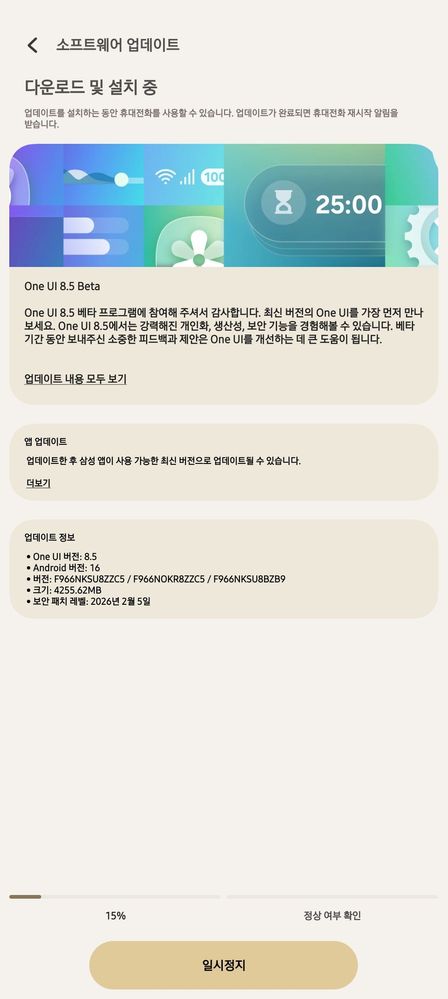
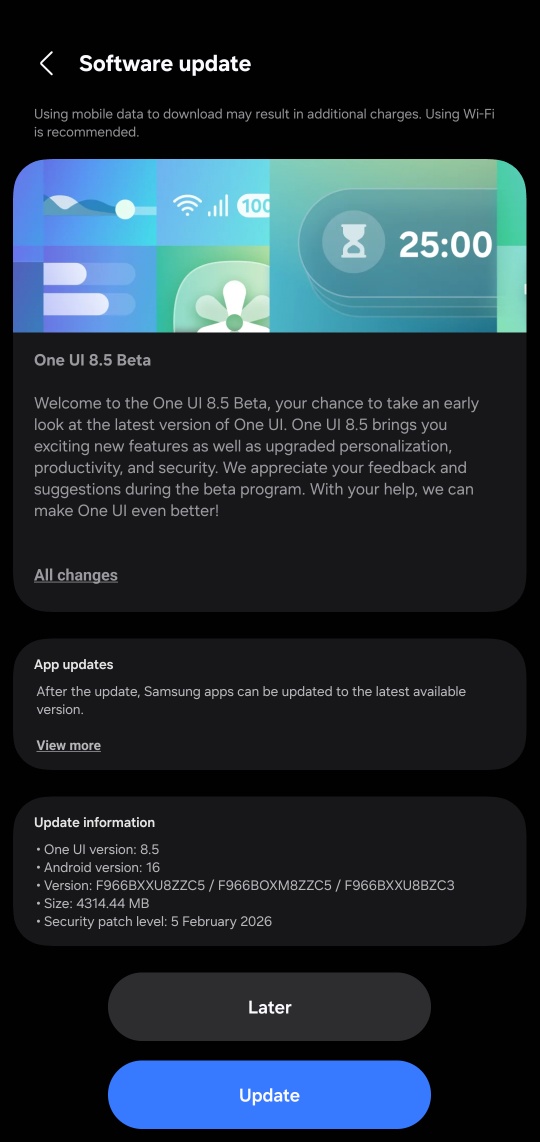
For the Galaxy Z Fold 7 and Galaxy Z Flip 7, the first One UI 8.5 beta comes with a firmware version ending in ZZC5 (via) and a hefty download size of 4.2GB. As of writing this post, the beta has been spotted in India and South Korea. It will also expand to a few more regions, including the US, the UK, Poland, and Germany.

Galaxy Z Flip 7 One UI 8.5 beta
Galaxy Z Fold 7 One UI 8.5 beta

If you’re rocking either of these foldable phones, you may have a chance to get early access to the latest features and upgrades in One UI 8.5. For this, you’ll need to sign up for the One UI 8.5 beta program, as mentioned in the following section.

Also read:
1. One UI 8.5 update: Here’s the full list of eligible devices
2. One UI 8.5 will be the last feature update for these Galaxy devices

How to get One UI 8.5 beta on your Galaxy device

Keep in mind that beta builds may contain bugs and broken features. If you are okay with that, follow these steps to get the One UI 8.5 beta on your device.

First step: Enroll in the One UI 8.5 beta program

  1. Open the Samsung Members app on your phone.
  2. Make sure you’re signed in to the app with your Samsung account. 
  3. Tap on the One UI Beta Program banner. If you don’t see this, the beta program isn’t currently available for your device.
  4. After tapping on the beta banner, accept the terms and conditions to enroll in the beta program.

Second step: Download and install the update

  1. Go to Settings > Software updates and tap Download and install.
  2. Once the download is completed, tap Install now.

It’s a major upgrade, so the installation time may be longer. After upgrading to One UI 8.5, you may notice higher battery usage in the first few days. This is completely normal as the device undergoes background optimization after every feature upgrade.

We’ll keep updating you with the latest developments around One UI in our Samsung section. You can visit the section regularly for the latest updates. Alternatively, you can join our Telegram channel to get instant notifications about the latest software updates and breaking tech news.

The post One UI 8.5 beta is no longer exclusive to the Galaxy S25 series appeared first on Gizmochina.
❌