Login
Login
8 Android 17 features in development you’ll actually care about
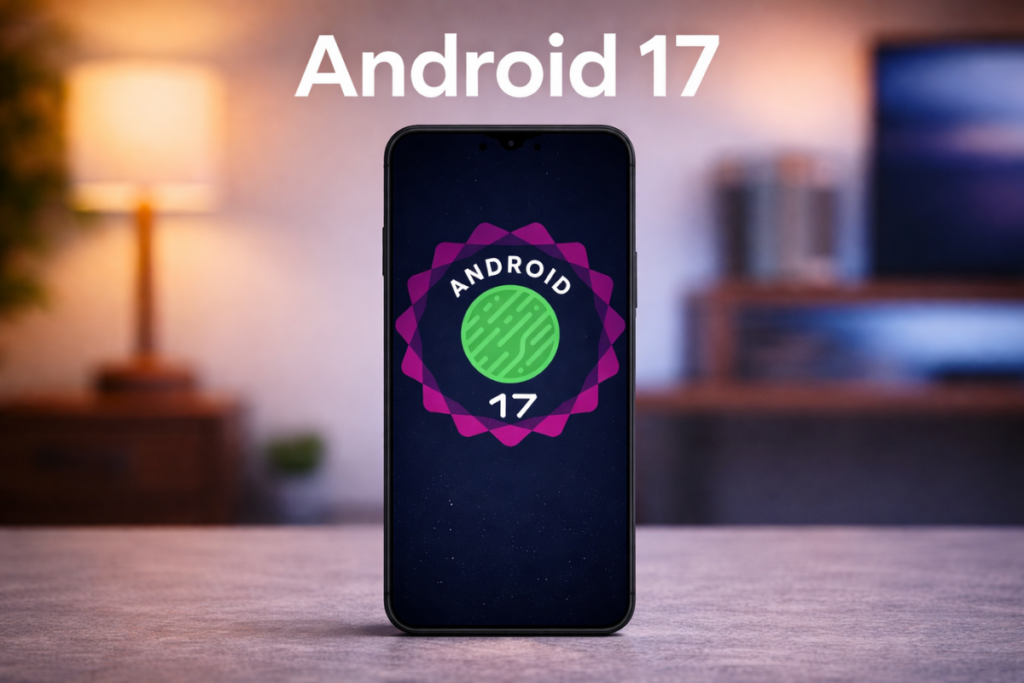
Google has already released four betas of Android 17, which are more than enough to show us what the upcoming version has in store. There are some new, exciting features, as well as many essential upgrades to existing ones, that make the software more useful and feature-rich.
With the stable Android 17 release approaching, here are the eight features or upgrades I can’t wait to try.
1. A native app lock, finally
Google is finally bringing the ability to lock individual apps, a feature users have been requesting for years. You will be able to lock apps directly from the home screen by long-pressing an app icon and choosing the “App lock” option from the quick options menu.
You can set up app lock using a PIN, pattern, password, or biometrics like fingerprint or face unlock, without needing a third-party app. This feature on the Google Pixel works just like any other app lock, but keep in mind that notifications for a locked app, along with all associated shortcuts and widgets, will be hidden.
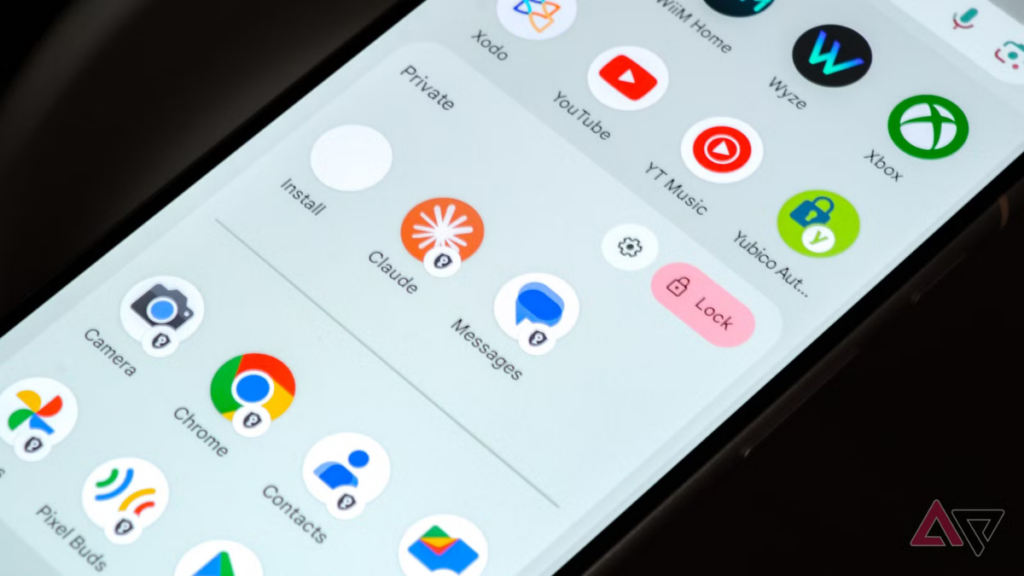
Google notes that certain AI features, such as Gemini’s screen automation, may still be able to interact with apps, depending on permissions. You’ll be notified if other apps have access to the app you’re locking.
Most Android skins, including One UI, already have this feature, but it’s a nice welcome addition for Google Pixels.
2. Floating app bubbles make multitasking easier
The bubble feature has been around for quite a few years now, but it was restricted to messaging and conversations. Android 17 takes it a major step forward by allowing users to turn any app into a floating bubble.
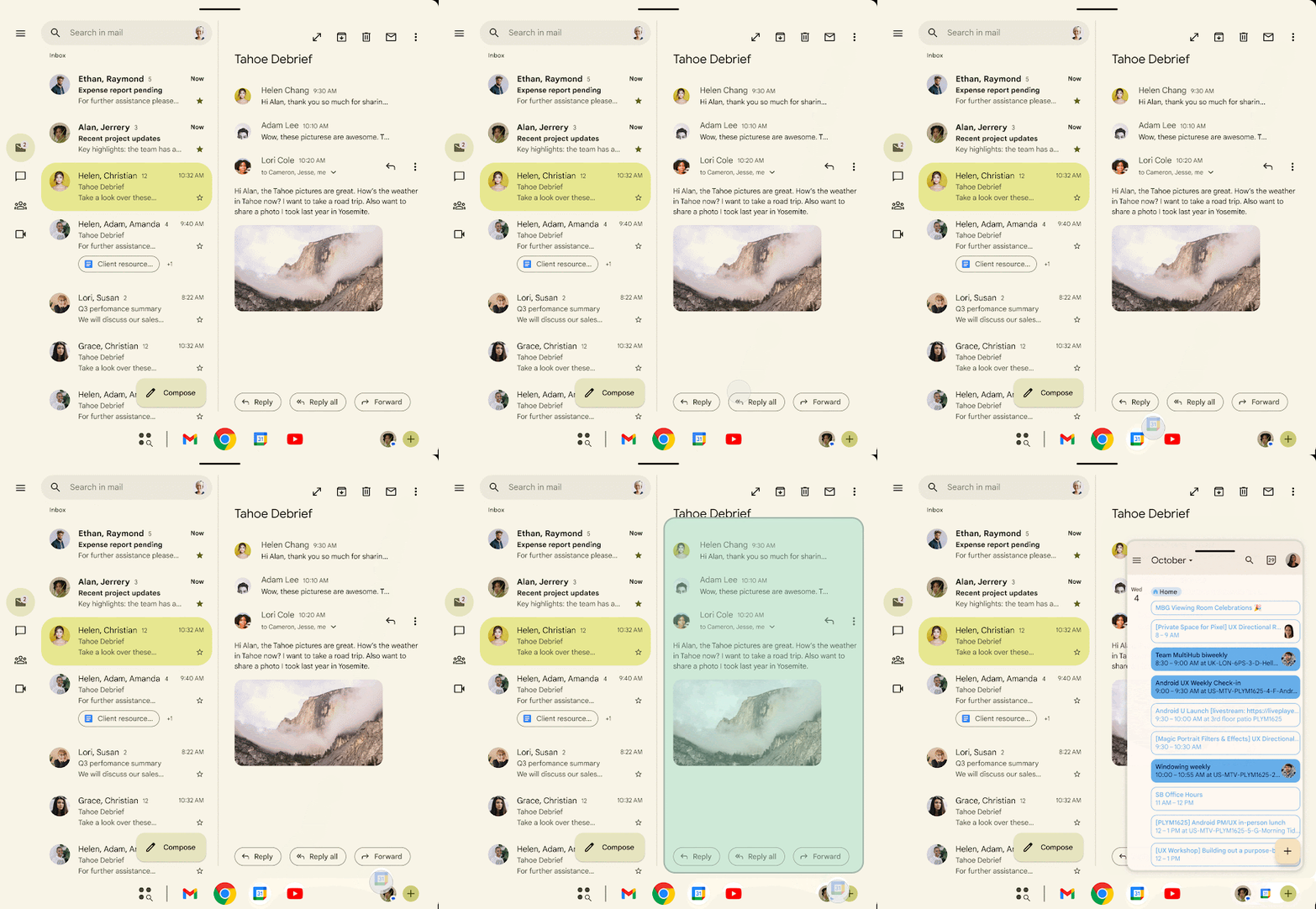
For example, if you’re watching a tutorial on YouTube and noting important steps on Google Keep, you’ll be able to convert Google Keep into a floating bubble for quicker access. When you tap the Keep bubble, the app will open in a small floating window, while the YouTube tutorial plays in full screen. This is better than switching between the two apps and using them in a split-screen view.
You will be able to close an app bubble by dragging it to the bottom of the screen.
Bubbles are more useful on large-screen devices like foldables or tablets where the user has more screen to work with than on a regular smartphone.
3. A more powerful screen recording with a preview screen
Android 17 will upgrade the screen recording experience with a more refined UI and a new preview screen. Currently, when you tap the screen recording tile in Quick Settings, a pop-up shows up asking about the recording area and audio options.
In Android 17, when you tap the screen recording tile, a new floating pill interface will show up, letting you choose what to record, whether to record device audio or microphone (or both), and whether to show touches. You can tap the status indicator in the status bar to bring back the floating pill UI.
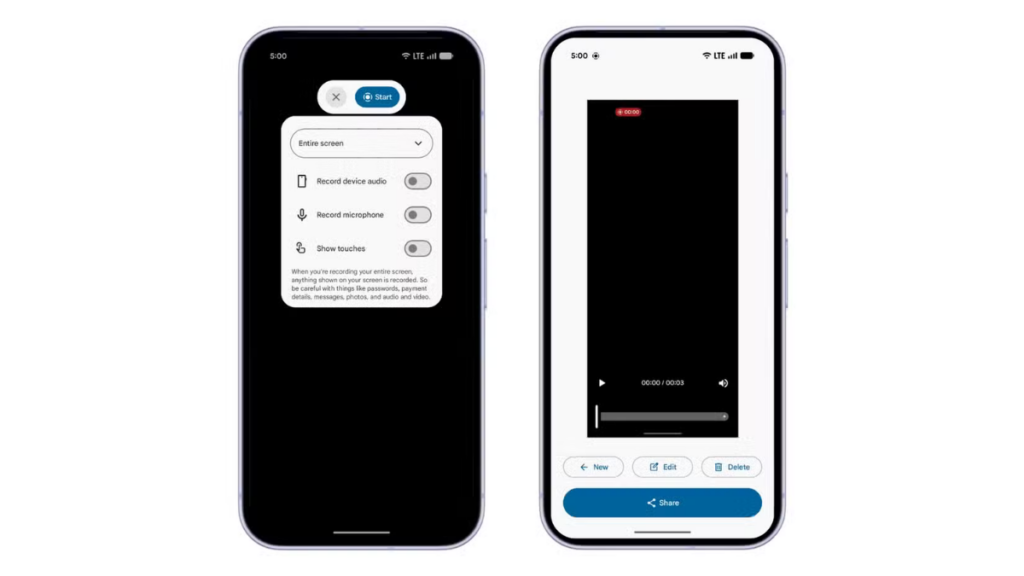
Once you stop the recording, you’ll see a new preview screen where you can play, edit, delete, or share the clip instantly without opening the gallery.
4. Mandatory Large-Screen Adaptivity
Google enforces a stricter policy on app resizability and orientation, preventing developers from restricting apps to a single orientation on large devices (sw ≥ 600dp). This effectively skips smartphones (generally below 600dp) and targets tablets and larger-screen devices.
The latest move is designed to make Android apps truly adaptive. On a device running Android 16 or an earlier build, if you open a portrait-locked app on a landscape tablet, the app appears as a tall, narrow window in the center of the screen, with thick black bars on the sides. In Android 17, the app would rotate to fill the gap, resulting in a more usable screen and better app experience.
Games are exempted from these strict mandates to ensure they don’t break during critical gameplay.
Google began phasing out apps’ ability to restrict screen orientation and resizability on large-screen devices with Android 16. However, it still allowed app developers to opt out of this change. But Android 17 makes it mandatory, and developers will no longer be able to opt out.
5. Hide app names on the home screen
In the Beta 3 build, Google introduced a feature that lets users hide the app labels on the home screen. This isn’t a big step, but it helps users create a cleaner home screen setup.
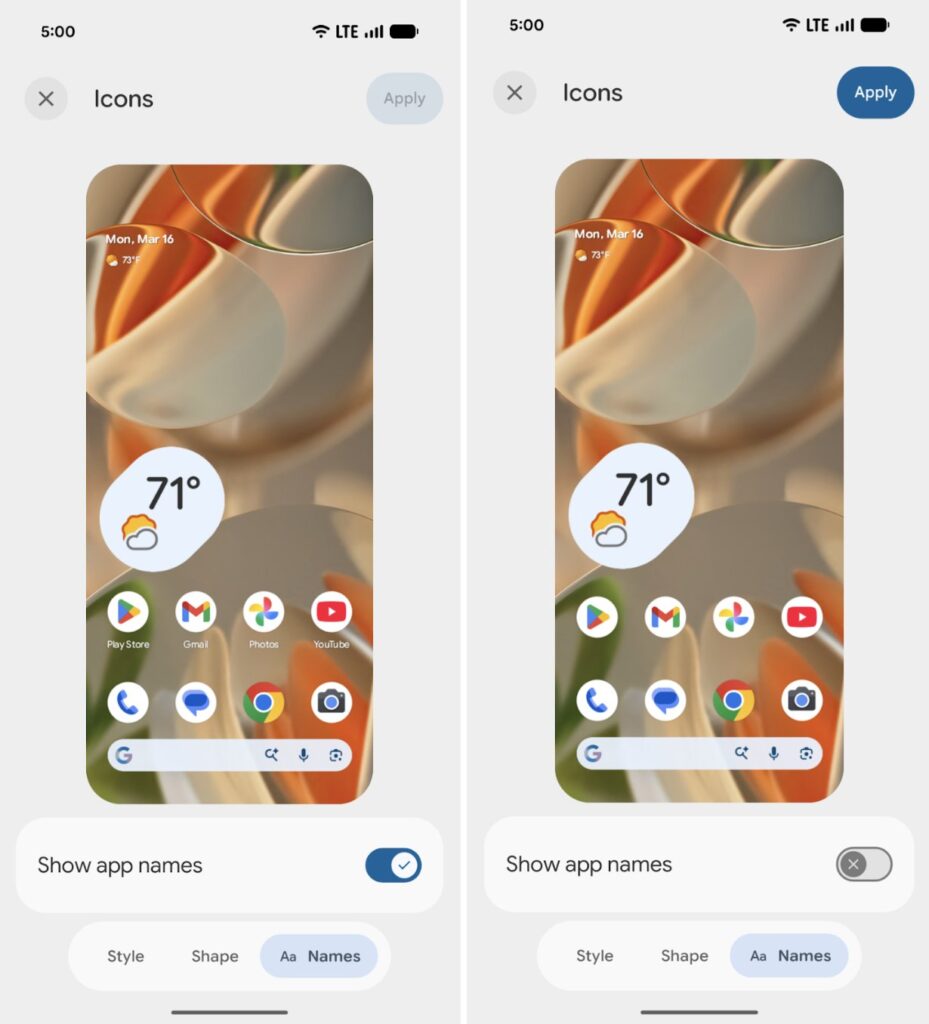
To hide app labels, you’ll need to go to Wallpaper & style, tap Home screen, select Icons, tap the Names tab at the bottom, and turn off the toggle for Show app names. Keep in mind that this won’t affect the app drawer or apps inside folders.
6. Separate Wi-Fi and mobile data toggles
On Pixel devices running Android 16 or earlier, if you need to switch between Wi-Fi and mobile data, or turn them on or off, you must open Quick Settings, tap the Internet tile, and then perform the action.
Many users have expressed their frustration with the extra step required to access Wi-Fi or mobile data. After nearly four and a half years, Google is finally allowing users to add separate Wi-Fi and mobile data toggles in Android 17.
This change would particularly benefit Pixel users, as most other Android skins, including Samsung’s One UI and OnePlus’s OxygenOS, already have it.
7. Give apps limited access to your contacts
Right now, there’s no way to give apps access to specific contacts. If you grant the contacts permission, the app will have access to all contacts stored on your device.
This is certainly not a privacy-focused approach, and therefore, Google is introducing a new system-level Contact Picker interface that will allow users to select one or more contacts to share with an app at a time. Google says apps won’t be able to track any changes you make to a contact’s information.
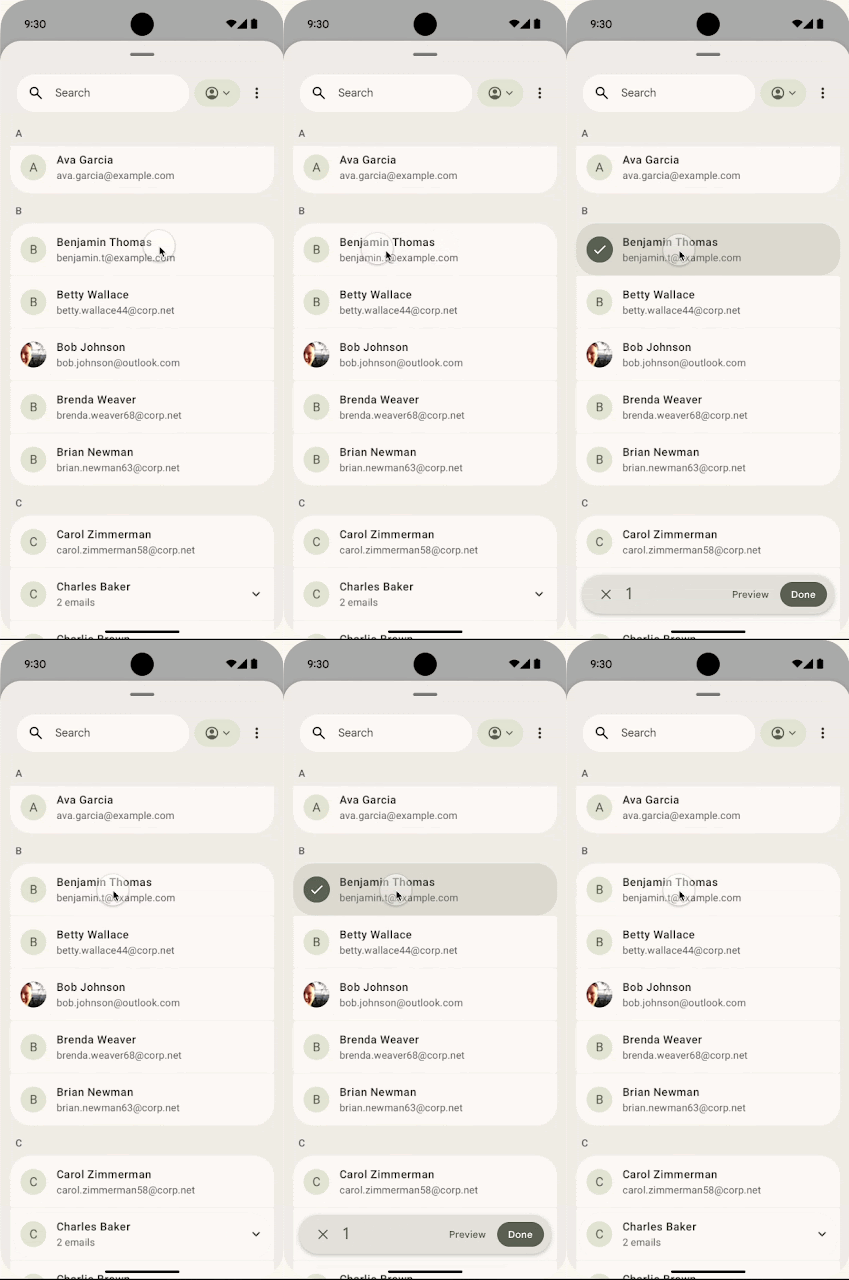
Contact Picker grants temporary, session-based read access to the specific data fields selected by the user. That means the app will need to request permissions again after the session timeout, further strengthening users’ privacy.
8. Seamless task continuity on another device
Google is working on a “Task Continuity” feature, which will allow users to sync notifications, share files, and continue apps across their linked Android devices. Essentially, you will be able to transfer an app’s current state from one Android device to another. This feature could debut with Android 17.
This feature will show a suggestion on the taskbar representing the running app from another device. When you click this suggestion, the system initiates the handoff and passes the remote app’s state, as Android Authority explains.
Google announced the new Handoff API in Android 17 Beta 2, which allows developers to specify the application state to resume on another device. Once enabled, the Android system displays a handoff suggestion in the launcher of the user’s nearby devices.
Final build may not include all of them
If you’ve been following Android releases, you’d know that Google doesn’t include all the features from the beta builds into the final package. But there’s a very good chance some of them will make it to the final release.
All the features we’ve discussed so far are available in the Android 17 beta releases. You can get an eligible Google Pixel to test them or wait for the stable release, which could happen around June 2026.
We’ll regularly update you with the latest information in the Android 17 section on this website. You can visit the page regularly for the latest details, or join our Telegram channel for instant updates.
The post 8 Android 17 features in development you’ll actually care about appeared first on Gizmochina.