 Login
Login
The Pixel 10a doesn’t have a camera bump, and it’s great
The Google Pixel 10a can lay flat on a table, but otherwise the company hasn't brought a ton of upgrades to its newest budget smartphone.

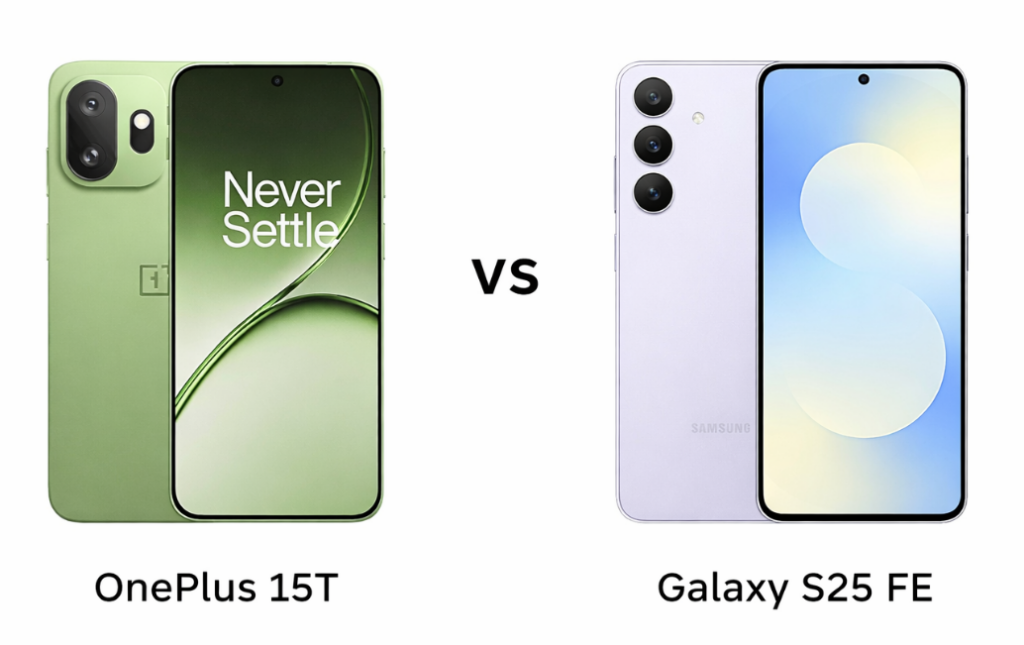
Some smartphone comparisons come down to minor upgrades, but this one is a clear clash of priorities. OnePlus 15T is engineered around high-performance hardware, featuring a next-gen chipset, high refresh rate display, and an unusually large battery with ultra-fast charging. In contrast, the Samsung Galaxy S25 FE takes a more balanced flagship approach, combining refined build quality, a versatile multi-camera system, and extended software support.
This comparison ultimately comes down to prioritizing raw performance and hardware innovation versus a more polished, well-rounded user experience.
| Preview | Product | |
|---|---|---|

|
Samsung Galaxy S25 FE 5G Smartphone with Galaxy AI (JetBlack, 8GB RAM, 128GB Storage), 12MP Front… | Check Price on Amazon |
Please Note: When you buy something using the links in our articles, we may earn a small commission at no cost to you.
| Feature | OnePlus 15T | Samsung Galaxy S25 FE | Winner |
|---|---|---|---|
| Display | 6.32″ AMOLED, 165Hz, Dolby Vision, 3600 nits peak | 6.7″ LTPO AMOLED 2X, 120Hz, 1900 nits | OnePlus – higher refresh rate + brighter panel |
| Resolution & Sharpness | 1216 x 2640 (~460 ppi) | 1080 x 2340 (~385 ppi) | OnePlus – sharper visuals |
| Build Quality | Glass + aluminum + fiber back, IP68/IP69K | Glass (Victus+) + aluminum, IP68 | Samsung – more premium materials |
| Performance | Snapdragon 8 Elite Gen 5, Adreno 840 | Exynos 2400, Xclipse 940 | OnePlus – significantly more powerful |
| RAM & Storage | Up to 16GB RAM, UFS 4.1 | Up to 8GB RAM, UFS 4.0 | OnePlus – faster + more memory |
| Rear Camera | 50MP + 50MP telephoto (3.5x) | 50MP + 8MP tele (3x) + 12MP ultrawide | Samsung – more versatile setup |
| Selfie Camera | 16MP, 1080p video | 12MP, 4K video | Samsung – better video capability |
| Battery | 7500mAh | 4900mAh | OnePlus – massive advantage |
| Charging | 100W wired, 50W wireless | 45W wired, 15W wireless | OnePlus – much faster charging |
| Software Support | Android 16 (no long-term promise mentioned) | 7 years updates | Samsung – long-term reliability |
| Extra Features | IR blaster, faster Bluetooth 6.0 | Samsung DeX, Wireless DeX | Samsung – better ecosystem features |
| Price | ~$600 / ₹58,000 | ~$700 / ₹50,000 | OnePlus – better hardware value |
The OnePlus 15T leans toward a performance-first design with a sturdy aluminum alloy frame and fiber-reinforced back, paired with high-end IP68/IP69K protection. It feels built for durability and aggressive use. The Samsung Galaxy S25 FE, on the other hand, focuses on premium aesthetics with Gorilla Glass Victus+ on both sides and an enhanced armor aluminum frame. It feels more refined and flagship-like in hand, with a cleaner, polished finish that aligns with Samsung’s design language.
The OnePlus 15T pushes boundaries with a 165Hz AMOLED panel, Dolby Vision, and extremely high peak brightness, making it ideal for gaming and HDR-heavy usage. The Samsung Galaxy S25 FE counters with a larger Dynamic LTPO AMOLED 2X display, offering smoother adaptive refresh and excellent color tuning. While OnePlus delivers raw display power, Samsung’s panel feels more balanced and easier on the eyes for long-term use.
OnePlus 15T wins for performance-focused display and brightness, while Samsung Galaxy S25 FE feels more premium and visually refined.
The OnePlus 15T clearly dominates with the Snapdragon 8 Elite Gen 5 chip, offering top-tier performance that easily handles gaming, multitasking, and future workloads. It also pairs with faster UFS 4.1 storage and higher RAM options, giving it a clear edge in speed. The Samsung Galaxy S25 FE’s Exynos 2400 is capable and efficient, but it doesn’t match the raw power or sustained performance of OnePlus, especially under heavy loads.
The battery is where the gap becomes massive. The OnePlus 15T packs a huge 7500mAh battery with 100W wired and 50W wireless charging, making it one of the fastest and longest-lasting setups in its class. The Samsung Galaxy S25 FE offers a 4900mAh battery with slower 45W charging and modest wireless speeds. Samsung focuses more on stability than speed, but the difference is noticeable in daily use.
OnePlus 15T is the clear winner for performance and battery, delivering significantly more power and faster charging.
The OnePlus 15T features a dual-camera setup with a strong 50MP main sensor and a 50MP telephoto lens with 3.5x zoom, focusing on quality over quantity. It delivers sharp images and solid zoom performance but lacks an ultrawide lens. The Samsung Galaxy S25 FE takes a more versatile approach with a triple-camera setup, including ultrawide, telephoto, and wide lenses. This makes it more flexible for different shooting scenarios, even if the telephoto sensor is less powerful than that of OnePlus.
Samsung takes the lead in selfies with a 12MP sensor capable of 4K video, offering better detail and video quality. The OnePlus 15T’s 16MP front camera is decent but limited to 1080p video, which feels slightly behind in this segment.
Samsung Galaxy S25 FE wins for versatility and better selfie/video capabilities, while OnePlus focuses on stronger primary and zoom quality.
The OnePlus 15T is priced at around $600 (₹58,000), while the Samsung Galaxy S25 FE comes in at about $700 (₹50,000). Despite the higher dollar price, Samsung appears more affordable in the Indian market, which shifts the value perception significantly.
The OnePlus 15T justifies its price with cutting-edge performance, a massive battery, and ultra-fast charging. It feels like a power-user device built for longevity. The Samsung Galaxy S25 FE, however, offers a more balanced package with a premium design, versatile cameras, and long-term software support, making it appealing for users who prefer stability and ecosystem features over raw specs.
OnePlus 15T offers better hardware value, while Samsung Galaxy S25 FE delivers more balanced overall value, especially considering pricing in India.
Disclaimer:
Prices are approximate and may vary based on country, region, and applicable taxes.
The OnePlus 15T stands out with its massive battery, 165Hz display, and flagship-grade performance, clearly targeting power users and gamers. It feels like a device built to push limits. The Samsung Galaxy S25 FE differentiates itself with premium build quality, versatile cameras, Samsung DeX support, and long-term software updates, making it more ecosystem-friendly and future-proof.
If you have to choose one, then OnePlus 15T is the better pick overall. It delivers significantly stronger performance, a much larger battery, faster charging, and a more advanced display, making it feel more powerful and future-ready in daily use. While the Samsung Galaxy S25 FE offers a more balanced experience with better cameras and software support, it doesn’t match the raw hardware advantage of the OnePlus. For most users, the OnePlus 15T gives more value in the long run.
Read More:
The post OnePlus 15T vs Galaxy S25 FE Full Comparison: Which Offers Better Value? appeared first on Gizmochina.
Thin-and-light laptops have always been my go-to for their portability and sleek aesthetics.
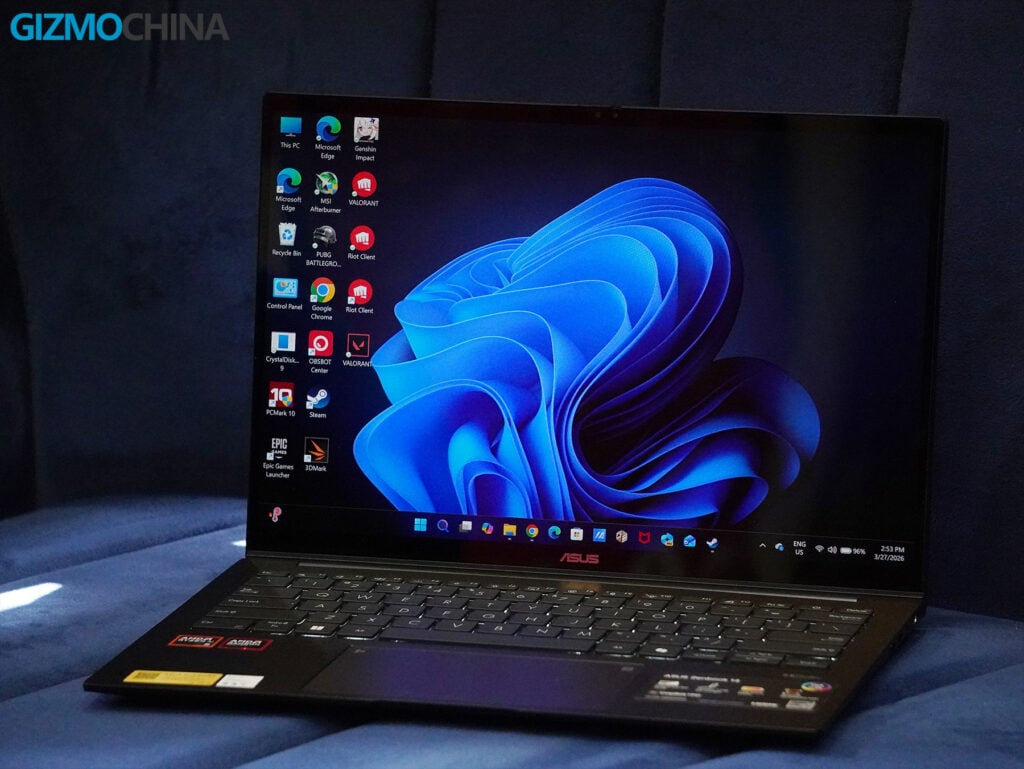
Over the past couple of weeks, I had the chance to test out the Asus Zenbook 14 (UM3406G), a machine that promises the best of modern design, AI-infused performance, and impressively long battery life.
While marketed as an ultraportable, it’s clear that Asus also wanted to make a device that stands out in terms of build, features, and utility. But does it deliver on all fronts? Let’s break it down.
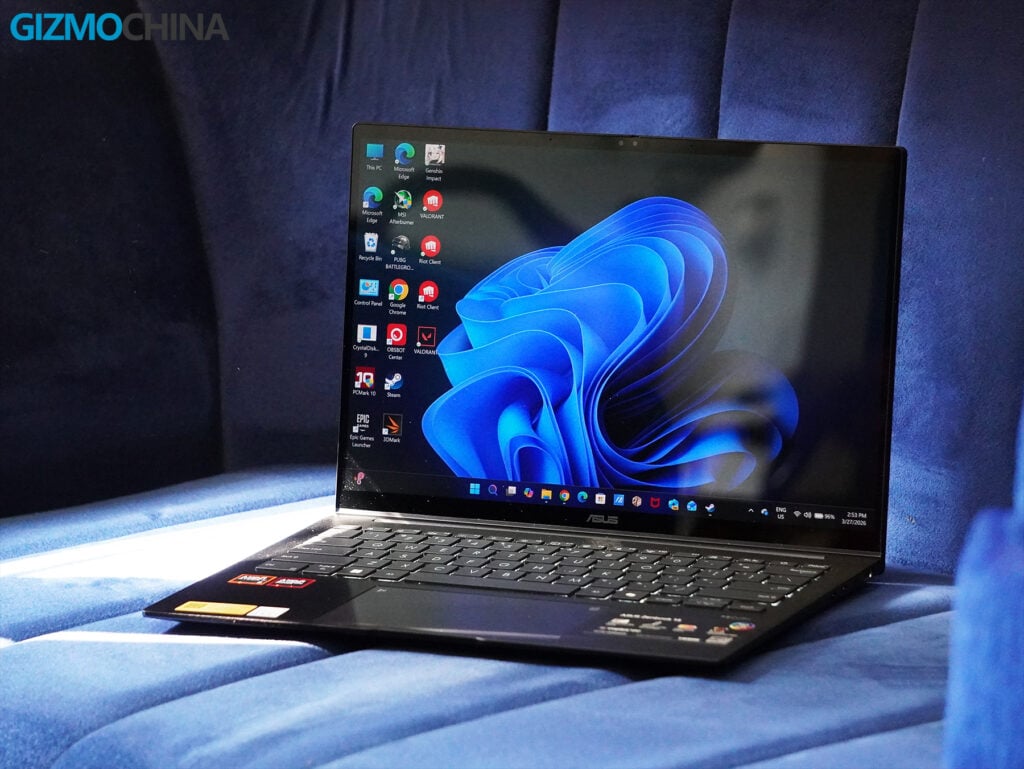
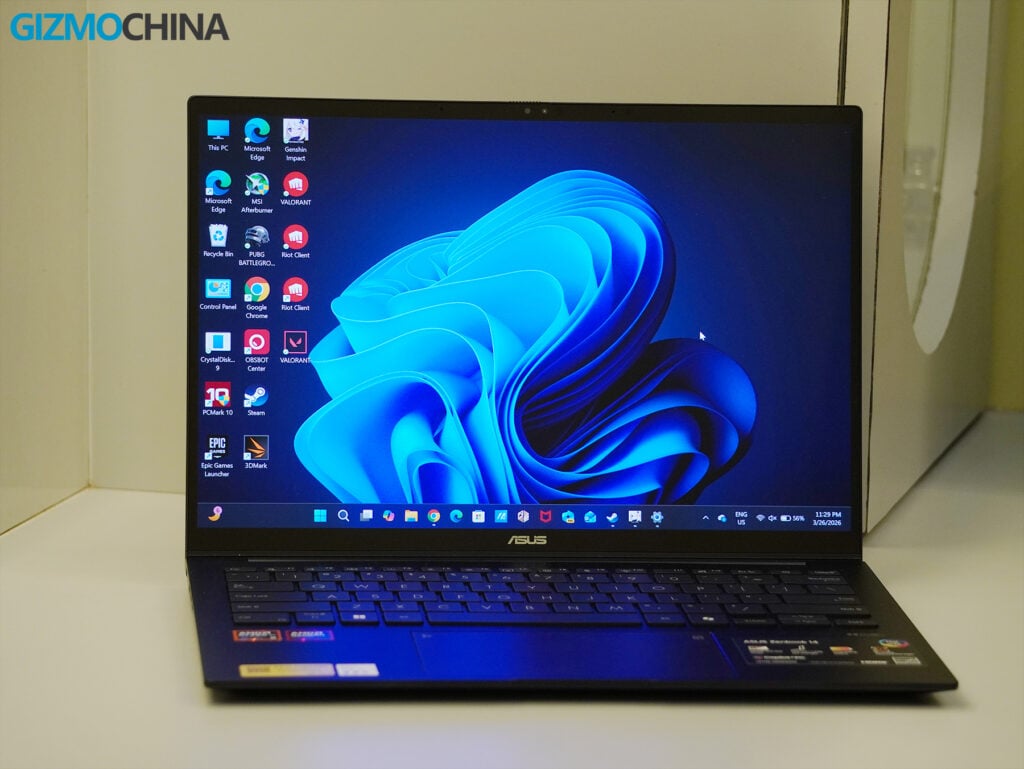
Straight out of the box, the Zenbook 14 makes an impression with its minimalist, all-aluminum alloy chassis. Asus has gone for a clean, professional aesthetic that blends seamlessly into both casual and office settings. The Jade Black finish steals the spotlight, subtle, sophisticated, and premium. However, it’s a fingerprint magnet, which detracts slightly from its otherwise polished look. You’re going to want to keep a microfiber cloth handy.
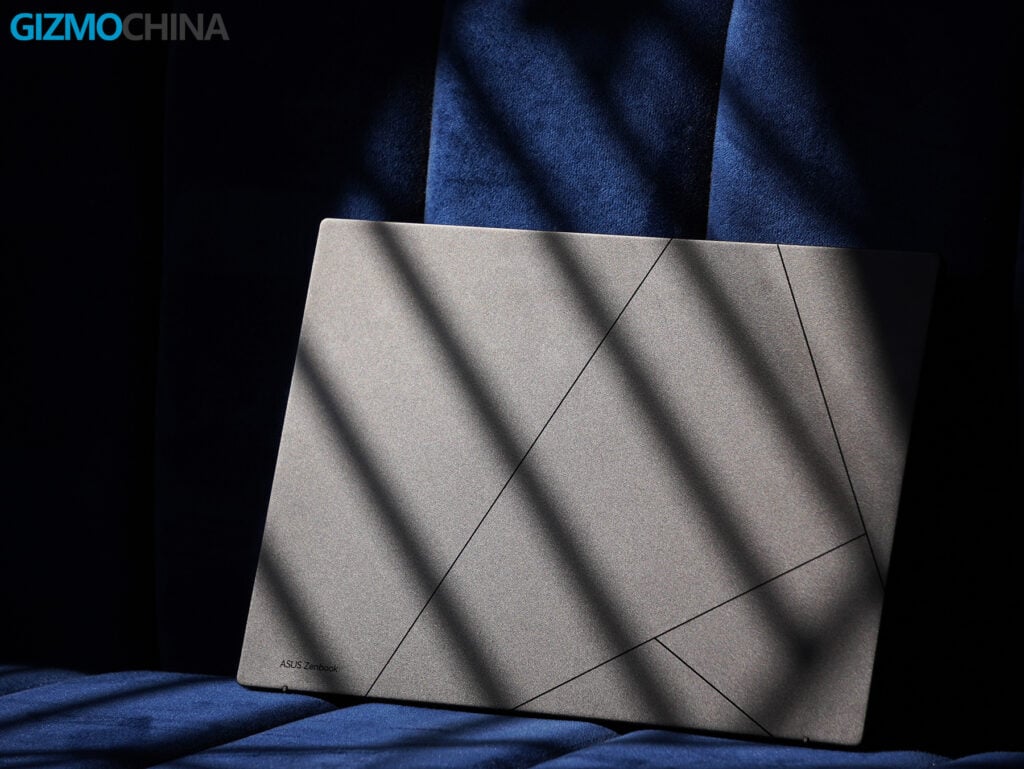
At 1.49 cm thin and weighing 1.28 kg, this laptop is designed for those on the move. It’s incredibly lightweight and slim, yet it doesn’t compromise structural integrity. The MIL-STD 810H certification for military-grade durability adds some peace of mind. I tossed it into my work bag every day and used it in various coffee shops without worrying about accidental bumps.
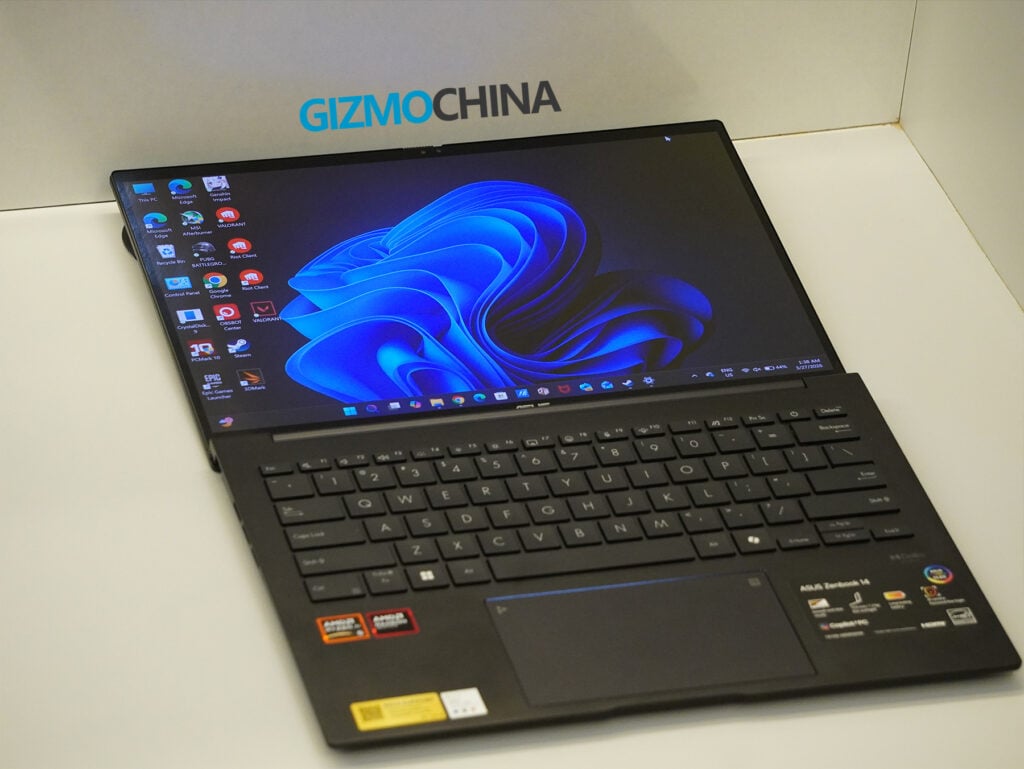
The hinge design allows the lid to open a full 180 degrees, making collaboration or angled viewing comfortable. However, the one downside in practical use is that you can’t open the lid with one hand, a very annoying hiccup in an otherwise thoughtful design.
The display is easily one of the standout features of the Zenbook 14 for me. It comes with a 14-inch FHD+ Lumina OLED panel (1920×1200) surrounded by incredibly thin bezels and an aspect ratio of 16:10, giving it an impressive 87% screen-to-body ratio.
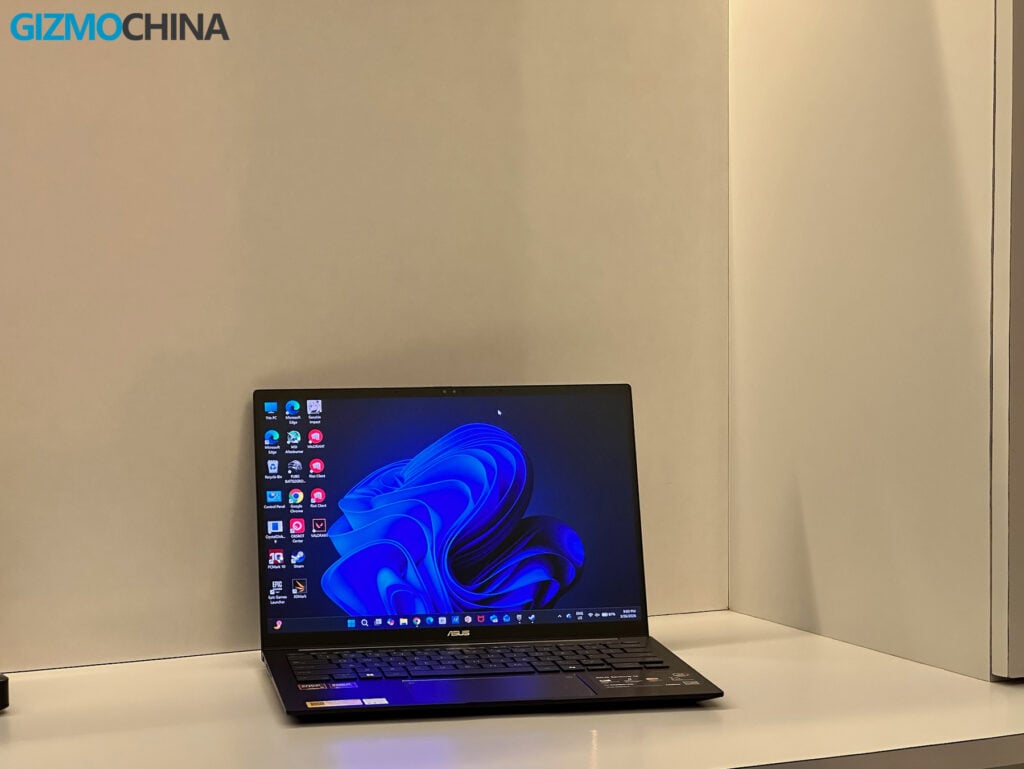
Even though the resolution might feel a little low compared to higher-res panels, the colors are absolutely stunning. They’re vivid and deeply saturated, covering 100% of the DCI-P3 color gamut with a 1,000,000:1 contrast ratio. Whether I was editing photos, watching HDR videos, or just scrolling through documents, the display felt immersive and incredibly true-to-life.
HDR content looks fantastic on this VESA-certified DisplayHDR True Black 500 panel. The 0.2ms response time makes motion smooth and fluid, which is perfect for watching videos or working on media-heavy tasks.
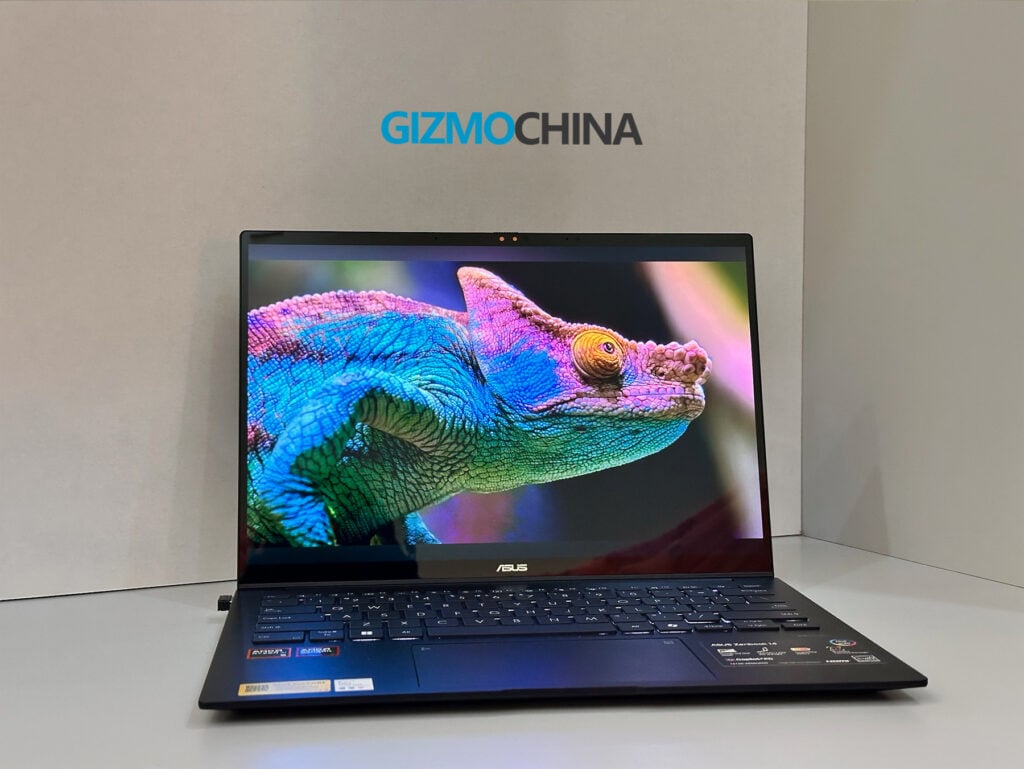
That said, there are a couple of downsides. The glossy screen, while gorgeous indoors, can be highly reflective in bright lighting. On top of that, the refresh rate is capped at 60Hz, which is fine for my general productivity tasks but might feel limiting for gamers or anyone used to 120Hz or higher.
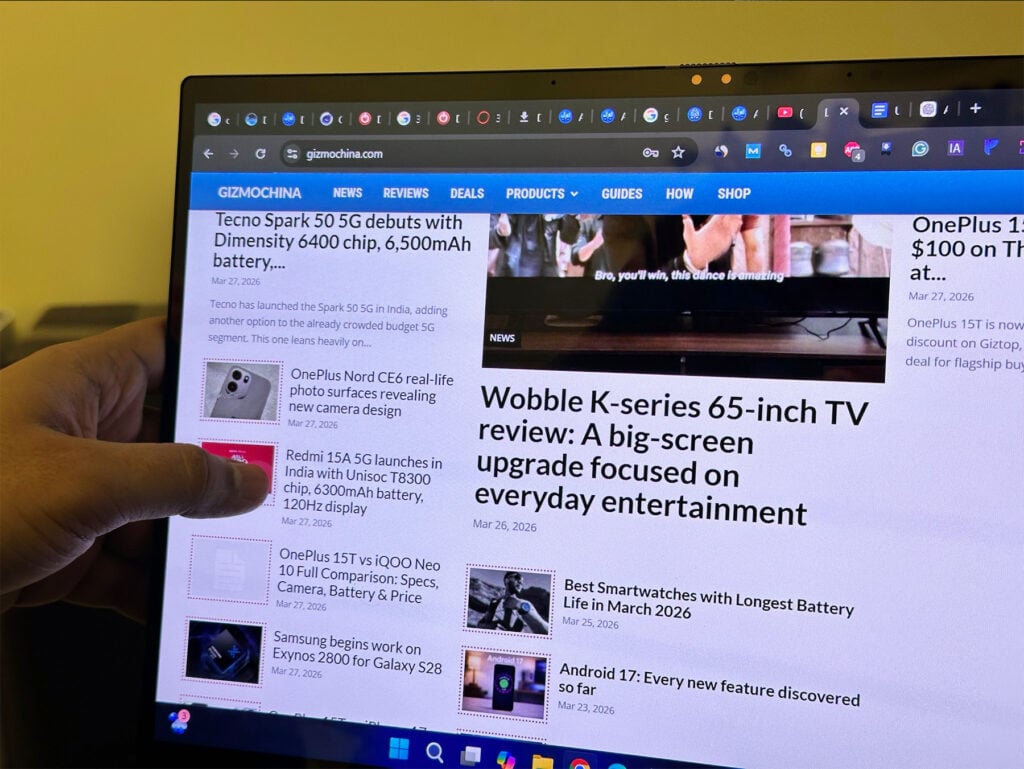
On the positive side, my unit includes a touchscreen, and it works flawlessly. It also supports a stylus, which has made the laptop even more versatile for creative or note-taking tasks.
The laptop comes with a well-rounded selection of ports. You get one USB 4.0 Gen 3 Type-C port with DisplayPort and Power Delivery, one USB 3.2 Gen 2 Type-C port, one USB 3.2 Gen 1 Type-A port, an HDMI 2.1 port, and a 3.5mm combo audio jack.
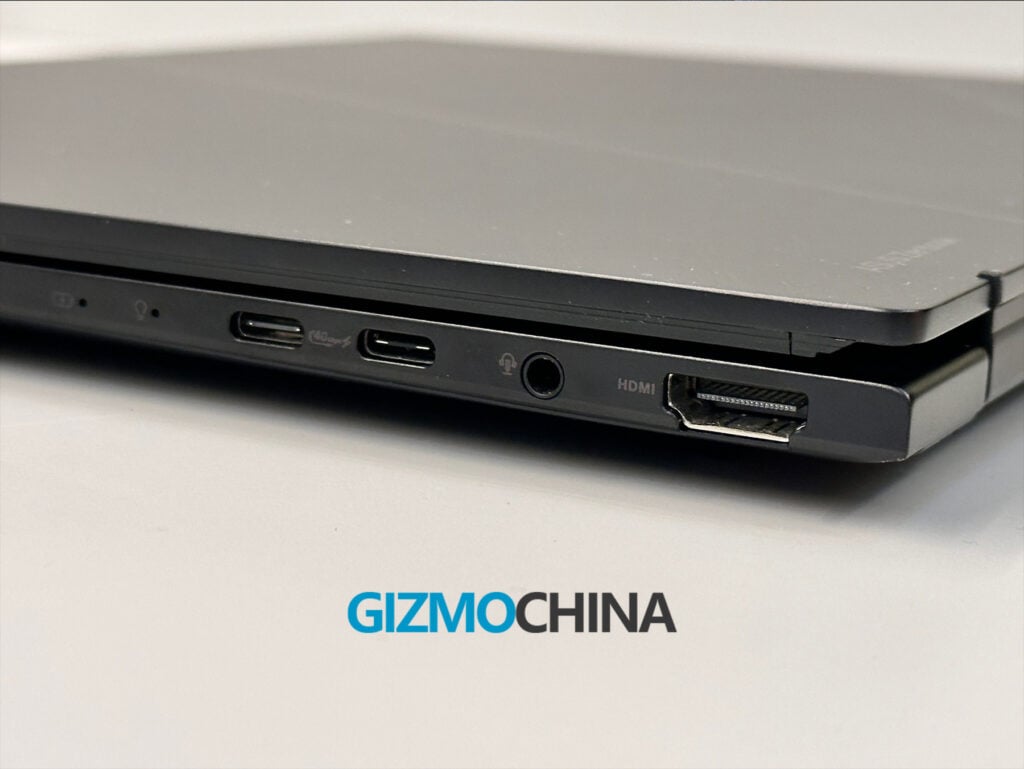
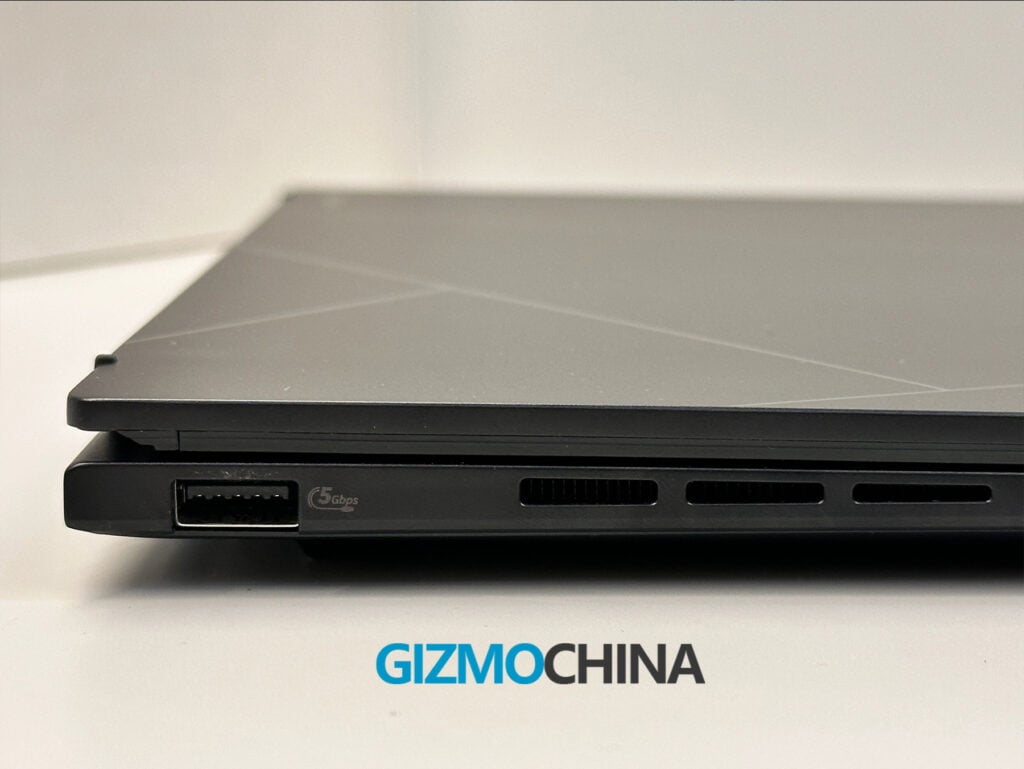
The port selection is versatile enough to cover most of my needs, but I did notice that Asus placed all the USB-C ports on the right side of the laptop. For me, this design choice can make cable management a bit tricky when connecting multiple peripherals or an external monitor on my desk. I also found myself missing an SD card reader, which would have been helpful for transferring files from my camera or other recording devices.
I found the keyboard on the Zenbook 14 to be a joy to type on. The well-spaced keys, natural layout, and backlit made it easy to start typing right away without any awkward adjustments.
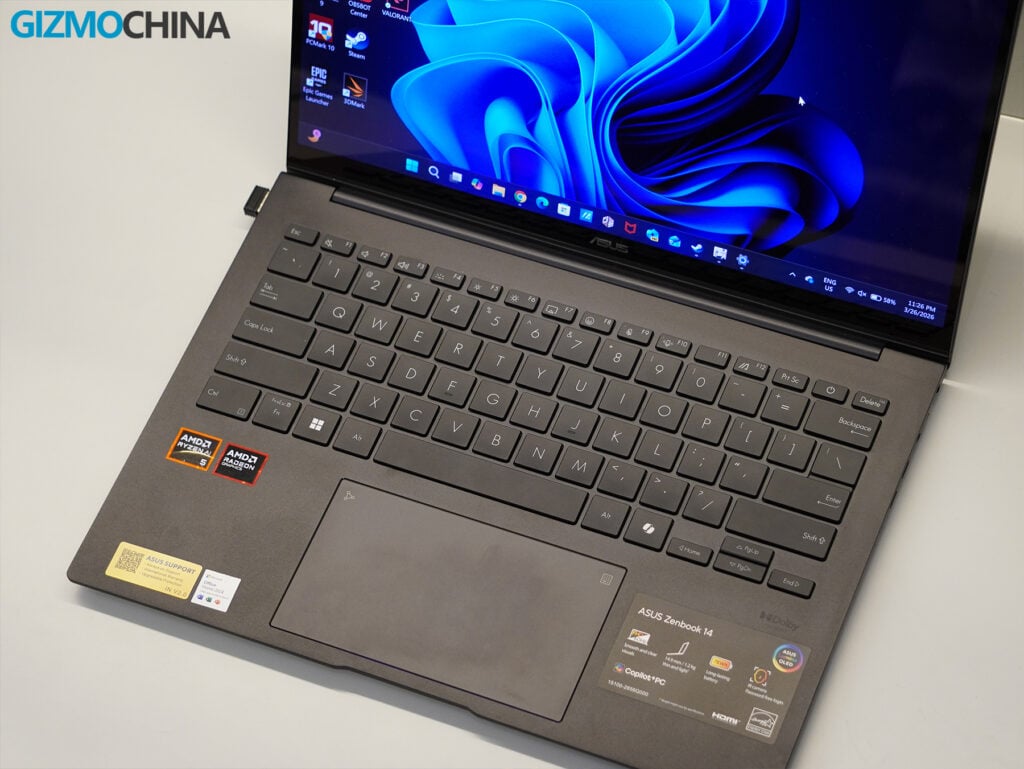
The 1.4mm key travel feels smooth and satisfying, while still being quiet enough for any setting. I also liked the smudge-resistant keycaps, which keep the keyboard looking clean and tidy even after extended use.
I found the trackpad to be smooth and accurate, with plenty of space for swipes and multitouch gestures. It also comes with an integrated numpad shortcut, which is a clever feature that worked really well.
Here’s how the Zenbook 14 (UM3406G) performed in my benchmarking suite:
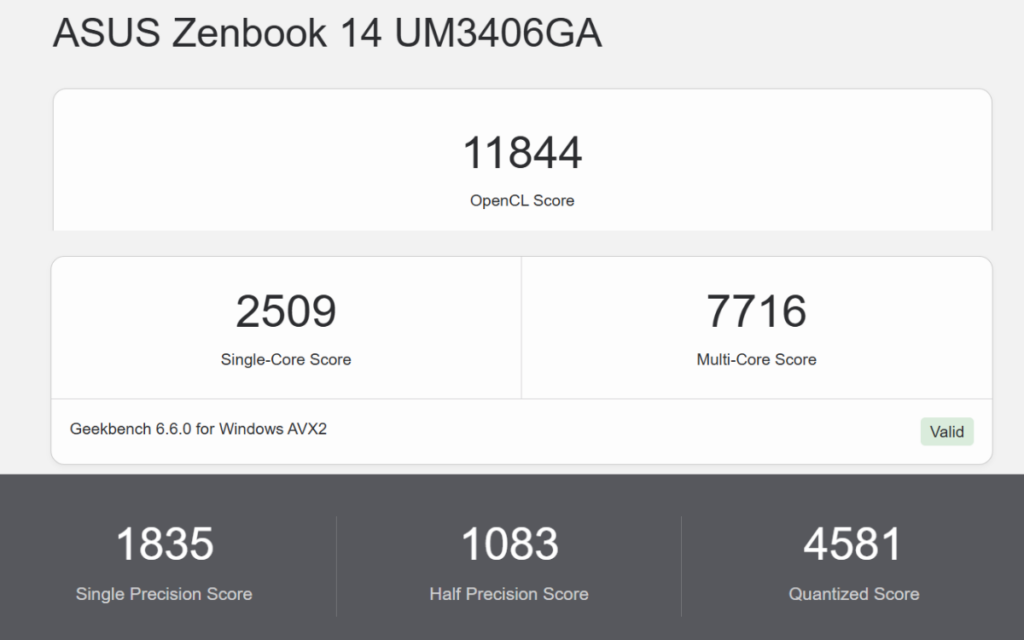
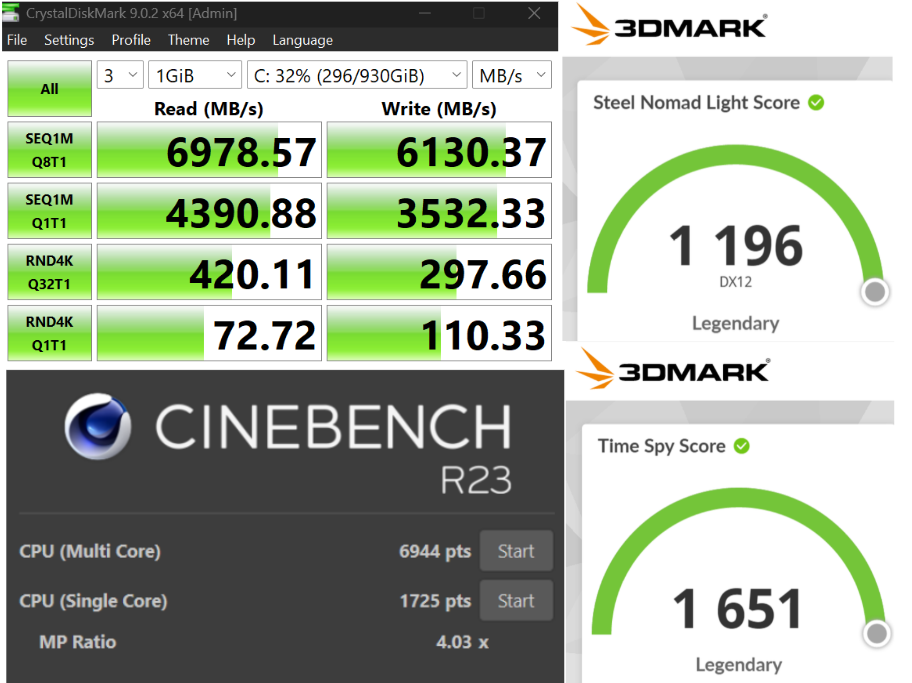
These results position the Zenbook 14 as an ultraportable designed for everyday productivity and portability, rather than a powerhouse for intensive workloads or gaming. It performs reliably for general tasks, but if you are seeking high-range performance for creative applications or gaming should look elsewhere. It’s best suited for professionals, students, and casual users.
The Zenbook 14 (UM3406G) uses the Ryzen AI 5 430 processor, and I’ve found it great for enhancing everyday productivity with its AI-powered features. Windows Copilot works seamlessly with 50 TOPS, offering tools like background blurring for video calls, real-time translation, local AI-based summarization, and even basic image editing.
These features have been super convenient and made my workflow feel more efficient. Office apps also run incredibly smoothly, handling everything from heavy Excel sheets to PowerPoint presentations without any issues.
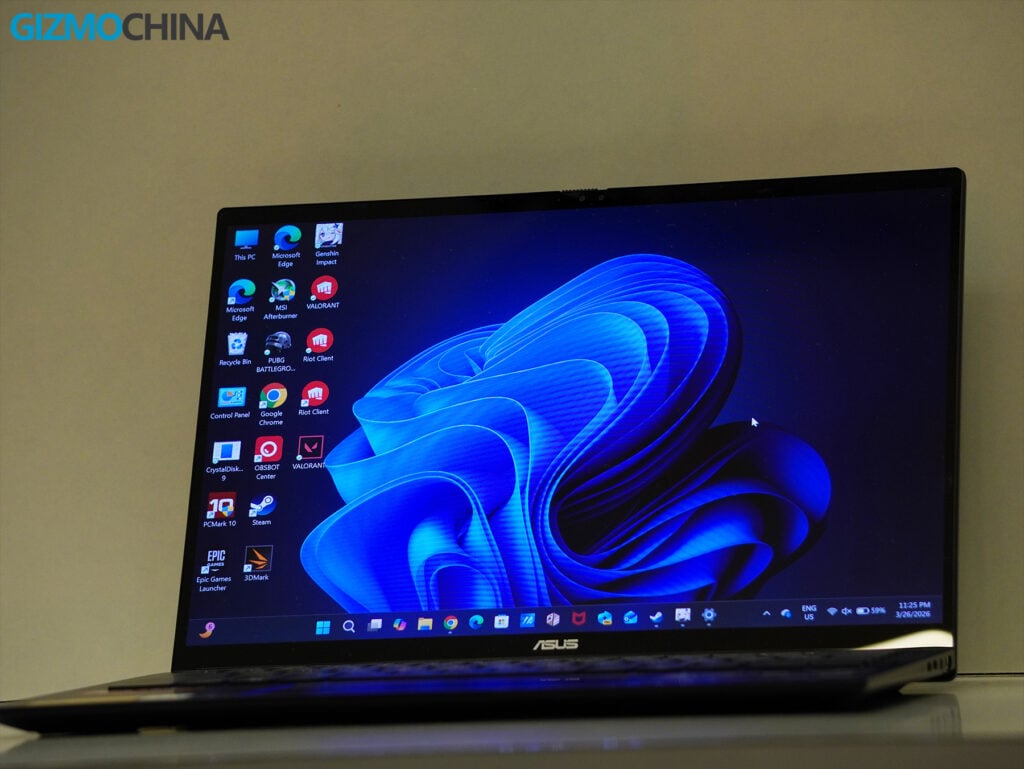
In my testing, the laptop handled over 30 Chrome tabs without breaking a sweat, but pushing beyond that introduced noticeable slowdowns, especially when multitasking with other programs.
For day-to-day tasks like web browsing, casual Photoshop sessions, light editing tasks, writing documents, and working with office apps, it runs perfectly as long as I keep the workload moderate.
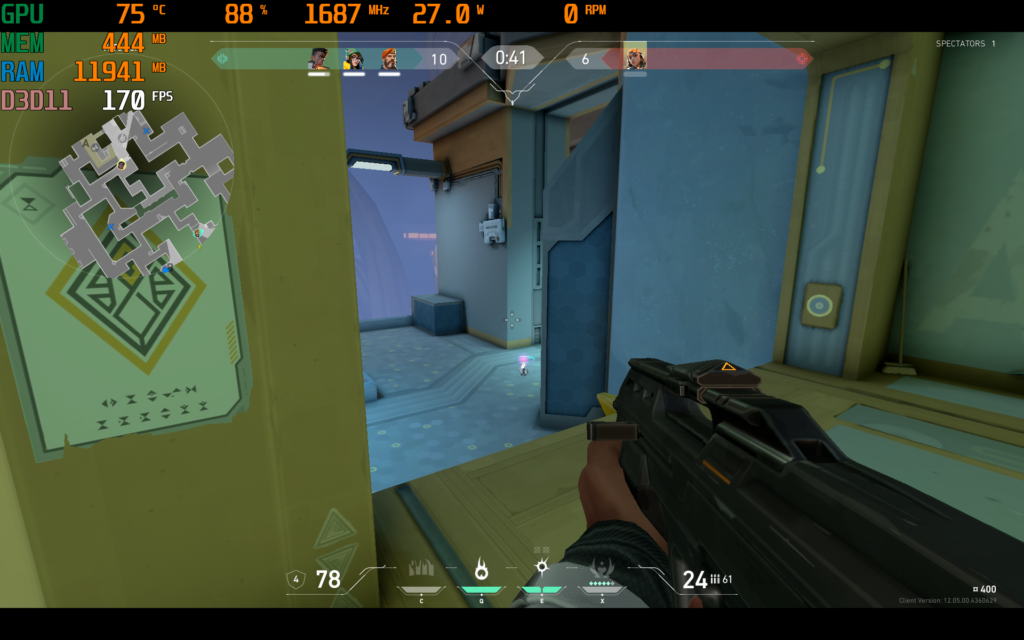
The laptop offers entry-level gaming performance with its integrated Radeon 840M GPU, which I found good enough for casual gaming. In esports titles like Valorant, it performs really well, delivering a smooth 170-230 FPS. The GPU runs at around 85-90% usage and consumes about 28W of power, which provides a stable and competitive experience.
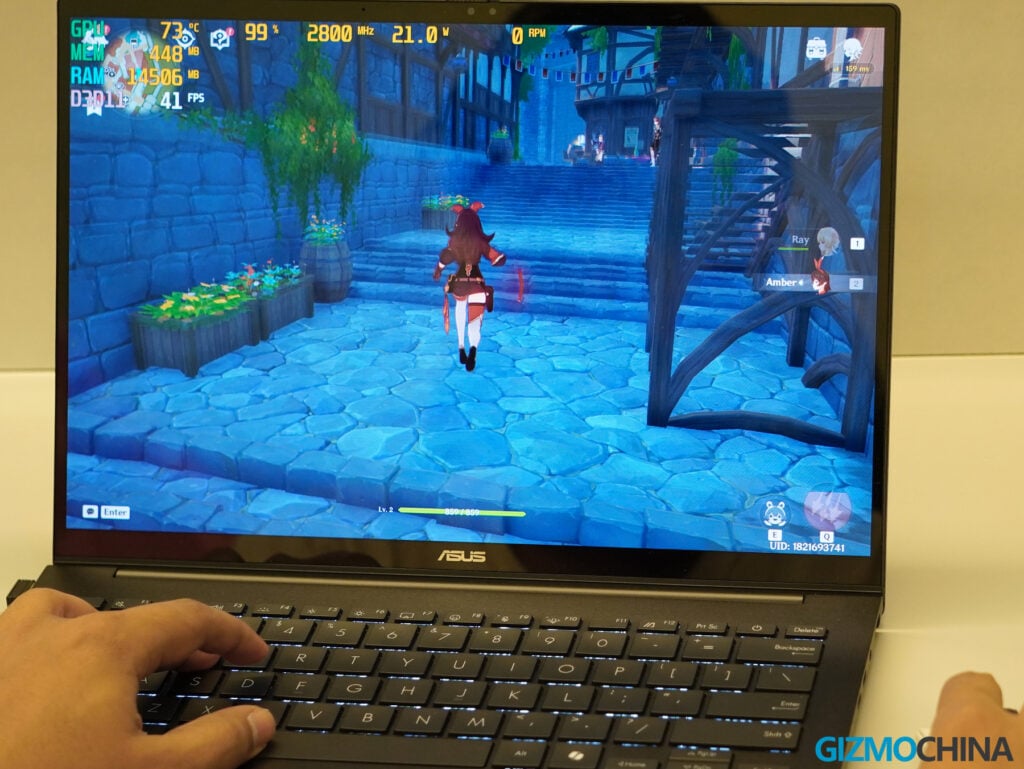
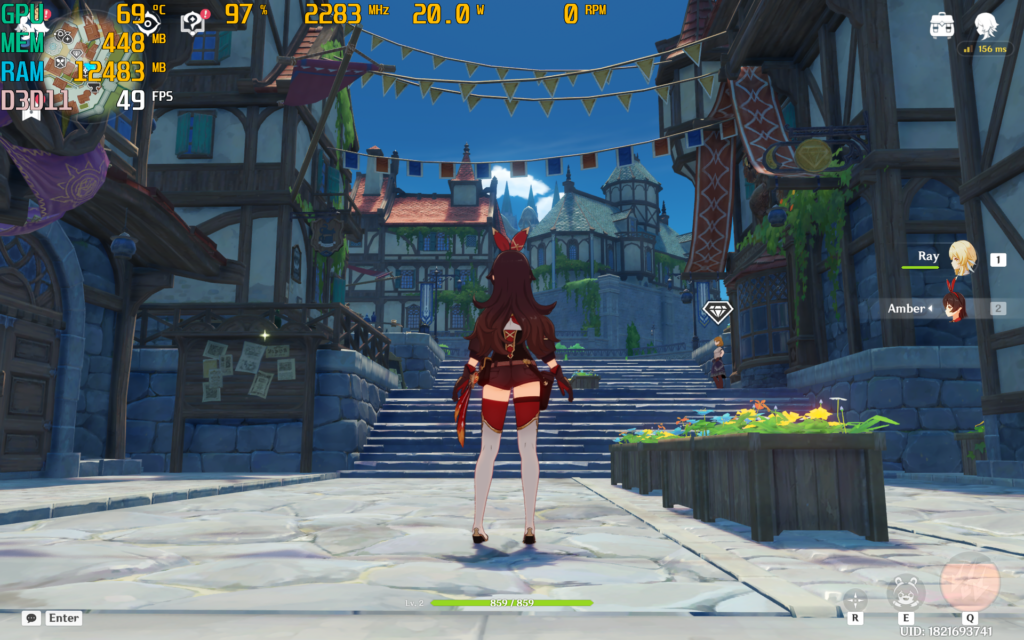
For slightly more demanding games like Genshin Impact, the laptop manages 49-57 FPS on medium settings. The GPU is fully utilized at 97-99%, drawing about 20W of power. It’s definitely playable, but there are occasional dips during more intense moments.
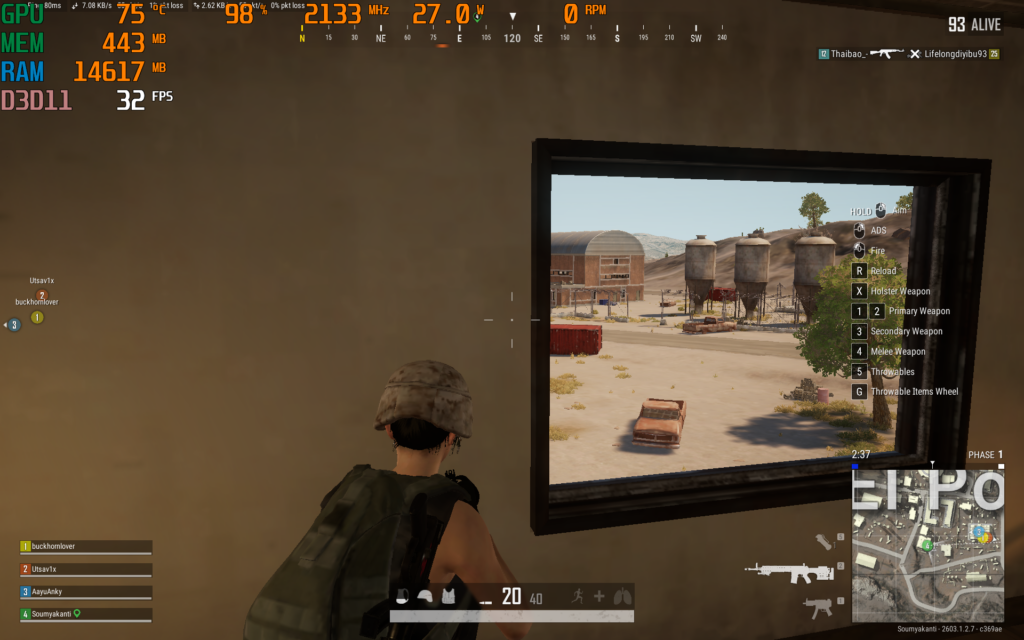
When I tested PUBG on its lowest settings, the laptop averaged around 32 FPS, with the GPU maxed out at 98%. It’s clear that it struggles with modern AAA or resource-heavy titles.
While the Zenbook 14 isn’t a gaming laptop, it handles light gaming and older esports titles quite well. It’s great if you’re looking to game casually or play less demanding titles, but it’s not suited for intense DX12 workloads or modern AAA games on higher settings. For me, it works perfectly as a secondary device for light gaming when I’m not looking for peak performance.
Thermals were remarkably well-managed, thanks to the single-heatpipe cooling system. Even under sustained workloads, the device remained cool to the touch, with the fan ramping up only during heavy tasks. For everyday usage, this is one of the quietest laptops I’ve tested.
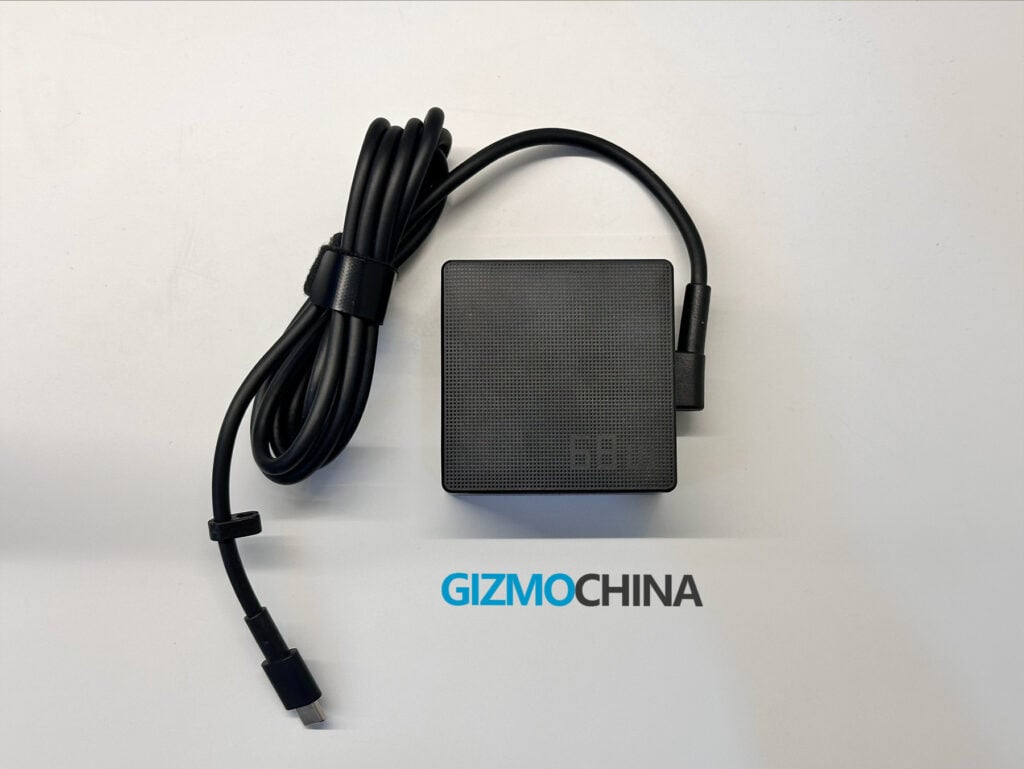
The Zenbook’s 75Wh battery is solid. I got over 10 hours of use with tasks like browsing, writing, using Office apps, and streaming. For heavier workloads, like multitasking with demanding apps, it lasted around 7-8 hours, which was enough to get me through the day without charging. The 65W fast charging is handy, it took around 50 minutes to go from 0 to 60%.
The speakers, however, were a bit disappointing. They’re bottom-firing and don’t have much bass. They’re okay for casual media and calls but don’t stand out if you’re hoping for great sound quality.
The 1080p webcam works fine for video calls. The quality is decent, and features like AI background blur and low-light adjustments help. It’s not amazing, but I didn’t have any complaints using it for meetings.
The Asus Zenbook 14 (UM3406G) gets a lot of things right.
It combines a premium design, a fantastic OLED display, excellent battery life, and strong everyday performance into a lightweight package that’s easy to live with. The Ryzen AI 5 430 may not be the most powerful chip in its class, but it focuses on efficiency, and that’s exactly what this category needs.
There are compromises. The 60Hz display feels limiting, the reflective panel can be annoying, and the speakers could have been better. Port placement also feels slightly inconvenient.
But none of these break the experience.
After using it for over two weeks, this feels like a laptop designed for real life not benchmarks. It’s reliable, consistent, and comfortable to use daily.
If you’re looking for a Windows ultrabook that prioritizes battery life, portability, and a great display over raw power, this is an easy recommendation.
The Zenbook 14 (UM3406) starts at ₹85,990 for the Ryzen AI 5 340 variant, while the higher-end Ryzen AI 5 430 model is priced around ₹115,990 on the Asus store.
For more daily updates, please visit our News Section.
Stay ahead in tech! Join our Telegram community and sign up for our daily newsletter of top stories! 
The post Asus Zenbook 14 OLED (UM3406G) Review: Sleek, Efficient and Built for Everyday Tasks appeared first on Gizmochina.
Will STALKER 2’s first DLC be unveiled this week? On Thursday, March 26th, Microsoft will be hosting its 2026 Xbox Partner Preview, where GSC Game World plans to deliver an “update on STALKER 2: Heart of Chornobly. This event is likely to host the unveiling of the first story DLC for STALKER 2, and could […]
The post It’s going to be a big week for STALKER 2 fans – DLC incoming? appeared first on OC3D.

Monster Hunter Stories 3 proves that it's not just about the thrill of the hunt, but setting up the ecology to support it for generations to come.
Read full article at https://wccftech.com/review/monster-hunter-stories-3-twisted-reflection/


The survival-horror genre has been in a great spot in the past few years. With Resident Evil returning to its former glory with the seventh entry in the series and every game that has followed it, culminating with Resident Evil Requiem, the Silent Hill series returning with a remake of the second entry in the series and the first brand new game in years, and a wealth of solid indie titles, fans of the genre have had plenty of scary experiences to immerse themselves into. While it doesn't enjoy the same level of popularity as the CAPCOM and Konami series, […]
Read full article at https://wccftech.com/review/fatal-frame-2-crimson-butterfly-remake-review-the-deepest-bond-the-darkest-secret/


Ever since I laid my hands on our first AMD Ryzen AI MAX+ 395 Mini PC, I wanted to try the same chip in a compact laptop. AMD's Strix Halo lineup already impressed me a lot in my previous review, and with the launch of Panther Lake, I was more curious to see how Strix Halo would do in a similar lightweight, slim & stunning design that Core Ultra Series 3 CPUs were shipping in. Well, AMD heard my call, and they were able to arrange a Strix Halo laptop for me instantly. I do want to thank the team […]
Read full article at https://wccftech.com/review/hp-zbook-ultra-g1a-ryzen-ai-max-395-laptop-review-top-strix-halo-vs-top-panther-lake/


Over the past few months, I’ve been shopping around for a first home, and one of the requisites was to have a dedicated office space. Fast forward to November 1st of this year, and my wife and I signed the final documents to get the keys to our new home. Autonomous actually reached out to us much earlier in the year and sent samples of both their Desk 5 Pro and ErgoChair Ultra (in black and white to match the Wccftech logo), but remained sealed in a box until I finally had the space to install a brand new desk. […]
Read full article at https://wccftech.com/review/autonomous-desk-5-pro-and-ergochair-ultra-review-clean-and-professional/


Like many of the wrestlers the franchise lets you play as, the WWE 2K games have been on top of the world, down and out, and everything in between. Last year's WWE 2K25 was not a career high point as the game focused heavily on The Island, a new online hub in the vein of NBA 2K's The City, to the exclusion of almost everything else. Thankfully, as I described in my hands-on impressions, WWE 2K26 seems to be spreading the love a bit more with new features. Does WWE 2K26 light a fire under the franchise? Or is it […]
Read full article at https://wccftech.com/review/wwe-2k26/

