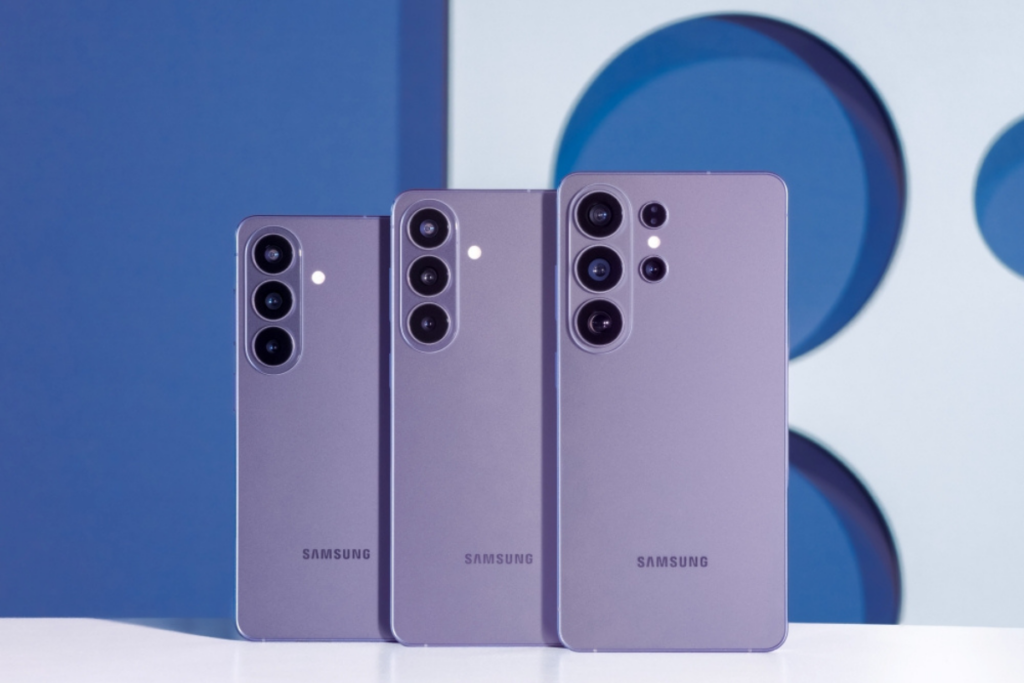
Your Samsung phone has two great features to safeguard your data and privacy under the Theft Protection section. This intelligent feature kit provides a necessary shield to your Galaxy phone in case it gets stolen while you use it.
Think you are roaming outside and using your phone for surfing or attending an important phone call. You suddenly come to know that someone snatched your device from your hands, leaving you shocked at the moment.
Smartphones are no longer just communication devices. They have become a crucial part of our lives as they store credentials, digital keys, banking apps, and digital identity. Losing the phone means you are losing almost everything you digitized.
Samsung phones have a Theft Detection feature, but it must be enabled manually. When enabled, it ensures your phone locks itself if a possible theft is detected. It has been designed brilliantly and works the way it should.
Smartphone theft can happen unexpectedly, but taking a few minutes to enable Theft Protection can help safeguard your data and privacy.
The suite of these intelligent security tools can automatically lock your Samsung smartphone when theft is detected, lock a phone when it goes offline for an extended period, and even allow users to remotely lock their device.
Technically, Theft Detection Lock can identify motion patterns commonly associated with theft, such as a device being suddenly snatched away from a user. If suspicious activity is detected, the smartphone screen automatically locks.
Here’s a step-by-step guide to enable the Theft Detection feature:
Step 1: Open Settings and tap Security and privacy
Step 2: Tap Lost device protection
Step 3: Select Theft protection
Step 4: Tap Theft Detection Lock
Step 5: Tap Turn on
Step 6: Tap Offline Device Lock
Step 7: Tap Turn on
Step 8: Tap Remote Lock and select Use Remote Lock to enable the feature
Thanks to the AI momentum, Samsung has just surpassed Bitcoin in terms of market value. Samsung Electronics is sitting at a $1.522 trillion market cap while Bitcoin is at $1.276 trillion; it is a $246 billion gap, and it has widened fast.
The KOSPI cracked 9,000 intraday for the first time ever, dragging semiconductor stocks higher while Bitcoin quietly bled out. SEDaily reports that Samsung climbed to 12th among global assets, while Bitcoin slipped to 15th.
Samsung surpassed Bitcoin on November 1, then lost ground after shares cratered on November 8. Meanwhile, AI chip demand and high-bandwidth memory optimism have since pulled Samsung back ahead.
The gap isn’t shrinking
MarketWatch columnist Mark Hulbert ran the numbers on a fair-value model and surfaced something brutal: Bitcoin converging around $120,000 by 2140 implies an expected annual return of roughly 0.6% over 120 years.
Apart from this, SK Hynix is also running up 6.51% in a single session, its market value reached $1.248 trillion, placing it just $28 billion behind Bitcoin at 16th globally.
Samsung’s overall chip business achieved a record-breaking operating profit in Q1 2026, and that’s only going to go up as the global chip buyers are turning to Samsung Electronics for manufacturing future chips, as reported by Nikkei Asia. The list includes big tech giants such as AMD, Google, NVIDIA-backed Groq, Tesla, and BYD, all of which are looking to diversify their chip production to Samsung as demand continues to soar beyond TSMC’s available capacity.
AMD is in talks with Samsung about manufacturing future CPUs starting in 2028. Google is also reportedly expanding ties with the South Korean giant to produce its next-generation Axion processors, set to launch around 2028, and has asked Samsung to build part of its key Tensor Processing Units (TPUs) for AI computing workloads as early as 2028.
BYD, the world’s largest electric vehicle maker, is also in discussion with Samsung for its next-generation autonomous driving chips, while Tesla has already confirmed that its next-generation AI6 chip will be produced at Samsung’s Texas facility. NVIDIA-backed Groq, which develops language processing units, is already using Samsung’s foundry for chip production and may also use it for its next version of specialized AI chips.
Samsung is witnessing a sharp rise in manufacturing inquiries from both existing and new clients, people familiar with the matter told Nikkei Asia. Companies are adopting dual-sourcing strategies, splitting orders between TSMC and Samsung, rather than relying on the foundry to reduce supply-chain risk.
With tech giants like Google, Tesla, BYD, and AMD aggressively securing what’s left of TSMC’s capacity, smaller companies are left with little choice but to look elsewhere, making Samsung their strongest alternative.
Samsung’s chip business gains momentum as demand outpaces TSMC
There are only three companies in the world that can produce advanced chips: TSMC, Samsung, and Intel.
TSMC makes the most advanced chips and therefore dominates the market, followed by Samsung, which has struggled to win over major outside customers, but things have started to shift. While Intel is a massive company, its contract manufacturing business is still in its infancy regarding external scale.
Due to unprecedented demand for AI and high-performance chips, TSMC’s production capacity is unable to keep pace with the demand, forcing companies to diversify orders across multiple foundries, and that’s where Samsung shines. It’s emerging as the main alternative for companies that are not able to secure capacity at TSMC and for those who want to diversify to ensure it’s not affected by the supply-chain crisis.
Samsung Galaxy A27 and Oppo A6 target buyers looking for a capable mid-range smartphone without stretching their budget. While both devices sit in the same price segment, they take very different approaches. Samsung focuses on display quality, performance, and long-term software support, while Oppo emphasizes battery life and durability. This comparison breaks down their key differences to help determine which phone delivers the better overall value.
Major Features:
Category
Samsung Galaxy A27
Oppo A6
Winner
Design & Build
Gorilla Glass Victus+ front and back, IP64 rating
Plastic back, IP68/IP69 rating
Oppo – Better water and dust resistance
Display Technology
6.7-inch Super AMOLED, 120Hz
6.75-inch IPS LCD, 120Hz
Samsung – Superior AMOLED panel
Resolution
1080 x 2340 (FHD+)
720 x 1570 (HD+)
Samsung – Sharper visuals
Display Protection
Gorilla Glass Victus+
Mohs Level 5 protection
Samsung – Stronger protection
Brightness
AMOLED display
Up to 1125 nits peak
Samsung – Better overall viewing experience
Processor
Snapdragon 6 Gen 3 (4nm)
Dimensity 6300 (6nm)
Samsung – Faster performance
Graphics
Adreno 710
Mali-G57 MC2
Samsung – Better gaming capability
Software
Android 16, 6 major updates
Android 15, ColorOS 15
Samsung – Longer software support
RAM & Storage Options
Up to 8GB RAM, 256GB storage
Up to 12GB RAM, 512GB storage
Oppo – More configuration choices
Expandable Storage
microSD (hybrid slot)
Dedicated microSD support
Oppo – More flexible expansion
Main Camera
50MP OIS camera
50MP camera
Samsung – OIS improves photos and videos
Ultra-Wide Camera
5MP ultrawide
Not available
Samsung – More versatile photography
Video Recording
4K@30fps
1080p@60fps
Samsung – Higher video quality
Selfie Camera
12MP AF
8MP
Samsung – Better selfies and focus
Speakers
Single speaker
Stereo speakers
Oppo – Better audio experience
Battery Capacity
5000mAh
7000mAh
Oppo – Significantly longer battery life
Charging Speed
25W wired
45W wired
Oppo – Faster charging
Reverse Charging
No
5W reverse charging
Oppo – Extra convenience
Connectivity
Bluetooth 5.1
Bluetooth 5.4, aptX HD
Oppo – Newer wireless standards
Special Features
Samsung DeX support
Reverse charging
Samsung – Unique productivity feature
Price/Value
Priced around $260 / ₹22,000
Samsung – Better overall feature set
Disclaimer: Specs are based on available data. Actual performance may vary. Verify details from official sources before buying.
Design and Display
Build and Feel
The Samsung Galaxy A27 offers a more premium construction with Gorilla Glass Victus+ on both the front and back, along with an IP64 rating for protection against dust and water splashes. The overall design feels more refined and modern, especially for users who value premium materials in a mid-range smartphone.
The Oppo A6 takes a different approach by focusing on durability. Its IP68/IP69 rating provides significantly stronger water and dust resistance, making it more suitable for outdoor use or harsher environments. While the plastic back does not feel as premium as Samsung’s glass design, the rugged protection adds practical value for many users.
Display Quality
Samsung clearly leads in display quality with its 6.7-inch Super AMOLED panel, 120Hz refresh rate, and Full HD+ resolution. Colors appear richer, blacks are deeper, and overall sharpness is noticeably better.
The Oppo A6 offers a 120Hz IPS LCD panel with decent brightness, but the lower HD+ resolution results in less detail and clarity. Every day use remains smooth, but media consumption feels more immersive on Samsung’s AMOLED screen.
Verdict
The Galaxy A27 wins this category thanks to its premium materials and significantly superior AMOLED display. The Oppo A6 scores points for durability, but Samsung delivers the better overall viewing experience.
Specifications Including Battery
Performance
The Samsung Galaxy A27 is powered by the Snapdragon 6 Gen 3 chipset, which provides stronger CPU and GPU performance than the Dimensity 6300 inside the Oppo A6. Daily tasks, multitasking, gaming, and long-term responsiveness feel more polished on the Galaxy A27.
Samsung also benefits from an exceptional software commitment, offering Android 16 and up to six major Android upgrades. This level of support is rarely seen in this price segment and greatly improves long-term value.
The Oppo A6 handles everyday applications comfortably and offers multiple storage and RAM configurations, including a 512GB option. However, its Dimensity 6300 is aimed more at efficiency than outright performance.
Battery and Charging
Battery life is where the Oppo A6 shines. Its massive 7000mAh battery easily outlasts the Galaxy A27’s 5000mAh cell. Combined with 45W charging, it is built for users who prioritize endurance.
Samsung’s 25W charging is adequate but less impressive. Most users will comfortably get through a day, but the Oppo A6 is clearly the endurance champion.
Verdict
The Galaxy A27 offers stronger performance and industry-leading software support, while the Oppo A6 dominates in battery life. For overall capability, Samsung takes a slight lead, but heavy battery users may prefer Oppo.
Camera
Main and Secondary Lenses
Samsung equips the Galaxy A27 with a versatile triple-camera setup featuring a 50MP main sensor with OIS, a 5MP ultrawide camera, and a macro lens. Optical image stabilization helps improve low-light photos and video stability, while the ultrawide lens adds flexibility for landscapes and group shots.
The Oppo A6 uses a 50MP primary camera paired with an auxiliary sensor. Daylight photos can look good, but the lack of OIS and the absence of a true ultrawide camera limit versatility. Video recording is also capped at 1080p, whereas Samsung supports 4K recording and advanced stabilization.
The Galaxy A27 feels more complete as a camera-focused device, especially for users who regularly capture photos and videos.
Selfie Camera
Samsung again has the advantage with its 12MP autofocus selfie camera. Autofocus helps maintain sharper results, particularly in varying shooting distances.
The Oppo A6’s 8MP front camera is suitable for video calls and casual selfies, but it cannot match Samsung’s detail and consistency.
Verdict
The Galaxy A27 comfortably wins the camera category. Better stabilization, an ultrawide lens, 4K video recording, and a superior selfie camera make it a stronger photography package.
Pricing
The Samsung Galaxy A27 is priced around $260 / ₹22,000, while the Oppo A6 is also priced around $260 / ₹22,000. Since both devices occupy the same price bracket, the decision comes down to priorities rather than affordability.
Samsung delivers a premium AMOLED display, a faster processor, better cameras, DeX support, and one of the best software update policies available in the segment. These advantages contribute directly to the daily user experience and long-term ownership value.
The Oppo A6 focuses on practicality. Buyers receive a massive 7000mAh battery, faster 45W charging, stronger IP68/IP69 protection, stereo speakers, and extensive memory options. These features can be highly appealing for users who prioritize endurance and durability.
Verdict
At the same price, the Galaxy A27 offers better overall value for most buyers because of its display, performance, cameras, and software support. The Oppo A6 remains an excellent value choice for users who need exceptional battery life above everything else.
Disclaimer: Prices are approximate and may vary based on country, region, launch timing, and applicable taxes. Always check whether the listed price is for a China unit or a global/international variant when purchasing.
Conclusion
The Galaxy A27 stands out with its Super AMOLED display, Snapdragon 6 Gen 3 chipset, OIS-equipped camera system, Samsung DeX support, and six years of major Android updates. These features make it feel like a more complete and future-proof smartphone.
The Oppo A6 counters with a huge 7000mAh battery, 45W charging, IP68/IP69 protection, stereo speakers, and numerous storage configurations. Its strengths are practical and designed for long-lasting daily usage.
Both devices serve different audiences. Samsung focuses on delivering a balanced smartphone experience with stronger multimedia and software capabilities, while Oppo emphasizes durability and battery endurance.
Verdict
For most users, the Samsung Galaxy A27 is the better overall smartphone. The superior display, faster performance, stronger camera system, and outstanding software support create a more rounded package at the same price.
Choose the Oppo A6 if battery life, charging speed, and rugged durability are the highest priorities. Otherwise, the Galaxy A27 provides a more complete experience and better long-term value.
Disclaimer: This comparison is based on the specifications provided and is intended for general informational purposes. Actual performance, camera results, battery life, and overall experience may vary depending on real-world usage, software updates, and individual preferences.
Samsung’s System LSI division just delivered its best-ever first-quarter revenue. Sounds like great news, right? But there’s a catch – the company still expects to end the full year with losses in this part of its chip business.
President Park Yong-in recently talked about the challenges. He said Samsung needs bigger structural changes because demand is soft in several key areas. Even with strong memory (HBM) chip sales, thanks to AI demand, the non-memory side (foundry and System LSI) continues to struggle.
“We achieved the highest level of sales in the first quarter of this year” Park said at the briefing. Park said, “The System-on-Chip (SoC) business is difficult to convert into a surplus in the short term, but we will strive to improve the business body and improve profitability.” “We will create an environment where structural problems can be solved by management and members can focus on technology.”
The one chance? Development of the next flagship Exynos 2700 processor is moving along steadily. Samsung is expected to use it in the next Galaxy S-series phones.
Samsung is clearly treating its foundry business (making chips for other companies) and System LSI (mobile processors and more) as key parts for the entire company.
What’s the real issue? The mobile SoC market is super competitive, and AI demand has not helped every segment the same way. While memory chips are printing money, fixing the logic and foundry side will take serious time and effort.
For long-term success, Samsung is trying to balance its memory and non-memory chip businesses. Investors are watching closely to see if these changes start delivering real results soon.
Samsung Display is really pushing the limits of extended reality (XR) tech with some impressive new micro-OLED breakthroughs. They’re promising much brighter and more immersive experiences in small, wearable devices like AR glasses and MR headsets.
At AWE USA 2026, Samsung showed off a 1.3-inch RGB OLEDoS (OLED on Silicon) microdisplay panel that hits a crazy 40,000 nits of brightness. To really show what it can do, they set up a darkroom exhibit called “The Big Dipper,” using seven displays to recreate the famous constellation. Only two of those screens used the new ultra-bright panel, but the difference was striking, offering much better brightness and more vivid colors than the standard ones.
This RGB OLEDoS technology skips the usual color filters by using direct-emission pixels. That makes it more efficient with light and could lead to better battery life and longer panel lifespan. For XR devices, this kind of high brightness is super important because the display has to fight against real-world ambient light (think sunny days or bright rooms) while staying clear and not draining the battery too fast.
Samsung also demoed other prototypes, including AR glasses with a smaller 0.62-inch 30,000-nit version of the panel and an MR headset using the same tech. They had additional showcases with stretchable displays and naked-eye 3D light field displays, showing they’re going all-in on next-gen visual tech.
These developments come at a time when the XR market is picking up real momentum. More consumer electronics brands are looking for lighter, more comfortable, and visually impressive headsets and smart glasses. High-brightness microdisplays like these could be the key to making mixed reality feel seamless, blending digital stuff with the real world in a natural way.
Overall, Samsung Display’s demos at AWE USA 2026 feel like a big step toward practical, high-performance XR hardware that people might actually want to use every day. As competition in spatial computing heats up, innovations like this could help bring advanced AR and MR devices into the mainstream sooner than we think.
Samsung’s Galaxy Z Fold 8 is still weeks away from its official unveiling, but the Android 17 release handed us a feature demo. The new OS went live on Pixel devices yesterday, and a significant chunk of what it does is built specifically for foldables.
Since the Galaxy Z Flip 8, Galaxy Z Fold 8, and Galaxy Z Fold 8 Ultra launch with One UI 9 on top of Android 17, what you’re seeing on Pixel right now is a preview of what’s landing on Samsung’s most premium device next month.
Foldable Gaming Mode
Google built a dedicated gaming mode into Android 17 for foldables. It splits the inner display 50/50 game on the top half, with virtual gamepad controls on the bottom.
The gaming mode isn’t fully live yet, even on Pixel. Google confirmed it’s arriving via OTA in the coming months. Given the Fold 8 launches in late July, Samsung has time to ship One UI 9 with this already in place. Timing works in their favour.
Multitasking bubbles
The biggest new thing in Android 17 is Bubbles, a system-wide floating window mode. Long-press any app icon, and it opens as a resizable overlay on top of whatever you’re already doing.
Google says it’s useful for keeping maps, notes, or a sports score up while you work in another app. Combined with the inner display real estate on the Fold 8, Bubbles turns the phone into something that starts closing the gap with a desktop setup.
The Galaxy Z Fold 8 is widely expected on July 22 at Unpacked in London, shipping out of the box with One UI 9 on Android 17. Samsung has confirmed that the stable One UI 9 release on new foldables will include advanced AI features.
Hardware upgrades on the Fold 8 are substantial: a 200MP main sensor, 5,000mAh battery, 45W charging, and Snapdragon 8 Elite Gen 5. The software story is just as important this cycle, and Android 17 makes a real case for it.
Everything Google showed off on Pixel yesterday is what Samsung could be selling next month.
Motorola Edge 70 Pro+ and Samsung Galaxy S25 FE take two very different approaches to the premium smartphone segment. Motorola focuses on delivering top-tier hardware with a high-refresh-rate display, massive battery, and versatile camera system, while Samsung counters with flagship-grade performance, longer software support, and a polished ecosystem experience. With their prices sitting surprisingly close to each other, choosing between them is less about budget and more about deciding which strengths matter most. Here’s a detailed comparison to find out which smartphone offers the better overall package.
Major Features:
Category
Motorola Edge 70 Pro+
Samsung Galaxy S25 FE
Winner
Build Quality
Eco-leather back, plastic frame
Glass back, aluminum frame
Samsung – More premium materials
Display Technology
144Hz AMOLED
120Hz LTPO AMOLED 2X
Motorola – Higher refresh rate
Display Resolution
1272 × 2772
1080 × 2340
Motorola – Sharper panel
Peak Brightness
5200 nits
1900 nits
Motorola – Much brighter display
Processor
Dimensity 8500 Extreme
Exynos 2400
Samsung – Stronger flagship chipset
RAM
12GB
8GB
Motorola – Better multitasking
Storage Technology
UFS 4.1
UFS 4.0
Motorola – Faster storage standard
Software Support
3 Android upgrades
7 Android upgrades
Samsung – Longer update commitment
Main Camera
50MP OIS
50MP OIS
Samsung – Better image processing
Telephoto Camera
50MP Periscope, 3.5x
8MP, 3x
Motorola – Superior zoom hardware
Ultrawide Camera
50MP
12MP
Motorola – Higher-resolution sensor
Selfie Camera
50MP AF
12MP
Motorola – Sharper selfies with autofocus
Video Recording
4K up to 120fps
8K up to 30fps
Samsung – Supports 8K recording
Battery Capacity
6500mAh
4900mAh
Motorola – Larger battery
Wired Charging
90W
45W
Motorola – Faster charging speeds
Wireless Charging
15W
15W Qi2 Compatible
Samsung – Qi2 compatibility
USB Standard
USB 2.0
USB 3.2
Samsung – Faster data transfers
Connectivity
Wi-Fi 7
Wi-Fi 6E
Motorola – Newer wireless standard
Productivity Features
Smart Connect
DeX & Wireless DeX
Samsung – Better desktop experience
Price
Priced around ₹48,000
Priced around ₹50,000
Motorola – Better value for money
Disclaimer: Specs are based on available data. Actual performance may vary. Verify details from official sources before buying.
Design and Display
Build and Feel
The Motorola Edge 70 Pro+ focuses on practicality with its eco-leather rear panel, Gorilla Glass 7i protection, IP68/IP69 certification, and MIL-STD-810H compliance. The textured finish offers a secure grip and tends to resist fingerprints better than glossy glass backs. The Samsung Galaxy S25 FE takes a more premium approach with Gorilla Glass Victus+ on both the front and rear, paired with an enhanced aluminum frame. It feels more flagship-like and carries a cleaner, more refined appearance. Samsung’s use of premium materials may appeal to buyers who prioritize a traditional high-end design.
Display Quality
Motorola gains a clear advantage in display specifications with its 144Hz AMOLED panel, higher resolution, and an impressive peak brightness rating. The screen feels exceptionally smooth and vibrant, particularly during gaming and fast scrolling. Samsung counters with a Dynamic LTPO AMOLED 2X panel that can intelligently adjust refresh rates for efficiency while delivering excellent color accuracy and HDR performance. The lower resolution is noticeable on paper but less so in daily use.
Verdict
The Galaxy S25 FE feels more premium, but the Edge 70 Pro+ delivers a more impressive display experience overall.
Specifications Including Battery
Performance
The Samsung Galaxy S25 FE is powered by the Exynos 2400, a flagship-grade chipset that offers stronger raw performance, better graphics capability, and enhanced AI processing. It is better suited for demanding multitasking, high-end gaming, and long-term performance consistency. The Motorola Edge 70 Pro+ uses the Dimensity 8500 Extreme, which remains highly capable and efficient for everyday use while providing smooth performance across apps and games. Motorola also includes 12GB RAM as standard, giving it an advantage in memory-intensive workloads.
Battery and Charging
Battery life is one of Motorola’s strongest advantages. Its large 6500mAh silicon-carbon battery comfortably exceeds the Galaxy S25 FE’s 4900mAh capacity, making it a better choice for heavy users. Charging is also significantly faster with 90W wired support, while Samsung relies on 45W charging. Both devices support wireless charging, though Samsung benefits from Qi2 compatibility and a more mature wireless ecosystem.
Verdict
Samsung wins on processing power and software longevity, while Motorola offers superior battery endurance and charging convenience.
Camera
Main and Secondary Lenses
Both smartphones feature capable 50MP primary cameras with optical image stabilization, delivering strong results in daylight and challenging lighting conditions. Samsung’s image processing generally produces more consistent colors, dynamic range, and video quality, while Motorola often delivers a slightly more natural look. The biggest hardware advantage belongs to Motorola, which includes a 50MP periscope telephoto camera and a 50MP ultrawide sensor. Samsung uses an 8MP telephoto and a 12MP ultrawide camera, making the overall camera hardware less impressive on paper. Motorola’s higher-resolution secondary sensors provide greater flexibility and detail retention.
Selfie Camera
Motorola again leads in specifications with a 50MP autofocus front camera capable of capturing sharper images and better group selfies. Samsung’s 12MP sensor produces reliable results and excellent video quality but lacks the same level of detail.
Verdict
Samsung delivers dependable image processing and video performance, but Motorola offers a more versatile and powerful overall camera setup.
Pricing
The Motorola Edge 70 Pro+ is priced around $600/ ₹48,000, while the Samsung Galaxy S25 FE is priced around $700 / ₹50,000. The difference is relatively small, making the comparison more about priorities than budget. Motorola provides a stronger hardware package with a higher-end display, larger battery, faster charging, more RAM, and superior secondary cameras. Samsung, however, justifies its pricing through its flagship-grade chipset, premium construction, One UI experience, and extended software support.
Is the Price Justified?
At its price, the Edge 70 Pro+ delivers exceptional value because it offers upgrades in several areas that directly impact daily use. The S25 FE is also reasonably priced, particularly for users who value software reliability and long-term updates. The extra investment feels worthwhile for buyers planning to keep their device for many years.
Verdict
Motorola offers better hardware value, while Samsung’s pricing is supported by software longevity and ecosystem advantages.
Disclaimer: Prices are approximate and may vary based on country, region, launch timing, and applicable taxes. Always check whether the listed price is for a China unit or a global/international variant when purchasing.
Conclusion
The Motorola Edge 70 Pro+ stands out with its 144Hz display, 6500mAh silicon-carbon battery, 90W charging, 50MP periscope telephoto camera, 50MP ultrawide camera, and 50MP autofocus selfie camera. These features create a specification sheet that is unusually strong for its price category. The Samsung Galaxy S25 FE counters with a flagship-class Exynos 2400 processor, premium glass-and-aluminum construction, Samsung DeX support, Qi2-compatible wireless charging, and an industry-leading commitment of seven major Android upgrades. Samsung’s ecosystem integration is also a major attraction for users who already own other Galaxy products.
Verdict
For buyers seeking the best hardware package and maximum value, the Motorola Edge 70 Pro+ is the stronger overall choice. For those prioritizing software support, ecosystem features, and flagship-grade processing power, the Samsung Galaxy S25 FE remains an excellent alternative.
Overall, the Edge 70 Pro+ delivers more for the money, while the S25 FE focuses on long-term ownership and refinement.
Disclaimer: This comparison is based on the specifications provided and is intended for general informational purposes. Actual performance, camera results, battery life, and overall experience may vary depending on real-world usage, software updates, and individual preferences.
Samsung has launched a Spidey Tracker to track Spider-Man’s whereabouts and immerse fans in the world of the Spider-Man: Brand New Day movie premiering on July 31.
This tool is developed by the character Ned Leeds, who uses the Galaxy Z Fold device to track Spider-Man as he moves throughout the movie. What’s interesting is that the tracker is no longer exclusive to the movie; it is now available for Spider-Man fans across the globe.
This new interactive Spidey Tracker provides fans a way to experience real world campaing that includes cast appearances and interviews, spotlighting live activations, content drops, hidden easter eggs, and fan-submitted sightings.
Fans follow Spider-Man sightings and interact with the story in real-time while sharing the same experience with the community.
Samsung has also announced that the latest Galaxy Z Fold and Flip smartphones will be featured inside the movie, along with the Galaxy Watch, to showcase their multitasking and spider-man tracking skills.
“Unfolding online and in real-world spaces throughout the summer, see Spidey pop up on the map, at live events and venues, popular creator videos, and maybe even a Samsung Experience Store — keep your eyes peeled!” wrote Samsung.
How to access the Samsung Spidey tracker?
You can go to SpidyTracker.com to interact with this tool. Samsung has confirmed that the tool is available in 35 countries.
On June 16, Samsung pushed the third One UI 9 Beta update with 9 big bug fixes. In particular, Samsung has included new camera focus improvements for Galaxy S26 users, specifically targeting the 30x digital zoom shots.
Galaxy S26 phones come with 30x zoom support, with the Ultra camera going up to 100x. Users mostly rely on 1x and 2x for everyday shots and 5x for distant photography. 30x is a digital zoom range offered by the telephoto camera sensor.
New camera focus improvements for 30x zoom
The One UI 9 Beta 3 update changelog specifically mentions “improved focus accuracy when using 30x camera zoom.” The improvements are included in the Beta update, so the availability is limited to Beta participants in six countries.
Samsung Camera activates focus lock after a certain zoom range. It appears on the screen as a Yellow padlock, ensuring minimal shake during shots. You get enough support to tap the shutter and capture the image on your phone.
Your Galaxy phone’s camera will now focus more accurately on distant objects. The real enhancements can be experienced when magnified to 30x. Improved focus will result in clearer shots with better colors and details.
One UI 9 Beta 3 Update
The third Beta update weighs around 1.8GB, a huge one. It’s nearly three times larger than the second Beta build and a little smaller than the first full version. The massive size suggests that Samsung has included more than just fixes.
It’s a great development for Beta users who have enrolled their phones in the Program. They are helping Samsung perfect the Galaxy experience for millions of users. The faster the bugs will be erased, the earlier the Stable rollout kicks off.
One UI 9 official version will launch with the Galaxy Z Fold 8, Flip 8, and Fold 8 Ultra in late July 2026.
Samsung is now rolling out the June 2026 update to the Galaxy S25, S25+, S25 Edge, and S25 Ultra in more regions, bringing 3 new AI features from the latest Galaxy S26 series.
The update was initially released for Korean users last week. Samsung offered the AI-powered Notification highlights feature to last year’s flagship models. Notably, those tools were missing in the Stable One UI 8.5 update.
Here are the details of the newly added AI features, followed by the update’s availability status:
AI-powered Notification highlights
June update installs Galaxy S26-like Notification highlights tab in Galaxy S25 series devices. This page has two main notification handling tools along with a few supplementary settings/functions.
1 | Prioritise notifications
This feature uses Artificial Intelligence to smartly manage how notifications are displayed in the panel. The system is designed to push important notifications to the top of the page, even though there are newer alerts.
Notifications that are prioritised feature a separate glow-up appearance. It’s aimed at offering instant attention to the user and actually realizing the priority state.
2 | Summarise notifications
We use different apps and services for everyday communications, and they form a massive number of notifications. The Summarise notifications feature practically handles the overload of alerts and intelligently summarises them for you.
The feature, in the meantime, has some limitations, such as support for the device language only. Since it’s powered by AI, you should not solely rely on summaries, as it might deliver conflicting information for certain reasons.
3 | Summarise compatible files
Samsung has also updated its My Files app with a summarization feature. Found under the Settings of My Files, the Show file summaries feature offers AI-powered summaries of PDF and TXT files as well as recordings saved using Voice Recorder.
Availability
Initial rollout – June 11
On June 11, Samsung started the June 2026 update rollout in South Korea, which came with PDA build version ending with CZF1 and weighing a lit lesser than a gigabyte.
Over the past few days, Samsung Galaxy S23 owners, including some on the S23+ and S23 Ultra, have been posting about a familiar but unwelcome visitor on their displays: thin green or pink vertical lines that show up out of nowhere.
Right on cue, every fresh round of Samsung software updates seems to bring its own little surprise, and the latest One UI 8.5 rollout is no exception.
The reports started surfacing on X and across Samsung’s own community forums, and by now there are enough of them that it’s hard to write this off as a handful of unlucky units.
One user shared a picture of his S23 Ultra’s screen with a bright green line running top to bottom, insisting the phone had no drops, no cracks, and no water exposure, just a software update that, in his words, turned a pink line into a green one within days. Another user reported the same thing on a Galaxy phone shortly after updating.
Owners in India are being quoted between INR 15,000 and INR 19,500 for an out-of-warranty screen replacement, while a similar repair in other markets is pegged at roughly $205.
This isn’t actually a new problem for Samsung. The “green line of death,” as some forum regulars half-jokingly call it, has been popping up on Galaxy phones for years now, going back to the Galaxy S20 series, with Plus model affected the most.
Samsung even ran free display replacement programs in India, regardless of warranty status, because the issue was tied to a hardware fault in the display panel rather than something a software patch could realistically cause on its own.
Repair technicians point toward the display’s flexible cable connectors or the panel driver itself. A new update doesn’t need to “cause” damage outright; it just needs to nudge an already-weakened part past its breaking point.
For now, this is very much a developing situation. We’ll update this piece if Samsung issues any kind of statement or offers free replacements.
Samsung began the One UI 8.5 official rollout in mid-May in the Global market, after initially starting it in South Korea. Android 17-based One UI 9 Beta entered headlines quickly after the Stable release of One UI 8.5 started.
The Korean tech giant officially listed 44 Galaxy devices for the One UI 8.5 update. It included thirteen Galaxy S phones, nine Galaxy Z foldable phones, eleven Galaxy A mid-range and entry-level phones, and 11 Galaxy tablets.
Beyond the forty-four, several Samsung devices received the One UI 8.5 update. Device availability varies by market, which is the key reason Samsung doesn’t usually share a complete device list on its Global newsroom pages.
Longest Beta, quickest deployment
One UI 8.5 is one of the longest-running Beta Programs in Samsung’s history. It started in early December 2025 and wrapped in early May 2026. The company ran a Beta Program for about five months on the Galaxy S25 series.
Samsung shipped the Galaxy S26 series in mid-March, preinstalled with One UI 8.5. Even after the official debut, the software remained exclusive to the latest flagship phones for almost two months and helped retain sales momentum.
In early May, Samsung announced the Stable One UI 8.5 release, starting in Korea, which expanded to the global market on May 11. Millions of Galaxy users benefited from the new features and the quicker yet consistent expansion.
As of June 13, 2026, Samsung has completed the One UI 8.5 rollout for all the devices confirmed on the day of the official announcement.
Galaxy S Series
Galaxy S25
Galaxy S25+
Galaxy S25 Ultra
Galaxy S25 Edge
Galaxy S25 FE
Galaxy S24
Galaxy S24+
Galaxy S24 Ultra
Galaxy S24 FE
Galaxy S23
Galaxy S23+
Galaxy S23 Ultra
Galaxy S23 FE
Galaxy Z Series
Galaxy Z Fold 7
Galaxy Z Flip 7
Galaxy Z Flip 7 FE
Galaxy Z TriFold
Galaxy Z Fold 6
Galaxy Z Flip 6
Galaxy Z Fold 5
Galaxy Z Flip 5
Galaxy Z Fold Special Edition
Galaxy A Series
Galaxy A56
Galaxy A55
Galaxy A54
Galaxy A36
Galaxy A35
Galaxy A34
Galaxy A26
Galaxy A25
Galaxy A17
Galaxy A16
Galaxy A15
Galaxy Tab Series
Galaxy Tab S11
Galaxy Tab S11 Ultra
Galaxy Tab S10+
Galaxy Tab S10 Ultra
Galaxy Tab S10 FE
Galaxy Tab S10 FE+
Galaxy Tab S9
Galaxy Tab S9+
Galaxy Tab S9 Ultra
Galaxy Tab S9 FE
Galaxy Tab S9 FE+
One UI 8.5 rollout is still going for the remaining models (and countries). Samsung’s every eligible device for the new software is expected to receive it (everywhere) by the end of June 2026.
Samsung phones have had Secure Folder for years, while the One UI 8.5 brings a new Private Album feature. The new addition is totally different from Secure Folder and allows users to privately save their photos and videos.
The new Private Album feature is designed for convenience, allowing you to protect sensitive content without needing to move files to third-party applications.
Samsung’s Secure Folder and Private Album are different
Secure Folder functions as an entirely isolated, encrypted sandbox environment within the device. It lets users store not just media, but also apps, documents, files, and separate accounts.
Take it as a separate space inside your phone that acts like a clean phone. You can install apps and run them in the native view and have double accounts for almost every app.
Private Album is a new feature launched with One UI 8.5 that lets you store personal photos and videos in a protected space within the Galaxy Gallery app.
It allows you to hide specific content, including photos, videos, and screenshots, right from the Samsung Gallery app, adding a seamless layer of privacy.
That said, the Samsung Private Album is specifically developed to quickly hide photos and videos directly inside the native Gallery app, offering fast access and streamlined protection for media.
How to set up a Private Album?
Open the Gallery app.
Tap the Menu.
Select Private Album.
Follow the on-screen setup instructions.
Tap Screen Lock and select your preferred security method.
Set your notification preferences and tap Done to finish.
Private Album is available in non-One UI 8.5 devices too, but the setup is a bit tricky.
Samsung dropped a completely new set of icons with One UI 7.0. Since then, the company has been making minor tweaks to the components. One UI 8.5 marks a major step toward taking the design of app icons to the next level. Design-wise, the icons remain largely unchanged from One UI 8.0, but the revamp comes from the three-dimensional (3D) appearance.
There is a specific kind of change in Android UI design that takes a while to fully register. You open your phone, swipe through the home screen, and something feels different, not broken, just unmistakably more refined. That is exactly the sensation Samsung has engineered into One UI 8.5, and once you see it side by side with One UI 8.0, you cannot unsee it.
The app icons in One UI 8.5 are not just prettier. They represent a foundational rethink of how Samsung wants its software to feel.
Samsung One UI 8.5 rewrites design rules for App Icons
One UI 7.0 introduced a cleaner, more geometric approach to icons, stripping away the excess detail and opting for bold, simplified shapes.
When One UI 8.0 arrived, it kept that same visual framework entirely intact. No meaningful changes to icon shape, shading, or depth.
One UI 8.5 – The shift to three dimensions
Where One UI 8.0 icons sit flat against the home screen, One UI 8.5 icons, specifically the inner (supporting) components, carry shadows, curves, and gradients that give them a subtle but unmistakable three-dimensional quality.
Look at the difference between the two versions of any stock Samsung app.
The Calculator icon in One UI 8.0 is clean and flat, with a sharp division between its black and green segments. In One UI 8.5, the same icon gains a softness at the edges, a curvature that suggests form.
The Contacts icon, the Browser icon, and the Settings gear, each one in One UI 8.5, look as though they could be physically picked up off the screen.
Samsung has carefully calibrated this three-dimensional design. The depth is implied rather than literal, shadows are subtle, and radiants are purposeful rather than decorative. The result is icons that feel premium and modern rather than trying too hard.
The effect is visible in a cleaner way in the Themed icons. The dynamic coloring scheme aligns all the app icons based on the color palette. The application is impressively fine, and the 3D appearance is prettier.
Third-party app icons in One UI 8.5 also benefit from the same depth-enhancing treatment. This is important because nothing breaks a design system faster than a mismatched grid of icons.
The icon overhaul is part of a larger design philosophy shift in One UI 8.5 toward what Samsung is building around a Frosted Glass aesthetic.
This matters for how the phone feels to use day to day. Aesthetics in software influence perception of speed, quality, and intent. A user interface that looks premium creates the expectation of premium performance.
The jump from One UI 8.0 to One UI 8.5 on the icon front is a philosophical repositioning.
Galaxy users are missing one useful Camera Scan feature in their phones, and Samsung appears to be reviewing its relaunch. Samsung updates are not always beneficial, as they bring functional changes that sometimes degrade the user experience.
The same happened to the native Camera Scan feature.
Select Galaxy phones have removed the instant sharing feature tied to Camera Scan, and Samsung is aware of it. The company’s moderator responded to user comments and dropped a satisfactory answer in the community.
Samsung Camera and Gallery come with a Scan feature, offered as the “Yellow T” icon. The icon appears whenever the camera or gallery detects a copyable text file in real-time camera viewfinder or gallery preview.
Tapping the icon triggers the system to recognize text in the picture and allows users to save a scanned file. Previously, this feature had an instant sharing feature that didn’t require users to save a file in the Gallery and then share.
Just tap the T icon, let the system recognize visible text content, like an optical character reader, and offer the sharing button immediately.
Camera Scan isn’t a heavily used feature for all; it is for many. Users rely on the Samsung Camera app for their frequent requirements. The removal of the instant scan feature has added an additional step for the same task.
Samsung’s camera moderator confirmed to have “forwarded the suggestion regarding the scan draft saving feature to the relevant department.” A comprehensive review will be conducted to explore the relaunch of the feature in the future.
It seems the shift is caused by a Samsung Gallery and Camera app update. One UI 8.5 is the latest official release, and some models have this feature. Meanwhile, Galaxy S phones are on One UI 8.0, lacking the instant sharing button.