Normal view

Yesterday — 24 April 2026Gizmochina

Best Dumb / Simple Phones for Parents & Grandparents (2026)

24 April 2026 at 19:18
Best phones for seniors

Buying a phone for parents or grandparents isn’t about features; it’s about removing friction. The goal is simple: they should be able to call, pick up calls, and use the phone without asking for help every day. This guide focuses on what actually impacts day-to-day usage, buttons, sound, battery, and clarity, so you can choose a device that feels effortless, not overwhelming.

What You Should Prioritize (Real-World, Not Specs)

Buttons, Not Touchscreens

Physical buttons are still the biggest usability win. Seniors make fewer mistakes with keypads because there’s clear feedback, press equals action. Flip phones and classic keypad phones reduce accidental touches, which is one of the most common frustrations with smartphones.

Loud Audio (This Is Critical)

Most people underestimate this. If the phone isn’t loud enough, nothing else matters. Look for strong earpiece volume and loud speakers for ringtones. Phones designed for seniors often prioritize this, and it makes a bigger difference than any display upgrade.

Battery That Lasts Days, Not Hours

Charging every night becomes a problem quickly. A good, simple phone should last 3–7 days easily. This removes anxiety around battery and makes the device more dependable, especially for users who forget to charge regularly.

Screen Clarity Over Resolution

Forget about HD or AMOLED. What matters is big text, high contrast, and brightness. A basic screen that’s easy to read in sunlight is far more useful than a sharper but smaller display.

Simple Menus (Zero Learning Curve)

If the user has to “learn” the phone, it’s already a bad fit. The best phones have 3–5 clear options on screen, calls, contacts, maybe messages. Anything beyond that starts adding friction.


Choose Based on How They’ll Use It

Only Calls? Go Fully Basic

If they just need calling, don’t overthink it. A classic keypad phone is the best option. It’s reliable, long-lasting, and almost impossible to mess up.

HMD 105
Nokia 235
Moto A300

Best picks:

PhoneKey HighlightAmazon Link
HMD 105 Keypad PhoneUltra-simple, long battery, very durableAvailable on Amazon
Nokia 235 4GBetter connectivity, 4G support, still simpleAvailable on Amazon
Motorola Moto A300Budget-friendly keypad alternativeAvailable on Amazon

Ideal for: zero-tech users, call-only usage, maximum reliability


Calls + WhatsApp? Go Smart Feature Phone

If staying connected on WhatsApp matters, don’t jump straight to a smartphone. Smart feature phones keep things simple while adding just enough modern functionality.

Jio Prima 2
Jio Pahrma
Nokia 2720
Nokia 2720

Best picks:

PhoneKey HighlightAmazon Link
JioPhone Prima 4GBest India option, keypad + WhatsAppAvailable on Amazon
Nokia 2720 FlipFlip design, big buttons, WhatsApp (global)Available on Amazon

Ideal for: light messaging, family groups, video/voice calls without complexity


Maximum Simplicity + Safety (SOS Focus)

If safety is a concern, this category matters more than anything else. Dedicated SOS buttons can instantly alert family.

Easyfone Star SOS Phone
Doro 8100
Doro 8100
Easyfone Udaan 2

Best picks:

PhoneKey HighlightAmazon Link
Easyfone Udaan 2Loud, simple, dedicated SOS button (India)Available on Amazon
Easyfone Star SOS PhoneEmergency-first design, GPS + long batteryAvailable on Amazon
Doro 8100Global senior-focused phone with assistance featuresLimited / Global Amazon availability

Ideal for: seniors living alone, medical concerns, safety-first users


Need a Bigger Screen? Go Simplified Smartphone

Some users prefer a larger display for visibility. In that case, a basic smartphone with “Easy Mode” works, but only if someone sets it up properly.

Redmi A5
Redmi A5
Redmi A4
Redmi A4
Galaxy A05
Galaxy A05
PhoneKey HighlightAmazon Link
Redmi A4 5GBig display, budget-friendlyAvailable on Amazon
Redmi A5Affordable alternativeAvailable on Amazon
Samsung Galaxy A05Clean UI + Easy Mode supportAvailable on Amazon

Best picks:

Important: remove apps, increase font size, simplify home screen


What Actually Makes or Breaks the Experience

Setup Matters More Than the Phone

Even the best phone becomes frustrating if it’s not configured properly. Speed dial, font size, and ringtone volume these small things define usability.

Fewer Choices = Better Experience

Phones that try to do more often confuse users. The best devices limit options and keep everything predictable.

Reliability Beats Features

A phone that never crashes, never lags, and always connects is far more valuable than one with extra capabilities.


Common Mistakes to Avoid

Buying a “Future-Proof” Smartphone

This rarely works. Extra features don’t get used; they just create confusion.

Ignoring Button Quality

Cheap keypads with poor feedback make dialing frustrating.

Choosing Based on Your Preference

Always think from their perspective, not yours.


Final Verdict

  • Most seniors: Go with a basic keypad phone (HMD/Nokia)
  • Need WhatsApp: Choose JioPhone or Nokia Flip
  • Safety priority: Pick Easyfone or Doro-type devices
  • Need big screen: Only then consider a simple smartphone (properly set up)

The mistake most people make is buying a “better” phone instead of a simpler one. In real usage, simplicity always wins.

Disclaimer:
This guide is for general information only. Availability, pricing, and features may vary. Choose based on individual comfort and needs, and verify details before purchase.

The post Best Dumb / Simple Phones for Parents & Grandparents (2026) appeared first on Gizmochina.

Best Phone for Your Parents/Grandparents in 2026 (Tech-Savvy Users)

24 April 2026 at 16:42
Best phones for parents & seniors

Buying a smartphone for tech-savvy parents or grandparents is no longer about simplifying technology; it’s about refining it. The right phone should feel fast, intuitive, and dependable while also acting as a safety companion in everyday life. In 2026, this decision goes beyond performance; it’s about choosing a device that delivers clarity, consistency, and built-in health and emergency support for long-term peace of mind.

Key Factors to Consider Before Buying

Simplicity and Clean User Experience

Even experienced users benefit from clarity. Phones with clean, predictable interfaces reduce friction in daily use, while cluttered software often becomes frustrating over time. Clear icons, readable text, and logical navigation matter far more than customization features. Devices known for consistent UI behavior tend to remain usable and comfortable even after years of use.

Health, Safety, and Emergency Features

This is now a core decision factor, not an add-on. Modern smartphones can act as personal safety systems, offering emergency SOS, real-time location sharing, medical ID access, and crisis alerts. Many Android devices now include a built-in safety framework, while some go further with crash detection and automated emergency alerts. Integration with wearables for heart rate monitoring or fall detection adds another layer of reassurance.

Performance Consistency Over Raw Power

Peak performance matters less than stability. A phone that remains smooth and responsive after years of use delivers a better experience than one that slows down over time. Optimized software, reliable app behavior, and consistent multitasking define long-term usability.

Battery Reliability That Lasts All Day

Battery life should comfortably last a full day of real-world usage. Efficiency matters more than capacity alone. A dependable battery ensures the phone is always ready, especially when safety features or emergency communication are involved.

Top Recommendations

Best Overall Balance (Safety + Simplicity + Longevity)

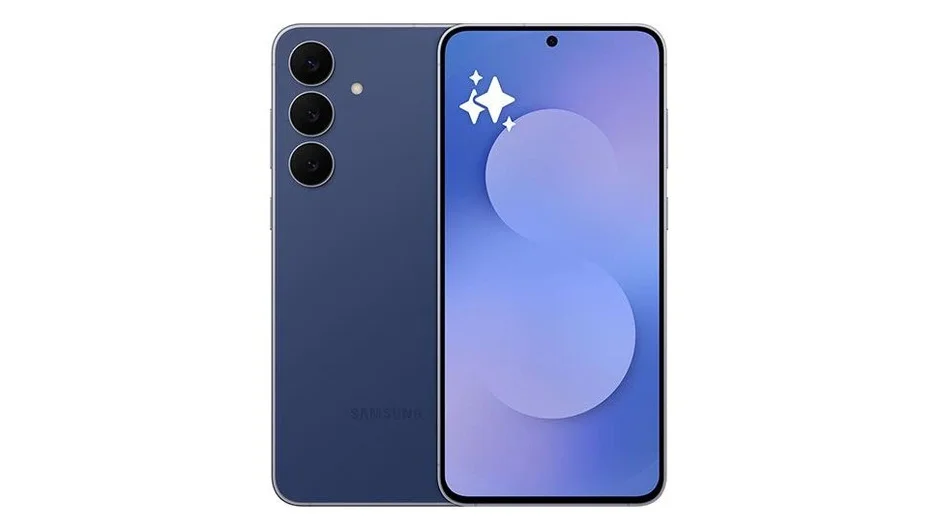
Samsung Galaxy S26
This is the most well-rounded choice for most users. It combines a refined interface with strong performance consistency and deep integration with Samsung’s health ecosystem. Emergency SOS, medical info access, and seamless pairing with wearables create a more complete safety system. It balances modern features with usability, making it powerful without becoming complicated.

Please Note: When you buy something using the links in our articles, we may earn a small commission at no cost to you.


Best for Health & Safety Ecosystem (iOS)

Apple iPhone 17
This remains the benchmark for tightly integrated safety and health features. Emergency SOS, crash detection, medical ID, and seamless health tracking create a cohesive system that works reliably in the background. The experience is highly predictable, making it particularly suitable for users who prioritize simplicity and long-term consistency.

Please Note: When you buy something using the links in our articles, we may earn a small commission at no cost to you.


Best Android for Built-in Safety + Simplicity

Google Pixel 10
Pixel devices offer the strongest built-in safety experience on Android. Features like emergency SOS, Safety Check, real-time location sharing, and crash detection work seamlessly without requiring manual setup. The clean interface ensures these tools are easy to access when needed. It’s the closest Android equivalent to the iPhone in terms of safety automation and ease of use.

Please Note: When you buy something using the links in our articles, we may earn a small commission at no cost to you.


Best for Battery + Reliability (Heavy Usage)

OnePlus 15
This is ideal for users who spend extended time on their phones. It delivers excellent battery life and maintains smooth performance under heavy usage. While it focuses less on advanced health features, its reliability ensures the phone remains functional and responsive at all times, an important aspect of practical safety.

Please Note: When you buy something using the links in our articles, we may earn a small commission at no cost to you.


Best Mid-Range Value (Practical Choice)

Samsung Galaxy A57
For buyers seeking affordability without sacrificing usability, this is a strong option. It offers a large, clear display, dependable battery life, and essential safety features like emergency SOS and location sharing. While it lacks premium refinements, it remains a reliable and approachable device for everyday use.

Please Note: When you buy something using the links in our articles, we may earn a small commission at no cost to you.


Common Mistakes to Avoid

Ignoring Simplicity in Favor of Features

Feature-heavy phones often create cluttered and confusing experiences. Simpler interfaces are easier to navigate and remain usable over time.

Overvaluing Specifications Over Experience

High-end specifications do not guarantee better performance in real-world use. Optimization and consistency matter far more than raw numbers.

Overlooking Health and Safety Features

Emergency and health-related capabilities are often underestimated. These features provide real, practical benefits and should be a key consideration.

Choosing Older Models to Save Money

Older devices may seem cost-effective but often lack modern safety features and long-term software support. Newer models provide better reliability and longevity.


Final Verdict

For most users, the Samsung Galaxy S26 is the best overall choice, offering a strong balance of simplicity, performance, and health ecosystem integration.

  • Choose Apple iPhone 17 if you want the most seamless health and safety system
  • Choose Google Pixel 10 for the best Android safety experience with clean usability
  • Choose OnePlus 15 for battery life and consistent performance
  • Choose Samsung Galaxy A57 for practical value

The key takeaway is clear: in 2026, a smartphone is not just a device, it’s a personal safety and reliability system. The best choice is one that feels effortless, dependable, and reassuring every single day.

Disclaimer:
Recommendations are based on general usage and available information. Features, pricing, and availability may vary by region and updates. Verify details before purchase.

Read More:

The post Best Phone for Your Parents/Grandparents in 2026 (Tech-Savvy Users) appeared first on Gizmochina.

Vivo Y6 5G debuts with 4nm chipset, 7200mAh battery, and a “breathing light”

24 April 2026 at 16:40

Vivo has quietly added a new model to its Y-series lineup, and this one seems built around a simple idea. Long battery life, decent performance, and a design that can take a bit of rough use.

The Y6 5G runs on the 4nm Snapdragon 4 Gen 2, which we have already seen in similar mid-range devices. It is not trying to be a performance powerhouse, but it should handle everyday things like scrolling, messaging, and streaming just fine. The phone itself is 8.39mm thick and weighs about 219 grams. You will probably feel the weight, but that is kind of expected with a battery this big.

On the front, there is a 6.57-inch LCD panel with a 120Hz refresh rate. Resolution is on the lower side at 1570 x 720, but the peak brightness goes up to 1,200 nits, so visibility outdoors should not be an issue. Going with an HD+ panel instead of FHD+ is likely a deliberate choice to ensure smoothness without putting too much strain on the Adreno 613 GPU of the lower mid-range chip.

Cameras are fairly straightforward. A 50MP main sensor handles most of the work, while an 8MP front camera takes care of selfies and video calls. A “breathing light” is added to the camera island, serving as both a notification indicator and a subtle design element.

The real highlight, though, is the 7,200mAh battery. It should easily last through a full day, maybe more, depending on usage. It supports 44W charging, so it is not too slow to top up either. There is a side-mounted fingerprint scanner, an IR blaster, and even IP68 and IP69 ratings for ingress protection.

The phone runs OriginOS 6 based on Android 16. Vivo has not said much about long-term updates yet, so that part is still a bit unclear.

Pricing and availability:

The Vivo Y6 5G has been launched in China and is already listed for sale on the official Vivo China website, but it is currently unclear if or when it will be released outside of China.

12GB+256GB: CNY 2199 (equivalent to € 275)
8GB+256GB: CNY 1999 (equivalent to € 250)
8GB+128GB: CNY 1799 (equivalent to € 225)

Don’t miss a thing! Join our Telegram community for instant updates and grab our free daily newsletter for the best tech stories!

For more daily updates, please visit our News Section.

(Vivo)

The post Vivo Y6 5G debuts with 4nm chipset, 7200mAh battery, and a “breathing light” appeared first on Gizmochina.

Redmi reportedly testing three phones with 10,000mAh batteries

24 April 2026 at 16:21

A new leak suggests Redmi is working on multiple smartphones with 10,000mAh batteries. The information comes from tipster Digital Chat Station, who claims Redmi currently has three different phones in testing with batteries of this size.

While that number might sound extreme, it’s no longer unprecedented. Devices like the Honor Power 2 and Realme P4 Power already have cells this big.

Redmi 10000mAh phones leak

What is changing is how comfortable brands seem to be with the idea. More companies are starting to treat ultra-large batteries as a viable selling point for new phones. Vivo has already teased its first entry, the Vivo Y600 Pro, and its sub-brand iQOO is reportedly working on one as well.

For Redmi, one of the rumored devices is said to belong to the Redmi Note 17 series, likely the Redmi Note 17 Pro Max.

The global model might feature a smaller cell

However, a recent report claims the global version of the Redmi Note 17 Pro Max may feature a slightly smaller 9,210mAh battery, possibly to comply with EU safety regulations. The handset is still expected to support 100W fast charging. This would be necessary to make a battery of this size practical for daily use.

The same model is also said to feature a 200-megapixel Samsung HP5 primary camera and an 8-megapixel OmniVision OV8F10 ultra-wide sensor. For selfies, it is expected to include a 32-megapixel Samsung S5KKDS front-facing camera.

Honor Power 2 launch date-
Honor Power 2 Battery Size

Other hardware details include a metal frame, an optical in-display fingerprint sensor, and a 1.5K LTPS display with a high refresh rate.

The devices are still in testing, so nothing is confirmed yet. But taken together with what we’re already seeing from brands like Honor and Realme, it’s clear that 10,000mAh is no longer an outlier; it’s becoming part of the conversation.

For more daily updates, please visit our News Section.

Stay ahead in tech! Join our Telegram community and sign up for our daily newsletter of top stories! 💡

The post Redmi reportedly testing three phones with 10,000mAh batteries appeared first on Gizmochina.

Infinix GT 50 Pro Debuts with Dimensity 8400 Ultimate, Shoulder Triggers, 6500mAh Battery, and 144FPS Gaming Support

24 April 2026 at 16:05
Infinix GT 50 Pro

Infinix GT 50 Pro is now official, with Infinix pushing it as a gaming-first device and the next step after the GT 30 Pro. The phone is also being positioned as the base of a wider GT Ecosystem, which includes accessories built around mobile gaming.

Infinix GT 50 Pro

At its core is the MediaTek Dimensity 8400 Ultimate chip, built on a 4nm process and clocked up to 3.25GHz. It is paired with a Mali-G720 MC6 GPU, 12GB LPDDR5X RAM, and up to 512GB of UFS 4.1 storage. Infinix has also added its own N1 network chip to stabilise connections and reduce lag during online gameplay. The device runs Android 16 with XOS 16, with three years of OS updates and five years of security support.

Infinix GT 50 Pro

One of the more noticeable additions is the set of shoulder triggers. These pressure-sensitive buttons support light and heavy presses, along with sliding gestures. Each trigger can be mapped to four different controls, and sensitivity can be adjusted across 10 levels. Outside of games, they double up as shortcuts for actions like screenshots or screen recording.

The phone features a 6.78-inch AMOLED display with a 1.5K resolution of 1208 x 2644 pixels and a 144Hz refresh rate. It also supports 330Hz touch sampling and up to 2800Hz instant touch sampling. Brightness peaks at 4500 nits, and the panel is protected by Gorilla Glass 7i.

Infinix GT 50 Pro

Cooling is handled through a liquid system that uses a micro-pump and ceramic heat pump to circulate coolant at 6.5ml per minute. There is also an optional external cooler, the GT Magcharge Cooler 2.0, which adds 12W thermoelectric cooling and supports wireless bypass charging to reduce heat during use.

On the camera side, the phone includes a 50MP main sensor with OIS and EIS, an 8MP ultra-wide lens, and a 13MP front camera. All cameras support up to 4K 60fps video recording.

Other features include stereo speakers with Dolby Atmos, an in-display fingerprint sensor, IR blaster, IP64 rating, and a 6500mAh battery with 45W wired, 30W wireless, and 10W reverse charging.

Pricing & availability

The phone comes in Black Abyss, Red Blaze, and Silver Glacier. Pricing starts at Rp 6,999,000 ($406) for the 256GB model and goes up to Rp 7,999,000 ($464) for the 512GB version. It will go on sale in Indonesia from April 25.

For more daily updates, please visit our News Section.

Stay ahead in tech! Join our Telegram community and sign up for our daily newsletter of top stories! 💡

(Source)

The post Infinix GT 50 Pro Debuts with Dimensity 8400 Ultimate, Shoulder Triggers, 6500mAh Battery, and 144FPS Gaming Support appeared first on Gizmochina.

OnePlus Ace 6 Ultra confirmed to pack 8,600mAh battery, 120W fast charging

24 April 2026 at 15:19
OnePlus Ace 6 Ultra battery

OnePlus has started revealing key details about the upcoming OnePlus Ace 6 Ultra ahead of its official debut in China on April 28. The latest teasers focus heavily on battery endurance, charging speeds and gaming performance, hinting that the device is being positioned as a serious option for power users and mobile gamers.

Massive battery and fast charging focus

OnePlus Ace 6 Ultra battery

The OnePlus Ace 6 Ultra is confirmed to feature a huge 8,600mAh Glacier Battery (silicon-carbon) paired with 120W fast charging support. According to the brand, the phone is designed to deliver strong endurance even during demanding gaming sessions. OnePlus claims the device can deliver up to 7.44 hours of continuous gaming at 165Hz high frame rate settings on a single charge. The company also says that charging the phone for just 10 minutes can provide enough power for around two hours of gaming.

The teasers also reveal that the smartphone will introduce Oppo’s self-developed Glacier Battery energy chip for the first time. OnePlus China President Li Jie said the chip improves power efficiency and low battery management, allowing the phone to maintain better stability when the battery percentage drops.

OnePlus Ace 6 Ultra energy chip
OnePlus Ace 6 Ultra key specs

Compared to phones that do not use this chip, OnePlus claims it can deliver battery endurance equivalent to an additional 200mAh capacity under regular temperatures. In extreme cold conditions of around -20°C, the system is said to release power equivalent to an extra 700mAh capacity. The chip is also expected to help extend battery lifespan, with OnePlus claiming up to five years of long-term durability.

Apart from the battery-focused upgrades, the OnePlus Ace 6 Ultra is expected to target gamers with several flagship-level features. The device is confirmed to use the MediaTek Dimensity 9500 chipset and a 6.78-inch 165Hz OLED display developed jointly with BOE. OnePlus claims this is the best display ever used in the Ace series in terms of gaming and visual quality.

The shared promotional material also highlights features such as a 3D ultrasonic fingerprint scanner, dual 1115W symmetrical speakers and IP66, IP68, IP69 and IP69K water and dust resistance ratings. The phone is also said to feature Oppo Crystal Shield glass protection with improved scratch and drop resistance.

Previous reports have revealed that it will ship with up to 16GB of RAM and 1TB of storage and will be available in Metal Storm and Ace Awakening shades. For photography, it Is expected to feature a 16-megapixel front camera and a 50-megapixel (main) + 8-megapixel (ultra-wide) dual-camera setup.

For more daily updates, please visit our News Section.

Stay ahead in tech! Join our Telegram community and sign up for our daily newsletter of top stories! 💡

The post OnePlus Ace 6 Ultra confirmed to pack 8,600mAh battery, 120W fast charging appeared first on Gizmochina.

Honor launches 360W GaN adapter for just $75

24 April 2026 at 14:11
Honor WIN 360W GaN adapater

Honor used its recent gaming-focused launch event to introduce a new high-power charger alongside its laptops, including the Honor WIN H9. The accessory is called the Honor WIN 360W GaN Adapter, and it’s priced at 499 yuan (~ $75) in China.

The adapter is designed primarily for Honor’s WIN H9 gaming laptop, but it can likely be used for other compatible gaming laptops too. The thing to note is that it uses a traditional DC barrel connector instead of USB-C. There are no official converters from Honor itself, but you should be able to find one easily on a marketplace.

Honor WIN 360W GaN adapater

Honor WIN 360W GaN Adapter Specifications

At 360W, this sits on the higher end of laptop charging solutions. What stands out more is how Honor is trying to make that power more manageable in terms of size and weight. 

The adapter measures 85 x 85 x 33mm, which is relatively compact for something delivering this level of output. And it weighs around 420 grams.

Honor says the charger uses a mix of GaN (gallium nitride) and SiC (silicon carbide) materials. These have become more common in recent years, especially in higher-end chargers, because they allow for better efficiency and heat management without increasing size. 

The company also mentions “automotive-grade technology,” although it hasn’t gone into detail about what that specifically involves. It likely refers to durability or thermal handling, which are important for devices that run under heavy loads for extended periods.

Another detail is that Honor is selling the adapter separately, rather than limiting it to bundled laptop purchases. This makes it useful for people who want a replacement charger or need an additional one for travel, assuming it is compatible with their device.

Don’t miss a thing! Join our Telegram community for instant updates and grab our free daily newsletter for the best tech stories!

For more daily updates, please visit our News Section.

The post Honor launches 360W GaN adapter for just $75 appeared first on Gizmochina.

Top 5 alternatives to Vivo V70: Similar pricing, more value

24 April 2026 at 11:51
Vivo V70 smartphone
Vivo V70 smartphone

The Vivo V70 is one of the most popular premium mid-range smartphones right now, offering an excellent triple camera setup, a bright screen, and reliable performance. It also features a massive 6,500mAh battery with 90W fast charging support. Overall, it’s a solid phone in the INR 50-60K price segment. However, the Vivo V70 is far from being the only showstopper in this price segment. There are compelling options that can go head-to-head with this Vivo phone.

5 Excellent alternatives to Vivo V70

1. Oppo Reno 14 Pro

Price: INR 54,999 (check the latest price)

The Oppo Reno 14 Pro features a more robust camera than the Vivo V70. Its triple rear camera setup includes a 50MP primary sensor, a 50MP periscope lens with a higher 3.5x optical zoom, and a 50MP ultrawide sensor. The Oppo phone primarily benefits from a much higher resolution ultrawide camera and better optical zoom.

The Reno 14 Pro also delivers faster performance as the Dimensity 8450 chipset outperforms the Vivo V70’s Snapdragon 7 Gen 4. The smartphone also features a larger screen and supports 50W wireless charging.

Oppo Reno 14 Pro specs:

  • Display: 6.83-inch AMOLED, 1272 x 2800 pixels, 120Hz refresh rate, HDR10+
  • Processor: MediaTek Dimensity 8450 (4 nm)
  • Software: Android 15, up to four major Android upgrades
  • Rear camera: 50MP (wide) + 50MP (periscope telephoto, 3.5x optical zoom) + 50MP (120˚ ultrawide)
  • Selfie camera: 50MP
  • Battery: 6200mAh
  • Charging: 80W (wired), 50W (wireless)
  • Connectivity: Wi-Fi 6e, Bluetooth 5.4, NFC, USB Type-C 2.0

2. Vivo X200T

Price: INR 59,999 (check the latest price)

The Vivo X200T has an upper hand in almost every aspect compared to the Vivo V70. However, it’s priced a little higher at INR 59,999, but with ongoing offers, you can easily bring the price down to around INR 52,000, making it a no-brainer choice over the V70.

The smartphone features a much better rear camera setup, including a 50MP primary sensor, a 50MP periscope lens with 3x optical zoom, and a 50MP ultrawide unit with a wider field of view. It’s been developed in partnership with Zeiss to deliver more accurate colors, optical precision, and specialized portrait effects.

Furthermore, the Vivo X200T delivers significantly higher performance and power efficiency, thanks to the powerful Dimensity 9400 Plus SoC. The device also excels in screen size and Wi-Fi capabilities, and it supports wireless charging. Plus, the X200T also promises an additional major OS upgrade.

Vivo X200T specs:

  • Display: 6.67-inch AMOLED, 1260 x 2800 pixels, 120Hz refresh rate, HDR10+, 5000nits (peak brightness)
  • Processor: MediaTek Dimensity 9400+ (3 nm)
  • Software: Android 16, up to five major Android upgrades
  • Rear camera: 50MP (wide) + 50MP (periscope telephoto, 3x optical zoom) + 50MP (119˚ ultrawide)
  • Selfie camera: 32MP
  • Battery: 6200mAh
  • Charging: 90W (wired), 40W (wireless)
  • Connectivity: Wi-Fi 7, Bluetooth 5.4, NFC, USB Type-C 2.0

3. OnePlus 15R

Price: INR 50,499 (check the latest price)

If performance and battery backup are your primary concerns, the OnePlus 15R delivers big. It’s equipped with a flagship-grade Snapdragon 8 Gen 5 chipset that outperforms the Snapdragon 7 Gen 4 in the Vivo V70 by a significant margin. Plus, its Oryon cores are also more power efficient.

The bigger screen on the OnePlus 15R makes it more appealing for media consumption, and to ensure it lasts longer, there’s a massive 7,400mAh battery beneath, which can easily last the entire day, even on heavy usage. The camera remains a weak link, as the device lacks a telephoto shooter.

OnePlus 15R specs:

  • Display: 6.83-inch AMOLED, 1272 x 2800 pixels, 165Hz refresh rate, HDR10+, Dolby Vision, 3600nits (peak brightness)
  • Processor: Qualcomm Snapdragon 8 Gen 5 (3 nm)
  • Software: Android 16, up to four major Android upgrades
  • Rear camera: 50MP (wide) + 8MP (112˚ ultrawide)
  • Selfie camera: 32MP
  • Battery: 7400mAh
  • Charging: 80W (wired)
  • Connectivity: Wi-Fi 7, Bluetooth 6.0, NFC, USB Type-C 2.0

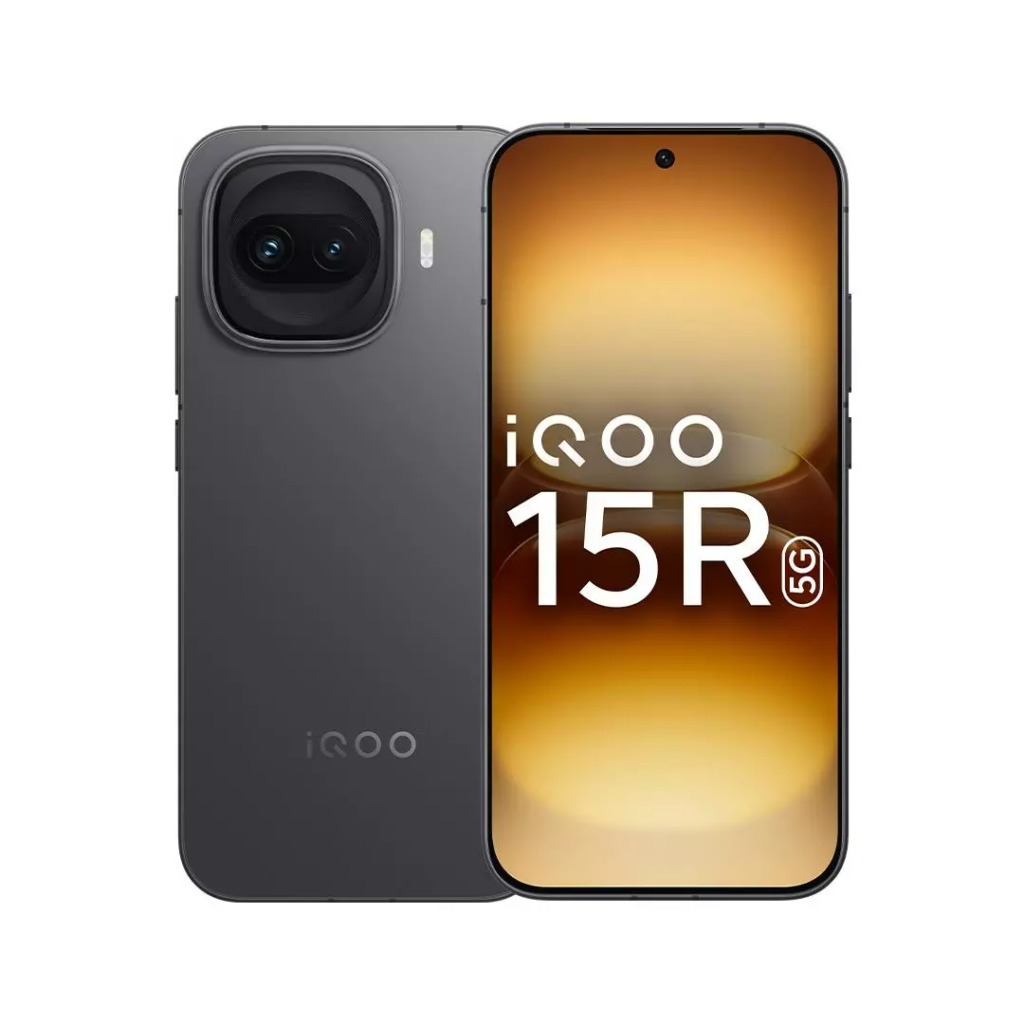
4. iQOO 15R

Price: INR 46,999 (check the latest price)

iQOO smartphones are designed to unlock maximum performance, and the iQOO 15R is no different. It’s likely to perform better than the OnePlus 15R, even though both phones share the same Snapdragon 8 Gen 5 chipset. Obviously, both phones deliver superior performance to the Vivo V70.

The iQOO 15R packs a 7,600 mAh battery and supports 100W wired charging, both of which are better than the V70. The inclusion of Wi-Fi and Bluetooth v6.0 makes it more future-proof for connectivity, but, like the OnePlus 15R, the camera may be underwhelming. It also lacks a telephoto shooter, and the selfie camera has a lower resolution, too.

iQOO 15R specs:

  • Display: 6.59-inch AMOLED, 1260 x 2750 pixels, 144Hz refresh rate, HDR10+, 5000nits (peak brightness)
  • Processor: Qualcomm Snapdragon 8 Gen 5 (3 nm)
  • Software: Android 16, up to four major Android upgrades
  • Rear camera: 50MP (wide) + 8MP (ultrawide)
  • Selfie camera: 32MP
  • Battery: 7600mAh
  • Charging: 100W (wired)
  • Connectivity: Wi-Fi 7, Bluetooth 6.0, NFC, USB Type-C 2.0

5. Samsung Galaxy S25 FE

Price: INR 48,999 (check the latest price)

While the Galaxy S25 FE’s spec sheet doesn’t outperform the Vivo V70’s, the smartphone maintains an edge in several areas that matter. Also, it’s the only solid non-Chinese device in this price segment.

Unlike the Vivo V70, the Galaxy S25 FE has an LTPO panel that can save some power, and the screen is also bigger. Software is a key advantage of the Galaxy device, as it promises three additional major OS upgrades, while also offering a cleaner OS experience. Performance-wise, the Samsung phone has an edge as the Exynos 2400 is snappier than the 7 Gen 4 on the Vivo V70.

The S25 FE features three rear cameras: a 50MP primary sensor, an 8MP telephoto shooter with 3x optical zoom, and a 12MP ultrawide shooter. The selfie camera is 12MP. The battery capacity is smaller, but it’s offset by adding support for wireless charging.

Samsung Galaxy S25 FE specs:

  • Display: 6.7-inch Dynamic LTPO AMOLED 2X, 1080 x 2340 pixels, 120Hz refresh rate, HDR10+, 1900nits (peak brightness)
  • Processor: Samsung Exynos 2400 (4 nm)
  • Software: Android 16, up to seven major Android upgrades
  • Rear camera: 50MP (wide) + 8MP (telephoto, 3x optical zoom) + 12MP (123˚ ultrawide)
  • Selfie camera: 12MP
  • Battery: 4900mAh
  • Charging: 45W (wired), 15W (wireless)
  • Connectivity: Wi-Fi 6e, Bluetooth 5.4, NFC, USB Type-C 3.2

The post Top 5 alternatives to Vivo V70: Similar pricing, more value appeared first on Gizmochina.

Moto G87 schematics confirm design ahead of official launch

24 April 2026 at 11:24

Motorola looks set to expand its Moto G lineup once again. Just three months after the Moto G67 and G77 launched, early signs of a new model, the Moto G87, have started to show up online.

Schematics of the phone have appeared on official support pages, offering a look at the design and a few early details. A European retailer has also listed the device, revealing some more information and giving us a rough idea of what to expect.

The phone supports expandable storage via a hybrid SIM slot, with microSD support going up to 2TB. That is a big plus for users who work with large media files.

More concrete information comes from an Italian retailer, Epto, which has listed the Moto G87 in two variants, both with 8GB RAM and 256GB storage. The listed price is €406.89. That places it slightly above the Moto G77 and G67, suggesting it will sit somewhere in between or just above them in the lineup.

Color options also seem to be a focus this time. The retailer listing mentions Pantone Overture Gray and Pantone Blue Atoll. A firmware leak hints at more finishes, including Arctic Seal, Black Olive, Nile, and Shaded Spruce, so there could be a wider range at launch.

Under the hood, the Moto G87 carries the codename “Naples” and is tied to the MT6835 platform. That points to a MediaTek Dimensity 6000 series chip, though the exact version is still unclear. Based on previous models, performance should land in familiar mid-range territory.

There is still no word on display, cameras, or battery, but the early details suggest a focus on practicality. With official pages already live and retail listings in place, a full launch does not seem too far off.

Don’t miss a thing! Join our Telegram community for instant updates and grab our free daily newsletter for the best tech stories!

For more daily updates, please visit our News Section.

(Sources: 1, 2, 3)

The post Moto G87 schematics confirm design ahead of official launch appeared first on Gizmochina.

Xiaomi 17 Fold with Xring O3 said to be in works

24 April 2026 at 10:01
Xiaomi-Mix-Fold-4

Xiaomi did not launch a horizontally foldable smartphone in 2025, but speculation suggests the company could introduce one this year. At present, there is no clarity on whether the device will be called the Xiaomi 17 Fold, Xiaomi Mix Fold 5, or Xiaomi Mix Fold 6. According to a report by Ximitime, a key detail about the upcoming foldable phone has surfaced through Mi Code.

Xiaomi 17 Fold’s chipset details surface online

Xiaomi-Mix-Fold-4
Xiaomi MIx Fold 4

According to the report, an upcoming Xiaomi device internally designated as Q18 and carrying the codename “Lhasa” has appeared in Mi Code’s database. The report further claims that the device with model number 2608BPX34C, which previously surfaced in the IMEI database, could be linked to the Lhasa / Q18 device.

What makes this listing interesting is that the device has reportedly been spotted alongside references to the Xring O3 chipset, which is believed to be Xiaomi’s upcoming in-house processor. The Xring O3 chip is expected to succeed the first-generation Xring O1 chipset, which powered the Xiaomi 15S Pro in 2025.

Reports from May had suggested that the launch of the Xiaomi 17 Fold had been delayed. Based on current speculation, the device could now break cover sometime in early July.

Xiaomi 17 Max specifications (rumored)

At the same time, Xiaomi is also said to be working on the Xiaomi 17 Max, which may launch in China in May. According to reports, the device could feature a 6.9-inch flat OLED display with a 1.5K resolution and may be powered by the Snapdragon 8 Elite Gen 5 chipset.

The Xiaomi 17 Max is expected to arrive with up to 16GB of LPDDR5X RAM and up to 1TB of UFS 4.1 storage. It is also tipped to pack a battery with around 8,000mAh capacity along with support for 100W wired and 50W wireless charging.

For photography, it will have a 50-megapixel front camera, and a 200-megapixel Samsung HPE main camera, a 50-megapixel ultra-wide lens, and a 50-megapixel periscope telephoto camera on the backAdditional expected features include an X-axis linear motor and a dual symmetric 1115 speaker setup.

For more daily updates, please visit our News Section.

Stay ahead in tech! Join our Telegram community and sign up for our daily newsletter of top stories! 💡

The post Xiaomi 17 Fold with Xring O3 said to be in works appeared first on Gizmochina.

Xiaomi introduces MiMo-V2.5-TTS and ASR as a full voice pipeline for the agent era

24 April 2026 at 09:27
Xiaomi MiMo V2.5 TTR and ASR models

Back in March, Xiaomi introduced its MiMo-V2-TTS speech synthesis model, which focuses on detailed control over tone, emotion, and speaking style. The company said at the time that it could handle everything from natural conversations to singing, with support for multiple Chinese dialects. 

Now, Xiaomi is updating that work with a system that covers both how machines speak and how they listen. The company has announced the MiMo-V2.5-TTS series alongside MiMo-V2.5-ASR, together as a “full-link” voice model setup for what it calls the agent era. 

Xiaomi MiMo V2.5 TTR and ASR models

The output models

On the synthesis side, the MiMo-V2.5-TTS series includes three different models, all available through Xiaomi’s MiMo Open Platform for a limited time at no cost. Each model shares a common framework for style instructions, audio tag controls, and text understanding, but they target slightly different use cases.

The base MiMo-V2.5-TTS model comes with a set of prebuilt voices and allows detailed adjustments to speech rate, tone, and emotion.

Meanwhile, the MiMo-V2.5-TTS-VoiceDesign lets users generate entirely new voice timbres using just a short input sentence.

The third option, MiMo-V2.5-TTS-VoiceClone, is about reproducing a specific voice with a small number of samples, while maintaining consistency across different styles and instructions.

A big part of Xiaomi’s pitch here is how the model interprets instructions. Instead of relying on structured parameters, users can describe how a voice should sound in plain language, almost like directing a voice actor. For more complex use cases, like game characters or audio dramas, the system also supports layered script-style inputs where character traits, scenes, and dialogue can be adjusted independently without breaking consistency.

The models also introduce inline audio tags, which allow users to control emotion or delivery at specific points within a sentence. These tags can be mixed within the same text and are claimed to work across both Chinese and English.

The input model

On the input side, Xiaomi is releasing MiMo-V2.5-ASR as an open-source model. According to Xiaomi, the speech recognition system here is designed to handle less predictable, real-world scenarios, including bilingual conversations, regional dialects, and noisy environments.

The ASR model supports several Chinese dialects such as Wu, Cantonese, Minnan, and Sichuanese, while also performing well in complex English scenarios. It can switch between Chinese and English without requiring preset language tags, and it’s capable of recognizing song lyrics even when music and vocals are mixed together.

The model also targets situations with multiple speakers, such as meetings, and can transcribe overlapping conversations with a level of separation. Xiaomi says it can maintain accuracy even in high-noise environments or when dealing with far-field audio pickups.

Another detail here is how the system handles punctuation and structure. Instead of outputting raw text that needs cleanup, MiMo-V2.5-ASR includes native punctuation based on both phonetics and context. As a result, the transcripts are usable without the need for much post-processing.

In terms of performance, Xiaomi claims the model reaches state-of-the-art or near state-of-the-art results across several benchmarks, including bilingual recognition, dialect handling, and code-switching scenarios. 

The TTS models are accessible through Xiaomi’s platform and can also be tested in MiMo Studio, while the ASR model is available with open-source weights and code for direct use or further customization.

For more daily updates, please visit our News Section.

Stay ahead in tech! Join our Telegram community and sign up for our daily newsletter of top stories! 💡

(Source 1 | 2 | 3)

The post Xiaomi introduces MiMo-V2.5-TTS and ASR as a full voice pipeline for the agent era appeared first on Gizmochina.

Honor launches Notebook X14 Plus and X16 Plus 2026 edition with Intel Core Ultra 5, metal build

24 April 2026 at 09:04
Honor Notebook X16 Plus 2026 Specs Launch Price

Honor has introduced refreshed mid-range laptops for 2026: the Honor Notebook X14 Plus and X16 Plus. At the center of both machines is Intel Core Ultra 5 325, which Honor says can deliver up to 52W of performance. This is paired with 16GB of LPDDR5X RAM clocked at 7467 MT/s and a 1TB SSD, plus an extra slot for storage expansion. 

Honor Notebook X14 Plus 2026 Specs Launch Price
Honor Notebook X16 Plus 2026 Specs Launch Price

Moreover, both the X14 Plus and X16 Plus pack an 80Wh battery, with a claimed runtime of up to 14 hours. Charging is handled via a 65W adapter, and there’s also support for 60W reverse wired charging.

Size is the primary difference

The differences between the two models mostly come down to size and display options. The X14 Plus is the more compact option, weighing around 1.27kg and measuring 14.9mm thick. It comes with a 14-inch display that can go up to a 2880×1800 resolution with a 120Hz refresh rate, while a more basic FHD panel is also available.

The X16 Plus, on the other hand, stretches things out with a 16-inch panel and a slightly heavier 1.64kg body. Its higher-end configuration offers a 2560×1600 resolution at 120Hz. Both laptops use so-called “eye-protection” LCD panels, which typically means reduced blue light and flicker controls.

Honor Notebook X14 Plus and X16 Plus display

Despite the size difference, the overall design language is quite similar. Both models use a metal chassis and keep things relatively thin, at 14.9mm for the X14 Plus and 15.9mm for the X16 Plus. The keyboards are full-size and backlit, with slightly deeper key travel on the larger model (1.6mm vs 1.5mm).

The I/O option includes two USB-C 3.2 Gen2 ports, two USB-A ports, an HDMI 2.1 port, and a 3.5mm headphone jack. Wireless connectivity includes Wi-Fi 6E, Bluetooth 5.1, and even NFC support.

The Honor Notebook X14 Plus and X16 2026 also have dual speakers, dual microphones, a fingerprint sensor integrated into the power button, and a 720p webcam. 

Price and Availability

In terms of price, it starts at 5,999 yuan (~  $878) for the X14 Plus with a Full HD display, with availability beginning April 30. A higher-resolution version will follow in May at 6,499 yuan (~ $952). 

The X16 Plus starts slightly higher at 6,199 yuan (~ $910), with its higher-end variant priced at 6,699 yuan (~ $980) and launching earlier on April 30.

For more daily updates, please visit our News Section.

Stay ahead in tech! Join our Telegram community and sign up for our daily newsletter

The post Honor launches Notebook X14 Plus and X16 Plus 2026 edition with Intel Core Ultra 5, metal build appeared first on Gizmochina.

iQOO’s Dimensity 9500-powered phone with 200MP camera, 8,000mAh battery incoming

24 April 2026 at 07:35
iQOO Neo 10 Pro+

iQOO is reportedly working on a new flagship phone powered by the Dimensity 9500 chip for the Chinese market. While there is no clarity on the phone’s final moniker, it is said that it could be an iQOO 15 series device. Today, reliable tipster Digital Chat Station shared a new Weibo post revealing details about the alleged device.

Key details leaked

According to the leak, the device could be the final sub-brand model in its lineup to adopt the new flagship processor. While it appears to be a Neo 11 series phone, people in the comments section are claiming it could launch as the iQOO 15T. But a recent report claimed that the iQOO 15T will have a built-in cooling fan, but DCS has denied the inclusion of this feature on the iQOO phone that he leaked today. Therefore, readers are advised to wait for further reports for more details about the device.

According to the leak, the device could be the final sub-brand model in its lineup to adopt the new flagship processor. While it appears to be a Neo 11 series phone, some users in the comments section speculate that it could launch as the iQOO 15T. However, a recent report claimed that the iQOO 15T would feature a built-in cooling fan, a detail that Digital Chat Station has reportedly denied for the device mentioned in today’s leak. Therefore, readers are advised to wait for further reports for more clarity about the handset.

On the front, the device is expected to feature a 6.83-inch flat OLED panel with a 2K resolution and an ultrasonic in-screen fingerprint sensor. It is also tipped to pack a massive single-cell battery with a rated capacity of 7,845mAh, which could be marketed as an 8,000mAh battery.

For durability, the device is expected to feature a metal middle frame and carry IP68 and IP69 ratings for dust and water resistance. The tipster also claims the phone may include a 200-megapixel primary camera, although the camera specifications are reportedly not finalized yet. The handset is currently expected to debut in May.

Since it features the Dimensity 9500 chipset, it is expected to rival devices such as the Redmi K90 Max and the OnePlus Ace 6 Ultra, which are also rumored to use the same chip.

For more daily updates, please visit our News Section.

Stay ahead in tech! Join our Telegram community and sign up for our daily newsletter

The post iQOO’s Dimensity 9500-powered phone with 200MP camera, 8,000mAh battery incoming appeared first on Gizmochina.

Oppo’s new gimbal camera project could launch with Find X10 series

24 April 2026 at 06:32
Oppo gimbal camera (AI-generated image)

Oppo is reportedly preparing to enter the handheld smart imaging device category with a new gimbal camera project. According to a report by China’s Blue Whale Media, the company has internally started work on a dedicated product that could take on popular pocket-sized cameras from brands already active in this segment.

Oppo’s Fuyao gimbal project enters development

Oppo gimbal camera (AI-generated image)

Citing people familiar with the matter, the publication reported that Oppo has internally approved a handheld gimbal camera project carrying the codename “Fuyao”. The product is expected to launch in the fourth quarter of this year.

Reports suggest that the Find X10 series will debut in October, and there’s a possibility that its first gimbal could be unveiled at the same event. The company is said to be investing significant resources into the category, with its imaging expertise believed to be one of the key reasons behind the move.

The report also claims that other smartphone brands are preparing similar products. vivo is said to have started development of its own handheld gimbal camera project late last year, and the first model has reportedly already completed the prototype moulding stage. Meanwhile, Honor has already entered the category through its ecosystem platform. At the same time, Vivo is also said to be working on a vlogging camera, which may debut with Vivo X500 series in September.

Industry analysts believe smartphone makers entering this market could change the competitive landscape dominated by brands such as DJI and Insta360. Their advantage lies in imaging algorithms, AI-driven processing, supply chain control and strong offline retail presence. These strengths may help them bring advanced camera experiences into compact handheld products at competitive pricing.

Market data from IDC reportedly shows that global shipments of handheld smart cameras, including gimbal, action and panoramic cameras, reached 16.65 million units in 2025. The segment also recorded strong annual growth, with gimbal cameras emerging as the fastest-growing category. DJI reportedly held around 62 per cent market share, while Insta360 accounted for nearly 12 per cent.

For more daily updates, please visit our News Section.

Stay ahead in tech! Join our Telegram community and sign up for our daily newsletter of top stories! 💡

(source)

The post Oppo’s new gimbal camera project could launch with Find X10 series appeared first on Gizmochina.

Poco C81, C81x budget phones debut with 120Hz displays, Android 16, long battery life

24 April 2026 at 06:05
Poco C81

Poco has launched the Poco C81 and Poco C81x in India as its latest budget-focused 4G smartphones. The new models bring upgrades in areas such as display refresh rate, battery capacity, and software experience while targeting users looking for affordable everyday smartphones with long-term software support.

Poco C81, C81x specifications and features

Poco C81
Poco C81

The Poco C81 features a 6.9-inch HD+ display, while the Poco C81x comes with a slightly smaller 6.88-inch HD+ screen. Both panels support a 120Hz refresh rate for smoother scrolling and animations. The displays also include TÜV Rheinland certifications for reduced blue light and flicker protection. Poco has also added Wet Touch Technology 2.0, which is designed to improve touch response even when fingers are damp or oily.

Powering both devices is the Unisoc T7250 octa-core processor paired with LPDDR4X RAM and UFS 2.2 storage. The Poco C81 is available with 4GB RAM and 64GB storage, while the C81X comes with 3GB RAM and 64GB storage. Storage can also be expanded up to 2TB via microSD card. The Poco C81 runs Android 16 with Xiaomi HyperOS 3, whereas the C81X ships with Android 15-based HyperOS 2.

Poco C81x
Poco C81x

For photography, both smartphones include a 13-megapixel rear camera system and an 8-megapixel front camera. The camera app supports features such as HDR, Night Mode, AI Sky, portrait effects, and document scanning. Both phones can also record 1080p videos at 30fps.

The Poco C81X packs a 5,200mAh battery, while the Poco C81 houses a larger 6,300mAh unit. Both support 15W fast charging and reverse charging support. Additional features include dual-band Wi-Fi, Bluetooth 5.2, IP52-rated splash resistance, a side-mounted fingerprint scanner, and a 3.5mm headphone jack.

Poco C81, C81x price in India, availability

The Poco C81x is priced at Rs 9,999 for the 3GB+64GB model, while the Poco C81 costs Rs 10,999 for the 4GB+64GB variant. While the C81x come in shades like Crystal Black and Ice Blue, the C81 can be bought in colors like Sunset Gold, Elite Black, and Sky Blue. Both smartphones will go on sale in India via Flipkart starting April 27.

For more daily updates, please visit our News Section.

Stay ahead in tech! Join our Telegram community and sign up for our daily newsletter of top stories! 💡

The post Poco C81, C81x budget phones debut with 120Hz displays, Android 16, long battery life appeared first on Gizmochina.

OnePlus Nord CE 6 full specifications almost fully confirmed well before the launch

24 April 2026 at 05:35
OnePlus Nord CE 6

OnePlus is scheduled to announce the OnePlus Nord CE 6 and OnePlus Nord CE 6 Lite smartphones on May 7 in India. A couple of days ago, the brand confirmed several key details about the Nord CE 6. Now, it has released a new press statement confirming additional details about the phone. Here’s a look at everything known about the device so far.

OnePlus Nord CE 6 specifications

OnePlus Nord CE 6
OnePlus Nord CE 6

As revealed officially, the OnePlus Nord CE 6 will arrive in three shades: Fresh Blue, Lunar Pearl, and Pitch Black. On the back, it features a 50-megapixel main camera with dual-axis OIS support. On the front, it has a 32-megapixel selfie camera, and both cameras are capable of recording 4K videos.

The Nord CE 6 will come preloaded with OxygenOS 16 based on Android 16 and will offer several AI-driven editing features, including AI Portrait Glow, AI Perfect Shot, AI Eraser, AI Unblur, AI Reflection Eraser, AI Detail Boost, and AI Reframe. It will also include built-in video and music editing tools. For audiophiles, the device will feature dual speakers.

On the front, the phone sports a 6.78-inch AMOLED panel that delivers a 1.5K resolution, a 144Hz refresh rate, and 3840Hz PWM dimming. Under the hood, it will feature the Snapdragon 7s Gen 4 chipset along with a Touch Reflex chip that enables a 3200Hz touch sampling rate. The device will also include a vapour chamber cooling system with an area of over 33,000mm².

The Nord CE 6 will house a massive 8,000mAh battery with support for 80W fast charging and 27W reverse charging. In terms of durability, the handset will feature IP66, IP68, IP69, and IP69K ratings, along with MIL-STD-810H military-grade certification.

As for the Nord CE 6 Lite, the brand has already confirmed that it will feature a 6.72-inch 144Hz LCD panel, a Dimensity 7400 Apex chipset, and a 7,000mAh battery. The device will be available in Hyper Black and Vivid Mint shades.

For more daily updates, please visit our News Section.

Stay ahead in tech! Join our Telegram community and sign up for our daily newsletter of top stories! 💡

The post OnePlus Nord CE 6 full specifications almost fully confirmed well before the launch appeared first on Gizmochina.

Casio launches new G-LIDE GBX-H5600 watches with heart rate monitoring & fitness tracking

24 April 2026 at 03:53
Casio G-LIDE GBX-H5600

Casio has launched the G-LIDE GBX-H5600 series in Japan, introducing advanced features and a lighter design to its G-Shock lineup. The series includes two models, the GBX-H5600-1 and the GBX-H5600-2. These watches cater to fitness enthusiasts and active users with features designed for workouts and outdoor activities.

Casio G-LIDE GBX-H5600

Casio G-LIDE GBX-H5600 Specifications

Casio added a heart rate monitor and accelerometer to the G-LIDE series for the first time. These sensors support users in tracking heart rate, steps, and distance, while also providing detailed workout analysis. The watches also measure post-sleep recovery, blood oxygen levels, and breathing exercises. This data can be analyzed through the Casio Watches app, which pairs the device with a smartphone using Bluetooth.

The GBX-H5600 watches offer robust activity tracking capabilities. They monitor multi-sport activities such as running and walking. The watches can store up to 100 workout logs, showing pace, calories burned, maximum heart rate, and more. The training analysis tools include cardio load assessment and other advanced metrics.

Casio G-LIDE GBX-H5600

Casio designed the watches with outdoor and water activities in mind. The G-LIDE GBX-H5600 series includes a tide graph display with data from over 3,300 global surf locations. Sunrise and sunset times, moon phase data, and 200-meter water resistance make these watches suited for coastal sports like surfing.

Casio reduced the weight of the GBX-H5600 models by using bio-based resin and carbon-reinforced materials. These materials make the watches 12 grams lighter than their predecessor, the DW-H5600. The lightweight construction does not compromise durability, maintaining the shock resistance G-Shock is known for.

Casio G-LIDE GBX-H5600

The watches feature a high-resolution MIP LCD for clear, high-contrast visibility even in direct sunlight. Solar-assisted charging supports timekeeping, while USB charging powers features like the heart rate tracker. The battery lasts up to 35 hours with activity tracking, one month in watch mode, and 11 months in power-saving mode.

The GBX-H5600-1 features a black band and translucent bezel, while the GBX-H5600-2 comes in a blue variation. The watches are now listed in Japan, with a global release expected soon. These are priced at ¥44,000 ($275) and will go on sale in May.

In related news, Casio has recently introduced the new G-Shock GW-BX5600, featuring an MIP display and up to 22 months of battery life.

For more daily updates, please visit our News Section.

Stay ahead in tech! Join our Telegram community and sign up for our daily newsletter of top stories! 💡

(Casio 1,2)

The post Casio launches new G-LIDE GBX-H5600 watches with heart rate monitoring & fitness tracking appeared first on Gizmochina.

Honor launches Win H7 gaming laptop with i7-14650HX and RTX 5060/5070

24 April 2026 at 02:52
Honor Win H7 gaming laptop

Honor has unveiled its latest gaming laptop, the 2026 Win H7, at the WIN gaming laptop launch event. The announcement was accompanied by the launch of the Win H9 laptop.

Honor Win H7 gaming laptop

Honor Win H7 Specifications

The Honor Win H7 features Intel‘s Core i7-14650HX processor with 16 cores, 24 threads, and a turbo frequency of 5.2GHz, delivering robust performance for gaming and tasks like video editing. It is equipped with Nvidia GeForce RTX 5060 or RTX 5070 GPUs, offering support for ray tracing, DLSS 4, and AI-enhanced acceleration for modern AAA games.

The performance of the laptop is boosted by Gaming Turbo X technology, featuring power profiles like Rampage Mode, which delivers up to 205W of combined CPU and GPU power.

For cooling, the laptop comes with a triple-fan inward-blowing thermal system, which Honor calls the Dongfeng Cooling Engine. The cooling system reduces thermal throttling during extended use and operates quietly using intelligent noise controls.

The Honor Win H7 features a 16-inch IPS LCD display with a 2560 x 1600 resolution, 16:10 aspect ratio, 180Hz refresh rate, and 3ms response time for smooth gameplay. It offers 100% sRGB coverage, 500 nits peak brightness, and TÜV Rheinland-certified low blue light and flicker-free technology for comfortable viewing.

The laptop comes with 16GB of DDR5 RAM at 5600MT/s, expandable via additional slots, and 1TB of PCIe SSD storage with dual M.2 slots for upgrades.

Honor Win H7 gaming laptop

The Win H7 features a full-size backlit keyboard with 1.5mm key travel, anti-ghosting, and a dedicated key for switching performance modes. For connectivity, it includes USB-C with Power Delivery and DisplayPort, USB-A ports, HDMI 2.1, and an RJ45 Ethernet port, along with Wi-Fi 6 and Bluetooth 5.1 support.

For power, the laptop features an 80Wh battery with fast charging via a 260W adapter, reaching 70% in 30 minutes, and supports 100W USB-C PD charging.

Pricing and Availability

Honor has priced the i7-14650HX + RTX 5060 configuration at 9,199 yuan ($1,348), while the i7-14650HX + RTX 5070 configuration costs 10,499 yuan ($1,538).

For more daily updates, please visit our News Section.

Stay ahead in tech! Join our Telegram community and sign up for our daily newsletter of top stories! 💡

The post Honor launches Win H7 gaming laptop with i7-14650HX and RTX 5060/5070 appeared first on Gizmochina.

Honor launches Win H9 Gaming Laptop with 300Hz 3D anti-motion sickness display

24 April 2026 at 00:03
Honor Win Gaming Laptop H9

Honor has launched its latest gaming laptop, the Honor Win H9 Gaming Laptop 2026, in China. Sales begin on May 6 at 10:00 AM.

Honor Win Gaming Laptop H9

Honor Win H9 Gaming Laptop Specs

The Win H9 Gaming Laptop features a 16-inch 2560 x 1600 IPS LCD display with a 16:10 aspect ratio, 300Hz refresh rate, 500 nits peak brightness, and 100% DCI-P3 color gamut. It includes TÜV Rheinland-certified low-blue-light and flicker-free technologies for eye comfort, and a 3D anti-motion-sickness feature that reduces motion sickness symptoms by up to 58%.

Honor equips the laptop with up to an Intel Core Ultra 9 290HX Plus processor, featuring 24 cores, 24 threads, and a max clock speed of 5.5GHz. It also offers the Intel Core Ultra 7 251HX processor for slightly lower specs. For graphics, it supports up to an Nvidia GeForce RTX 5070 Ti GPU with 12GB of GDDR7 VRAM and 140W power, alongside options for the RTX 5070 and RTX 5060 for mid-range performance.

The Win H9 Gaming Laptop includes up to 32GB of DDR5 RAM with a clock speed of 6400MT/s and a 1TB PCIe SSD for storage. Honor also provides dual M.2 slots for future storage upgrades. The device features Honor’s new Dongfeng cooling engine, which supports up to 270W of combined thermal output using multiple fans and optimized air channels.

Honor Win Gaming Laptop H9

The laptop features a 92Wh battery with up to 9 hours of office use and fast charging that reaches 60% in 30 minutes. It includes an RGB backlit keyboard with 1.5mm key travel and anti-ghosting, a large touchpad, and a performance mode shortcut key.

For connectivity, the laptop offers Thunderbolt 4, USB-C 3.2 Gen2, multiple USB-A ports, HDMI 2.1, an Ethernet port, and a 3.5mm headphone jack. It supports Wi-Fi 6 and Bluetooth 5.1 for wireless connections and includes dual speakers with Nahimic audio, dual microphones, and a 1MP front-facing camera for video calls.

The Win H9 Gaming Laptop will ship with Windows 11 Home Edition. The chassis measures 26.8mm in thickness and weighs approximately 2.34-2.38kg.

Pricing and Availability

The Win H9 Gaming Laptop starts at 11,999 yuan ($1,800) with the Ultra 7 251HX processor and RTX 5060. The top model, featuring the Ultra 9 290HX Plus processor, RTX 5070 Ti, 32GB RAM, and a 1TB SSD, is priced at 18,499 yuan ($2,775), with a launch price of 17,999 yuan ($2,700).

In related news, Honor has recently unveiled the MagicBook Pro 14 and MagicBook Pro 16 (2026), powered by Intel Core Ultra processors and equipped with a 92Wh battery.

For more daily updates, please visit our News Section.

Stay ahead in tech! Join our Telegram community and sign up for our daily newsletter of top stories! 💡

(Honor)

The post Honor launches Win H9 Gaming Laptop with 300Hz 3D anti-motion sickness display appeared first on Gizmochina.

DJI Lito series debuts with up to 52-minute flight time, 4K/60fps HDR recording, and LiDAR obstacle detection

23 April 2026 at 23:44

DJI is expanding its more affordable drone lineup with a new Lito series, aimed at beginners and casual users who want something easy to fly without giving up too much in terms of features. The focus here is to keep things simple, keep them portable, and still offer enough capability to make aerial photography worthwhile.

DJI Lito X1

The lineup includes two models. The Lito 1 is positioned as the more accessible option, while the Lito X1 steps things up slightly with better hardware and more advanced safety features. Both are lightweight, coming in under 249 grams, and feature foldable designs that make them easy to carry around.

Both drones support DJI’s O4 transmission system, offering a stable 1080p video feed, and there is optional 4G support for better connectivity. Quick takeoff is another highlight, cutting down the wait time before you can actually start flying. They can also track and retrace flight paths in well-lit environments, which should help beginners feel a bit more confident.

Battery life is solid for the segment. The standard Intelligent Flight Battery is rated for up to 36 minutes, while an extended option can push that to around 52 minutes. The omnidirectional vision system actively avoids obstacles like cliffs, and walls, making the drones beginner-friendly. The Lito X1 also adds a forward-facing LiDAR sensor for improved depth sensing and more precise obstacle detection.

DJI Lito 1

The Lito 1 uses a 1/2-inch 48MP sensor that can capture 8K photos and 4K/60fps video. The Lito X1, however, is where things get more interesting. It steps up to a larger 1/1.3-inch sensor (with the same resolution) and adds support for 4K/60fps HDR video, 4K/100fps slow-motion recording, and 10-bit D-Log M.

There are also plenty of software features like subject tracking, quick-shot modes, time-lapse, and panoramas. Taken together, the Lito series feels like a push to make entry-level drones a bit more capable, without making them harder to use.

Pricing and availability:

Pricing in China starts at 1,999 yuan for the Lito 1, with bundles going higher depending on the controller. In Europe, the Lito 1 is priced at €339, with the Fly More Combo (DJI RC-N3) at €479. The Lito X1 starts at 2,488 yuan in China, while European pricing begins at €419, going up to €579 for the Fly More Combo with the DJI RC 2 controller.

Both the drones are already available for order through where-to-buy and authorized retailers.

(Sources: DJI | ITHome)

The post DJI Lito series debuts with up to 52-minute flight time, 4K/60fps HDR recording, and LiDAR obstacle detection appeared first on Gizmochina.

Honor 600 Pro outlasts Galaxy S26, iPhone 17 Pro in crazy battery test

23 April 2026 at 22:08

Honor is taking a slightly different approach to highlight battery performance this time. Instead of the usual lab tests or screen-on time claims, the company decided to stage something a bit more visual and, honestly, more entertaining.

The newly launched Honor 600 series comes with a strong focus on battery life, especially in its Asian variants, which pack a 7,000mAh silicon-carbon battery. European models get a slightly smaller 6,400mAh unit, but even that is still above what Apple and Samsung have ever used in their flagship phones.

To show what that larger battery can do, Honor’s team came up with an unusual demo. They removed the batteries from three phones, the Honor 600 Pro, an iPhone 17 Pro, and a Samsung Galaxy S26, and used them to power small RC cars. The idea was simple. Let them run and see which one lasts the longest.

Unsurprisingly, the Honor-powered car kept going well after the others stopped. The iPhone dropped out first, followed by the Galaxy, which managed to hold on a bit longer. The whole thing is presented with a bit of humor too, with labels like “First to Retire” and “Persistent Challenger” added for effect.

Of course, this is not a perfect real-world comparison. Smartphone battery life depends on more than just capacity. Software optimization, display efficiency, and thermal control all play a role. But raw capacity is what Honor is highlighting, and this demo does a good job of showing that.

For those curious, the Honor 600 Pro is built around the 3nm Snapdragon 8 Elite chipset and a 6.57-inch AMOLED panel that can reach a peak brightness of 8,000 nits. It runs MagicOS 10 based on Android 16 and is promised to receive up to six years of OS updates.

As for imaging, Honor has paired a 200MP main camera with a 50MP 3.5x telephoto, a 12MP ultrawide, and a 50MP front camera. The overall design appears to take some inspiration from the iPhone 17 Pro models, particularly in the orange finish. Even so, it stands out as a strong mid-range Android option, with slim and symmetrical bezels, a very bright display, flagship-level performance, and long battery life.

Don’t miss a thing! Join our Telegram community for instant updates and grab our free daily newsletter for the best tech stories!

For more daily updates, please visit our News Section.

(Source)

The post Honor 600 Pro outlasts Galaxy S26, iPhone 17 Pro in crazy battery test appeared first on Gizmochina.

Honor launches MagicBook Pro 14 & 16 (2026) with Intel Ultra CPUs & 92Wh battery

23 April 2026 at 21:53
Honor MagicBook Pro 14 and 16 2026

Honor unveiled the MagicBook Pro 14 and MagicBook Pro 16 (2026) series during its Win gaming laptop and product launch event.

Honor MagicBook Pro 14 and 16 2026

MagicBook Pro 14 & 16 2026 Specs

Both laptops feature 3rd-gen Intel Core Ultra processors, including the Core Ultra 5 338H, X7 358H, and X9 388H, with Turbo X optimization technology. Both laptops use integrated Intel Arc GPUs, which support XeSS 3.0 and AI-powered acceleration.

Honor has equipped the MagicBook Pro 16 with a 16-inch 3K resolution display (3072 x 1920) and a 165Hz refresh rate. The screen includes a 3ms response time, 100% DCI-P3 color gamut, and TÜV Rheinland eye comfort certifications.

Honor MagicBook Pro 14 and 16 2026

The MagicBook Pro 14 has a 14.6-inch 120Hz OLED display with a higher 3120 x 2080 resolution and a 3:2 aspect ratio. Honor claims the display provides up to 700 nits of peak brightness and a high 1,000,000:1 contrast ratio.

The laptops include a 92Wh battery, which offers up to 16.7 hours of typical use on the MagicBook Pro 14 and 15.3 hours on the MagicBook Pro 16. Both laptops support 100W GaN fast charging, which charges them fully in approximately 68 minutes. Honor has added reverse charging support, allowing the laptops to act as power banks for smartphones and other devices at up to 80W.

Honor MagicBook Pro 14 and 16 2026

The MagicBook Pro 14 and 16 feature 32GB LPDDR5x RAM (9600 MT/s), 1TB SSDs, and dual M.2 SSD slots for expandable storage. For connectivity, these include Thunderbolt 4, USB-C, USB-A, HDMI 2.1, Wi-Fi 6, and Bluetooth 5.1.

Honor uses MagicOS to enhance smart features on the laptops. The laptops include AI tools like document summarization, cross-device collaboration, smart file search, and YOYO Assistant. Both devices have a full-size backlit keyboard, glass pressure-sensitive trackpads, and a fingerprint-enabled power button.

Pricing and Availability

Both laptops are available in stylish color options, including Moonlight White, Starry Gray, and Celadon Green.

As for pricing, the MagicBook Pro 14 is priced between 8,799 yuan ($1,320) for the base model and 10,799 yuan ($1,620) for the highest configuration.

The MagicBook Pro 16 starts at 8,999 yuan ($1,350 USD) for the base model and goes up to 10,999 yuan ($1,650 USD) for the top-end variant.

For more daily updates, please visit our News Section.

Stay ahead in tech! Join our Telegram community and sign up for our daily newsletter of top stories! 💡

(Honor 1,2)

The post Honor launches MagicBook Pro 14 & 16 (2026) with Intel Ultra CPUs & 92Wh battery appeared first on Gizmochina.

Before yesterdayGizmochina

Nothing’s Essential Voice brings AI translation and 100+ language support, check eligible phones

23 April 2026 at 20:01
Essential Voice

Nothing has unveiled a new AI-driven feature called Essential Voice for its smartphones, aiming to improve the overall voice typing experience. The update focuses on making dictated text cleaner and easier to read while also adding translation and smart shortcut features. The company has also confirmed the first batch of devices that will receive the feature.

Essential Voice aims to improve voice typing

Essential Voice
Essential Voice

Essential Voice is designed to go beyond regular speech-to-text tools that often capture pauses, repeated words, and unnecessary fillers. Instead of converting speech exactly as spoken, the system refines sentences in real time to produce more polished text for messages, emails, and quick notes. The feature can be activated through the keyboard or the dedicated Essential Key available on supported Nothing smartphones.

The company says the tool supports more than 100 languages with automatic language detection. Users can also ask the system to instantly translate dictated text into another language while speaking. Another addition is the ability to create personalized shortcuts for commonly used phrases, names, or addresses. For example, saying the name of a favorite restaurant can automatically insert its saved address into the text.

At present, Essential Voice is available for devices like Nothing Phone (3) and Phone (4a) Pro. It will also arrive for Phone (4a) by early May.

Nothing has also stated that future updates will introduce context-aware suggestions so the feature can adapt depending on whether a user is typing a message, writing a work email, or performing a search.

The company added that audio recordings are encrypted during processing and are not stored permanently on its servers after the text is generated. This approach is aimed at addressing privacy concerns linked to cloud-based voice processing systems.

For more daily updates, please visit our News Section.

Stay ahead in tech! Join our Telegram community and sign up for our daily newsletter of top stories! 💡

The post Nothing’s Essential Voice brings AI translation and 100+ language support, check eligible phones appeared first on Gizmochina.

Honor Choice Codeler Headphones 2 launched with 57dB ANC, 70-hour battery life

23 April 2026 at 19:37
Honor Choice Codeler Headphones 2

Honor has launched the Honor Choice Codeler Headphones 2 during its Win gaming laptop and ecosystem product event. The headphones are priced at 399 yuan ($58) and come in Elegant Black and Camellia Gold colors.

Honor Choice Codeler Headphones 2

Honor Choice Codeler Headphones 2 Specs

The headphones feature 40mm high-resolution drivers with neodymium magnets for enhanced bass and clear sound. These include a large acoustic rear chamber for a dynamic sound profile and are Hi-Res Audio certified in both wired and wireless modes, supporting the LDAC codec for 24-bit/96kHz audio quality.

The Codeler headphones feature active noise cancellation (ANC) that reduces noise by up to 57dB, with an average reduction of 35dB, eliminating up to 99.9% of ambient noise. These include adaptive noise cancellation, which adjusts automatically to the environment for an optimized listening experience.

Honor Choice Codeler Headphones 2

Honor has integrated 360-degree spatial audio technology with a built-in gyroscope to enable real-time head tracking and deliver a stable surround sound experience. The headphones offer static and head-tracking modes, along with multiple EQ presets like Standard, Bass Boost, and Treble Boost for tailored sound customization.

In terms of comfort and durability, Honor designed the headphones with ergonomically angled earcups and memory foam padding covered in skin-friendly protein leather. These feature a flexible metal headband, a three-dimensional rotating hinge for even pressure distribution, and a foldable design for easy portability.

The headphones provide up to 70 hours of playback without ANC, 50 hours with ANC, and 8 hours of use from a 10-minute quick charge. These include Bluetooth 6.0 for stable connections, dual-device pairing, and a 3.5mm wired option for zero-latency audio.

Honor Choice Codeler Headphones 2

The headphones also include a low-latency gaming mode that reduces audio delay by up to 60%, a triple-microphone system for clear calls with noise cancellation, and easy-to-use physical button controls.

In related news, Soundcore Space 2 arrives with LDAC support, active noise cancellation, and extended battery life at a $129 price point, while Tozo Open X2 Pro debuts as open-ear earbuds featuring 15.4mm drivers, an LCD-equipped charging case, and up to 36 hours of total playback.

For more daily updates, please visit our News Section.

Stay ahead in tech! Join our Telegram community and sign up for our daily newsletter of top stories! 💡

(Honor)

The post Honor Choice Codeler Headphones 2 launched with 57dB ANC, 70-hour battery life appeared first on Gizmochina.

Oppo Find X9s Pro vs OnePlus 15 – Complete Specs Comparison

23 April 2026 at 19:36
oppo vs oneplus

Not all flagship phones feel the same, even when they promise similar power. The Oppo Find X9s Pro and OnePlus 15 take two very different paths: one leans into camera strength and balance, while the other goes all-in on speed and performance. That contrast makes this comparison far more interesting than it looks on paper.

Major Features:

FeatureOppo Find X9s ProOnePlus 15Winner
Display6.32″ LTPO AMOLED, 144Hz, 1216×26406.78″ LTPO AMOLED, 165Hz, 1272×2772, Dolby VisionOnePlus 15 – Higher refresh rate + better HDR
ChipsetDimensity 9500 (3nm)Snapdragon 8 Elite Gen 5 (3nm)OnePlus 15 – More powerful flagship chip
GPUImmortalis-G925Adreno 840OnePlus 15 – Stronger GPU performance
RAM & StorageUp to 16GB + 1TB (UFS 4.1)Up to 16GB + 1TB (UFS 4.1)Tie – Same configuration
Main Camera200MP + 200MP (tele) + 50MP UW50MP + 50MP (periscope) + 50MP UWOppo – Higher resolution sensors
Zoom2.8x optical3.5x periscope opticalOnePlus 15 – Better optical zoom
Selfie Camera32MP32MP (with AF)OnePlus 15 – Autofocus advantage
Video8K, Dolby Vision8K, Dolby Vision, LUTOnePlus 15 – More video features
Battery7025mAh7300mAhOnePlus 15 – Larger battery
Charging (Wired)80W120WOnePlus 15 – Much faster charging
Wireless Charging50W50WTie – Same speed
Reverse ChargingNot mentionedYes (wireless + wired)OnePlus 15 – More versatile
Build & ProtectionIP66/IP68/IP69IP68/IP69 + Gorilla Glass Victus 2OnePlus 15 – Better protection
ConnectivityWi-Fi 7, Bluetooth 6.1Wi-Fi 7, Bluetooth 6.0Oppo – Newer Bluetooth version
SensorsUltrasonic FP, full setUltrasonic FP, UAV gyro, moreOnePlus 15 – More advanced sensors
Price₹60,000 (~$730)₹73,000 (~$800)Oppo – Better value
Disclaimer: Specs are based on available data. Actual performance may vary. Verify details from official sources before buying.

Design and Display

Build and Feel

Oppo Find X9s Pro leans toward a compact, premium feel with strong durability thanks to full IP66/IP68/IP69 protection. It feels more refined for users who prefer a smaller flagship without compromising toughness. The OnePlus 15, on the other hand, goes bigger and more aggressive with materials like Gorilla Glass Victus 2 and advanced frame treatment. It feels more industrial and slightly more premium in hand, especially with its attention to finish. The Oppo feels cleaner and more minimal, while the OnePlus feels bold and performance-focused.

Display Quality

Both phones use LTPO AMOLED panels with 1B colors and similar peak brightness, but the OnePlus 15 pushes ahead with a 165Hz refresh rate and richer HDR support including Dolby Vision. The Oppo’s 144Hz panel still feels extremely smooth and slightly sharper, making it more balanced for everyday use. The OnePlus display feels more dynamic and media-focused.

Verdict

OnePlus 15 wins for display richness and fluidity, while the Oppo Find X9s Pro feels more compact and refined.

Specifications Including Battery

Performance

Oppo Find X9s Pro runs on the Dimensity 9500, delivering flagship-level efficiency and strong sustained performance. It feels stable and optimized, especially for long sessions. The OnePlus 15 uses the Snapdragon 8 Elite Gen 5, which is clearly more powerful on paper and in peak performance scenarios. Gaming and heavy workloads feel faster and more aggressive on the OnePlus, while the Oppo prioritizes consistency over raw power.

Battery and Charging

The Oppo packs a 7025mAh battery with 80W wired and 50W wireless charging, offering excellent endurance. The OnePlus 15 steps further with a 7300mAh battery and significantly faster 120W charging, along with reverse and bypass charging. The OnePlus feels more future-ready, especially for power users who value charging speed.

Verdict

OnePlus 15 wins with stronger performance and faster charging, though Oppo holds its ground with efficiency and balance.

Camera

Main and Secondary Lenses

The Oppo Find X9s Pro stands out with its dual 200MP setup, delivering extremely high detail and strong versatility with Hasselblad tuning. It feels more photography-focused, especially for users who like rich colors and high-resolution shots. The OnePlus 15 uses a triple 50MP system with a periscope zoom, offering more consistency and better zoom flexibility. The OnePlus feels more balanced overall, while the Oppo pushes for maximum detail and imaging character.

Selfie Camera

Both devices feature 32MP selfie cameras with 4K video support. The OnePlus adds autofocus, making it more reliable for sharper selfies and video calls. The Oppo still delivers solid results but feels slightly less advanced in this area.

Verdict

Oppo Find X9s Pro wins for raw detail and photography style, while the OnePlus 15 offers a more versatile and consistent camera system.

Pricing

The Oppo Find X9s Pro is priced at around ₹60,000, while the OnePlus 15 comes in higher at approximately ₹73,000. The price gap is noticeable and positions the Oppo as a more aggressive value flagship. OnePlus justifies its higher price with stronger performance, better display features, and faster charging technology.

Is the Price Justified?

The Oppo feels like a smarter buy for users who want flagship cameras and battery without overspending. It delivers a premium experience at a more accessible price. The OnePlus, however, targets users who want cutting-edge performance and features, making the extra cost feel justified for power users.

Verdict

The Oppo Find X9s Pro wins on value, while the OnePlus 15 justifies its price with top-tier specs.

Disclaimer:
Prices are approximate and may vary based on country, region, and applicable taxes.

Conclusion

The Oppo Find X9s Pro stands out with its dual 200MP camera system, compact flagship design, and strong durability ratings. It feels tailored for users who want high-end photography in a refined form factor. The OnePlus 15 focuses on performance leadership, ultra-fast charging, advanced display tech, and a more versatile camera system with periscope zoom. It feels built for enthusiasts who prioritize power and cutting-edge features.

Verdict

The Oppo Find X9s Pro is the better choice for value, camera detail, and compact usability. The OnePlus 15 is the stronger overall flagship with superior performance, charging, and display. The better pick depends on whether efficiency and value or power and features matter more.

Disclaimer: This comparison is based on currently available specifications and pre-release information. It is intended for informational purposes only and may not reflect final real-world performance or commercial versions of the devices.

Read More:

The post Oppo Find X9s Pro vs OnePlus 15 – Complete Specs Comparison appeared first on Gizmochina.

Honor MagicPad 3 Pro 12.3″ launches with 165Hz OLED display, hits 3,000 nits peak brightness

23 April 2026 at 18:54

Honor has officially introduced a compact version of the 13.3″ MagicPad 3 Pro, which debuted in China back in October last year. The idea here is pretty clear: you lose some screen size, but you get a much better panel and a more manageable form factor. Depending on what you care about, that might be a trade worth making.

The display is the highlight here. The 13.3-inch model uses an IPS panel with up to 1,100 nits of brightness. This one switches to a 165Hz OLED panel that can go up to 3,000 nits. That’s a big jump. You also get the usual OLED advantages like deeper blacks and better contrast. Bezels are slim at 3.9mm, and there’s 5,280Hz PWM dimming for more comfortable viewing over long sessions. Overall, this is clearly the better screen.

Performance is still in flagship territory. The tablet runs on the Snapdragon 8 Gen 5, which sits just below the Snapdragon 8 Elite Gen 5 used in the larger version. On paper, it’s a step down, but the difference will show up only in heavier tasks like gaming or complex video editing. For everyday use like streaming, the improved display easily makes up for the slightly lower compute, if that’s not your priority. Gaming features like super-resolution are still part of the package.

The size reduction also makes a difference in hand. At 4.8mm thick and 450 grams, it’s noticeably slimmer and lighter than the 13.3-inch model, which comes in at 5.8mm and 595 grams. Although one downside of that is a smaller battery. Capacity drops from 12,450mAh to 10,100mAh. Still decent, but something heavy users might want to keep in mind.

Honor is also leaning into productivity here. There’s a PC mode, support for external displays, and a keyboard folio accessory is on the way.

Pricing and availability:

The MagicPad 3 Pro 12.3″ is already available for purchase in China. Pricing starts at CNY 3,999 (equivalent to $585) for the 8GB and 256GB version, going up to CNY 5,699 for the 16GB and 512GB model.

Just like the 13.3″ version, there’s no word on global availability yet. That’s likely because the MagicPad 4 is already available globally with MagicOS 10 and offers nearly identical hardware to the MagicPad 3 Pro 12.3″. Interested users can check out our review of the device for a closer look.

Don’t miss a thing! Join our Telegram community for instant updates and grab our free daily newsletter for the best tech stories!

For more daily updates, please visit our News Section.

(Honor)

The post Honor MagicPad 3 Pro 12.3″ launches with 165Hz OLED display, hits 3,000 nits peak brightness appeared first on Gizmochina.

Oppo Find X9 Ultra vs Xiaomi 17 Ultra: Which One Actually Wins?

23 April 2026 at 18:51
OPPO vs Xiaomi

This comparison matters because both phones target flagship buyers who want top-tier cameras, powerful performance, and premium design. While they share the same chipset, their approach to display, battery, and imaging is very different. Choosing between them isn’t about specs alone; it’s about which experience feels more refined for daily use and long-term value.

Major Features:

FeatureOppo Find X9 UltraXiaomi 17 UltraWinner
Build & DurabilityGorilla Glass Victus 2, IP68/IP69Aerospace-grade material, IP68/IP69 (deeper water resistance)Xiaomi 17 Ultra – stronger durability + better water resistance
Display Quality6.82″ LTPO AMOLED, 144Hz, 1440p, 3600 nits peak6.9″ LTPO AMOLED, 120Hz, 1200p, 3500 nits peak, richer colorsOppo Find X9 Ultra – sharper + smoother 144Hz
Brightness & Colors1B colors, very bright68B colors, slightly higher real-world brightnessXiaomi 17 Ultra – richer colors + better brightness tuning
PerformanceSnapdragon 8 Elite Gen 5, up to 16GB RAMSame chipset, up to 16GB RAMTie – identical hardware
Software ExperienceColorOS 16 (clean, stable)HyperOS 3 (fast, feature-rich)Oppo Find X9 Ultra – more consistent optimization
Battery Capacity7050 mAh6000 mAhOppo Find X9 Ultra – significantly bigger battery
Charging100W wired, 50W wireless90W wired, 50W wirelessOppo Find X9 Ultra – faster wired charging
Main Camera200MP large sensor50MP 1-inch sensor (Leica)Xiaomi 17 Ultra – better natural image quality
Zoom CamerasDual periscope (3x + 10x)Single periscope with continuous zoomOppo Find X9 Ultra – more versatile zoom range
Ultrawide50MP50MPTie – similar capability
Selfie Camera50MP50MP (AF, better tuning)Xiaomi 17 Ultra – more natural output
Video Recording8K, Dolby Vision, O-Log2, LUT support8K, Dolby Vision, higher slow-mo optionsOppo Find X9 Ultra – more pro video tools
Storage OptionsStarts from 256GBStarts from 512GBXiaomi 17 Ultra – higher base storage
Price~$1100 / ₹103,000~$1300 / ₹130,000Oppo Find X9 Ultra – better value
Disclaimer: Specs are based on available data. Actual performance may vary. Verify details from official sources before buying.

Design and Display 

Build and Feel

Both phones deliver a premium in-hand experience with glass or eco-leather finishes and strong durability ratings. The Oppo Find X9 Ultra leans toward a more classic flagship feel with Gorilla Glass protection and a balanced design. The Xiaomi 17 Ultra, however, feels slightly more futuristic with aerospace-grade materials and deeper water resistance. Xiaomi’s approach feels more experimental, while Oppo plays it safe but refined.

Display Quality

Oppo focuses on sharpness and fluidity with a high-resolution LTPO panel and 144Hz refresh rate, making scrolling and gaming exceptionally smooth. Xiaomi counters with a larger panel, richer color depth, and extremely high brightness levels. While Oppo looks crisper, Xiaomi’s display feels more immersive and vibrant in real-world usage.

Verdict

Oppo wins for sharpness and smoothness, while Xiaomi stands out for brightness and immersion. The better choice depends on whether clarity or visual punch matters more.

Specifications Including Battery

Performance

Both devices run the same Snapdragon 8 Elite Gen 5 chip, delivering flagship-level speed across gaming, multitasking, and AI tasks. Performance differences are minimal in raw power, but optimization plays a role. Oppo’s ColorOS tends to feel slightly more stable and polished, while Xiaomi’s HyperOS feels faster but occasionally more aggressive in behavior. Both are top-tier, but Oppo feels a bit more consistent under heavy use.

Battery and Charging

Oppo clearly leads in battery capacity with a massive unit paired with fast wired and wireless charging. It feels built for endurance users who want fewer charging cycles. Xiaomi, while smaller in capacity, balances it with efficient optimization and still fast charging speeds. However, Oppo’s setup gives more confidence for long days or power users.

Verdict

Performance is nearly identical, but Oppo takes the edge with better battery reliability and slightly more polished optimization.

Camera 

Main and Secondary Lenses

Oppo goes aggressive with a quad-camera setup, including dual high-resolution telephoto lenses that provide strong versatility across zoom ranges. It feels like a system designed for flexibility and experimentation. Xiaomi, on the other hand, focuses on sensor quality with a large 1-inch main sensor and Leica tuning, delivering more natural depth and consistent image quality. Oppo offers more zoom flexibility, while Xiaomi prioritizes realism and balance.

Selfie Camera

Both devices feature high-resolution selfie cameras with autofocus, delivering sharp and detailed results. Xiaomi’s tuning tends to be slightly more natural, while Oppo leans toward a polished, social-ready look.

Verdict

Oppo is better for zoom and versatility, while Xiaomi wins in overall image consistency and natural photography. Xiaomi feels more reliable, Oppo feels more ambitious.

Pricing 

The Oppo Find X9 Ultra is priced at around $1100 (₹103,000), while the Xiaomi 17 Ultra comes in higher at approximately $1300 (₹130,000). This creates a noticeable gap, especially considering both share the same core performance hardware.

Is the Price Justified?

Oppo delivers strong value by offering a larger battery, faster refresh rate display, and an advanced multi-lens camera system at a lower price. It feels like a flagship that tries to overdeliver. Xiaomi justifies its higher price through premium camera hardware, brighter display, and a more refined imaging experience. However, the price jump may feel steep unless camera quality is the top priority.

Verdict

Oppo offers better overall value for money, while Xiaomi positions itself as a premium choice for users willing to pay extra for camera excellence.

Disclaimer:
Prices are approximate and may vary based on country, region, and applicable taxes.

Conclusion 

Oppo Find X9 Ultra stands out with its massive battery, ultra-smooth display, and versatile quad-camera system. It feels like a power-packed flagship designed for heavy users. Xiaomi 17 Ultra differentiates itself with a 1-inch sensor, Leica optics, and a brighter, more immersive display. It leans toward users who prioritize photography and visual experience over raw endurance.

Verdict

Oppo Find X9 Ultra is the smarter pick for most users, offering better value, longer battery life, and a well-rounded flagship experience. Xiaomi 17 Ultra, however, is the better choice for photography enthusiasts and those who want a more premium visual experience. The final decision comes down to priorities, practical power versus refined imaging.

Disclaimer: This comparison is based on the specifications provided and is intended for general informational purposes. Actual performance, camera results, battery life, and overall experience may vary depending on real-world usage, software updates, and individual preferences.

Read More:

The post Oppo Find X9 Ultra vs Xiaomi 17 Ultra: Which One Actually Wins? appeared first on Gizmochina.

Huawei Pura X Max vs Pixel 10 Pro Fold: Which Foldable Wins Big?

23 April 2026 at 17:50
Huawei Vs Google

Foldables are no longer just about bending screens; they’re now a clash of ecosystems, performance philosophies, and real-world usability. The Huawei Pura X Max and Google Pixel 10 Pro Fold represent two very different takes on what a premium foldable should be. One pushes hardware boundaries with bold features and fast charging, while the other leans into AI, software longevity, and a polished everyday experience. This comparison matters for buyers deciding between raw innovation and refined consistency in the ultra-premium segment.

Major Features:

FeatureHuawei Pura X MaxGoogle Pixel 10 Pro FoldWinner
Display (Main)7.7″ LTPO2 OLED, 120Hz, HDR Vivid8.0″ LTPO OLED, 120Hz, HDR10+, up to 3000 nitsPixel – brighter & larger
Cover Display5.4″ LTPO2 OLED, 120Hz6.4″ OLED, 120Hz, very brightPixel – more usable outer screen
Build QualityKunlun Glass 2, IP58/IP59, stylus supportGorilla Glass Victus 2, IP68Pixel – better durability rating
ChipsetKirin 9030 Pro (6nm)Tensor G5 (3nm)Pixel – newer & more efficient
RAM & StorageUp to 16GB / 1TB16GB / up to 1TBTie – similar high-end configs
SoftwareHarmonyOS 6.1Android 16, 7 years updatesPixel – long-term support
Main Camera50MP variable aperture48MPHuawei – more versatile sensor
Telephoto50MP, 3.5x zoom10.8MP, 5x zoomPixel – longer optical zoom
Ultrawide12.5MP AF10.5MP AFHuawei – higher resolution
Selfie Camera8MP (inner + cover)10MP (inner + cover, PDAF)Pixel – sharper & better AF
Video4K, HDR Vivid4K up to 60fps, 10-bit HDRPixel – more advanced video
Battery5300 mAh5015 mAhHuawei – slightly larger
Charging (Wired)66W30WHuawei – much faster
Wireless Charging50W + reverse15W (Qi2)Huawei – far superior speeds
ConnectivityWi-Fi 7, BT 6.0, IR blasterWi-Fi 7, BT 6.0, UWB, Satellite SOSPixel – more advanced features
ExtrasStylus, IR blasterUWB, Satellite SOS, AI featuresPixel – more modern ecosystem
Price~$1600 / ₹150,000~$1800 / ₹160,000Huawei – better value
Disclaimer: Specs are based on available data. Actual performance may vary. Verify details from official sources before buying.

Design and Display

Build and Feel

Huawei Pura X Max leans into a premium, almost experimental design language with Kunlun Glass 2 and stylus support, adding versatility. It feels engineered for durability while still maintaining a refined foldable aesthetic. The Pixel 10 Pro Fold, on the other hand, prioritizes practicality with Gorilla Glass Victus 2 and a more conventional foldable finish. It comes across as more predictable but also more polished for everyday usability. Huawei’s approach feels bold and slightly more futuristic, while Google’s feels safer and more mature.

Display Quality

Huawei offers a sharp LTPO2 OLED panel with strong color depth and PWM dimming that may appeal to long usage comfort. The Pixel counters with higher brightness levels, HDR10+, and a larger inner display that feels more immersive for media and multitasking. Google’s display tuning tends to look more natural, while Huawei’s feels more vibrant.

Verdict

The Pixel 10 Pro Fold edges ahead for display brightness and overall usability, but the Pura X Max stands out for innovation and visual punch.

Specifications Including Battery

Performance

Huawei’s Kirin 9030 Pro delivers stable performance for daily tasks and multitasking, but it lacks the cutting-edge efficiency of newer architectures. The Pixel 10 Pro Fold’s Tensor G5, built on a 3nm process, brings stronger AI performance and better long-term optimization. It feels more future-ready, especially with extended Android update support. Huawei remains smooth, but Google’s chip feels more refined under sustained workloads.

Battery and Charging

Huawei clearly dominates charging with faster wired and wireless speeds, plus reverse charging flexibility. The larger battery also adds a slight endurance advantage. The Pixel focuses more on efficiency and features like bypass charging, but its slower charging speeds feel conservative in comparison. Huawei’s approach feels more convenient in daily life, especially for quick top-ups.

Verdict

The Pixel 10 Pro Fold wins on performance and longevity, while the Pura X Max takes a clear lead in charging and battery convenience.

Camera

Main and Secondary Lenses

Huawei brings a versatile camera system with a variable aperture main sensor and a strong periscope zoom. It excels in flexibility and creative shooting scenarios. The Pixel, however, focuses on computational photography, delivering consistent results with features like Ultra-HDR and AI enhancements. Google’s images tend to look more balanced and reliable, while Huawei’s can feel more dynamic and experimental.

Selfie Camera

The Pixel offers sharper and more capable selfie cameras with autofocus and better video features. Huawei’s selfie setup is decent but feels more basic in comparison. Google’s consistency across both inner and cover cameras gives it an edge for content creators.

Verdict

The Pixel 10 Pro Fold is more dependable overall, but the Pura X Max appeals to those who prefer hardware versatility and zoom flexibility.

Pricing

The Huawei Pura X Max is priced around $1600 (₹150,000), while the Pixel 10 Pro Fold sits higher at $1800 (₹160,000). The price gap is noticeable but not extreme in the premium foldable segment. Huawei positions itself as the more aggressive value option, offering faster charging, strong cameras, and premium materials at a slightly lower cost.

Google justifies its higher price with longer software support, better AI integration, and a more polished ecosystem. The Pixel feels like a safer long-term investment, especially for users who value updates and consistent performance. Huawei, however, delivers more hardware-focused value, which may feel more immediately rewarding.

Verdict

The Pura X Max offers better upfront value, while the Pixel 10 Pro Fold justifies its price through longevity and software advantages.

Disclaimer:
Prices are approximate and may vary based on country, region, and applicable taxes.

Conclusion

Huawei stands out with stylus support, ultra-fast charging, and a more experimental hardware approach. It feels designed for users who want flexibility and standout features. The Pixel 10 Pro Fold focuses on AI capabilities, clean software, satellite features, and long-term updates, making it more ecosystem-driven. Google’s approach feels more cohesive, while Huawei’s feels more feature-packed.

Verdict

The Pixel 10 Pro Fold is the better all-rounder with stronger software, performance, and camera consistency. However, the Huawei Pura X Max is a compelling alternative for those who prioritize charging speed, hardware innovation, and value.

Disclaimer: This comparison is based on the specifications provided and is intended for general informational purposes. Actual performance, camera results, battery life, and overall experience may vary depending on real-world usage, software updates, and individual preferences.

Read More:

The post Huawei Pura X Max vs Pixel 10 Pro Fold: Which Foldable Wins Big? appeared first on Gizmochina.

Insta360 Luna Ultra leaked video shows detachable gimbal head

23 April 2026 at 17:39

DJI has dominated the compact gimbal camera space for years. To the point where the category almost feels tied to the brand itself. But that position might finally be facing some real competition, and a short leaked clip is giving us a better idea of what Insta360 has been working on.

A teaser video that’s been floating around on social media shows what appears to be the Insta360 Luna Ultra. It’s not clear where the footage originally came from, or whether this is part of an official teaser. Still, what’s shown lines up closely with earlier leaks, so it’s hard to ignore.

The biggest takeaway here is the design. The Luna Ultra uses a modular setup with a detachable gimbal head. Unlike the Osmo Pocket 4, which sticks to a single, fixed body, this one splits into two parts. The camera module can be separated from the handle, which then acts as a controller.

That opens up some interesting possibilities. You could mount the camera in tighter or more awkward spots while controlling it from a distance. For creators who shoot in less predictable environments, that kind of flexibility could actually make a difference.

This isn’t coming out of nowhere either. Insta360 already previewed the Luna Ultra at NAB 2026, where it drew a fair bit of attention. The lineup is expected to include two versions, the dual-camera Luna Ultra and the single-camera Luna Pro. Current timelines point to a June 2026 launch, though there are hints it could arrive a bit sooner.

Alongside that, Insta360 is also set to introduce the Insta360 Mic Pro, suggesting a broader push to build out a more complete ecosystem around its cameras.

DJI’s Osmo Pocket 4 is still a very refined product. But if this leak is even partly accurate, Insta360 might be approaching the category from a slightly different angle. And that alone makes things interesting.

Don’t miss a thing! Join our Telegram community for instant updates and grab our free daily newsletter for the best tech stories!

For more daily updates, please visit our News Section.

(Source)

The post Insta360 Luna Ultra leaked video shows detachable gimbal head appeared first on Gizmochina.

Oppo Find X9 Ultra teardown offers a closer look at the camera modules

23 April 2026 at 17:12

Flagship phones are designed to impress at first glance. But what’s inside often tells a more complete story. How things are arranged, what materials are used, and how well everything comes together all matter. The Oppo Find X9 Ultra has only just been announced, and it’s already been taken apart piece by piece.

YouTube channel WekiHome has published a full teardown of the device, and as expected, it’s a detailed one. The host goes through each component carefully, explaining what’s where and why it matters. The video itself is in Chinese, but YouTube’s auto-translated captions do a decent enough job, so you can still follow most of what’s being explained.

Once the eco-leather back panel is removed, the teardown offers a clearer look at the camera layout from the inside. It’s interesting to see how Oppo has managed to fit four lenses into that circular module, including two chunky periscope telephoto units (3x and 10x). The two cameras in the middle are the 3x periscope on the left and the main sensor on the right, while the 10x periscope sits at the top. The ultrawide camera at the bottom looks tiny in comparison to the rest of the hardware.

This is Oppo’s big flagship play for 2026. It’s clearly aiming at the ultra-premium segment, going up against devices like the Vivo X300 Ultra and Xiaomi 17 Ultra, both of which are heavily focused on camera performance. It also sits alongside more mainstream flagships like the iPhone 17 Pro Max, though the priorities here feel a bit more camera-first.

Teardowns like this don’t appeal to everyone, but for some people, they’re genuinely useful. You get a better sense of things like repairability, thermal design, battery placement, and overall build quality. These are details that don’t show up on a spec sheet.

If you’re considering the Find X9 Ultra, this teardown is a good companion to a full review. Between the two, you get a pretty complete picture of what the phone is actually like to live with.

Don’t miss a thing! Join our Telegram community for instant updates and grab our free daily newsletter for the best tech stories!

For more daily updates, please visit our News Section.

The post Oppo Find X9 Ultra teardown offers a closer look at the camera modules appeared first on Gizmochina.

How OnePlus Is Growing Into a Full Ecosystem Player in Just 60 Days

23 April 2026 at 16:31
OnePlus Super Ice Magnetic Cooler

OnePlus has been expanding its focus beyond smartphones. In just 60 days, the company has launched or teased products in five different non-phone categories.

These include accessories like power banks, chargers, phone coolers, earbuds, a gaming controller, and a smartwatch. This shift reflects a broader strategy to build a connected ecosystem of devices, aimed at offering more than just standalone products.

OnePlus Super Ice Magnetic Cooler

The New Product Line-Up

1. 120W SuperVOOC Power Bank

OnePlus launched a rebranded version of Oppo’s 120W SuperVOOC power bank. The device includes a 15,000mAh battery with support for ultra-fast 120W charging for compatible phones. OnePlus added a cosmetic difference, offering the power bank in an Accelerated Red finish compared to Oppo’s Star Orange and Space Black options.

2. Phone Coolers

OnePlus has introduced two gaming-focused phone coolers. The Magnetic Ice Cooling Clip features a lightweight design with dual-mode cooling for silent operation and gaming performance. The Super Ice Magnetic Cooler pushes the boundaries with a TEC cooling plate, which can lower temperatures below freezing within seconds to handle resource-intensive gaming tasks.

3. Ace 6 Ultra Gaming Controller

OnePlus has teased a gaming controller built for its Ace 6 Ultra smartphone. This accessory adds physical buttons to enhance precision during mobile gaming. The company claims it enables more advanced multi-finger controls with ultra-low latency for competitive gameplay.

4. OnePlus Watch 4

OnePlus launched its fourth-generation smartwatch, featuring a titanium alloy build, IP68 durability, and the Snapdragon W5 chip. The watch runs Wear OS 6 with OxygenOS Watch 8, offering health and fitness tracking alongside Google Assistant support. The 646mAh battery is built to last up to five days in smart mode and up to 16 days on power saver mode.

5. Nord Buds 4 Pro

OnePlus added new Nord Buds 4 Pro earbuds to its lineup. The earbuds deliver up to 55dB Active Noise Cancellation (ANC), Hi-Res audio with LHDC 5.0 codec support, and 54 hours of total playback with the case. The earbuds also support features like real-time translation when paired with select OnePlus phones.

From Phones to a Lifestyle Ecosystem

OnePlus is moving beyond smartphones by focusing on a broader range of products that complement each other. It is targeting users who value integration between devices, attempting to create a cohesive ecosystem. Recent launches suggest a strong focus on gaming, productivity, and everyday convenience.

The company is positioning these new products as essential parts of an interconnected experience rather than just accessories. Products like magnetic coolers, earbuds with translation support, and fast chargers are designed to enhance activities like gaming and multitasking. These features aim to attract tech-savvy users who prioritize performance without venturing into premium-only price brackets.

OnePlus is leveraging its close relationship with Oppo to speed up product development. The two companies share hardware development pipelines, which allows OnePlus to launch products like power banks and phone coolers faster. OnePlus has differentiated itself with unique branding and design while keeping costs accessible for its target audience.

Shifting Focus Back to Core Regions

OnePlus has shifted its focus toward major markets like China and India. Reports suggest the company is scaling back physical operations in North America and Europe while strengthening its presence online and in regions with high smartphone adoption.

The move toward ecosystems aligns well with markets where integrated solutions are more appealing than standalone products. China and India have tech-savvy customers willing to explore wearable devices, fast charging tech, and gaming accessories that improve their daily experiences. By committing to an online-first sales strategy, OnePlus lowers operational costs while targeting digital-first shoppers.

What It Means for OnePlus

OnePlus is using this new strategy to redefine itself as more than a smartphone brand. It is creating a lifestyle ecosystem that connects multiple products to enrich user experiences. This approach allows OnePlus to keep pace with competitors like Xiaomi, which is already well-known for its ecosystem products.

OnePlus is also adjusting its role within Oppo’s ecosystem. Recent reports suggest OnePlus is becoming a more focused sub-brand, prioritizing gaming-oriented devices and accessories.

The Ecosystem Race

OnePlus has positioned itself for the growing demand for interconnected devices. Xiaomi leads this race by offering affordable ecosystems, while Apple dominates the high-end with tightly integrated software and hardware. OnePlus appears to sit in the middle, providing high-performance products that are still competitively priced for both iPhones and Android.

The company wants to evolve beyond its roots as a smartphone disruptor. If successful, this approach could make OnePlus a stronger player in the market while expanding its relevance in everyday technology.

For more daily updates, please visit our News Section.

Stay ahead in tech! Join our Telegram community and sign up for our daily newsletter of top stories! 💡

The post How OnePlus Is Growing Into a Full Ecosystem Player in Just 60 Days appeared first on Gizmochina.

Redmi Note 17 Pro Max may pack 10,000mAh battery, camera, chipset details leaked

23 April 2026 at 16:10
Redmi-Note-15-Pro-Plus

Recent reports have revealed that Redmi may skip the Note 16 branding for its next Note lineup. As a result, the upcoming series is expected to include multiple models, such as the Redmi Note 17, Redmi Note 17 Pro, and Redmi Note 17 Pro Max. In particular, the Pro Max variant is attracting significant attention, as it is expected to feature the largest battery ever seen on a Redmi smartphone. Recent reports have also revealed new details about its cameras and chipset.

Redmi Note 17 Pro Max key details emerge

Redmi-Note-15-Pro-Plus
Redmi Note 15 Pro+

Citing Mi Code as the source, the publication revealed that the Chinese variant of the Redmi Note 17 Pro Max will feature a new MediaTek chip with the model number MT6881. This chipset is expected to launch in the market as the Dimensity 7500. The device is likely to arrive as the successor to last year’s Redmi Note 15 Pro+, which featured the Snapdragon 7s Gen 4 chipset.

Moving to the camera department, the Redmi Note 17 Pro Max is said to feature a 200-megapixel Samsung HP5 primary camera and an 8-megapixel OmniVision OV8F10 ultra-wide sensor. Despite being positioned as the top-end model in the lineup, the device may not include a telephoto camera. For selfies, it is expected to feature a 32-megapixel Samsung S5KKDS front-facing camera.

By packing a 10,000mAh battery, the Note 17 Pro Max could become Xiaomi’s biggest battery smartphone to date. The report also claims that the global version of the phone may feature a slightly smaller 9,210mAh battery, possibly to comply with EU safety regulations. The handset is also expected to support 100W fast charging.

A recent report revealed that the Redmi Note 17 Pro Max will have house a massive 7-inch display with a flat design. While other specs of the device are under wraps, it is expected to break cover in July or August this year.

(source 1, 2)

The post Redmi Note 17 Pro Max may pack 10,000mAh battery, camera, chipset details leaked appeared first on Gizmochina.

Vivo X500, X500 Pro, X500 Pro Max display sizes seemingly revealed

23 April 2026 at 15:31

While Vivo is busy expanding the global availability of the Vivo X300 Ultra and Vivo X300 FE, leaks suggest that the company is already preparing the upcoming Vivo X500 series for the Chinese market. Interestingly, reports claim the company may skip the X400 branding entirely due to the number four being considered an unlucky symbol in some Asian markets. The upcoming lineup is also expected to become the first to feature MediaTek’s next-generation Dimensity 9-series flagship chipsets.

Vivo X500 series display sizes tipped

Vivo X500 series display sizes tipped by DCS

According to a new leak shared by tipster Digital Chat Station, Vivo could introduce three different display sizes for the X500 lineup this year. The leak mentions a 6.37-inch 1.5K flat display with LTPO technology, a larger 6.85-inch 2K LTPO flat panel, and a 6.59-inch 1.5K LTPS flat display that is reportedly still under evaluation.

Likely, the LTPO panels could be reserved for the Pro models in the lineup, while the LTPS panel may appear on the standard variant. Therefore, the compact 6.37-inch screen could belong to the Vivo X500 Pro, while the larger 6.85-inch display may power the Vivo X500 Pro Max. The remaining 6.59-inch panel could potentially be used for the Vivo X500 Pro. However, the final naming strategy for the lineup has not yet been confirmed.

The Vivo X500 lineup is also expected to feature upcoming flagship chipsets from MediaTek. Reports claim that the standard Vivo X500 could be powered by the Dimensity 9600 chipset, while the Pro and Pro Max variants may arrive with the more powerful Dimensity 9600 Pro processor.

Apart from these models, Vivo is also expected to expand the lineup next year with the Vivo X500 Ultra and Vivo X500s for the Chinese market. Reports suggest that the X500 Ultra could arrive as the ultimate flagship powered by the Snapdragon 8 Elite Gen 6 Pro chipset, while the X500s may launch as an upgraded version of the standard X500 model during the first half of 2027.

For more daily updates, please visit our News Section.

Stay ahead in tech! Join our Telegram community and sign up for our daily newsletter of top stories! 💡

The post Vivo X500, X500 Pro, X500 Pro Max display sizes seemingly revealed appeared first on Gizmochina.

iPhone 18 tipped to downgrade to M12+ display used in 2023 Galaxy S23 series

23 April 2026 at 14:38

If a new report is anything to go by, the base iPhone 18 might actually take a step back in one key area. According to the latest supply chain chatter, Apple could use Samsung’s M12+ OLED material for the standard iPhone 18. That’s basically a tweaked version of M12, which was used in devices like the iPhone 14 Pro and Galaxy S23 Ultra. In other words, it’s not exactly cutting-edge anymore.

Meanwhile, the Pro models are expected to move ahead with Samsung’s newer M16 material. That’s a noticeable gap. Especially when you consider that even current iPhones are already using more advanced panels than what’s now being rumored for the base iPhone 18.

This isn’t really about how the screen looks at first glance. The bigger difference with newer OLED materials tends to be efficiency — how much power the display needs to hit a certain brightness level. Newer panels are simply better at this. Older ones, not so much.

So the concern is pretty straightforward. The iPhone 18 is expected to run on Apple’s upcoming A20 chip, likely built on a 2nm process, which should improve power efficiency. But if the display is less efficient, some of those gains could get canceled out in everyday use. You might not see the battery improvements you’d expect just from the chip upgrade.

Of course, Apple could balance things out with a larger battery. That’s always an option. But then again, that’s more of a workaround than a real fix.

If this turns out to be accurate, it does raise a question: how far is Apple willing to push the gap between the standard and Pro models?

Don’t miss a thing! Join our Telegram community for instant updates and grab our free daily newsletter for the best tech stories!

For more daily updates, please visit our News Section.

(Source | Image)

The post iPhone 18 tipped to downgrade to M12+ display used in 2023 Galaxy S23 series appeared first on Gizmochina.

Honor 600 Pro vs Magic 8 Pro: Which One Deserves Your Money?

23 April 2026 at 13:16
Honor 600 Pro vs Magic 8 Pro

Choosing between the Honor 600 Pro and Honor Magic 8 Pro isn’t just about specs; it’s about deciding how much “flagship” you actually need. One focuses on delivering top-tier performance and battery at a more accessible price, while the other pushes boundaries with cutting-edge hardware and premium features. For buyers torn between value and innovation, this comparison highlights where the real differences lie and which phone truly earns its price.

Major Features:

FeatureHonor 600 ProHonor Magic 8 ProWinner
BuildGlass front, aluminum frameGlass front (NanoCrystal Shield), glass-fiber back, aluminum frameMagic 8 Pro – more advanced materials
Water ResistanceIP68/IP69KIP68/IP69KTie – same rating
Display TypeAMOLED, 120Hz, HDR VividLTPO OLED, 120Hz, Dolby Vision, HDR VividMagic 8 Pro – LTPO + Dolby Vision
Peak Brightness8000 nits6000 nits600 Pro – higher peak brightness
PWM Dimming3840Hz4320HzMagic 8 Pro – better eye comfort
ChipsetSnapdragon 8 EliteSnapdragon 8 Elite Gen 5Magic 8 Pro – newer generation
CPUUp to 4.47 GHzUp to 4.6 GHzMagic 8 Pro – higher clock speed
GPUAdreno 830Adreno 840Magic 8 Pro – more powerful GPU
Storage OptionsUp to 512GB / 12GB RAMUp to 1TB / 16GB RAMMagic 8 Pro – more variants
Main Camera200MP (wide)50MP (wide, larger sensor)Magic 8 Pro – larger sensor advantage
Telephoto50MP, 3.5x200MP periscope, 3.7xMagic 8 Pro – higher resolution + periscope
Ultrawide12MP50MPMagic 8 Pro – higher resolution
Video Recording4K4K up to 120fps, 10-bitMagic 8 Pro – more advanced video
Selfie Camera50MP50MP + TOF 3DMagic 8 Pro – depth sensor
SpeakersStereo speakersLarge amplitude stereo speakersMagic 8 Pro – enhanced output
BluetoothBluetooth 6.0Bluetooth 6.0 + Auracast, ASHAMagic 8 Pro – more features
USBUSB-C 2.0USB-C 3.2, DisplayPortMagic 8 Pro – faster + video out
BiometricsOptical fingerprintUltrasonic + Face IDMagic 8 Pro – more advanced
Battery7000 mAh7100 mAhMagic 8 Pro – slightly larger
Wired Charging80W100WMagic 8 Pro – faster
Wireless Charging50W80WMagic 8 Pro – faster
Reverse Charging27W wired5W wireless + wired600 Pro – stronger reverse wired
Software SupportNot specifiedUp to 7 Android upgradesMagic 8 Pro – longer support
Price~$750 / ₹65,000~$900 / ₹90,000600 Pro – better value

Design and Display

Build and Feel

Honor 600 Pro keeps things sleek with a premium glass-and-metal construction that feels refined without being flashy. It leans toward a practical flagship design, focusing on durability with strong IP ratings and a clean finish. On the other hand, Honor Magic 8 Pro pushes a more futuristic approach with its advanced materials and reinforced structure. It feels more experimental and premium, especially with added biometric features like advanced face recognition. The difference becomes clear in daily use—the Magic 8 Pro feels like a flagship built to showcase innovation, while the 600 Pro is more understated and balanced.

Display Quality

The Honor 600 Pro delivers an impressive AMOLED panel with extremely high peak brightness and excellent color depth, making it ideal for outdoor visibility. However, the Magic 8 Pro counters with LTPO technology, Dolby Vision, and better PWM dimming, offering more refined brightness control and eye comfort. While the 600 Pro looks brighter on paper, the Magic 8 Pro feels more polished and consistent in real-world viewing.

Verdict

The Magic 8 Pro takes the edge with a more advanced display experience and a more premium, forward-looking design.

Specifications Including Battery

Performance

The Honor 600 Pro is powered by the Snapdragon 8 Elite, delivering flagship-grade performance that handles gaming, multitasking, and AI workloads with ease. It feels fast and efficient for most users. However, the Magic 8 Pro steps ahead with the newer Snapdragon 8 Elite Gen 5, bringing improved CPU and GPU architecture. This results in slightly better sustained performance and future-proofing. The difference may not always be obvious in daily use, but the Magic 8 Pro feels more prepared for long-term heavy workloads.

Battery and Charging

Battery life is a strong point for both devices, with large silicon-carbon batteries ensuring excellent endurance. The 600 Pro already impresses with its fast wired and wireless charging, easily lasting a full day and beyond. The Magic 8 Pro goes further with even faster wired charging and similarly strong wireless capabilities. It feels more aggressive in topping up quickly, which can make a noticeable difference for power users.

Verdict

Magic 8 Pro wins with better long-term performance and faster charging, though the 600 Pro remains highly competitive.

Camera

Main and Secondary Lenses

The Honor 600 Pro focuses on a high-resolution 200MP main sensor paired with a capable telephoto and ultrawide setup. It delivers sharp images with strong detail, especially in good lighting. However, the Magic 8 Pro takes a more balanced flagship approach, combining a large main sensor with a powerful 200MP periscope lens and advanced autofocus systems. The inclusion of higher-end video capabilities and better zoom flexibility gives it a clear advantage. The Magic 8 Pro feels more versatile, especially for users who rely on zoom and consistent performance across scenarios.

Selfie Camera

Both devices feature high-resolution 50MP selfie cameras, but the Magic 8 Pro adds depth sensing for better portrait accuracy and secure facial recognition. This results in more reliable edge detection and improved biometric functionality. The difference is subtle but noticeable in portraits and unlocking speed.

Verdict

Magic 8 Pro clearly leads with a more complete and versatile camera system.

Pricing

The Honor 600 Pro is priced around $750 (₹65,000), positioning it as a value-focused flagship with high-end features at a relatively accessible price. In contrast, the Honor Magic 8 Pro sits at around $900 (₹90,000), entering true premium flagship territory. The price gap is significant and immediately raises the question of value versus features.

Is the Price Justified

The 600 Pro offers excellent value, delivering flagship performance, a strong camera, and a massive battery at a lower cost. It feels like a smart choice for users who want high-end specs without stretching the budget. Meanwhile, the Magic 8 Pro justifies its higher price with next-gen performance, superior cameras, better display tech, and additional premium features. It feels more complete, but not everyone will need that extra level of refinement.

Verdict

The 600 Pro wins on value, while the Magic 8 Pro justifies its price for those wanting top-tier innovation.

Conclusion

The Honor 600 Pro stands out with its extremely bright display, massive battery, and strong overall balance, making it a practical flagship for everyday users. It focuses on delivering core features exceptionally well without overcomplicating the experience. The Magic 8 Pro, however, leans into innovation with advanced display tech, next-gen chipset, superior camera versatility, satellite features (region-specific), and enhanced biometrics. It feels like a device designed to push boundaries rather than just meet expectations.

Specs vs Real-World Value

Even though the Magic 8 Pro clearly wins on specs, the Honor 600 Pro remains the smarter choice because the real-world gap doesn’t match the price difference. Both phones already deliver flagship-level performance, strong cameras, and excellent battery life, so the upgrades on the Magic 8 Pro feel more like refinements than necessities. Spending significantly more gets better numbers on paper, but not a dramatically different everyday experience. That’s why the Magic 8 Pro is the better phone overall, while the 600 Pro offers far better value for most users

Verdict

The Honor 600 Pro is the smarter buy for value-driven users who still want flagship power. The Magic 8 Pro, however, is the better overall phone, offering a more advanced and future-ready experience for those willing to pay the premium.

Read More:

The post Honor 600 Pro vs Magic 8 Pro: Which One Deserves Your Money? appeared first on Gizmochina.

Switchable 2D–3D display could be Samsung’s next big Ultra upgrade

23 April 2026 at 12:29
Galaxy-S26-Ultra-Privacy-Display

Glasses-free 3D has been attempted more than once, and it hasn’t gone well. But Samsung might finally have a solution to the problem that held it back, and the Galaxy S28 could be where it shows up first.

Galaxy-S26-Ultra-Privacy-Display

The company has been quietly working on a new approach to displays. In collaboration with POSTECH, Samsung’s Visual Technology Team recently published research in Nature describing something called a “metasurface lenticular lens”. It’s essentially a much thinner, more precise way of controlling how light reaches your eyes.

The idea itself is pretty straightforward. Instead of relying on the thick lenticular layers used in older 3D displays, this setup uses nanoscale structures to direct light more accurately. That allows the screen to switch between normal 2D and glasses-free 3D with a simple voltage change. No extra hardware, no compromise to regular viewing.

One of the biggest issues with older glasses-free 3D tech was how picky it was. You had to be in exactly the right position or the effect would break. Samsung claims its version solves that, with a viewing angle of up to 100 degrees. In theory, that means you can move around a bit or even share the screen without everything falling apart.

The layer itself is also surprisingly thin, about 1.2mm. It can sit inside existing OLED stacks without forcing major design changes. Samsung has already tested the concept on a small OLED panel using a 50×50mm prototype, so this isn’t just a lab idea anymore.

As for where this might show up, the Galaxy S28 Ultra seems like the obvious candidate. That said, it could make even more sense on book-style foldables, where the larger display could actually take advantage of the added depth in games or video.

Samsung’s own statement hints at broader plans too, mentioning possible use across phones, tablets, and other devices. So this looks more like a long-term direction rather than a one-off experiment.

If it all comes together, glasses-free 3D might finally move past the “cool but useless” phase, and actually become something people want to use.

Don’t miss a thing! Join our Telegram community for instant updates and grab our free daily newsletter for the best tech stories!

For more daily updates, please visit our News Section.

(Source)

The post Switchable 2D–3D display could be Samsung’s next big Ultra upgrade appeared first on Gizmochina.

Asus Pad leaked renders emerge, 144Hz OLD display, 9,000mAh battery tipped

23 April 2026 at 08:32
Asus Pad

Asus exited the smartphone market a couple of months ago and has also remained largely inactive in the tablet segment in recent years. However, it appears that the Taiwanese tech giant may not be ready to give up on tablets just yet. A new report from Android Headlines claims that the company is working on a new tablet called the Asus Pad, while also revealing leaked renders and early hardware details of the device.

Asus Pad’s first details leaked

Asus Pad
Asus Pad

According to the leak, the Asus Pad could feature a 12.2-inch dual-layer OLED display with support for a 144Hz refresh rate. The screen is also expected to include Dolby-related enhancements for media playback.

The tablet reportedly has slim and symmetrical bezels around the display, while the chassis appears to feature a metal frame with slightly curved edges for a more comfortable grip. The rear panel is said to remain flat and includes a small camera module housing a single rear camera along with an LED flash.

Asus Pad
Asus Pad
Asus Pad
Asus Pad

The leaked information also points to a thin and lightweight construction. The tablet is said to measure just 6.5mm in thickness and weigh around 523 grams. Despite the slim profile, the device is tipped to include stereo speakers with Dolby Atmos support, suggesting that Asus may position it as a strong entertainment-focused tablet.

The Asus Pad is also expected to pack a 9,000mAh battery with support for fast charging, although the exact charging speed has not yet been revealed. Details regarding the chipset, RAM, storage variants, pricing, and launch timeline are still under wraps.

Asus Pad
Asus Pad

Alongside the tablet, leaked images also show what appears to be an official transparent case accessory. The case reportedly includes a foldable origami-style stand that can support the tablet in multiple viewing angles for media streaming or desk use.

For more daily updates, please visit our News Section.

Stay ahead in tech! Join our Telegram community and sign up for our daily newsletter of top stories! 💡

The post Asus Pad leaked renders emerge, 144Hz OLD display, 9,000mAh battery tipped appeared first on Gizmochina.

OnePlus 16 leak hints at 240Hz display, Snapdragon 8 Elite Gen 6 Pro chip

23 April 2026 at 07:02
OnePlus 15

Several reports have suggested that the OnePlus 16, which is expected to debut in China in October this year, will bring improvements across multiple areas. One of the biggest upgrades is said to be the display, as its refresh rate is expected to surpass the 165Hz panel found on the OnePlus 15. In a new Weibo post, tipster Digital Chat Station shared fresh details about what appears to be the OnePlus 16.

OnePlus 16’s display and chipset details leaked

OnePlus 16’s display and chipset details leaked by DCS

According to the leak, the OnePlus 16 could feature a new 6.78-inch custom BOE LTPO flat display with a 1.5K resolution. The panel is said to use LIPO packaging technology, allowing for extremely slim and symmetrical bezels on all four sides, reportedly measuring around 1mm.

The display is also tipped to offer a very high refresh rate, with 185Hz said to be the minimum target, while the company is reportedly evaluating support for up to 240Hz. The leak further claims that the phone may use a custom touch control IC and could support the BT.2020 color gamut. The tipster describes the panel as a “full-package flagship display” in terms of technology and specifications.

The device is also expected to be powered by Qualcomm’s next-generation Snapdragon 8 Elite Gen 6 Pro (SM8975) chip, which means it could also feature the latest LPDDR6 RAM. With this chip onboard, the device is expected to rival the iQOO 16, which is also rumored to be a performance-focused flagship powered by the same chipset.

Coming back to the OnePlus 16, its rear camera setup is expected to include a 50-megapixel primary camera, a 50-megapixel ultra-wide lens, and a 200-megapixel periscope telephoto camera. Recent leaks have also suggested that its battery capacity may reach around the 9,000mAh mark.

As a next-generation flagship, the OnePlus 16 may ship with OxygenOS 17 based on Android 17. Its base variant is likely to arrive with 12GB RAM and 256GB storage, and it could be priced at around 5,000 Yuan (~$730).

For more daily updates, please visit our News Section.

Stay ahead in tech! Join our Telegram community and sign up for our daily newsletter of top stories! 💡

The post OnePlus 16 leak hints at 240Hz display, Snapdragon 8 Elite Gen 6 Pro chip appeared first on Gizmochina.

Xiaomi launches Redmi Pad 2 Pro Learning Edition with AI homework grading and 12.1-inch 120Hz display

23 April 2026 at 03:56
Redmi Pad 2 Pro Learning Edition

Xiaomi has launched a new variant of its tablet in China called the Redmi Pad 2 Pro Learning Edition. The device is based on the Redmi Pad 2 Pro that debuted in September 2025, but this version is positioned more clearly for students.

Redmi Pad 2 Pro Learning Edition

On paper, the hardware remains unchanged. The tablet has a 12.1-inch display with a 2.5K resolution and a 120Hz refresh rate. Xiaomi has used matte glass on the screen to reduce glare, which should help during long study sessions. It runs on the Snapdragon 7s Gen 4 chipset and comes in a single configuration with 8GB RAM and 128GB storage.

Battery capacity is 12,000mAh. The tablet supports 33W wired fast charging and also offers 27W reverse wired charging, so it can power other devices if needed.

Redmi Pad 2 Pro Learning Edition

The main differences come from what Xiaomi bundles with it and the software it adds. The Learning Edition includes a rugged case and a stylus out of the box. The case has a latch, a holder for the stylus, and a foldable cover that works as a stand.

Xiaomi is also adding education-focused features. There is an AI teacher that interacts with users in real time, allowing questions and answers during lessons. Another feature can check homework with a single tap, give feedback, and point out where the student needs improvement.

The tablet also includes a three-year subscription to the Xiaomi Education Center. This gives access to textbooks, more than 150,000 lessons, and structured study plans.

The Redmi Pad 2 Pro Learning Edition is priced at CNY 2699, which is noticeably higher than the standard version that costs CNY 1799 for the same memory setup. There is no word yet on a wider release, but Xiaomi has previously launched similar kids-focused tablets outside China.

For more daily updates, please visit our News Section.

Stay ahead in tech! Join our Telegram community and sign up for our daily newsletter of top stories.

(Source)

The post Xiaomi launches Redmi Pad 2 Pro Learning Edition with AI homework grading and 12.1-inch 120Hz display appeared first on Gizmochina.

MAINGEAR MG-1 Gaming PC Launched with Ryzen 9 9950X3D2 and RTX 5090 Option

23 April 2026 at 03:30
Maingear MG-1 desktop

MAINGEAR has rolled out an updated version of its MG-1 gaming desktop, bringing a full chassis redesign along with newer hardware options. The changes focus on airflow, internal layout, and customization, while keeping the overall mid-tower footprint close to the original.

The new MG-1 can be configured with up to an AMD Ryzen 9 9950X3D2 Dual Edition or Intel Core Ultra 9 285K. On the graphics side, buyers can choose up to an NVIDIA GeForce RTX 5090 or AMD Radeon RX 9070 XT. It supports up to 128GB of DDR5 memory at 6000MHz and up to six M.2 NVMe SSDs. Connectivity options include up to 10Gb LAN, Wi-Fi 7, and Bluetooth 5.4. The front panel includes a USB-A 5Gbps port, a USB-C 20Gbps port, and a 3.5mm combo jack.

Maingear MG-1 desktop

A key part of this launch is the new Ryzen 9 9950X3D2 processor. It uses dual 3D V-Cache across both chiplets, bringing the total L3 cache to 192MB. The chip has 16 cores and 32 threads and, unlike earlier 3D V-Cache models, it supports overclocking. MAINGEAR pairs it with a top-mounted 360mm AIO cooler to keep temperatures in check during long gaming sessions.

Inside the case, MAINGEAR is using its MG-RC reverse connector system with supported motherboards like MSI Project Zero. This routes cables behind the motherboard, so the main chamber stays clean, and airflow is less restricted. Even on standard boards, cable management is handled manually.

Maingear MG-1 desktop

Cooling has also been reworked. The system uses three 140mm intake fans, a large front intake, and a bottom air scoop that feeds cool air directly to the GPU. Heat from the CPU is pushed out through the top-mounted radiator. MAINGEAR says this setup performs better than an open-air bench in its own testing.

The system also gets fully diffused RGB lighting across the front panel, internal light bar, and fans, all controlled through motherboard software. The front panel itself is now easier to swap, with stronger magnets and support for custom designs.

The MG-1 starts at $1,999 and is available in both pre-built and custom configurations.

For more daily updates, please visit our News Section.

Stay ahead in tech! Join our Telegram community and sign up for our daily newsletter of top stories!

(via: PRNewswire)

The post MAINGEAR MG-1 Gaming PC Launched with Ryzen 9 9950X3D2 and RTX 5090 Option appeared first on Gizmochina.

❌
❌