Reading view

Top reviewers awed by Galaxy S26 Ultra’s Privacy Display

The Samsung Galaxy S26 Ultra has made headlines as top reviewers in the mobile industry are awed by its Privacy Display tech. The creator community is vast, but some stand out for their credibility and fanbase.

I’ve watched several review/hands-on videos and sorted out four from creators, including MKBHD, Mrwhosetheboss, Supersaf, and Hayls World. The first two are full reviews, while others have their specific approach for watchers.

Here’s what they think about the Privacy Display:

MKBHD

Marques Brownless calls it a “massive new feature” and “incredibly useful.”

Praised the clever hardware approach and how it effectively limits viewing angles to prevent shoulder surfing. Highlighted its customizability, making it practical and highly valuable for privacy.

  • Watch MKBHD’s Galaxy S26 Ultra review here.
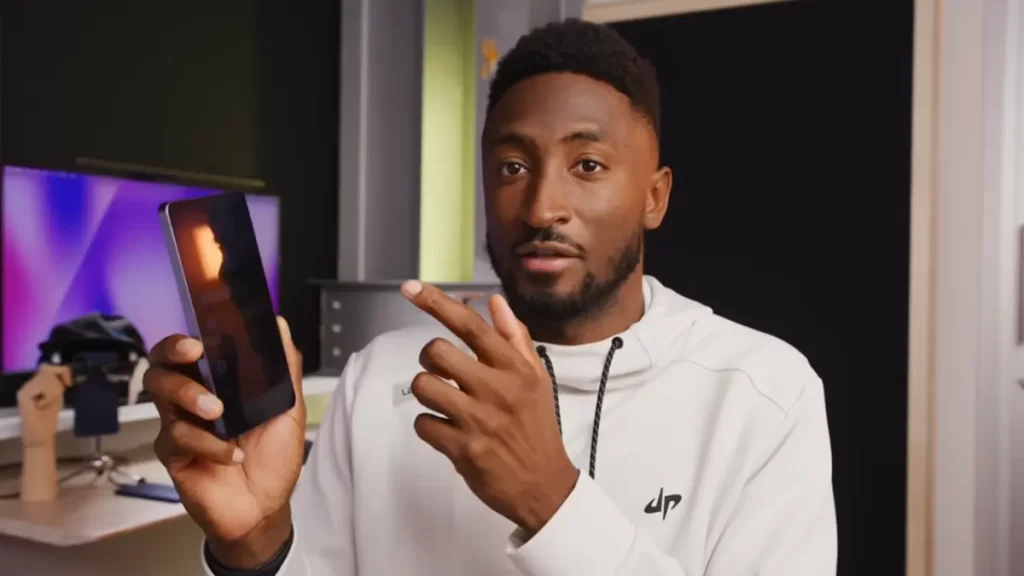
YouTuber MKBHD on Galaxy S26 Ultra Privacy Display Feature

Mrwhosetheboss

Arun Maini, better known as Mrwhosetheboss, describes it as a “completely world exclusive privacy display feature” and “James Bond level tech.”

Additionally, he described it as innovative and providing real “peace of mind” in public. Also emphasized it’s not a gimmick, a genuine innovation that stops others from seeing content from angles, and one of the standout features despite some trade-offs.

  • Watch Mrwhosetheboss’s Galaxy S26 Ultra review here.
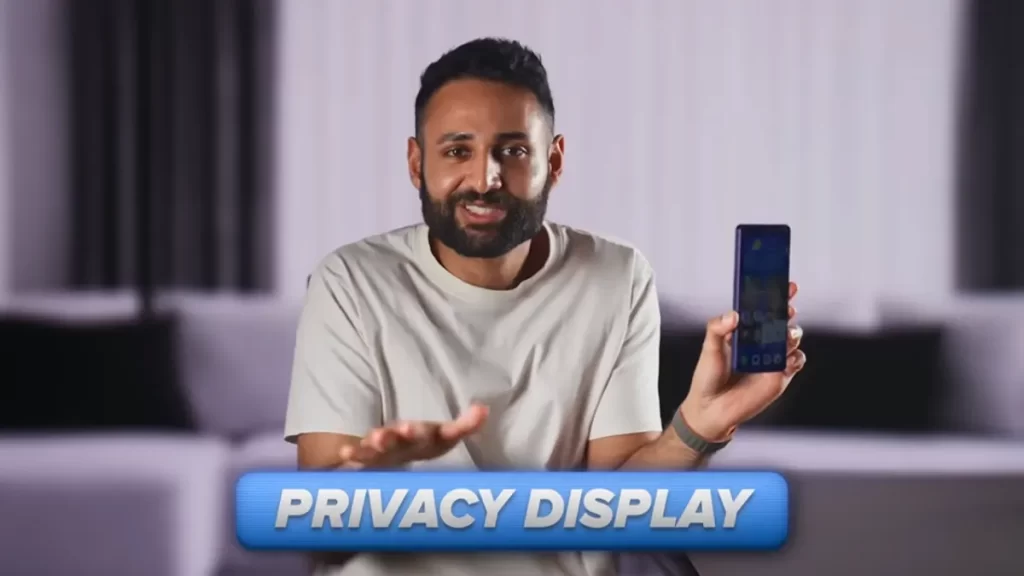
YouTuber Mrwhosetheboss on Galaxy S26 Ultra Privacy Display Feature

Supersaf

Safwan AhmedMia refers to it as the “world’s first” privacy display, working like a privacy screen protector but at the pixel level.

Supersaf labeled it as “impressive” and working “well.” Loved the customization, but recommended selective use and saw the compromises as understandable/acceptable.

  • Watch SuperSaf’s Galaxy S26 Ultra review here.
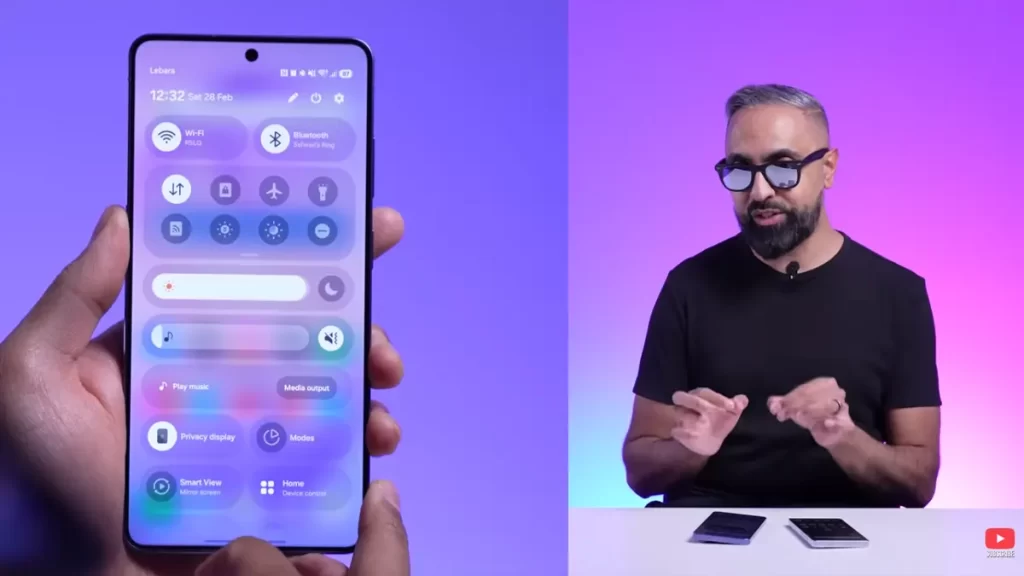
YouTuber SuperSaf on Galaxy S26 Ultra Privacy Display Feature

Hayls World

Hayleigh Chamberlain, known online as Hayls World, highlights it as a “brand new feature” in Ultra settings, the “world’s first built-in privacy display” that can turn on/off.

Hayls World also loved the customization for hiding just passwords, notifications, or specific apps, comparing it favorably to physical protectors and noting it blocks every targeted pixel effectively.

  • Watch SuperSaf’s Galaxy S26 Ultra hands-on video here.
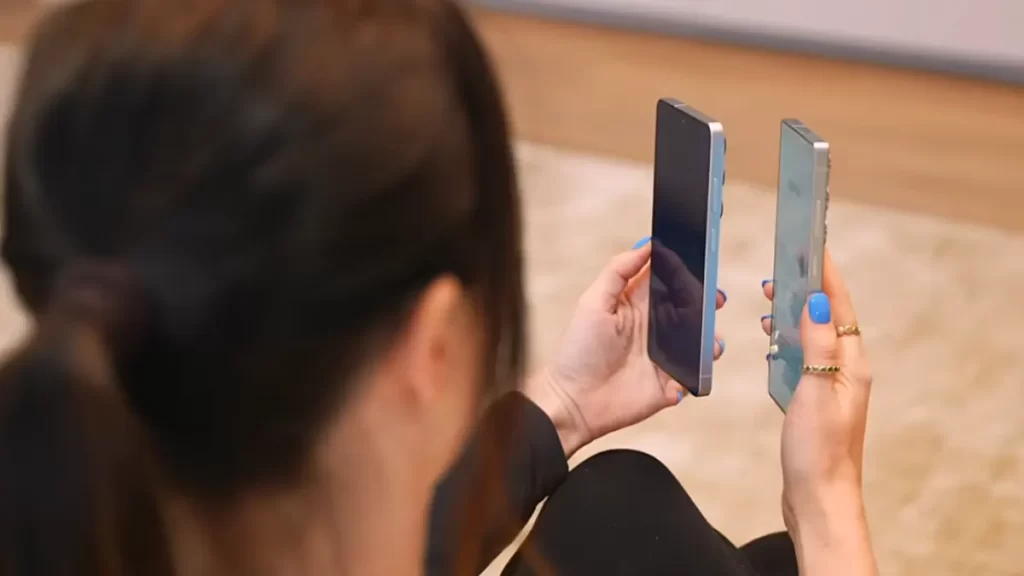
YouTuber Hayls World on Galaxy S26 Ultra Privacy Display Feature

Overall, across these videos, the Privacy Display is consistently praised as innovative hardware-level technology for anti-shoulder-surfing/privacy in public. It’s toggleable, app/notification-specific, and highly customizable.

The post Top reviewers awed by Galaxy S26 Ultra’s Privacy Display appeared first on Sammy Fans.

Galaxy S26 Ultra costs $1,300 yet ships with huge Bloatware

Galaxy S26 series costs between $900 to $1800 in the US, yet Samsung isn’t done with Bloatware. Preinstalled apps make sense with budget and mid-range phones, but flagships should maintain a status given their price point.

Our friends over at AndroidAuthority discovered a huge 40GB storage space occupied on the Galaxy S26 Ultra 512GB model. Worth knowing before you pre-order: there’s no opt-in screen, nor is there an option to stop these apps.

Galaxy S26 is still loaded with Bloatware

The moment you sign into your Google and Samsung accounts, apps from Meta, Microsoft, and Spotify flood in. Facebook, Instagram, LinkedIn, Outlook, OneDrive, M365 Copilot. They’re just there, sitting in your app drawer.

Budget Androids bundle third-party software because it helps offset costs. Manufacturers and carriers strike revenue-sharing deals with Microsoft or whoever, preload their stuff, and pass along some of the savings to buyers.

But the S26 Ultra doesn’t play by those rules. It costs $1,300 at the entry point, with Samsung offered 512GB model at this price, which originally is $1,500.

At that price point, you’re supposed to be buying a premium experience. Instead, you’re handed something that feels closer to a subsidized carrier phone from 2015.

40GB gone before you do anything

Fresh out of the box, after a factory reset and clean setup with only auto-updates enabled, the preinstalled apps and system files occupy over 40GB of storage on a 512GB model.

That’s close to eight percent of your total capacity consumed by stuff Samsung decided you needed. Samsung is monetizing your home screen before you’ve even migrated your photos.

Samsung Galaxy S26 Ultra 512GB storage

Source – Android Authority

The post Galaxy S26 Ultra costs $1,300 yet ships with huge Bloatware appeared first on Sammy Fans.

Samsung Galaxy Watch 8 enters clinical research era

Verily Life Sciences and Samsung Electronics America announced today a collaboration bringing the Galaxy Watch 8 together with Verily’s precision health platform, Pre.

Samsung launched the Galaxy Watch 8 in July 2025, positioned as a consumer health tracker with AI features and a softer redesign. Now it’s got another life entirely.

Verily will fully integrate sensor data from Galaxy Watch and make it accessible in its Viewpoint Evidence solution, which is built on the Verily Pre platform and enables research sponsors to run real-world studies with re-contactable participant cohorts.

Millions of people bought the Watch 8 because they liked the thinness, the brighter display, or whatever marketing line worked. Now Verily can tap them for studies without building its own pipeline.

Sponsors will use Verily Pre data solutions, including Refinery for data harmonization and Workbench for analysis, modeling, and activation. Verily will also recruit Samsung users directly and manage participant engagement.

The companies will also explore potential joint development of new and enhanced end-to-end solutions for clinical research. If this works, expect future Galaxy Watches to ship with features designed for trials first and consumers second.

Verily has a long history of leading the design and verification of digital measures across various therapeutic areas, including Cardiometabolic, CNS, and Respiratory diseases, and the development of advanced AI algorithms for Parkinson’s.

“The use of consumer-friendly devices in clinical research makes it easier for participants to engage in studies, while enabling sponsors to use advanced biomarkers to generate high quality data,” said Scott Burke, Chief Technology Officer at Verily. “This collaboration realizes our vision to integrate health research into everyday life, in order to generate better evidence and make precision health possible for all.”

The post Samsung Galaxy Watch 8 enters clinical research era appeared first on Sammy Fans.

Google Pixel 11 Pro Fold renders show Samsung-style camera bump

Google Pixel 11 Pro Fold surfaced today through CAD renders shared by OnLeaks, and it features a redesigned camera bump that looks a lot like the recent Samsung flagships, the Galaxy S26 Ultra and Galaxy Z Fold 7.

The LED flash and microphone moved inside the top pill-shaped cutout instead of sitting awkwardly next to it. The point where the bump meets the back glass now curves instead of just sticking as if someone slapped it.

The whole module looks cleaner now, as shown in renders leaked by our folks over at Android Headlines. Samsung has been doing this sort of integrated camera design for a while, and Google finally caught up.

Google Pixel 11 Pro Fold Camera Bump

The design is nearly identical to the Pixel 10 Pro Fold. Same shape, same corner radius, same bezels and the hole punch camera sits in the same spot on the inner display. You get a Type-C port at the bottom with the usual grille suspects.

The upcoming Pixel 11 Pro Fold measures 10.1mm when folded, down from 10.8mm; unfolded, it’s 4.8mm instead of 5.2mm. The phone’s height stays at 155.2mm, whereas the unfolded width stays at 150.4mm.

Google Pixel 11 Pro Fold Renders

Source – Android Headlines x Onleaks

Tensor G6 will power the Pixel 11 Pro Fold smartphone. TSMC is building it, supposedly on 3nm, and the latest rumors say it’s a 7-core chip, but take that for what rumors are worth.

Probably the same displays, same battery size, same IP68 rating. Pixelsnap and Qi2 charging may be supported as they became a key discussion point of the Pixel 10 series phones.

Google originally planned $1,500 according to their leaked 2028 roadmap. Meanwhile, the tariff hit and surging costs of components may have forced Google to revisit its pricing strategy.

August launch makes sense based on the last two years.

The post Google Pixel 11 Pro Fold renders show Samsung-style camera bump appeared first on Sammy Fans.

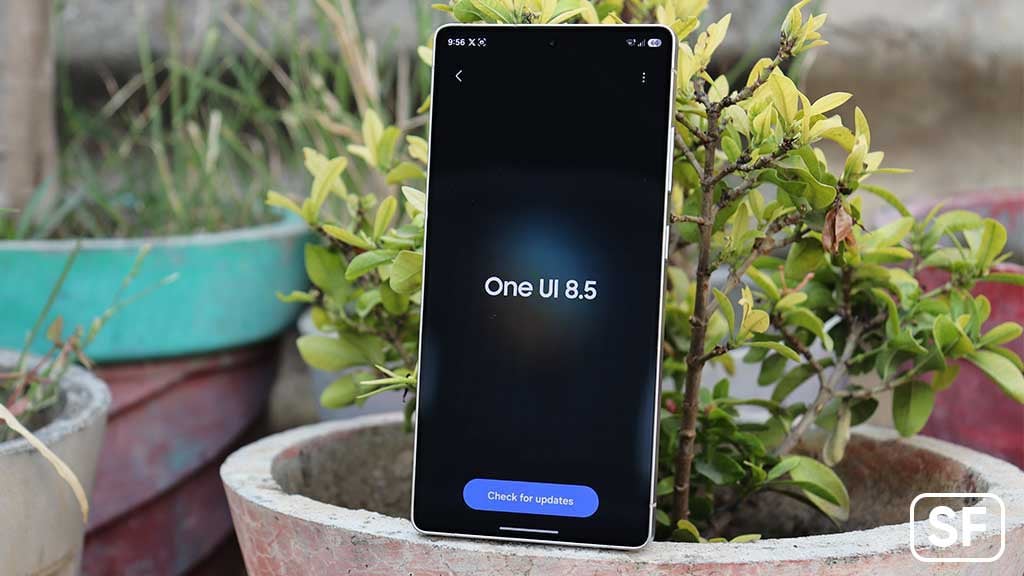
Samsung Galaxy A27 testing begins with One UI 8.5

Samsung Galaxy A27 starts internal testing with One UI 8.5 software. Last month, Samsung launched the Galaxy S26 series, which goes on global sale this week. Now, the focus is gradually being shifted to mid-range models.

As spotted by Alfaturk, Samsung is now possibly testing the Android 16-based One UI 8.5 software for the Galaxy A27. The smartphone is expected to be unveiled along with the Galaxy A57 and A37 sometime in April this year.

An internal build carrying the PDA version number ending with AZC1 has been spotted for the Galaxy A27. The firmware code reveals model number SM-A276B, which belongs to the global version of the Galaxy A27.

One UI 8.5 is based on Android 16 and debuts welcoming UI changes. It applies a dynamic blur engine that fills and reflects across the interface. The color selection is also elegant that refreshes the legacy Samsung software design.

Samsung Galaxy A27 One UI 8.5 Update Testing

Meanwhile, Samsung may shock fans with the phone’s pricing. After the Galaxy S26 series, Samsung may increase the prices of its mid-range phones. The next-gen models may cost more than their predecessors from 2025.

It’s all happening because of the massive surge in the prices of DRAM and NAND. Over the past couple of months, the component costs have more than doubled. RAM/NAND alone costs 30 percent of the Bill of Materials.

The impact isn’t loading just for the upcoming models, but existing ones also facing the heat. The company had three times of price revisions this year. It increased prices of Galaxy A, M and F series phones as well as some tablets.

The post Samsung Galaxy A27 testing begins with One UI 8.5 appeared first on Sammy Fans.

Samsung Galaxy S26 available for instant delivery in India before official store availability

Samsung’s new Galaxy S26 series is getting a lot of attention. Even before the official sale begins, some people are already able to buy the phone in India. This is because quick delivery apps have started selling the device earlier than expected.

People can buy the Galaxy S26 using instant delivery apps, including Blinkit and Swiggy Instamart. After placing the order on the app, the phone can be delivered to their home in just a few minutes. These platforms are known for very fast delivery, which is why customers can get the phone quickly.

Blinkit recently confirmed that the Galaxy S26 series is available on its platform in four cities – Bangalore, Delhi NCR, Hyderabad, and Mumbai. Customers living in these cities can order the phone directly from the Blinkit app.

At the same time, the Galaxy S26 has also been made available on Swiggy Instamart in Delhi. It is unusual because the phone is being sold before its official sale date in many stores.

Standard Samsung Galaxy S26 SG26S

The Galaxy S26 series is Samsung’s newest flagship smartphone lineup. The phone comes with better performance, improved features, and a new design compared to the previous model. Many people have already pre-ordered the device since Samsung opened pre-orders earlier.

Samsung will stop taking pre-orders for the Galaxy S26 series tomorrow. The phones will officially go on sale on March 11, 2026. They will be available through authorised online and offline stores across the country. However, people in some cities can already buy the phone early through quick delivery apps and receive it within minutes. Stay tuned.

Google Search Top Stories Preferred Source

The post Samsung Galaxy S26 available for instant delivery in India before official store availability appeared first on Sammy Fans.

Samsung Galaxy S26 Ultra teardown reveals incredible cooling design

The new Samsung Galaxy S26 Ultra is more than just a sleek smartphone. A recent teardown gives a close look at what’s inside and shows how Samsung improved both cooling and repairability. Watching the teardown is a great way to understand how the phone works and why it stays slim but still powerful.

The teardown shows that many parts of the S26 Ultra are easy to take apart. The back cover can be removed using heat, and the battery comes out easily with pull tabs. Camera lenses, speakers, and buttons are all separate, so replacing them is simple.

Screws are easy to access, and important cables are organized to prevent damage during repairs. Because of this smart design, PBKreviews gave the phone a repairability score of 9 out of 10, the same as the Samsung Galaxy S25 Ultra.

Aside from this, the teardown also reveals the upgraded cooling system. The Galaxy S26 Ultra has four layers to keep it from overheating: a vapor chamber, graphite pad, thermal pads, and now thermal paste. The thermal paste helps move heat more efficiently. It keeps the processor and other chips cooler during heavy use like gaming or video editing.

Inside, the phone also has multiple cameras with optical image stabilization, better heat protection on the processor and RAM, and a separate haptic motor, which makes repairs easier. The teardown shows that Samsung carefully designed the phone for both performance and long-term use.

Samsung is offering pre-order perks for the Galaxy S26 Ultra. These can include freebies or special deals, but they are only available for a limited time. You can order it now to take advantage of these offers.

Google Search Top Stories Preferred Source

The post Samsung Galaxy S26 Ultra teardown reveals incredible cooling design appeared first on Sammy Fans.

First software update for Samsung Galaxy S26 series is here – Install now!

Samsung has started sending the first software update for its newly launched phones – Galaxy S26, Galaxy S26 Plus, and Galaxy S26 Ultra. This update includes the February 2026 security patch to make the phones more stable and secure.

The update is mainly for security and stability. It fixes issues in the system and helps the phones run more smoothly. Currently, the update is only available for users in South Korea. Samsung plans to release it in more countries in the coming weeks, so users worldwide will get the update soon.

Users can Galaxy S26 series can verify the first software update via the One UI build versions given below (spotted via @TarunVats).

  • Galaxy S26 – S941NKSS1AZC7
  • Galaxy S26 Plus – S946NKSS1AZC7
  • Galaxy S26 Ultra – S948NKSS1AZC7
Samsung Galaxy S26 Update

Image via TarunVats

The installation package of this update is about 557 MB. This first update ensures that the Galaxy S26 series stays secure, stable, and performs well.

Notably, this first update is based on Android 16-based One UI 8.5. This is the first update based on the new software, One UI 8.5. Other Galaxy device users are still waiting for this major update.

If you have a Galaxy S26, S26 Plus, or S26 Ultra and receive the update notification, you can install it easily. For that, go to Settings >> Software Update >> Download and Install. Make sure your phone is connected to Wi-Fi and has enough battery before starting the update.

Google Search Top Stories Preferred Source

The post First software update for Samsung Galaxy S26 series is here – Install now! appeared first on Sammy Fans.

Google Messages starts testing new ‘Tap to Draft’ option for smart replies

Google is testing a new feature for Google Messages that could make replying to texts easier. The feature is “Tap to Send/Draft.” It has been spotted in the latest beta version of the app. The update is designed to give users more control while sending quick replies.

Smart Replies are short reply suggestions created by AI. They appear above the message box when you receive a message. These suggestions help users reply quickly without typing a full response. Many people use them because they save time during conversations.

Right now, tapping a Smart Reply sends the message immediately. This can sometimes cause problems. A user might tap the suggestion by mistake or may want to edit the message first. But the message gets sent before they get the chance.

Google Messages Tap to Draft feature

Image via 9to5Google

Google is trying to fix this with the new “Tap to Send/Draft” option. This feature adds a simple setting in the app. It allows users to choose how Smart Reply suggestions should work. This makes the feature more flexible and user-friendly.

If the setting is turned off, Smart Replies will work the same as before. Tapping a suggestion will send the message instantly. But if the setting is turned on, the feature changes to “Tap to Draft.” When a user taps a Smart Reply, it will appear in the message box instead of being sent. The user can then edit the text or add more words.

The feature has been spotted in Google Messages beta version 20260303 and may arrive for all users in a future update. Stay tuned for more information.

Google Search Top Stories Preferred Source

The post Google Messages starts testing new ‘Tap to Draft’ option for smart replies appeared first on Sammy Fans.

Samsung Medison teams up with US HistoSonics to advance treatment

Samsung Medison has announced a new partnership with the US medical technology company HistoSonics. This partnership aims to improve the way doctors find and treat cancer using ultrasound technology.

As per this collaboration, Samsung Medison will connect its advanced ultrasound imaging machine, the Samsung Medison R20 ultrasound system, with HistoSonics’ treatment device, the Edison histotripsy system. This connection will allow doctors to view clear ultrasound images while the treatment is taking place.

The Edison system uses a special treatment method known as Histotripsy. This method focuses powerful ultrasound waves on a tumor. These waves create tiny bubbles in the tumor tissue. When the bubbles quickly form and collapse, they break down and destroy the tumor cells.

Samsung

A major benefit of this treatment is that it does not require surgery. Doctors do not need to make any cuts in the body. Because the treatment is noninvasive, patients may feel less pain and recover faster compared to traditional surgery.

There’s also an advantage that doctors can watch the treatment area through ultrasound images during the procedure. This helps them guide the treatment more precisely and avoid damaging nearby healthy tissue.

Both companies believe that combining imaging and treatment technologies will help create new opportunities in ultrasound-based cancer care. Yu Gyu-tae, head of Samsung Medison, said the partnership is an important step toward connecting diagnosis and treatment and will help the company expand its role in the global medical technology market.

Google Search Top Stories Preferred Source

The post Samsung Medison teams up with US HistoSonics to advance treatment appeared first on Sammy Fans.

Galaxy S26 Ultra and Buds 4 Pro shine at Global influencer event

Samsung hosted Team Galaxy Connect 2026 in San Francisco from February 25 to celebrate the launch of the Galaxy S26 series and Galaxy Buds 4 series. For three exciting days, around 140 influencers from 35 countries explored the new devices and shared their experiences with fans worldwide.

The event began with Galaxy Unpacked February 2026, where influencers got a first look at the Galaxy S26 Ultra and Buds 4 Pro. Fans were impressed by features like the Privacy Display and Photo Assist on the S26 Ultra and the Hi-Fi sound of the Buds4 Pro. Influencers shared real-time reviews on social media, giving followers a close-up view of the new technology.

Famous creator Monique Yvonne showed how the Galaxy S26 Ultra can be used to create professional-quality films. She said, “The Galaxy S26 Ultra is more than a phone – it’s a tool that helps creators make amazing content with its AI features and top camera performance.”

During the event, influencers focused on three main areas: camera, gaming, and sound. Mohamad Sofian used the Galaxy S26 Ultra to create stunning visual content, while Ry Velasco showed off the Buds 4 Pro’s excellent sound in San Francisco’s lively setting.

Samsung Global Influencer event

Image via Samsung

Gaming fans also enjoyed the Play Galaxy Cup livestream, featuring top North American teams 100 Thieves and Offline TV. It drew 16.77 million views worldwide.

The event ended with a celebration recognizing the most creative content from the influencers. David Moon, Head of Influencer Marketing at Samsung Electronics, said, “Seeing Galaxy through the eyes of our global influencers has been amazing. We want to bring the fun and innovation of Galaxy to fans everywhere.”

Team Galaxy Connect 2026 was a creative, fun, and inspiring event, showing how new technology can bring people together and help creators share their ideas with the world.

Google Search Top Stories Preferred Source

The post Galaxy S26 Ultra and Buds 4 Pro shine at Global influencer event appeared first on Sammy Fans.

Samsung Galaxy M17e 5G launch date announced; Teaser reveals key details

Samsung Galaxy M17e 5G is going to launch soon in India, and the company has already begun teasing this upcoming device. The company has now confirmed the launch date of the Galaxy M17e 5G through a new teaser video.

According to the teaser, the smartphone will officially launch in India on March 17. The company is gradually revealing information about the phone before the launch to create excitement among smartphone buyers.

The device is being promoted as an “All-in-One Monster,” suggesting that it will offer a strong performance, long battery life, and useful features at an affordable price.

The teaser video also reveals some key features of the device. The Galaxy M17e smartphone will feature a 120Hz refresh rate display. The phone will also be powered by a MediaTek processor, although Samsung has not revealed the exact chipset yet.

Some phones keep up. This one powers through.

Galaxy M17e 5G brings
A 120Hz Display that keeps everything incredibly smooth.
A 6000mAh Monster Battery built for longer days and longer nights.
Dust and splash resistance for Monster Durability.
And 6 years of Upgrades, so your… pic.twitter.com/9hKQ8LTm08

— Samsung India (@SamsungIndia) March 9, 2026

The Galaxy M17e 5G has its 6000mAh battery, and Samsung calls it a “Monster Battery,” which means the phone is designed to last for long hours without needing frequent charging. The teaser also mentions dust and splash resistance.

Aside from this, the teaser video also shows the design of the smartphone, including its camera module. Samsung has confirmed that the Galaxy M17e 5G will come in two colour options – Sky Blue and Green. The company is also promising six years of upgrades.

The smartphone’s arrival was earlier confirmed through a teaser page on Amazon. Samsung is expected to reveal more details, including the price and full specifications, at the official launch on March 17. Stay tuned.

Google Search Top Stories Preferred Source

The post Samsung Galaxy M17e 5G launch date announced; Teaser reveals key details appeared first on Sammy Fans.

Galaxy S26 series creates buzz at Samsung’s pre-launch event

Samsung recently introduced its newest smartphone lineup, the Galaxy S26 series, at Galaxy Unpacked 2026. The launch created a lot of excitement among tech fans. Earlier this month, many people gathered outside Samsung’s Gangnam store in Seoul to be among the first to receive the new phone.

The Galaxy S26 series has already made a strong start. During the seven-day pre-order period from February 27 to March 5, Samsung received about 1.35 million pre-orders, the highest number ever for the Galaxy S series.

At the Gangnam store, a long line of customers waited patiently before the opening time. A large LED screen on the building showed videos of the phone’s AI “Photo Assist” feature, which made the crowd even more excited while waiting.

Samsung Galaxy S26 Pre launch event

Image via Samsung

The first customer to receive the phone was Jang Won-seok. He happily received the Galaxy S26 Ultra along with Galaxy Buds 4 Pro, while staff members congratulated him. Jang said he loves technology and buys the newest Galaxy smartphone every year. This was his fourth time pre-ordering a Galaxy phone, but the first time he received the first unit at the event.

He shared that he was especially interested in the new privacy display feature and the improved AI tools. He had used AI features on his previous Galaxy S25 Ultra to translate academic papers, and he is excited to see how the new AI will help him even more.

The Galaxy S26 Ultra is the most popular model, making up about 70% of total pre-orders. Many customers also liked the special offer that allowed them to buy the 512GB model at the price of the 256GB version.

Visitors could also try the phone at the “Galaxy Studio,” where they tested features like Super Steady Shooting, Privacy Display, and the AI-powered Creative Studio. The event showed how excited people are about Samsung’s latest AI smartphone technology.

Google Search Top Stories Preferred Source

The post Galaxy S26 series creates buzz at Samsung’s pre-launch event appeared first on Sammy Fans.

Samsung phones add a handy new security trick

Samsung seems to have silently installed a new Inactivity restart feature on Galaxy phones. It’s available on the Galaxy S26 series, and users report that the security page inside Settings has added this toggle with the February 2026 patch.

Inactivity restart is what Samsung calls this new security trick. It’s a kind of automation that aims at elevating your privacy. When enabled, it will automatically restart your phone if it stays locked for a straight 72 hours.

Samsung Inactivity restart

Open Settings > Security and Privacy > More security settings to check if the new “Inactivity toggle” is added. The feature description says it all: “Restart your phone if it remains locked for 72 hours.”

Once activated, the feature highlights another description, detailing the functionality.

If you don’t use your phone for 72 hours, and it detects there’s no successive attempt to unlock, it will reboot. No manual effort will be required for this operation as it needs a user-generated setup from system Settings.

After your phone restarts, you need to unlock it before you can receive notifications and alarms from some apps and see the names of incoming callers. If your SIM is locked, you need to unlock it to receive incoming calls.

Usually, restarting Galaxy sends the phone into additional security mode. It will stop displaying notifications and incoming calls. You will need to unlock the device to restore key facilities prevented due to the restart.

From a privacy perspective, it’s a smart addition. Samsung played it smart by offering it as a toggle inside Settings, that too disabled.

Samsung Inactivity Restart Feature

The post Samsung phones add a handy new security trick appeared first on Sammy Fans.

Samsung can’t ignore Oppo Find N6 teasing a crease-free screen and AI Pen

Oppo is launching a new foldable phone, the Find N6, this month, and it is bringing an “AI Pen” and a crease-free screen. The aim is no one else, but Samsung, which dominates the worldwide foldable smartphone market.

Pete Lau just released an official Oppo Find N6 teaser, which highlights its biggest upgrades, including the zero-feel crease, AI Pen, and iPhone 17 Pro-inspired Orange colorway, as well as a giant camera module on the back.

Samsung launched the Galaxy Z Fold 7 back in July 2025, which is just 8.9mm folded and 4.2mm unfolded. The company has engineered a new ArmorFlex hinge to reduce stress on the panel, and the crease is much less noticeable than before.

Meanwhile, Oppo touts its new foldable phone, which introduces a “zero-feel crease” and it unfolds flat. The graphics shown in the teaser also highlight the upgrade, with the crease portion showing no visible wrinkle on the panel.

Oppo AI Pen is the second big thing, revealed in the teaser, which beats the Galaxy Z Fold 7. Samsung used to support S Pen on its foldable phones, but decided to dump stylus to achieve thinness, folded and unfolded.

Zhou Yibao, head of the Oppo Find series, confirmed that the Find N6 will support a stylus, described as an AI-powered pen with industry-first capabilities, suggesting deep integration between hardware and on-device AI features.

Oppo Find N6 Crease, AI Pen

The Oppo Find N6 leverages an 8.12-inch foldable display, comparable to the Fold 7’s 8-inch display. The foldable features a 200MP camera for the first time, while the Z Fold 7 features a 200 MP wide-angle sensor too.

Power comes from the Snapdragon 8 Elite Gen 5 chipset and a 6,000mAh battery with 80W fast charging, which beats Samsung’s dual 4,400 mAh battery and 25 W wired charging by a humiliating margin.

The post Samsung can’t ignore Oppo Find N6 teasing a crease-free screen and AI Pen appeared first on Sammy Fans.

Galaxy S25 just got more interesting after Samsung confirmed this S26 camera feature

Samsung just confirmed it’s bringing the next-gen Virtual Aperture camera feature from the Galaxy S26 series to last year’s Galaxy S25 phones.

Last month, Samsung unveiled the latest Camera and Gallery features that arrived in the new flagship smartphones. At that time, the camera in charge didn’t reveal which new features were being planned for older models.

Virtual Aperture for 3x and 5x sensors

Samsung’s community moderators just confirmed something that makes the Galaxy S25 Ultra virtual aperture situation a lot more interesting.

The feature that debuted on the S25 series for the wide lens only? It’s coming to the telephoto and periscope lenses. A user in a Korean forum asked if the S25 Ultra could get virtual aperture support on the 3x and 5x zoom lenses through Expert RAW.

The moderator’s response was blunt. “Yes, we will support up to S25,” meaning the S25 gets it. Expanding virtual aperture to the 3x and 5x sensors makes total sense.

Samsung’s 3x and 5x cameras on the S25 Ultra are legitimately good. Giving them software-controlled depth just makes them more flexible.

Samsung Galaxy S25 Ultra Virtual Aperture

Virtual aperture is Samsung’s software trick to mimic DSLR aperture priority mode.

Physically, your phone’s camera has one fixed aperture, but Samsung uses depth map data from the dual camera array to fake different aperture values in software.

It works well enough that people who’ve used it on the wide lens seem to like it. The depth maps got better this generation, so the blur looks more natural.

Thanks for the tip, Alfaturk!

The post Galaxy S25 just got more interesting after Samsung confirmed this S26 camera feature appeared first on Sammy Fans.

Can any brand challenge Samsung’s 20-year streak as TV market leader?

Samsung officially announced it has been leading the TV market for straight 20 years. The company has been ranked the global TV market leader every year since 2006, based on revenue share.

According to Omdia’s figures, Samsung accounted for 29.1 percent of the global market in 2025. Two decades of leadership, think by now some competitor would have found a crack in the armor.

Meanwhile, TCL and Hisense tripled their shipment growth year over year in Q1 2025. TCL jumped from 12 percent to 20 percent in the premium market between Q4 2023 and Q4 2024.

That’s not incremental growth, that’s a land grab, and Samsung’s premium share dropped to 29% in Q4 2024 from 41 percent the year before. In December 2025, TCL topped Samsung in monthly shipments, 16 percent to 13 percent.

One month doesn’t crown a new king, but the trajectory is there. TCL’s shipments keep growing year over year while Samsung’s shipments have been stagnant, according to Counterpoint Research.

Well, Samsung held 54.3 percent market share in the premium segment priced over $2,500. Over half, which is dominance in the tier where margins actually matter. And they’ve got 52.2 percent market share for TVs above $1,500.

“When consumers choose a TV, they’re choosing a brand they can trust for years to come,” said SW Yong, President and Head of the Visual Display (VD) Business at Samsung Electronics. “Our 20-year leadership in the global TV market reflects that trust — built on decades of engineering excellence and premium innovation.”

Samsung 20 years TV market leadership

The post Can any brand challenge Samsung’s 20-year streak as TV market leader? appeared first on Sammy Fans.

Samsung Galaxy S25 Ultra has better anti-reflective screen than the S26 Ultra

Samsung just introduced the Galaxy S26 Ultra flagship and its anti-reflective screen to the world, like it’s some sort of breakthrough, and within a week, somebody’s already run tests showing last year’s phone does it better.

Ice Universe laid out Samsung’s Galaxy S25 Ultra and Galaxy S26 Ultra devices, with and without a privacy screen protector. It was all about testing the practical state of the anti-reflective screen technology of the flagships.

The primary image shared shows just a visual comparison with labels in Chinese identifying each device. The image shows four black screens laid side by side, and you can see the differences if you look closely.

The Galaxy S25 Ultra, without any screen protector on it, beat the Galaxy S26 Ultra running Samsung’s anti-reflection film. The S26 Ultra without a screen protector came in third. The S25 Ultra with a privacy screen protector came in dead last.

Samsung Galaxy S26 Ultra screen reflection vs S25 Ultra

Image source – Ice Universe / X

The leftmost S25 Ultra without film looks the cleanest. The second device, an S26 Ultra with the official anti-reflection film applied, shows slightly more visible reflection. Third is an S26 Ultra with no film at all, and the rightmost S25 Ultra with a privacy protector looks the worst of the bunch.

The fact that the S26 Ultra needed official Samsung film just to land in second place tells you this wasn’t the victory lap the company probably hoped for.

Samsung has been pushing anti-reflective tech as a cornerstone of the Ultra experience for three generations now. You would expect the newer one to win this kind of shootout without needing accessories to carry it over the line.

The post Samsung Galaxy S25 Ultra has better anti-reflective screen than the S26 Ultra appeared first on Sammy Fans.

PSA: Galaxy S26 Ultra charges at 60W with 3A cable; 5A cable isn’t necessary

Samsung Galaxy S26 Ultra ships with a 3A cable despite the upgraded 60W charging. Samsung is offering the new 60W adapter at a discounted price, but consumers are worried if they will need to purchase a 5A cable.

Worth knowing before you pre-order.

The Galaxy S26 Ultra never draws more than 3 A during charging, so you don’t need 5A cables, as many assumed would be mandatory when Samsung announced 60W charging.

You can use the Galaxy S26 Ultra 60W 3A setup with a PD 3.1 charging adapter, which supports PPS. That’s a pleasant change from the Chinese flagships that lock you into one specific brick and cable combo.

Thanks to the faster charging, the Galaxy S26 Ultra topups its 5000mAh battery from 0 percent to 75 percent in merely 30 minutes. The new 60W is a 33% jump over the 45W ceiling Samsung has been stuck to since forever.

Samsung’s spec sheet confirms what the measurements show. The official 60W adapter they’re selling uses a standard 3A cable, the same one bundled with the phone.

The bump from 45W to 60W is branded as Super Fast Charging 3.0, but it still uses open standards. The Galaxy S26 Ultra flagship’s 60W 3A cable situation is simpler than anyone expected, and that deserves credit.

People spent months speculating that 60W would require a cable upgrade, that Samsung would force you into buying new accessories. Nope.

Samsung 60W Charger Features

Source – Samsung

The post PSA: Galaxy S26 Ultra charges at 60W with 3A cable; 5A cable isn’t necessary appeared first on Sammy Fans.

Samsung Galaxy S26 Ultra eye strain reports – What’s real and why most people feel fine

Samsung Galaxy S26 Ultra launched with some unique and outstanding features. It has the industry’s first Privacy Display technology. However, a few users are not happy with that, and the reason is different.

The display eye strain issue on the Galaxy S26 Ultra is something a few early users have experienced since the device launched. Here’s a simple breakdown of what’s going on.

The S26 Ultra’s display has two types of subpixels, some of which spread light wide (for normal viewing experience) and others that send light straight ahead (for privacy mode).

When you turn on privacy mode, the display narrows the view so that people standing beside you can’t see the screen clearly. This is very useful in public areas while using banking apps or personal messages. You won’t need an extra screen protector anymore.

Samsung Galaxy S26, S26+ and S26 Ultra

When privacy mode is off (normal everyday use), this tech can cause tiny differences. Then, who is facing the issue with the fabulous display? Some people with sensitive eyes can notice minor differences when they look very closely or compare it to older phones like the Galaxy S25 Ultra. Here are the small things a few users mention:

  • Text edges look a little softer or not super sharp when you hold the phone really close to your face.
  • There can be a faint shimmering or oily shine around letters, especially white or blue text on a dark background (like in dark mode).
  • The whole screen might feel a bit mildly fuzzy, or you can notice the tiny pixels more during long reading sessions.

These are very small things. Almost all of these issues usually only come up if you are staring super close, using the phone at max brightness for a long time, or if you are extra sensitive to how screens look.

Based on posts shared on social media by a small number of users, this display issue makes their eyes feel tired, uncomfortable, or gives a light headache after short use, even at normal distances and with privacy mode completely disabled. But most people never notice them at all in normal use.

Let me tell you something important. The eye strain issue is not serious for the vast majority of people, including me. In addition, most users, including many professional reviewers and S26 Ultra owners, report zero eye strain after normal use such as scrolling, watching videos, gaming, or reading for hours.

The display still looks beautiful, bright, and colorful for almost everyone. Such complaints are limited to a countable group (mostly on forums, Reddit, or X), and often fixed with simple tweaks like: Lowering brightness a bit (avoid always max). Here’s something you can do:

  • Turning on Eye Comfort Shield for warmer colors at night.
  • Holding the phone at a comfortable arm’s length.
  • Using dark mode or extra dim when needed.

Samsung built this smart feature to bring you real built-in privacy that’s easy to use and super helpful in real life. For almost everyone who uses the Galaxy S26 Ultra, the screen feels nice and comfortable. It is clearly better than older phones in many ways. Eye strain only happens to a very small number of people. Even when someone feels it, the fix is simple.

Samsung always tries new ideas to make phones better and safer to use. This privacy screen is a perfect example of its brave innovation. If your eyes are not extra sensitive to very small screen details, you will really enjoy how clear everything looks and how safe your screen feels!

The post Samsung Galaxy S26 Ultra eye strain reports – What’s real and why most people feel fine appeared first on Sammy Fans.

One UI 8.5 rollout delay on par with One UI 7

It’s been three months since Samsung released the first One UI 8.5 beta, but the software is in a delay mode, which kind of reminds me of the One UI 7. 2024 was the year of major changes in Samsung’s software ecosystem, with its One UI program taking a new direction. At the forefront, the One UI 7 (Android 15) took the center stage, marking the first public beta rollout in early December.

The software has brought major changes throughout the interface that awed the users across the Galaxy S24 series. Still, the new One UI version is tagged with the Galaxy S25 series.

Even after the official release, Samsung delayed the software expansion to all of the S24 series and previous flagships. The S25 series was unveiled in January 2025, but the stable software stretched to April.

This development arrived at a time when One UI 8 had already appeared on internal test servers. Yet, many users remained attached to their newly received update due to massive improvements. Still, that doesn’t stop us from criticising Samsung’s strange development cycles, filled with delays.

One UI 8.5

In early December, Samsung followed the One UI 7 and released the first One UI 8.5 beta. You should know that this new software marks the return of a feature pack update other than a major Android release.

Despite being based on Android 16, one of One UI 8.5’s betas saw a month-long delay before the Galaxy S26 launch, which shipped with a stable version out of the box.

Closest launch window

As of today, the company hasn’t said anything specific about the stable One UI 8.5 rollout for older devices. Yet, the development cycle suggests that we’re pretty much moving toward the end of March to see a final rollout.

On the other hand, the Galaxy S26 series’ worldwide launch will happen on March 11, which is a good occasion to gift this new software for the S25 series. However, if the company is still running with its old strategy, then we’ll not be seeing this happening anytime soon, at least not this month.

The post One UI 8.5 rollout delay on par with One UI 7 appeared first on Sammy Fans.

My Samsung phone travelled back to the past due to Home Up

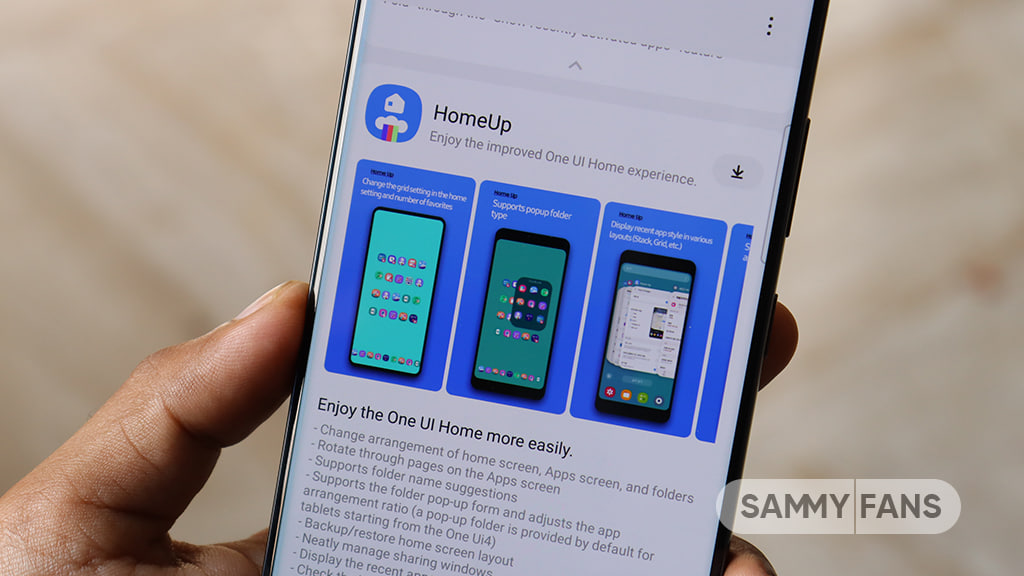
Samsung just dropped the Home Up plugin’s March 2026 version, which has two big issues. While testing the latest version of the plugin, I’ve encountered two problems, which may also be triggered due to OS incompatibility.

Home Up March 2026 update landed without a changelog. The version number indicates that the version belongs to the One UI 8.5 firmware. While it successfully installed on my One UI 8.0 device, things went wrong with the functionalities.

Lazy animations

Sideloading Home Up v17.5.00.24 has made system animations lazy as hell. Everything slowed down as I manually slapped this setup. Nothing changed when I tried to set the gesture animations to dynamic.

Even disabling the animation-related settings inside Home Up didn’t change anything. I ended up deciding to uninstall this version and go back to the previous version through Galaxy Store, which reverted the experience.

Pop-up folders

The new Home Up has also broken the pop-up folders feature. I like this feature most as it prevents One UI from allowing the folder to open as a dedicated space.

Enabling popup folder through Home Up ensures the folder takes minimal space to expand and lets users access the apps on the fly. It was the biggest letdown, and Samsung should fix this problem if it’s causing on One UI 8.5 devices too.

Samsung Home Up Pop Up Folder Feature Issue

If you are on One UI 8.0 and wondering about getting the latest Home Up, I recommend you stay on the official build. Still if you want to give the new version a try, make sure to take a backup of your customization set.

The post My Samsung phone travelled back to the past due to Home Up appeared first on Sammy Fans.

Samsung’s One UI 8.5 device compatibility FAQ is hilarious

Last month, Samsung released the Galaxy S26 series along with the One UI 8.5. Since Samsung has been testing this new software for almost a quarter, this occasion was the right time to release an OTA update for the Galaxy S25 series and other flagships. Instead, Samsung gave us something else, an FAQ, featuring a hilarious and strange answer about the One UI 8.5 devices’ compatibility.

One UI 8.5 refines One UI 8.0, including major changes in the user interface, animations, app transitions, fluidity, and more. The overall upgrades make it way better than the previous generation. That’s where the line is drawn. You see, this is the best One UI update so far, and Samsung is already stretching its development for the previous flagship phones, which should have ended.

One UI 8.5 device compatability

One UI 8.5 device compatibility FAQ

Amid this anticipation, Samsung has published a number of FAQs about One UI 8.5 on its official website, and one of them was completely unhinged. Each year, old Galaxy smartphone users seek information about their phone’s compatibility with the latest major software release.

This sheer interest leads them to the internet and search for eligible devices. Samsung also shares this compatible devices list through its Members app, but it happens only after the official rollout kicks off.

This year, the phone maker has tried something new by sharing the eligible devices for the One UI 8.5, confirming that the Galaxy S26, S26+, and S26 Ultra will be the first to receive this update in public.

The majority of people have been reading news about the Galaxy S26 series shipping with One UI 8.5 out of the box. Samsung also made it formal through the Unpacked keynote and through its official press release.

It appears that executives at Samsung have forgotten that people are seeking such compatibility information for their existing devices and not the newly launched phones, which they may not want to buy.

The phone maker did mention that the rollout will expand to more Galaxy devices, but without naming any of the former flagships, not even the Galaxy S25 series.

Still, it’s noteworthy that Samsung has a misconception that One UI 8.5 will help it sell more devices. The phone is selling on its face value, design, camera, and performance. Meanwhile, it maintains mystery around the rollout plan.

The post Samsung’s One UI 8.5 device compatibility FAQ is hilarious appeared first on Sammy Fans.

Is Samsung’s Galaxy Tab S11 Ultra USB-C Port placement a clever design trick?

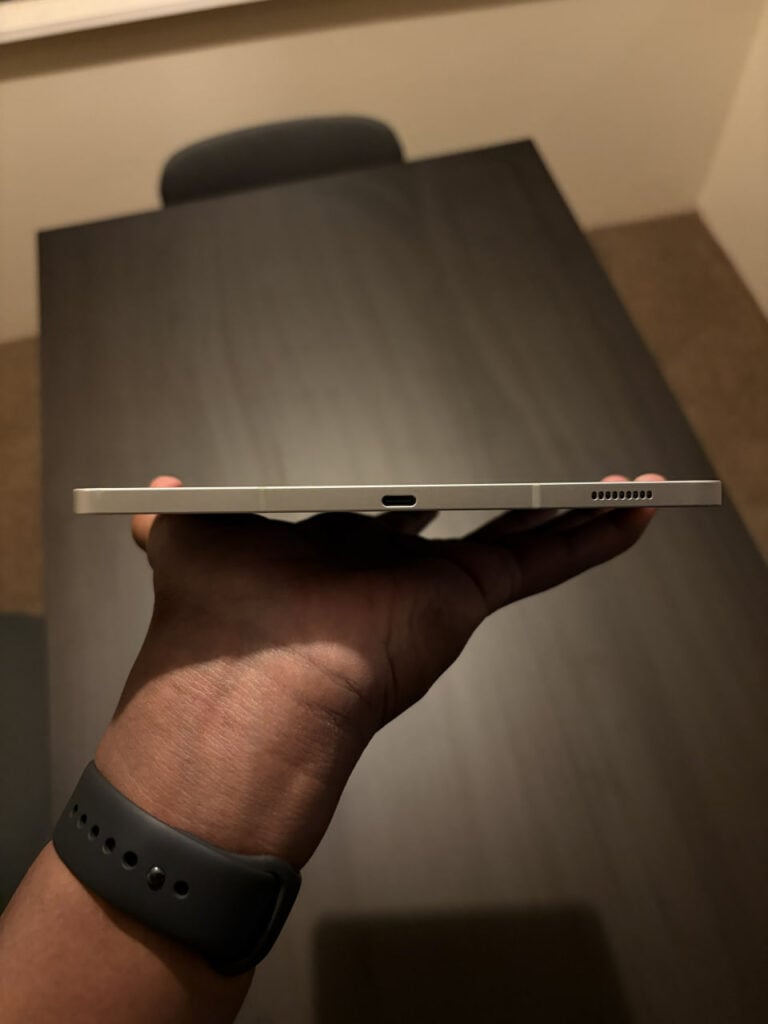
Samsung’s new Galaxy Tab S11 Ultra has caught attention for its USB-C port. The port is not in the center of the tablet’s edge. Tech enthusiast Sankew shared a photo showing it closer to one speaker grille. This small detail has started a lot of discussion online

Many people think the off-center port is a mistake. They wonder why a high-end tablet would have it placed unevenly.

But others say it is on purpose. The tablet is very thin, only 5.1mm thick, and has a lot packed inside. It has a big battery, a fast Snapdragon processor, and supports the S Pen. With so much inside, there isn’t enough space to put the port exactly in the middle.

Samsung Galaxy Tab S11 Ultra port

Image via @Sankew06 (X)

This is not the first time Samsung has done this. Phones like the Galaxy S24 FE also have slightly off-center USB-C ports, and they work perfectly fine. Some users even like it. When the tablet is on a table, the cable lies flatter and is easier to use while charging.

The off-center port shows how device makers balance design and performance. Samsung chose to keep the tablet thin and powerful, even if it means the port is a little uneven.

The Galaxy Tab S11 Ultra’s USB-C port is not a mistake. It is a small trade-off to keep the tablet slim, powerful, and practical. Some may notice it, but it does not affect how the tablet works.

Google Search Top Stories Preferred Source

The post Is Samsung’s Galaxy Tab S11 Ultra USB-C Port placement a clever design trick? appeared first on Sammy Fans.

Some buyers return Samsung Galaxy S26 Ultra over screen issue

Samsung launched the Galaxy S26 Ultra, a phone that comes with a new Privacy Display feature. This feature is meant to keep what’s on your screen private, so people sitting next to you in public places can’t see it. While it sounds useful, some buyers are returning the phone because the screen behaves differently than they expected.

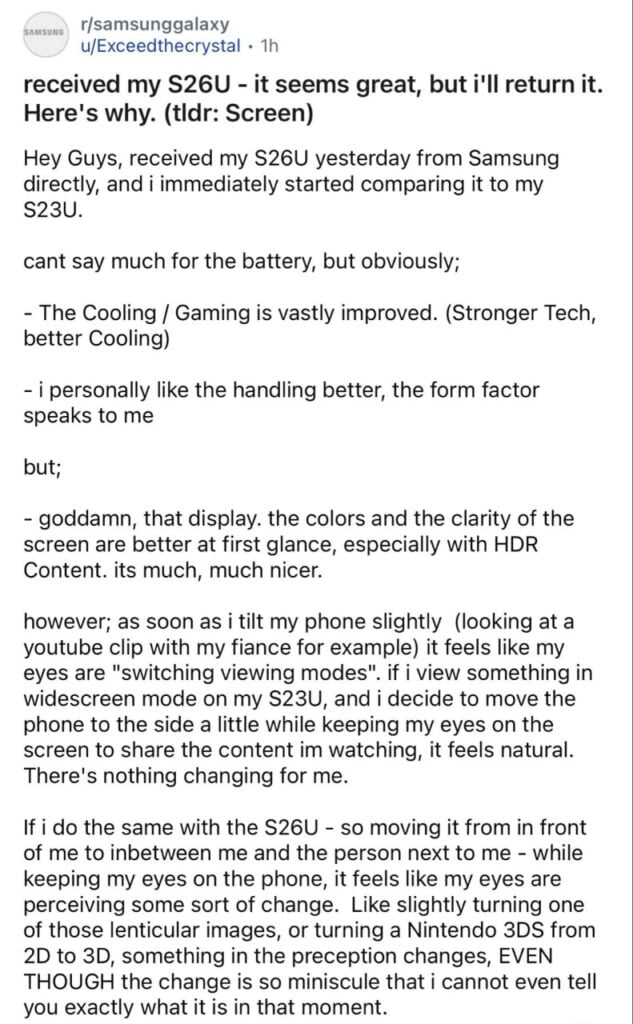
A Reddit user, Exceedthecrystal, explained why they returned their Samsung S26 Ultra. The user said the phone is very good in many ways, as it cools better for gaming, feels nice to hold, and the screen is bright and clear, especially for HDR videos. The colors and picture quality are much better than those of the older Galaxy S23 Ultra.

But the Privacy Display caused problems when the user tried to share the screen with someone next to them. Even a small tilt made the screen look strange.

Samsung Galaxy S26 Ultra phone return

Image via @Phonenurd (X)

The user said it felt like their eyes were ‘switching modes,” similar to how images appear on a 3D Nintendo 3DS. The change was small but noticeable and made it hard to watch videos together.

This shows that the Privacy Display, while meant to protect privacy, can be annoying for some users. It may not work well for people who like to share their screen with friends or family. If you have also received the Galaxy S26 Ultra, let us know in the comments. 

Google Search Top Stories Preferred Source

The post Some buyers return Samsung Galaxy S26 Ultra over screen issue appeared first on Sammy Fans.

Update Alert: Samsung Home Up 17.5.00.24 rolls out for Galaxy users

Samsung has pushed a new update for its Home Up module, bringing it to version 17.5.00.24. The update is now available for download through the Galaxy Store, which gives users access to the latest improvements for this popular customization tool.

Home Up is a Samsung’s Good Lock module, which offers a variety of tools to personalize Galaxy devices. With Home Up, users can customize the home screen layout, change the style of folders, adjust the task changer, and tweak other interface elements that go beyond standard One UI options.

The latest update, version 17.5.00.24, does not come with official release notes from Samsung. This means it is unclear exactly what changes or new features are included. Usually, these updates focus on bug fixes, stability improvements, and performance optimizations to ensure Home Up works smoothly with the latest Galaxy devices and One UI updates.

Samsung Home Up One UI 7 support

Even without detailed information, updating Home Up is recommended. Good Lock modules are regularly updated to improve compatibility and offer a better user experience. Users may notice small improvements or hidden tweaks after installing the new version, even if they are not officially listed.

The update package is around 68MB. Users can download it directly from the Galaxy Store by opening the app, tapping the Menu option, and then going to Updates. Also, Home Up can also be updated via the Good Lock app, where all Samsung customization modules are available in one place.

Google Search Top Stories Preferred Source

The post Update Alert: Samsung Home Up 17.5.00.24 rolls out for Galaxy users appeared first on Sammy Fans.

Samsung reveals first look of Galaxy M17e 5G on Amazon India

Samsung has started teasing its new smartphone, the Samsung Galaxy M17e 5G, in India. The company has created a special teaser page for the phone on Amazon India. This page confirms the phone’s name and also shows a small preview of its design and colours before the official launch.

The Amazon teaser page shows a banner with the tagline “All in One Monster.” This suggests that Samsung plans to offer a combination of good performance, battery life, and useful features in this budget smartphone.

The teaser image gives a quick look at the phone’s rear design. It confirms that the Galaxy M17e 5G will come with a dual rear camera setup. The image also shows that the volume buttons are placed on the left side of the device.

Samsung Galaxy M17e

Image via Amazon

Samsung has also revealed the two colour options for the smartphone – Purple and Green. Since this is only the first teaser, more information about the phone is expected to be shared on the Amazon page soon.

Earlier reports suggest that the smartphone features the MediaTek Dimensity 6300 processor and runs on Android 16. It may include a 6.7-inch HD+ display with a 120Hz refresh rate, a 6500mAh battery with 25W fast charging, a 50MP rear camera, and an 8MP front camera. More details should be announced soon.

Google Search Top Stories Preferred Source

The post Samsung reveals first look of Galaxy M17e 5G on Amazon India appeared first on Sammy Fans.

Horizon Lock turns Samsung Galaxy S26 Ultra into a video powerhouse

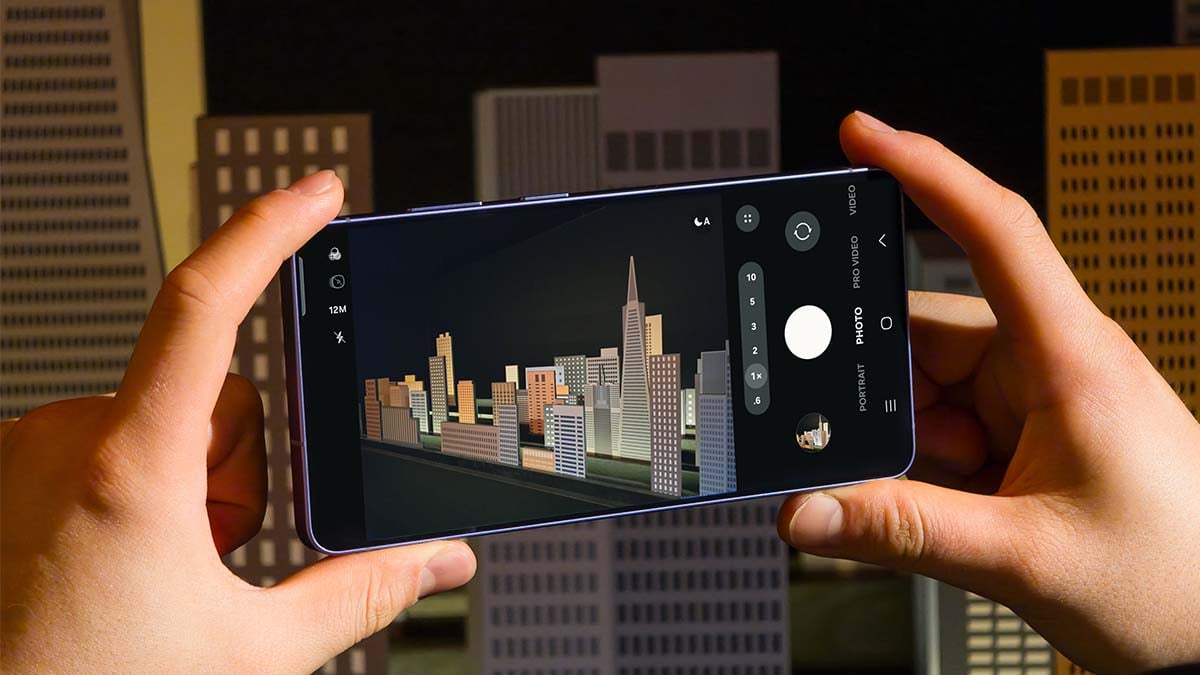
Samsung Galaxy S26 Ultra introduced several new camera features, and one of the most exciting ones is Horizon Lock. This feature helps keep videos straight and stable, even if the phone is tilted or rotated while recording. Here’s an amazing example for that.

Ahead of that, let’s talk about Horizon Lock. It is a software-based stabilization feature. It works like a digital gimbal and uses the phone’s sensors and software to keep the horizon level in a video. Even if the phone rotates completely, the feature tries to keep the video looking straight.

A video shared online by @jan_agrs showed how powerful this feature is. In the test, three smartphones were attached to a bicycle tyre to compare their video stabilization while the wheel spinning. The phones used in the test were the Samsung Galaxy S26 Ultra, iPhone 17 Pro Max, and Samsung Galaxy S25 Ultra.

Each phone recorded the video using its best stabilization mode. The iPhone 17 Pro Max used Action Mode, and the Samsung Galaxy S25 Ultra used Super Steady mode. The Samsung Galaxy S26 Ultra recorded the video using Horizon Lock with Super Steady mode.

There is only one way to test the Horizontal Lock Video feature on Samsung Galaxy S26 Ultra.

The stabilization is Crazy.

vs iPhone 17 Pro Max and S25 Ultra.

Cr: jshball / ig#samsung #GalaxyAI pic.twitter.com/Kv1AB5vfau

— Jan (@jan_agrs) March 6, 2026

When the bicycle tyre started spinning fast, the difference between the phones became clear. The videos from the other phones showed some shaking and rotation. But the video recorded by the Samsung Galaxy S26 Ultra looked much more stable.

The horizon in the video stayed straight even while the phone was spinning around with the wheel. Because of this, the video looked very smooth and steady. The stabilization shown in the test looks very impressive.

Google Search Top Stories Preferred Source

The post Horizon Lock turns Samsung Galaxy S26 Ultra into a video powerhouse appeared first on Sammy Fans.

Official Galaxy A37 and A57 pictures leak alongside specs, colors and pricing

Samsung is reportedly preparing to launch two new mid-range smartphones – the Galaxy A37 5G and the Galaxy A57 5G. These phones have appeared in several leaks and rumors over the past few weeks. Now, new images and details about their features, colors, and pricing have surfaced online.

The new information has been shared by well-known tipster Evan Blass. He posted screenshots that seem to be from official promotional pages of both phones. The screenshots reveal some important features and specifications of the upcoming devices.

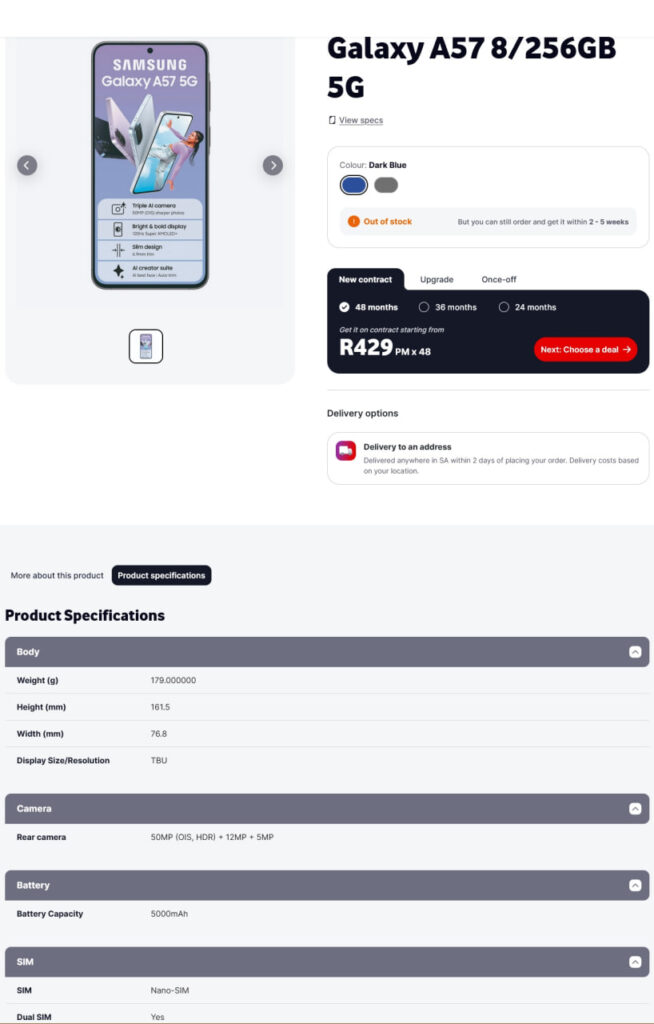
The Galaxy A57 5G is expected to come with 8GB RAM and 256GB internal storage. This should be enough for multitasking, gaming, and storing many apps and photos. The phone will reportedly feature a 120Hz Super AMOLED+ display that offers smooth scrolling and bright colors.

For photography, the Galaxy A57 5G could include a triple rear camera setup. This may feature a 50MP main camera with OIS, a 12MP ultra-wide camera, and a 5MP macro camera. Samsung may also add an AI Creator Suite with tools including AI Best Face and Auto-Trim for better photos and videos.

Samsung Galaxy A57 5G

Image via Evan Blass

The phone is also expected to include a 5,000mAh battery with fast charging support. It may come with a slim 6.9mm design and weigh around 179g. The leaked information suggests it could be available in Dark Blue and Grey colors.

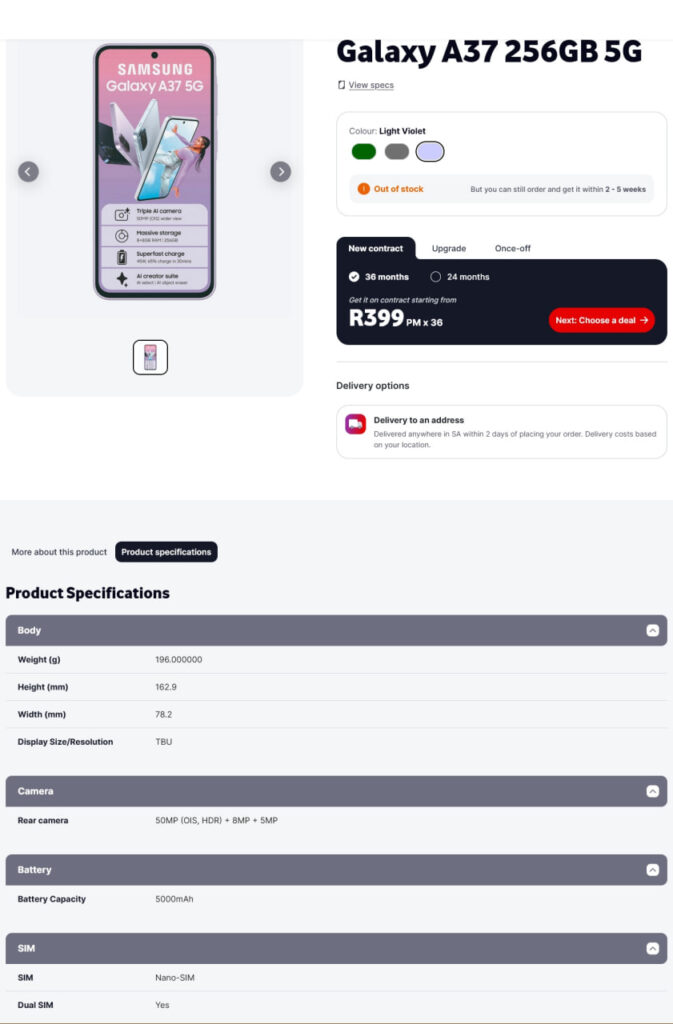
The Galaxy A37 5G may also offer 8GB RAM and 256GB storage. It is expected to feature a 50MP main camera with OIS, an 8MP ultra-wide camera, and a 5MP macro camera. The device may also include a bright display and 5G connectivity.

Samsung Galaxy A37 5G

Image via Evan Blass

Both phones are expected to have a 5000mAh battery, which should easily last a full day with normal use. They may also support dual SIM and offer good performance for everyday tasks.

The Galaxy A57 5G could cost around R429 (around $26) per month for 48 months under a contract plan. Meanwhile, the Galaxy A37 5G may be priced at around R399 (around $25) per month for 36 months. Samsung has not officially confirmed these details yet. Stay tuned for more information.

Google Search Top Stories Preferred Source

The post Official Galaxy A37 and A57 pictures leak alongside specs, colors and pricing appeared first on Sammy Fans.

How to enable the hidden 24MP camera mode on Galaxy S26 Ultra

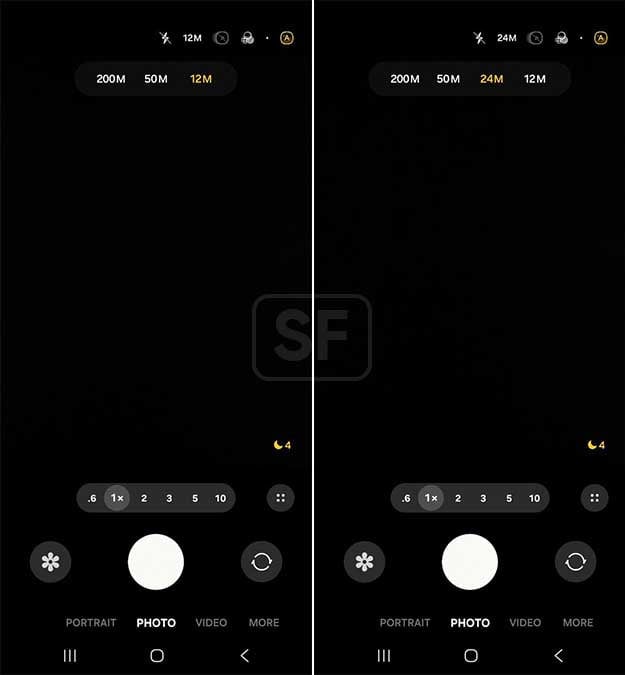
Samsung’s best flagship phone, the Galaxy S26 Ultra, technically supports a 24MP photo mode, but it’s not there when you open the camera app.

Galaxy S26 Ultra comes with an enhanced 200-megapixel camera. Samsung has also developed a 24-megapixel photo mode for this flagship device. However, users still see those familiar resolutions, 12MP, 50MP, and 200MP.

Galaxy S26 Ultra has a hidden 24MP photo mode

Most flagships default to 12MP because of pixel binning. The sensor takes data from multiple pixels and smashes them together into one, which helps with light, speed, and noise. You lose some sharpness, but you get faster processing and cleaner shots.

While the Galaxy S26 Ultra has a 200MP main sensor, shooting at full resolution gives you insane detail, but the files are huge.

The 50MP telephoto has similar issues, so people bounce between 12MP for everyday reliability and the higher resolutions when they need to crop hard or print large.

Samsung Galaxy S26 Ultra 24MP camera

Image via Samsung Community

24MP is supposed to split the difference

Samsung showcased the 24MP mode, which uses AI Fusion processing to pull detail from the higher resolution data. You get more sharpness without sacrificing the natural color and dynamic range, without huge files.

Samsung Galaxy S26 Ultra 24MP Camera Photo Mode

Here’s how to enable 24MP photo mode

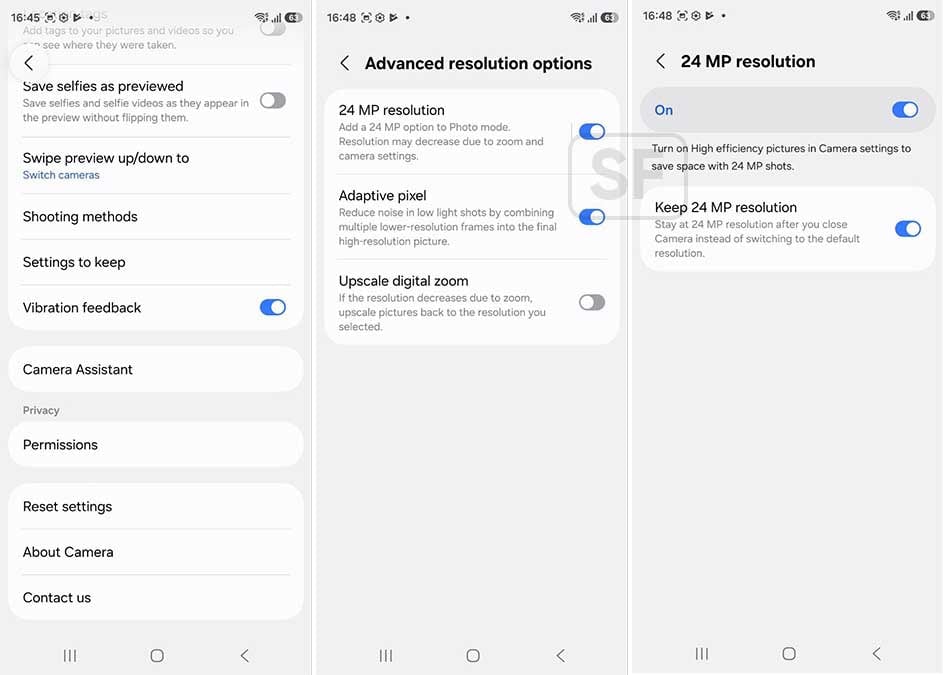
Want 24MP? You need to download Camera Assistant first. Camera Assistant is a Good Lock module, which means it lives in the Galaxy Store, not the main camera interface.

Once you’ve installed Camera Assistant, you have to dig into Advanced Resolution Options and manually flip the toggle “24 MP resolution.”

Samsung Galaxy S26 Ultra 24MP Camera Photo Mode

However, there’s a letdown. Even after you enable 24MP in Camera Assistant, the camera app won’t remember it as your default. You can tap it on and shoot with it, but if you switch back to 12MP or 50MP before closing the app.

he phone resets to 12MP the next time you open it. You have to manually select 24MP every single time unless you leave it set when you exit. To stop this from happening, expand 24MP settings and turn on “Keep 24 MP resolution.”

Unlike the 24MP mode buried in Expert RAW, this version works in the normal camera app.

The post How to enable the hidden 24MP camera mode on Galaxy S26 Ultra appeared first on Sammy Fans.

Galaxy S26 Ultra survives brutal drop test, but one part fails badly

The first Galaxy S26 Ultra drop test is already here as Samsung gears up to start shipping the new flagship phones to preorder buyers.

Famous YouTube channel PBKreviews just released the Galaxy S26 Ultra drop test video. The smartphone has survived the brutal test with flying colors, but one important part failed badly, and it’s not good to hear.

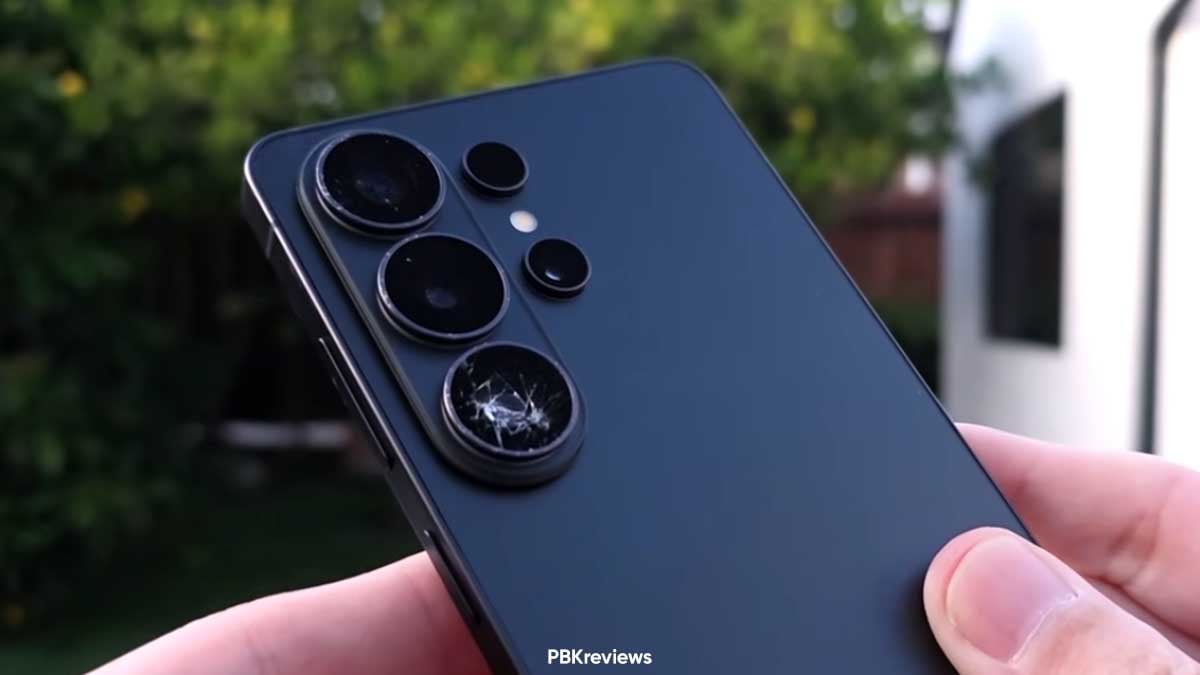
PBKreviews tossed the S26 Ultra off a concrete slab from head height four times. What emerged from that beating tells you everything about the phone’s durability story: it’s mostly excellent, but the camera island got obliterated.

The screen held up, no question there. Gorilla Armor 2 on the front glass proved itself immediately with the first drop. Not a crack, not a damage and the power button worked fine, like nothing happened to the device.

Camera lenses still need work

The camera bump extends more than the S25 Ultra’s setup, and the individual lenses sit there with less protective framing around them. So when the phone landed on its back during the second drop, one lens cover shattered outright.

Third drop, more glass fell off. By the end, the cameras still functioned but the shattered lens covers caused noticeable distortion in shots. That’s fixable with a replacement, sure, but you shouldn’t have to be thinking about that.

It was the same case with the Galaxy S25 Ultra last year.

Samsung Galaxy S26 Ultra Drop Test

Source – PBKreviews/YouTube

The aluminum frame took visible damage too. Samsung swapped titanium for aluminum this year, while the difference isn’t drastic. The fourth drop popped the S Pen right out of its slot, however, it remained fully functional.

So we’ve got a phone where the front and back glass hold up brilliantly, but the camera design actively invites disaster.

Do watch the full Galaxy S26 Ultra drop test video on YouTube.

The post Galaxy S26 Ultra survives brutal drop test, but one part fails badly appeared first on Sammy Fans.

Galaxy phone crashed in the presence of Samsung boss, then he surprised all

So a Brazilian TV host’s Galaxy phone crashed at the single most important networking event of his career; classic Samsung timing, that too in the presence of Samsung’s Boss.

Carlos Gorito, a moderator hired to run Brazil’s state dinner with South Korea last month, tried to snap a photo of the February 23 gathering at Seoul’s Blue House Guest House.

Samsung boss surprised everyone

Gorito’s Galaxy gave up, not dead exactly; calls and texts still worked but the camera went frozen. He posted about it later on Instagram, saying the phone “suddenly decided to travel back to the past” – via Chosun.

Now Gorito could’ve just pocketed the Galaxy phone, cursed Samsung under his breath, maybe borrowed someone else’s phone. But he walked up to Lee Jae-yong, the chairman of Samsung, and asked for help fixing his Galaxy.

Lee told him his own phone was working fine. Then, instead of handing it over or calling a tech person or pretending he didn’t understand the question, Lee offered to take the photo himself and email it to Gorito later.

Samsung Boss Galaxy Camera Failure Brazil

That’s not how executives usually handle product failure in public. Most would’ve quietly had someone swap the device out, maybe sent a new Galaxy Ultra to Gorito’s hotel the next morning with a handwritten note.

Brazilian President Lula in attendance, Samsung’s Lee Jae-yong, the CEOs of SK, LG, and Hyundai. This was the dinner where deals happen, where Brazil and Korea shake hands on factory investments and export agreements.

The post Galaxy phone crashed in the presence of Samsung boss, then he surprised all appeared first on Sammy Fans.

Samsung’s Galaxy S26 series spare parts are more expensive than S25

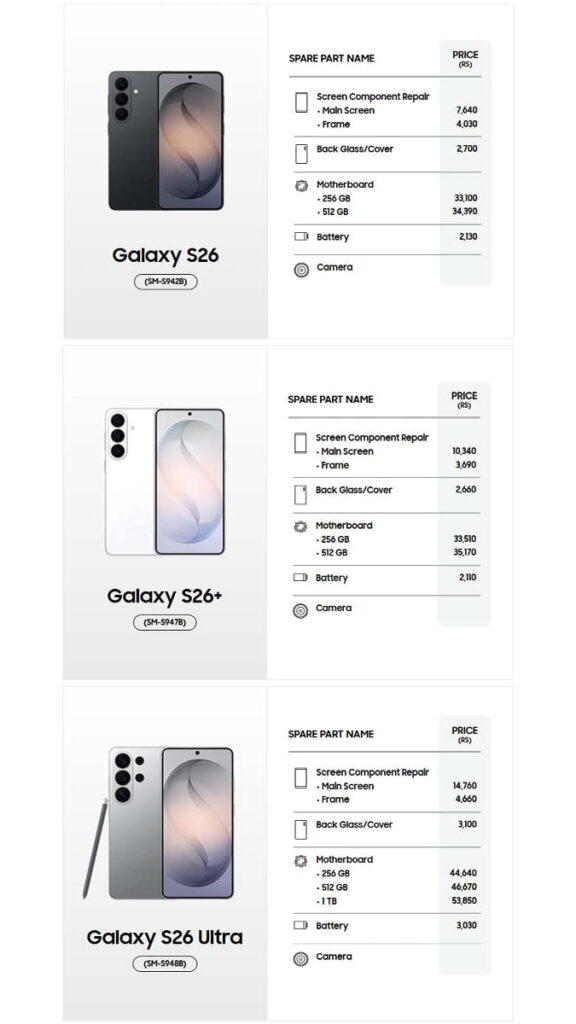
Samsung just revealed spare part pricing for the Galaxy S26 series and it’s more expensive than last year’s phones.

Galaxy S26 spare part cost in India shows the baseline screen replacement for the regular S26 surfacing at Rs 7,640, which is Rs 1,490 higher than what the S25 screen cost at launch.

The Plus model follows the same trajectory. The S26+ main screen now costs Rs 10,340, up from Rs 8,400 for the S25+, which is Rs 1,940 more.

Worth noting that the Plus actually gets a smaller price hike on its frame compared to the base model, which shrinks from Rs 3,460 to Rs 3,690. But the Ultra is where things get uncomfortable.

The Galaxy S26 Ultra screen repair clocks in at Rs 14,760. Last year, it was Rs 11,950 for the Galaxy S25 Ultra. That’s Rs 2,810 more for the same repair scenario; probably, the Privacy Display upgrade is making the difference.

The motherboard replacements are equally brutal. A 256GB motherboard for the S26 Ultra will set you back Rs 44,640 compared to Rs 37,150 for the S25 Ultra. Meanwhile, the 1TB variant jumps to Rs 53,850 from Rs 46,060, a Rs 7,790 climb.

The Ultra uses a Snapdragon 8 Elite Gen 5 chipset, and it has that new Privacy Display tech that Samsung spent five years developing. Those components cost money, but the base S26 and S26+ don’t get the Privacy Display.

The S26 Ultra battery now costs Rs 3,030 versus Rs 2,440 for the S25 Ultra. The base S26 battery actually costs less than the S25 battery, which is the only part that got cheaper year over year.

The S26 has a Rs 570 increase for the frame, and the S26+ sees a Rs 270 bump. However, things got better for the Galaxy S26 Ultra due to preferring Aluminum over Titanium; frame drops from Rs 6,740 to Rs 4,660.

The phones go on sale March 11, and people who pre-ordered are locked in.

Samsung Galaxy S26, S26+ and S26 Ultra repair cost India

The post Samsung’s Galaxy S26 series spare parts are more expensive than S25 appeared first on Sammy Fans.

Samsung Browser (Internet) app integrates Ask AI feature in latest update

Samsung Internet app has been renamed to Samsung Browser on the Galaxy S26 series, and the latest version also integrates the Ask AI feature.

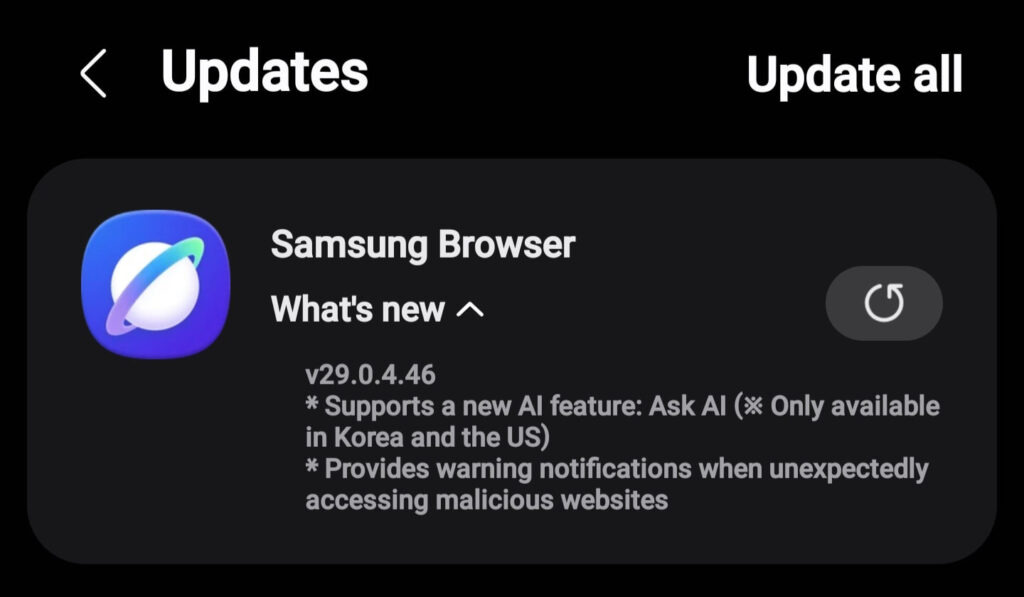
The change in name was spotted recently, and Samsung is now rolling out a new update to the Browser (previously Internet) app, bringing the Ask AI feature. It also adds a warning to safeguard privacy when you browse the web.

Samsung enthusiast LarrySWhite shared a screenshot, showcasing the latest update for the Samsung Browser app. The changelog mentions two major changes that are integration of Ask AI and the malicious site warning.

The Samsung Browser version 29.0.4.45 carries these upgrades. The rollout appears to be limited to the most recent Galaxy flagships. An expansion will take place, but there’s no guarantee of wider availability soon.

Ask AI – US and Korea only affair

Samsung Browser’s changelog makes it clear that Ask AI is only for users in South Korea and the US. It’s a very hard regional restriction, keeping the availability limited to just two countries, leaving others waiting.

Chrome remains the most widely used internet browser app on Android. Samsung Internet is available for all Android devices, yet its utilization is not significant. Still, Samsung is empowering its in-house browser with new features.

APK file of the latest version is available for download manually. Sideloading is banned by Auto Blocker and not recommended either. Still, you can give it a try if you are really interested in the Ask AI trick in the US and Korea.

Samsung Internet Browser Ask AI

Credit – Larry S White

The post Samsung Browser (Internet) app integrates Ask AI feature in latest update appeared first on Sammy Fans.

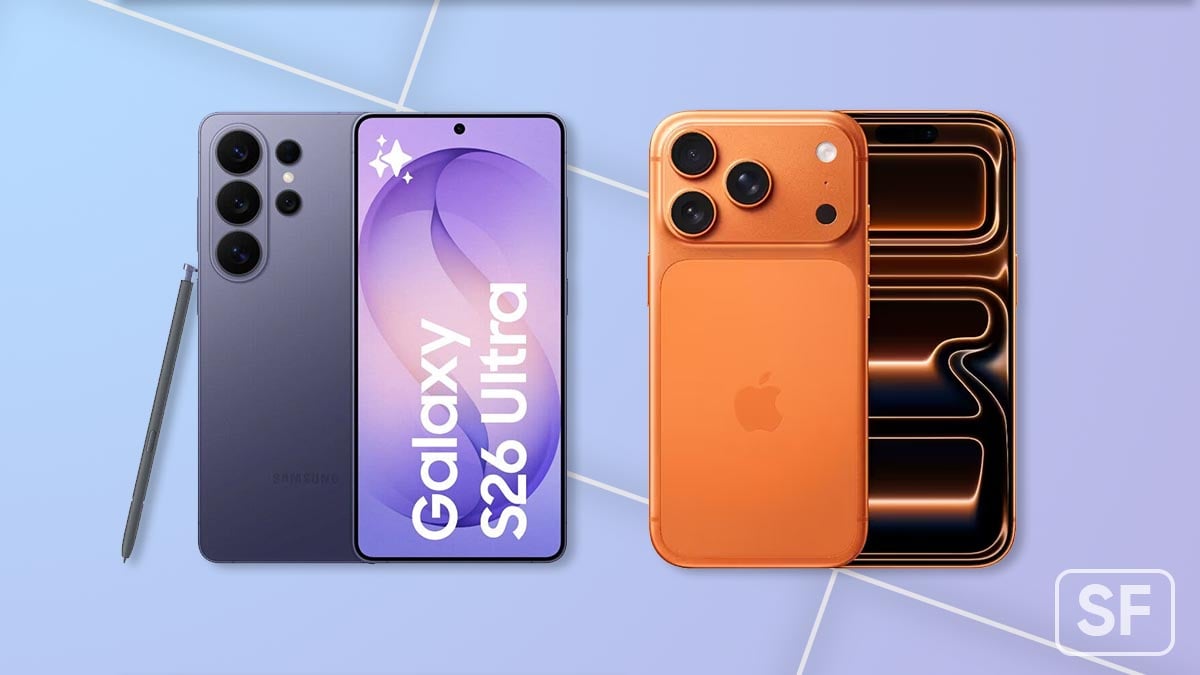
Galaxy S26 Ultra vs iPhone 17 Pro: 7 key differences decide the winner

The Galaxy S26 Ultra vs iPhone 17 Pro (Max) debate kicked off the second Samsung wrapped its Unpacked event, and this year’s matchup is messier than usual.

I’ve spent the better part of a week looking at these devices, comparing spec sheets, reading Samsung’s marketing claims, and thinking about what actually matters when you’re dropping over a grand on a phone.

Galaxy S26 Ultra vs iPhone 17 Pro

This isn’t a definitive buyer’s guide yet. It’s more like an early assessment from someone who’s watched Samsung chase Apple for five years straight.

Design

Samsung and Apple make rounded rectangular slabs with glass backs and an aluminum frame. Samsung refined the Ultra this year, smoothing out some edges. The camera bump on all three S26 models is the pill-shaped island with three lenses.

Apple has further enlarged the rectangular bump on the Pro and Pro Max models. The island now occupies a significant space on the back. Meanwhile, the base iPhone 17 has two cameras sitting in a smaller bump.

Samsung Galaxy S26 Ultra vs Apple iPhone 17 Pro Max

Samsung wrapped the S26 and S26 Plus in Gorilla Armor, then upgraded the Ultra to Gorilla Armor 2. Apple covered all three iPhone 17 models with Ceramic Shield 2. Marketing names aside, they are all extremely durable pieces of glass.

Verdict: Both lineups look like premium flagship phones in 2026

Colors

Samsung offers Black, Cobalt Violet, Sky Blue, and White everywhere, with Silver Shadow and Pink Gold exclusive to its online store. The iPhone 17 comes in Black, Lavender, Mist Blue, Sage, or White. The Pros get Cosmic Orange, Deep Blue, and Silver.

Samsung Galaxy S26 Ultra SG26U Apple iPhone 17 Pro Series

Display

Samsung bumped the base S26 up to 6.3 inches from last year’s 6.2. The S26+ stays at 6.7 inches, and the Ultra now rocks a massive 6.9-inch panel. All three support variable refresh up to 120Hz, hit 2,600 nits peak brightness.

Apple’s iPhone 17 and 17 Pro both use 6.3-inch screens, while the Pro Max matches Samsung’s Ultra at 6.9 inches. This year, every iPhone supports 1Hz to 120Hz refresh, includes an anti-reflective coating, and 3,000 nits brightness.

Samsung added something Apple didn’t think of or didn’t bother with: Privacy Display.

Verdict: Galaxy S26 Ultra display is a game-changer.

Performance

Every Galaxy S26 runs on a Qualcomm Snapdragon 8 Elite Gen 5 for Galaxy in the US. Apple’s running an A19 chip in the base iPhone 17 and an A19 Pro in the Pro models.

Both companies make absurdly powerful processors at this point, and unless you’re doing something incredibly demanding, they’ll both feel instant.

Verdict: Too early to call a winner here

Camera

Samsung is stuck with the same camera setup on the S26 and S26 Plus that it used last year. That means a 50MP main sensor, a 12MP ultra-wide, and a 10MP telephoto with 3x optical zoom.

The S26 Ultra upgrades things considerably. You get a 200MP main camera, a 50MP ultra-wide, a 50MP telephoto with 5x optical zoom, and a 10MP telephoto with 3x optical zoom.

Samsung Galaxy S26 Ultra SG26U camera

Apple’s base iPhone 17 features a 48MP main camera and a 48MP ultra-wide. No telephoto, but Apple claims 2x optical zoom in and 2x optical zoom out through software.

The iPhone 17 Pro models get three 48MP rear cameras covering main, ultra-wide, and telephoto duties. All three iPhones sport an 18MP front camera with the Center Stage feature.

Samsung and Apple cameras have been excellent for years. The Ultra and Pro Max will likely trade wins depending on lighting conditions, subject matter, and personal preference.

Verdict: Samsung is ahead of Apple in the camera segment.

Battery capacity

Samsung’s battery sizes: 4,300mAh in the S26, 4,900mAh in the S26+, and 5,000mAh in the Ultra. Charging speeds vary too; the base model charges at 25W wired, Plus supports 45W, whereas the Ultra goes up to 60W (25W wireless).

Apple doesn’t publish battery capacity numbers, but the supply chain does. The base iPhone brings a battery of 3,692mAh, the Pro model gets approximately 4,252mAh, while the Pro Max version boasts the largest at about 5,088mAh.

Battery life’s one of those specs where you can’t trust the numbers until you run the actual test.

Price

Samsung wants $899 for the base Galaxy S26, while Apple asks $799 for the iPhone 17. That’s a hundred-dollar gap right out of the gate. Note that every phone here starts at 256GB, which is table stakes in 2026.

The Galaxy S26 Plus comes with a price tag of $1,099, while the iPhone 17 Pro costs $1,099 flat. As before, the Galaxy S26 Ultra continues to keep its $100 (upward) price difference from the best of Apple (iPhone 17 Pro Max).

Verdict: Apple is cheaper at every tier.

Samsung Galaxy S26 Ultra vs Apple iPhone 17 Pro Max

The post Galaxy S26 Ultra vs iPhone 17 Pro: 7 key differences decide the winner appeared first on Sammy Fans.

Samsung reveals the pixel trick behind Privacy Display

Samsung pulled back the curtain on Privacy Display last week. The Galaxy S26 Ultra launched on February 25th with the mobile industry’s first built-in Privacy Display.

Now, Samsung has revealed the brilliant technology behind the Privacy Display. It relies on a new OLED panel from Samsung Display that alternates between two types of pixels: Narrow and Wide.

Here’s how it actually works

In normal mode, both narrow and wide pixels spread light across a wide range of angles. When Privacy Mode is enabled, the display prioritizes narrow pixels that emit light straight forward, while wide pixels are reduced to a minimal level.

Samsung says the tech has been in development for 5 years, which tracks.

The company built Privacy Display with the ability to only apply to small portions of the S26 Ultra’s display, and it can hide notification pop-ups nearly perfectly. You’re not stuck blanking the entire screen every time you’re on a train.

You can set triggers for when the feature activates, such as during PIN, password, or pattern entry, or when notifications appear. No one wants to manually toggle a privacy filter every time they pull out a credit card to buy something online.

Samsung GalaxyS26 Ultra Privacy Display SG26U

Early hands-on suggests the blocking works well at the Samsung booth, but real-world performance depends heavily on the angle. Double-press the side button, and it activates. It’s a quick trick in addition to the toggle in the Quick panel.

Samsung insists it doesn’t mess with brightness, color accuracy, or viewing quality when you’re looking head-on. However, it actually dims the screen brightness a little when tested with equipment.

The post Samsung reveals the pixel trick behind Privacy Display appeared first on Sammy Fans.

Samsung phones could get Android-to-iPhone sharing feature this month

Samsung phones may finally receive the Android-to-iPhone sharing feature this month. The rollout may initially start for the Galaxy S26 series. Samsung will later expand the tool to even more Galaxy users sequentially.

In a recent development, Oppo confirmed (via 9to5Google) that the Find X9 and Find X9 Pro will get a software update later this month that lets them share files with iPhones, iPads, and Macs through Quick Share.

iPhone users will need to flip AirDrop visibility to Everyone for the handshake to work, because Apple’s default Contacts Only mode won’t play nice with Android devices trying to bridge in.

That’s Android-to-iPhone sharing via Quick Share wired into AirDrop’s backend, the same trick Google pulled on Pixel phones back in November.

Here’s what Oppo announced at MWC 2026:

Coming soon, OPPO’s Find X9 Series will bring Android Quick Share, enabled in close collaboration with MediaTek and Google. Without installing third-party applications, users can conveniently and securely transfer files between OPPO smartphones and iOS, iPadOS and macOS devices, improving cross-platform interoperability. The feature is expected to begin rolling out via software update starting in March.

Why does this matter?

Samsung Android iPhone sharing is about to follow. Screenshots surfaced weeks ago showing the Galaxy S26 series prepped for AirDrop compatibility through Quick Share, though the feature wasn’t active when reviewers tested retail units.

The company’s software rollouts haven’t exactly been the most predictable thing for the past year or two. One UI 8.5 is the likely vehicle for this, and Samsung has a habit of staggering such features across device generations.

The Galaxy S26 lineup doesn’t support this out of the box, but the feature may go live through a software update later this month.

The feature doesn’t require special hardware, so older Galaxy phones could get it with a software update, possibly bundled into One UI 8.5.

The post Samsung phones could get Android-to-iPhone sharing feature this month appeared first on Sammy Fans.

Moisture forming inside Galaxy S26 Ultra camera lenses

People with Galaxy S26 Ultra camera moisture problems are starting to speak up. It’s the most distressing problem Samsung’s flagships have ever faced. The condensation problem is rendering the cameras unusable, and that’s sad.

Ice Universe posted about it first on X, asking anyone who bought the phone to check their cameras in freezing weather. His own unit’s got condensation inside.

The problem surfaced after he took his phone outside when the temperature hit around minus six Celsius. Both the 3x and 5x telephoto lenses fogged up completely, which means you’re not taking usable photos in cold conditions.

He mentioned Korean forums picked up the same complaints, which tells you it’s not a bad batch. When multiple people in different countries see moisture forming on the inside of camera lenses on a phone rated IP68, that’s an engineering screwup.

The real question is why moisture’s getting trapped inside sealed camera housings. Samsung proudly touts that IP68 rating like it means invincibility.

Either the seals aren’t doing their job, or the vapor chamber inside the phone is creating internal humidity that has nowhere to go when the temperature plummets.

You’re holding a $1,300 phone that can’t shoot photos when it’s cold. That’s embarrassing for a company that stakes its reputation on hardware quality.

Samsung launched the Galaxy S26 series last month, full well knowing that people in half the world would be using it in freezing temperatures within weeks.

If this happens to you, what do you do?

You can’t blow dry without risking further condensation when it cools again. Rice doesn’t work and never did. Let it sit at room temperature and hope the moisture evaporates on its own without leaving residue on the lens internals.

If it doesn’t clear, you’re looking at a service center visit, and good luck getting that covered under warranty when Samsung might almost certainly call it user error.

Samsung Galaxy S26 Ultra Camera Lens Moisture Issue

Via – Ice Universe / X

The post Moisture forming inside Galaxy S26 Ultra camera lenses appeared first on Sammy Fans.

Samsung wants you to customize One UI beyond apps with vibe coding

There’s one thing Samsung didn’t shout about at Unpacked that could actually change how people use Samsung phones: vibe coding.

Recently, Hamish Hector of Techradar asked Won-Joon Choi, Samsung’s head of MX Business, whether vibe coding might surface on Samsung Galaxy devices; he didn’t shut the door. “Something we’re looking into,” he said.

Then he got specific; the appeal isn’t just app tweaks, it’s deeper.

“The possibility of customising your smartphone experience in new ways, not just your apps but your UX.” Right now, we are stuck with whatever Samsung or Google decided to ship, but vibe coding flips that.

You tell an AI what you want built. Maybe you’re sick of YouTube Shorts clogging your feed and you want a version that strips them out entirely. The AI writes the code, you install it and it’s done, Shorts gone from your feed.

This isn’t some futuristic concept either; coding assistants have been around since LLMs first showed up, but the new breed of vibe coding tools can hand working apps to people who’ve never touched a line of code.

Samsung loves reminding everyone that Android is open. Benjamin Braun, Samsung’s chief marketing officer, celebrated that openness in a post-Unpacked panel.

If Android lets you sideload anything you want already, why wouldn’t Samsung bake vibe coding directly into One UI? It’s the most obvious move they could make.

Choi seemed interested, at least. He didn’t commit to a timeline or confirm it’s definitely happening. But the fact that he engaged with it at all tells you Samsung’s at least thinking about this seriously.

If Samsung actually does this, the “AI phone” label might finally mean something beyond marketing copy. You wouldn’t just be using Samsung and Google’s preloaded apps, but you would make your own apps and use them on Galaxy.

Samsung Galaxy S26 Ultra SG26U Gemini Actions

The post Samsung wants you to customize One UI beyond apps with vibe coding appeared first on Sammy Fans.

Samsung Galaxy S26 Ultra supports APV codec for professional video creation

Samsung has added a new video feature, Advanced Professional Video (APV), codec to the Galaxy S26 Ultra. This feature helps people record high-quality videos on their phones while using less storage space. It is made for creators who want their videos to look professional without needing big cameras.

Samsung and Qualcomm have developed the APV codec in collaboration. They made it so many people could use it. After years of work, APV is now on the Galaxy S26 Ultra, which has the Snapdragon 8 Elite Gen 5 Mobile Platform for Galaxy chip.

The APV video format is different from normal phone videos. Most phone videos make files small, but the quality can drop after editing. APV keeps videos looking good even after editing many times. This is perfect for people making videos for YouTube, social media, or movies.

Samsung Galaxy S26 Plus SG26P

APV can record videos in very high quality, up to 8K resolution at 30 frames per second. Even with this high quality, APV uses about 10% less storage than other similar formats. This helps you save more videos on your phone without running out of space.

You can easily turn on this feature. For that, open the Camera app >> go to Settings >> choose Video Format. Then turn on APV. You can pick APV HDR or APV Log depending on the look you want. There are two file options: APV 422 HQ for the best quality and APV 422 LQ for smaller files. You can even save APV videos to an external USB drive if needed.

With APV Codec, Samsung makes it simple for everyone to create high-quality videos on their phone. Now, creators can shoot, edit, and share videos that look professional without using a big camera or computer.

Google Search Top Stories Preferred Source

The post Samsung Galaxy S26 Ultra supports APV codec for professional video creation appeared first on Sammy Fans.

Galaxy Store Benefits Program now available for Samsung users in the US

Samsung has launched a new rewards program, Galaxy Store Benefits, to give Galaxy device users extra value when they use the Galaxy Store. The program is currently available for Galaxy users in the United States and is free to join.

The new program adds a Benefits tab inside the Galaxy Store app. This tab allows users to earn rewards by doing simple activities in the store. Users can explore new apps, try games, or check out featured content. When they complete these small tasks, they earn virtual points – Gems.

These Gems can be collected and later exchanged for rewards. Users can redeem them for Galaxy Store coupons or digital gift cards that can be used on Samsung’s official website. This makes everyday use of the store more fun and rewarding.

Samsung Galaxy Store Program Galaxy S26

Image via Samsung

Samsung also added sweepstakes to the program. Users can enter daily, weekly, and monthly prize draws for a chance to win Samsung devices. In March, the main monthly prize is the new Samsung Galaxy S26 Ultra smartphone. There are also weekly prizes such as the Samsung Galaxy A17 5G and the Samsung Galaxy Tab A11+.

The Korean tech giant plans to update the rewards regularly. New prizes, coupons, and sweepstakes will be added each month, so users always have something new to look forward to. This program will encourage people to visit the Galaxy Store more often and interact with apps and games more engagingly.

Avner Ronen, Vice President, Product Development at Samsung Electronics, said:

“The Galaxy Store plays a central role in how users engage with their favorite content across Galaxy devices. With the Benefits tab, we’re introducing new incentives designed to make everyday store interactions more rewarding while supporting ongoing discovery across the Galaxy ecosystem. As the program grows, we will continue refreshing and evolving the benefits for our users with updated rewards and sweepstakes, including more opportunities to win even bigger prizes.”

The post Galaxy Store Benefits Program now available for Samsung users in the US appeared first on Sammy Fans.

Samsung begins internal One UI 8.5 Beta testing on Galaxy Z Fold 7 and Flip 7

Samsung‘s One UI 8.5 Beta Program is currently live for Galaxy S25 series users. Until now, the beta program was believed to be available only for the Galaxy S25 series. However, new reports suggest that it could soon reach more devices, including the Samsung Galaxy Z Fold 7 and Galaxy Z Flip 7.

A reliable tipster, @Alfaturk, has spotted the One UI 8.5 Beta build for Galaxy Z Flip 7 and Galaxy Z Fold 7 on an internal testing platform. This shows that Samsung is already preparing the beta update for its latest foldable phones.

One UI 8.5 Beta testing build for Galaxy Z Fold 7 and Galaxy Z Flip 7 are F966NKSU8ZZC4 and F766NKSU8ZZC4. These builds suggest that the company has started testing the update before releasing it to users.

Samsung One UI 8.5

Image source – SammyFans

If Samsung opens the beta program for these foldable devices, users will get the chance to test new features and improvements early. Beta programs are usually used to find bugs and improve the software before the final version is released.

However, if Samsung decides to include more Galaxy devices in the beta program, the rollout of the stable One UI 8.5 update might take a little longer. Testing the software on more devices requires additional time to make sure everything runs smoothly.

For now, Samsung has not officially announced the expansion of the One UI 8.5 Beta Program. More details may be revealed soon as testing continues. Users will have to wait for an official confirmation or rollout. Stay tuned.

Google Search Top Stories Preferred Source

The post Samsung begins internal One UI 8.5 Beta testing on Galaxy Z Fold 7 and Flip 7 appeared first on Sammy Fans.

Samsung reveals what its AI Smart Glasses will actually do

Samsung’s Jay Kim stood on a stage in Barcelona and shared crucial details about the Samsung AI Smart Glasses. The executive let slip that the upcoming Samsung AI Smart Glasses will feature a camera at “your eye level.”

Samsung has been working on AI Smart Glasses with Qualcomm and Google since 2023, and until this week at MWC 2026 all we got was strategic silence and some internal whispers about something called Project HAEAN, via CNBC.

The glasses feed what you’re looking at through that camera to your Galaxy phone, which does the heavy lifting and then sends you back “a lot of information”. Your phone becomes the brain and the glasses are just your eyes and ears.

When asked about a built-in display, Kim sidestepped the whole thing and said Samsung’s got watches and phones if you need a screen.

Meta’s Ray-Ban glasses own 82% of the global smart glasses market, and Samsung’s essentially trying to clone that playbook with better AI baked in.

The difference is Gemini integration, tighter Galaxy ecosystem hooks, and the hope that Samsung’s name carries more weight than Meta’s in a category where people are still creeped out by cameras on faces.

Kim said the XR headset stuff won’t be “a sort of mass scale business”. It signals the company screwed up, thinking people wanted bulky VR nonsense when they just want something lightweight they won’t be embarrassed to wear.

Samsung is betting that AI agents will turn glasses into the next must-have platform. Meta’s already there and Apple is presumably watching. Samsung’s targeting a release “for industry this year,” and Qualcomm’s confirmed 2026.

The post Samsung reveals what its AI Smart Glasses will actually do appeared first on Sammy Fans.

Galaxy S26 Ultra teardown uncovers ALoP camera, strange adhesive

Galaxy S26 Ultra is set to hit the market shelves on March 11, but we just got the first teardown of this flagship phone, confirming the hidden camera upgrade: ALoP tech in the periscope sensor.

YouTube channel Disassembling Parts uploaded the Galaxy S26 Ultra teardown. The video highlights an excessive use of a “strange adhesive,” but what caught the eye is the installation of ALoP camera technology inside.

Everything the video covers

It’s a full internal breakdown of the Galaxy S26 Ultra, going layer by layer through components like:

  • Battery
  • Motherboard
  • Camera system
  • Overall internal layout

ALoP Camera

The periscope camera module appears to use ALoP technology, which Samsung quietly teased over a year ago. Samsung’s new ALoP (All Lenses on Prism) places the lenses on top of the prism, reducing module size.

ALoP uses a larger lens diameter for improved brightness. The module sits flatter against the body, with less bump and better aesthetics. That square prism outline has also gone; you just see round lenses now as the phone gods intended.

Samsung Galaxy S26 Ultra ALoP Camera Sensor

Source – Disassembling Parts / YouTube | Via – @MyDaebakCafe/X

Even though the ALoP camera has been shipped, Samsung did not mention the technology. The company is accused of lazy hardware upgrades, not because of staleness, but of avoiding marketing of these technologies publicly.

The main highlight is an unusually large amount of adhesive applied in unexpected or “strange” places inside the phone. Adhesive inside phones isn’t new, but the sheer amount here raises questions.

The video explores possible reasons Samsung did this, such as:

  • Improved durability/structural support
  • Better thermal management
  • Enhanced water resistance
  • Other assembly/engineering trade-offs

You can watch the full teardown video on YouTube.

The post Galaxy S26 Ultra teardown uncovers ALoP camera, strange adhesive appeared first on Sammy Fans.

Samsung teases wider One UI 8.5 Beta expansion; Galaxy Z Fold 7 and Flip 7 next

Samsung is opening up One UI 8.5 Beta forums for the Galaxy Z Fold 7 and Flip 7. No actual builds yet, but the fact these forums popped up tells you something awkward about Samsung’s software timeline right now.

The earliest Samsung fans seeing the One UI 8.5 Beta for the Galaxy Z Fold 7 and Z Flip 7 is mid-March, according to MohammedKhatri tracking Samsung’s server movements. That puts stable release somewhere closer to mid-April.

Setting up forums first is usually prep work. March security patch builds are currently being tested for the Fold 7 and Flip 7, which pushes One UI 8.5 toward April. The company’s basically admitting the software isn’t cooked yet.

The Fold 7 and Flip 7 launched in July 2025, running One UI 8 on Android 16. One UI 8.5 went live with the Galaxy S26 series on February 25. Existing devices are now looking at an April rollout instead of the March window people expected.

Samsung Galaxy Z Fold 7 and Z Flip 7 One UI 8.5 Beta Forum

Courtesy – @Mohammed_K_2010/X

The Galaxy S25 series already has the One UI 8.5 Beta running. Samsung is also testing the seventh One UI 8.5 Beta update for last year’s flagships. Stable could start rolling out next month, leaving March dominated by patches.

With One UI 8.5 Beta expanding, we may see the Program arriving for even more models. Samsung may invite the users of the Galaxy S24 series, S23 series, as well as previous foldable models, to test before the Stable jump.

Unlike One UI 8.0, One UI 8.5 is a major upgrade, built on Android 16. It brings a new design language that is more fluid and dynamic. The application of blur across the interface makes it pleasing on Galaxy devices.

The post Samsung teases wider One UI 8.5 Beta expansion; Galaxy Z Fold 7 and Flip 7 next appeared first on Sammy Fans.

❌