Reading view

Google bringing easier switching from other chatbots to Gemini

Google is working to make it easier for people to move from other chatbots, like ChatGPT, to its new AI, Gemini. Usually, when you start using a new chatbot, it doesn’t know anything about you. This means you have to tell it all over again. Google’s new tools help bring your information and old chats into Gemini, so you don’t have to start from scratch.

And for that, there are two ways to do this: Import memory and Import chats.

Import memory lets Gemini learn about you from another chatbot. Gemini gives you a special prompt. You copy this prompt and paste it into the other chatbot. That chatbot will give a response about what it knows about you.

Then, you copy that response and paste it back into Gemini. After clicking “Add memory,” Gemini saves this information. This helps Gemini remember things about you, like your interests or preferences, right from the start.

Gemini Import chats feature

Image via Android Authority

Import chats lets you bring your old conversations into Gemini. First, you download your chats from the other chatbot. Then, you save them in a ZIP file no bigger than 5GB. Finally, you upload the file to Gemini. This way, Gemini can read your past chats and give better responses.

These tools make switching to Gemini easier and faster. You don’t have to teach Gemini everything from the beginning. You can bring your important information and past chats with you.

Android Authority has spotted the new features in the latest version of the Google app. The company may soon make these features available for all users.

Google Search Top Stories Preferred Source

The post Google bringing easier switching from other chatbots to Gemini appeared first on Sammy Fans.

Samsung ensures easy repairs even in standard Galaxy S26 model

The base Samsung Galaxy S26 shows that a phone can be easy to repair, even if it is not the most expensive model. After the Galaxy S26 Ultra got a high repair score, the base Galaxy S26 has also received the same 9 out of 10 rating. This is good news for people who plan to buy the regular version.

A teardown video by PBKreviews took a close look inside the phone. This video is helpful to see how the base model performs in a teardown. The results show that Samsung has made this phone simple to fix.

The reason behind the easy fix is the phone’s design. The parts inside are placed in a smart and simple way. This means you can remove and replace many parts without opening the whole phone. It makes repairs quicker and easier.

Another reason is that Samsung has used screws instead of a lot of glue. Many phones today use strong glue, which makes them hard to open. In the Galaxy S26, screws make it easier to open the phone and fix parts like the battery, camera, or charging port.

Even though the phone is thin and has good cooling features, it is still easy to repair. This is important because thin phones are usually harder to fix.

The Galaxy S26 is a good choice for people who want a phone that can be repaired easily and flagship phone. You can buy it now to enjoy amazing offers.

Google Search Top Stories Preferred Source

The post Samsung ensures easy repairs even in standard Galaxy S26 model appeared first on Sammy Fans.

Samsung employees vote to strike over bonus dispute

Samsung workers in South Korea voted to go on strike over disagreements about bonuses. The union said 93% of the 66,019 workers who voted supported the strike to show strong frustration among employees.

The strike is planned for 18 days starting May 21 if the company and the union cannot reach an agreement. Before that, the union will hold a rally on April 23.

The union represents around 90,000 workers, which is more than 70% of Samsung’s workforce in South Korea. Leaders said the vote sends a clear message that management needs to address workers’ concerns.

The main issue is Samsung’s bonus system. The union wants the company to remove the bonus cap and tie bonuses to company profits, similar to what rival SK Hynix did last year.

Samsung conductive Key button patent

Samsung says removing the cap could make it harder to invest in the business and give returns to shareholders. Currently, bonuses are limited to 50% of a worker’s annual salary.

Reports suggest that the strike could affect the global supply of computer chips. Samsung produces all of its DRAM chips and two-thirds of its NAND chips in South Korea. Any disruption could impact cars, computers, and smartphones. Rising demand for artificial intelligence data centers makes the situation more serious.

Workers are also upset about pay differences compared to other companies, which has led to more people joining the union in recent months. Samsung said it will try to finish the 2026 wage talks peacefully, but reaching an agreement may be difficult.

The strike vote shows growing tension between workers and management. If it happens, it could have a major effect on Samsung and the global chip supply.

Google Search Top Stories Preferred Source

The post Samsung employees vote to strike over bonus dispute appeared first on Sammy Fans.
Samsung SDS introduces South Korea’s first NVIDIA Blackwell Ultra cloud service

Samsung SDS has unveiled a new cloud service that helps companies use very powerful computers without buying them. This service uses advanced chips made by NVIDIA, the Blackwell Ultra.

These chips, also known as GPUs, are important for tasks like artificial intelligence (AI), data analysis, and machine learning. The Blackwell Ultra is one of the fastest and most powerful GPUs available today. It has a large memory and can process data very quickly, which helps companies handle complex work easily.

Instead of buying these expensive GPUs, businesses can now access them through Samsung’s cloud platform, Samsung Cloud Platform (SCP). This means companies only pay for what they use. It saves money and removes the need for big upfront investments. It is mainly helpful because such GPUs are costly and sometimes hard to find.

Samsung SDS new cloud service

This service is safe as all the work is done inside Samsung SDS’s cloud system in South Korea. This helps protect important and sensitive data, reducing the risk of leaks.

Samsung SDS also plans to add more useful features soon. One upcoming feature is a “Serverless Inference Service.” This will let users pay only for how much they use AI models, based on tokens, without paying extra for systems or setup.

They are also working on an “AI Training Service.” This will make things easier for developers. They will just need to upload their code and data, and the system will handle the training automatically.

This new service makes powerful AI tools easier, cheaper, and safer for companies to use. Stay tuned for more information.

Google Search Top Stories Preferred Source

The post Samsung SDS introduces South Korea’s first NVIDIA Blackwell Ultra cloud service appeared first on Sammy Fans.

Download official Samsung Galaxy M17e wallpapers in full resolution

Samsung has recently launched the Galaxy M17e, a new mid-range smartphone. Like every Samsung phone, it comes with some cool and stylish wallpapers. The Galaxy M17e comes with new built-in wallpapers that are perfect for your home screen or lock screen and are now available for download.

The Galaxy M17e has two brand-new stock wallpapers along with several wallpapers from Samsung’s One UI collection. These wallpapers are designed to be bright, modern, and attractive. 

The wallpapers are available in high quality. They are colorful, stylish, and perfect for personalizing your phone. You can download the update via the link mentioned below, thanks to YTECB.

  • Download Galaxy M17e Wallpapers – Link
Samsung Galaxy M17e Wallpapers

Image via YTECHB

Samsung Galaxy M17e is a mid-range smartphone with a 6,000mAh battery, a 50MP primary camera, and a MediaTek Dimensity 6300 processor. Samsung promises six years of software updates, which means the phone will stay updated and secure for a long time.

The phone is designed for daily use, entertainment, and photography. Its big battery keeps it running all day, and the camera and processor make it smooth and reliable. Combined with the new wallpapers, the Galaxy M17e is not only powerful but also visually appealing.

You can download the wallpapers through the link mentioned above. After downloading, you can set them as your home screen or lock screen with just a few taps. Enjoy the fresh and colorful look on your Galaxy M17e today.

Google Search Top Stories Preferred Source

The post Download official Samsung Galaxy M17e wallpapers in full resolution appeared first on Sammy Fans.

Samsung pushes Photo Editor update for Galaxy S26 Series users

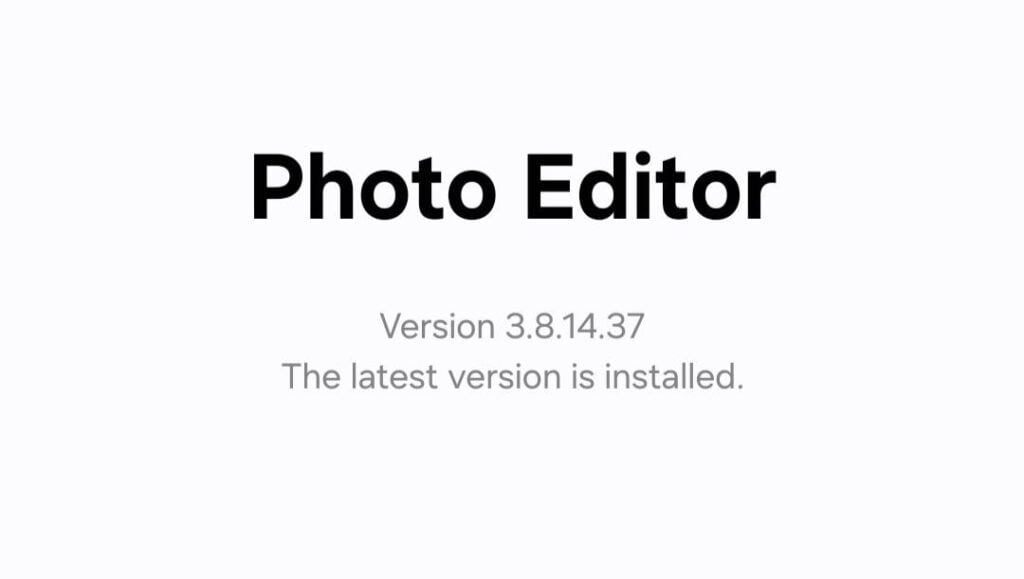
Samsung has pushed a new update for its Photo Editor app for users of the Galaxy S26 series. The latest version of the app is 3.8.14.37, and it is now available to download from the Galaxy Store.

The fresh update does not bring any new features or tools. However, it is still important because it improves the app’s performance. Samsung has worked on making the app more stable and smoother to use. This means the app should run better than before.

Even though there is nothing new to try, these updates are important. They fix small issues and improve how the app works in the background. This helps give users a better experience. 

Samsung Photo Editor update

Image via SammyFans

Samsung regularly releases these kinds of updates to keep its apps running well on its latest devices. Since the Galaxy S26 series is one of the newest smartphone lineups, these improvements help make sure everything works properly and efficiently.

If you are using a Galaxy S26 device, updating the app is very easy. Just open the Galaxy Store on your phone, go to the Menu section, and tap on Updates. If the new version is available, you can download and install it in a few simple steps.

Google Search Top Stories Preferred Source

The post Samsung pushes Photo Editor update for Galaxy S26 Series users appeared first on Sammy Fans.

When is Samsung AirDrop coming? Release date, countries and compatibility reveal

For years, AirDrop has been Apple’s tightly guarded convenience feature, locking seamless file sharing inside its own ecosystem. That changes starting today. Samsung is now baking AirDrop interoperability directly into Quick Share, and this is not a concept or beta experiment. It is going live.

Release date

Samsung has officially kicked off the rollout on March 23, 2026, starting in South Korea. This is not a slow, vague deployment either, but the company already has a clear expansion roadmap.

Older Samsung Galaxy devices will likely receive AirDrop compatibility with the Stable One UI 8.5 update. For now, the Galaxy S26 series is being prioritized as it comes preinstalled with the official One UI 8.5 software.

Countries

Next stops include the US (North America) and Europe, followed by Hong Kong, Japan, Latin America, Southeast Asia, and Taiwan. In a typical Samsung strategy, the rollout will move in waves, but the intent is obvious.

This is meant to scale globally and quickly.

Compatibility

The update itself is part of One UI 8.5, delivered via firmware version AZCF. It is a relatively lightweight package, under 1GB, but the impact is anything but small.

This feature is exclusive to the Samsung Galaxy S26 lineup, including the S26, S26 Plus, and S26 Ultra. That exclusivity will frustrate some users, no doubt, but  Samsung has already confirmed expansion to older devices is coming.

Samsung Galaxy S26 Quick Share AirDrop

Samsung has kept the process simple, which is exactly what it needed to do.

To enable AirDrop compatibility:

  • Settings > Connected Devices > Quick Share > Share with Apple Devices

Once toggled on, Galaxy users can send files directly to nearby Apple devices. There is one important condition on the receiving end. iPhone users must have their AirDrop visibility set to “Everyone.” Without that, the sharing will not happen.

The post When is Samsung AirDrop coming? Release date, countries and compatibility reveal appeared first on Sammy Fans.

Galaxy S24 grabs March 2026 update; One UI 8.5 Beta next?

Samsung just shipped a new software update for the Galaxy S24 series, which brings the March 2026 security patch and opens the door for One UI 8.5 Beta.

Over the past couple of months, Samsung has lost its update deployment streak. March is about to end and Galaxy devices are now starting to see the existing month’s security patch.

March 2026 Security Patch

Samsung Galaxy S24, S24+, and S24 Ultra are getting the March 2026 security update. The initial rollout has started in South Korea, with a Global expansion likely to follow soon.

March patch includes fixes for 60 Android vulnerabilities and 7 One UI SVE items. Some stock apps may also be updated as you install the latest CZC1 OTA from Samsung.

The OTA also cleans up the internal storage occupied by temporary, unnecessary files. As the system cleans up, the overall performance improves as well.

Samsung Galaxy S24 Ultra March 2026 Security Update

One UI 8.5 Beta

Samsung is internally testing One UI 8.5 Beta for the Galaxy S24 series. The Beta Program may be announced this week; however, the company hasn’t made it official yet.

Recently, Samsung rolled out the March update for the Galaxy S24 FE. The company is also reportedly preparing One UI 8.5 Beta, for the first time, for its Fan Edition smartphones.

Whether you are interested in the March update or not, it’s a crucial release. Without the March patch, you wouldn’t be able to get the One UI 8.5 Beta even after signing up for the testing activity.

That said, installing the March OTA as quickly as it arrives is recommended. Open Settings > Software update > Download and install to update your Galaxy’s software.

The post Galaxy S24 grabs March 2026 update; One UI 8.5 Beta next? appeared first on Sammy Fans.

iPhone Fold delay could disrupt Galaxy S27 momentum

The iPhone Fold launch timing couldn’t be worse for Samsung Galaxy S27 series if Apple actually sticks the landing, but there’s fresh chatter that the iPhone maker might push things back again.

Apple could delay the foldable iPhone from its September slot to December instead. Three months is nothing in the grand scheme. Apple fans have been watching Samsung, Huawei, Oppo, and everyone else flex foldable hardware for half a decade.

Another quarter won’t kill the hype. If anything, it lets the iPhone 18 Pro models breathe for a bit before the foldable steals the show. But the real reason this makes sense? Apple cannot afford to botch this one.

This isn’t just another iPhone with a slightly better camera, but an entirely new product category. The iPhone Fold conversation hinges on whether Apple’s first attempt actually works and Apple’s recent track record isn’t exactly inspiring confidence.

Reports claim Apple still hasn’t killed the display crease entirely, which was supposedly a big internal goal. Apple needs this thing to be flawless, or at least close enough that people forgive the crease.

Samsung Wide Fold Apple Foldable

Source – Ice Universe

Right now, Samsung’s sitting pretty with the Galaxy S26 lineup doing solid numbers and the Z Fold 7 still the default choice for anyone buying a foldable.

If Apple launches in September and stumbles, Samsung keeps that crown. But if Apple waits until December, tightens every screw, smooths every software edge, and launches something that actually works better.

In case the iPhone Fold comes out in December, foldable buyers would hold on to the Galaxy Z Fold 8 and Wide Fold. Buyers of the Galaxy S27 Ultra may also compare where their money is going in 2027 and find a better deal.

The post iPhone Fold delay could disrupt Galaxy S27 momentum appeared first on Sammy Fans.

Galaxy Z Fold 8 and Wide Fold get 45W charging while Flip 8 stays behind

Samsung’s Galaxy Z Fold 8 and the Wide Fold just cleared China’s 3C certification with 45W wired charging. The Fold line’s been stuck at 25W since the Fold 2, but the 2026 lineup is getting the most-anticipated upgrades.

Galaxy Z Fold 8 and Wide Fold getting 45W charging

Model numbers SM-F9710 and SM-F9760 popped up on the 3C platform, supporting charging at up to 15V and 3A. This puts the Fold devices in line with Samsung’s Galaxy S Ultra lineup. Four years late, but better than never showing up at all.

Samsung reportedly rearranged internal components to create more space inside the foldables and aims to bump up the charging speed to 45W.

Earlier reports suggested the Fold 8 might break past the 4,400mAh battery size that’s remained unchanged for several years, with some insiders believing the upcoming Fold could reach 5,000mAh.

Galaxy Z Flip 8 battery and charging

Galaxy Z Flip 8, with model number SM-F7760, showed up on 3C supporting 25W charging at 9V/2.77A. Samsung hasn’t updated wired charging speeds for the Galaxy Z Flip lineup in quite some time, and apparently, not starting now.

Previous reports indicate the Flip 8 will likely use a dual-battery system with a combined rated capacity of 4,174mAh, which would likely be marketed as a 4,300mAh battery, exactly the same capacity found in the current Z Flip 7.

Samsung Galaxy Z Fold 8, Wide Fold and Flip 8 charging speed

The Wide Fold’s positioning is interesting.

Galaxy Wide Fold is clearly Samsung’s attempt to counter Apple’s rumored foldable iPhone before it even launches. The idea with the Wide Fold is to have a wider cover screen that is 18:9, unfolding into a square 18:18 or 1:1 inner display.

The device may feature a 7.6-inch inner display and a 5.4-inch outer screen, potentially bringing back S Pen support that Samsung removed from the Z Fold 7 for slimness, with plans including around 1 million units production.

The post Galaxy Z Fold 8 and Wide Fold get 45W charging while Flip 8 stays behind appeared first on Sammy Fans.

Samsung AirDrop-Quick Share Feature: Everything you need to know

Samsung Galaxy S26 smartphone users can now send files directly to AirDrop-compatible Apple devices using Quick Share feature. No cables, no third-party apps; just native sharing between Galaxy and iPhone, iPad, or Mac.

As of March 23, Samsung users can send files directly to Apple devices using the AirDrop-supported Quick Share feature. This change arrives with the latest firmware update for the Galaxy S26 lineup.

It took time, but it’s here.

Google quietly introduced cross-platform sharing support on select Pixel devices late last year. Now Samsung has picked it up and pushed it further. With the AZCF firmware, Quick Share gains interoperability with Apple’s AirDrop protocol.

This is not a separate app. It’s built into the existing Quick Share framework.

How to enable “Share with Apple devices”

Samsung has kept the setup simple, but it’s buried under Quick Share settings.

Here’s the exact path:

  1. Open Settings
  2. Tap “Connected devices”
  3. Go to “Quick Share”
  4. Look for a new toggle: “Share with Apple devices”
  5. Turn it on.

Once enabled, your Galaxy device can detect nearby Apple devices that are ready to receive files.

Samsung Galaxy S26 Quick Share AirDrop

What needs to be set on the Apple device

The receiving iPhone, iPad, or Mac must have AirDrop visibility set to “Everyone.” If it’s set to “Contacts Only” or turned off, your Galaxy device won’t see it.

Requirements you cannot ignore

The feature depends on updated backend services. If it is not working, check these first:

  • Google Play Services: version 26.11.33 or higher
  • Quick Share app: version 13.8.51.30 or higher

If either of these is outdated, the Apple sharing toggle may not appear at all. Samsung’s latest update for the Galaxy S26 series automatically updates both services to the latest versions.

At the moment, this is exclusive to the Galaxy S26 series:

  • Galaxy S26
  • Galaxy S26+
  • Galaxy S26 Ultra

On the Apple side, it works with:

  • iPhone
  • iPad
  • Mac

There are no additional apps required on iOS or macOS.

Samsung isn’t going to keep this locked to the S26 lineup for long. Expect the Galaxy S25 and S24 series to pick this up once One UI 8.5 reaches stable channels for those devices.

If you are testing this, keep both devices unlocked and within close range. Discovery is fast, but stability improves when both screens are active.

The post Samsung AirDrop-Quick Share Feature: Everything you need to know appeared first on Sammy Fans.

AirDrop won’t work on Samsung phones unless you do this first

The rollout of AirDrop has started on Galaxy S26 phones, and Samsung just revealed a crucial step to activate the features.

Google was the one who made AirDrop sharing real on Android phones. Samsung, through its community moderator, has now revealed the activation steps, which involve updating the Google Play Services app.

Samsung says its Quick Share-AirDrop sharing compatibility requires Google Play Services version 26.11.xx or above. If you’re running an older version, it needs to be updated to let you access AirDrop-style file sharing.

The statement says it loud that AirDrop is backed by core Android services. Without having the required version of Google Play Services, even Samsung won’t be able to provide you with access to the AirDrop feature.

Samsung also shared a tutorial to update Google Play Services. Galaxy users are required to open Settings > Apps > Google Play Services > App source info > Update.

Samsung AirDrop

Google Play Services mostly comes as a server-side update. They install when you use your phone or restart it. A software update also brings an updated version of core Android apps to improve performance and functionality.

Samsung today announced the rollout of AirDrop to the Galaxy S26 series. Users in South Korea even started getting a software update that installs AirDrop. If you also own an S26 phone, keep checking for the updates.

Quick Share is now capable of transferring files through AirDrop. It’s one of the strongest strikes on Apple’s ecosystem. It’s not just convenience, but it also paves the way for shoppers to consider switching to Samsung or Google.

The post AirDrop won’t work on Samsung phones unless you do this first appeared first on Sammy Fans.

Galaxy S25 FE and S24 FE get a crucial update before One UI 8.5 Beta

Samsung Galaxy S25 FE and Galaxy S24 FE are receiving the March 2026 software update ahead of the potential One UI 8.5 Beta.

For the first time, Samsung is expected to launch One UI Beta for Fan Edition phones. The company is internally testing One UI 8.5 Beta for the Galaxy S25 FE and Galaxy S24 FE, along with several other Galaxy devices.

March 2026 update is more like a foundation for the One UI 8.5 than a security update for the Galaxy S25 FE (AZBB) and Galaxy S24 FE (CZC1). Every time Samsung intends to expand the Beta Program, it provides users with an incremental update.

Samsung’s March patch includes 60 CVE items from Google and 7 from Samsung. The update also includes system improvements and optimizations. The aim is to wipe unnecessary/temporary files and enhance the user experience.

Note that the rollout is currently limited to Turkey and South Korea. An expansion will soon take place for Global users. You can manually trigger an update through Settings > Software update > Download and install.

One UI 8.5 Beta

Released last December as Beta, the One UI 8.5 was officially debuted with the Galaxy S26 series. Instead of shipping the official update, Samsung plans to expand the Beta Program to more Galaxy phones and tablets.

Firmware spotting suggests that One UI 8.5 Beta could soon be rolled out to the Galaxy S24 series, Z Fold 6, Z Flip 6, Tab S11 series, S25 FE, and S24 FE. Among them, Fan Edition models come as a shocker for every Samsung fan.

While internal testing has begun, it’s not officially confirmed that the Beta is coming to Galaxy S24 FE and S25 FE. Things will start to get clear as we enter the last week of March, expected to be a busy week for Samsung.

The post Galaxy S25 FE and S24 FE get a crucial update before One UI 8.5 Beta appeared first on Sammy Fans.

Samsung reverses big S Pen change for Galaxy S27 Ultra after bold experiment fails

Samsung has backed away from one of its more ambitious S Pen experiments for next year’s Galaxy S27 Ultra, choosing to stick with its long-standing digitizer-based input system after testing a radically thinner alternative.

According to ETNews, Samsung had been exploring a new pen technology that could eliminate the digitizer layer inside the display. The goal was simple on paper: to shave off roughly 0.3mm from the device thickness.

Well, chasing millimeters is no longer enough if it compromises core functionality. For the Galaxy S Ultra lineup, the S Pen is not optional. It is part of the identity; removing or downgrading that experience was never seriously on the table.

The S Pen experiment

The alternative under review was a hybrid approach, blending EMR with active electrostatic technology, or AES. AES shifts the power requirement into the pen itself, meaning it needs a battery and internal circuitry.

Samsung’s idea was to combine the strengths of both systems while removing their weaknesses, essentially building a pen that needs neither a digitizer nor a battery. It sounds elegant, but the engineering reality is not.

While the S27 Ultra will retain its familiar EMR-based S Pen, the broader question remains open. Can Samsung eventually make digitizer-based input and magnetic ecosystems coexist without compromise?

For now, the company is choosing stability over experimentation. The S Pen stays as it is, reliable, battery-free, and deeply integrated, even if it costs a fraction of a millimeter in thickness.

The post Samsung reverses big S Pen change for Galaxy S27 Ultra after bold experiment fails appeared first on Sammy Fans.

Samsung’s AirDrop update arrives for Galaxy S26 series

Samsung Galaxy S26 series is getting the second software update since launch, and this one isn’t random. Samsung is rolling out AirDrop support to the Galaxy S26 phones through the latest AZCF software update.

Recently, Samsung announced AirDrop rollout to the Galaxy S26 series. The update is already available in South Korea. Regions to follow include Europe, Hong Kong, Japan, Latin America, North America, Southeast Asia, and Taiwan.

AirDrop support is a bigger upgrade than it sounds. This makes it easier for Galaxy S26 users to share files with Apple device users. There’s no need for third-party apps as Quick Share is now compatible with AirDrop.

Additionally, Galaxy S26’s second update weighs under 900 megabytes. Surprisingly, the software still lacks the latest March 2026 security patch. Hopefully, the Global users will receive AirDrop support along with the March patches.

Expect better performance and user experience after the update’s installation. Even though the OTA lacks the latest patches at core, it would have carried the necessary improvements for the Galaxy’s software system.

Don’t panic if you don’t see the AirDrop update immediately. It’s currently bound to the Korea server, and the distribution is gradual. It will be made accessible to a wider audience once Samsung ensures stability.

For now, Samsung’s AirDrop update is exclusively available for the Galaxy S26 series. Samsung will make a separate announcement on a later date. Eligible devices and the tentative release timeline remain to be known.

Samsung Galaxy S26 AirDrop Update

The post Samsung’s AirDrop update arrives for Galaxy S26 series appeared first on Sammy Fans.

Samsung announces AirDrop for Galaxy phones, coming first to the S26 family

Samsung is finally unlocking the AirDrop feature on Galaxy S26, S26+, and S26 Ultra. Starting with the latest flagship phones, cross-platform sharing compatibility will be rolled out to a range of Galaxy devices sequentially.

AirDrop support lets Galaxy S26 users share files with Apple users via Quick Share. Google first brought it to the Pixel 10 series, then expanded it to the Pixel 9. Now, Samsung is bringing the feature to its Galaxy lineup.

Before the S26 launch, a screenshot of the feature’s interface was leaked. However, the feature wasn’t actually available on the devices. Later, Samsung confirmed that AirDrop support will be available soon for the Galaxy S26 series.

In Samsung’s words, Galaxy’s AirDrop feature makes it easier for users to share content between devices using Quick Share. It resolves a long-standing file-sharing issue that Android and Apple users have faced for years.

Availability begins today, starting in South Korea. The following wave of expansion will cover more regions, including Europe, Hong Kong, Japan, Latin America, North America, Southeast Asia, and Taiwan.

Samsung Galaxy S26 Quick Share AirDrop

Samsung just teased that more devices are eligible for this AirDrop update. The exact models and launch timeline are undisclosed. We need to wait for another Samsung announcement regarding AirDrop support for older phones.

Google made Quick Share functional with AirDrop. It was assumed that Apple could fix the loophole and break this functionality. Apple didn’t so (yet), and is likely to keep AirDrop for Androids alive to comply with regional laws.

The post Samsung announces AirDrop for Galaxy phones, coming first to the S26 family appeared first on Sammy Fans.

Samsung is finally treating software like a continuous platform

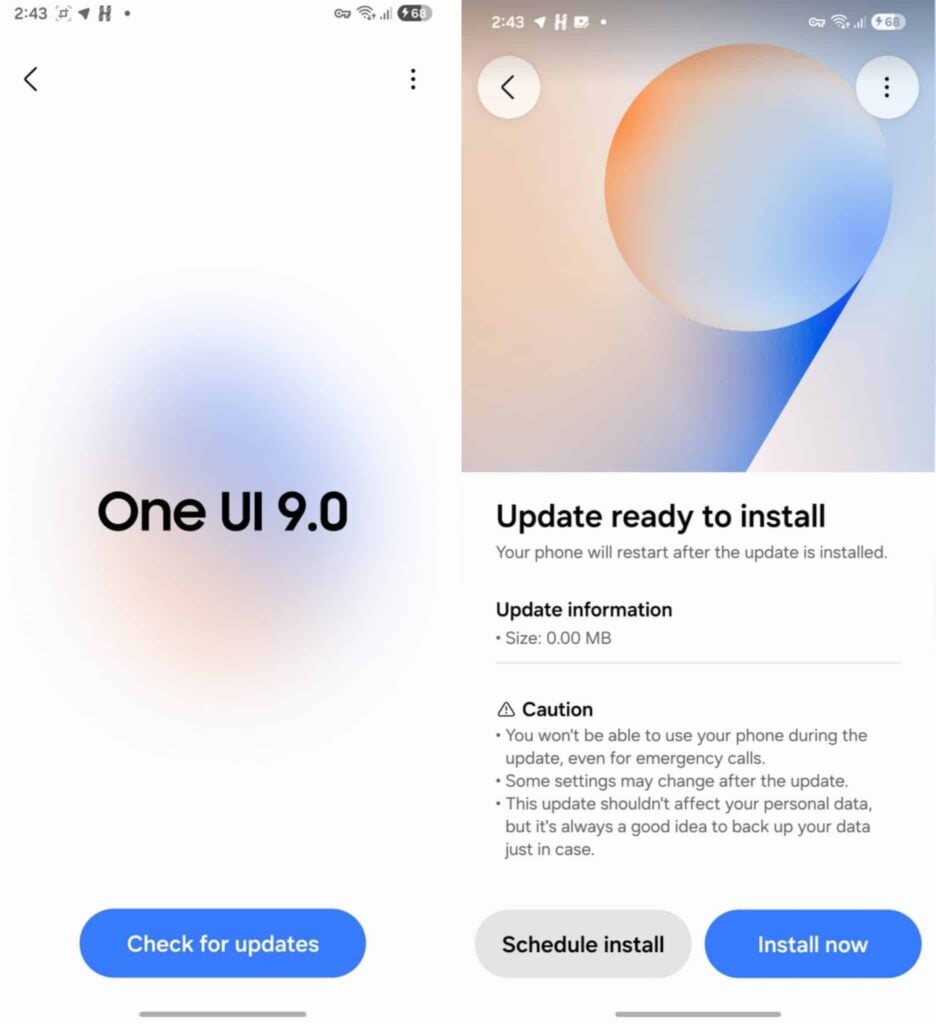
Samsung barely let the Galaxy S26 settle before flipping the switch on its next big software cycle. Within days of the March 11 launch, firmware spotting activity revealed early internal testing of Android 17-based One UI 9.

One UI 8.5 Beta first arrived in December 2025 for the Galaxy S25 series. Fast forward to March 2026, the Galaxy S26 ships with stable One UI 8.5 out of the box. At the same time, Beta activity for newer foldables is heating up.

Samsung is effectively running parallel tracks. One track stabilizes and distributes the current version. The other pushes forward on the next major base. Both move at the same time, with shared learnings feeding back into each other.

Pay attention, Google pushes rapid Android iterations with Pixel-first optimizations. Apple runs a tightly controlled ecosystem where iOS development, testing, and rollout happen in a highly synchronized loop.

Samsung’s new approach closes that gap.

By starting One UI 9 testing immediately after shipping One UI 8.5, Samsung is effectively decoupling development from release.

Engineers are not waiting for one rollout to finish before starting the next. For the Galaxy community, this could mean faster feature maturity.

Treating One UI as a continuous platform aligns Samsung closer to how modern software ecosystems operate. Faster iteration, overlapping development, and constant feedback loops are how you stay competitive against Google and Apple.

If Samsung can maintain stability while pushing this pace, it will redefine what Galaxy software feels like. Updates will seem less like big annual jumps and more like a steady stream of improvements.

Right now, the early One UI 9 testing tells a clear story. Samsung is moving faster than ever, and it is doing it in plain sight.

Samsung One UI 9 Software Update Screen

Image courtesy – Mohammed Khatri

The post Samsung is finally treating software like a continuous platform appeared first on Sammy Fans.

News of the week: Galaxy Z Fold 8 battery capacity could be 5,000mAh

It’s been a busy week if you follow Samsung leaks as closely as I do. The Galaxy Z Fold 8 battery story broke earlier, but it didn’t quite sit right to just report it and move on. This one deserves a second look; a slower, more critical read.

For the first time in years, Samsung might actually be doing something about the Fold’s weakest link.

Here’s what the leak tells us.

The Galaxy Z Fold 8 is expected to be equipped with a dual-cell battery setup rated at 2,369mAh and 2,485mAh. The combination brings the combined rated capacity to 4,845mAh, which Samsung will almost certainly market as 5,000mAh.

If that number sounds familiar, it should; that is in line with the Galaxy S26 Ultra. Meanwhile, the Fold is not a slab phone. It is running two displays, one of them tablet-sized, with a hinge mechanism and internal constraints.

Still, numbers only tell half the story. Efficiency, thermal headroom, and software tuning will decide whether this finally fixes the Fold’s long-standing battery anxiety. If you have used the Fold 7 as a daily driver, you already know what I mean.

If you’ve been following the Fold series, you’ve probably noticed the pattern. The Galaxy Z Fold 2 pushed things to 4,500mAh back in 2020. Then came the Fold 3, and Samsung actually stepped back to 4,400mAh.

Since then, every new foldable, including the Z Fold 4, Z Fold 6, and Z Fold 7, has stuck at 4,400mAh. Now, with the Fold 8, we are potentially looking at a jump to 5,000mAh. That’s roughly a 13 to 14 percent increase.

Samsung’s engineering team has finally hit the wall with the 4,400mAh limit. While it’s not revolutionary, but significant enough to matter. More importantly, it breaks a five-year plateau, taking the Galaxy Z Fold near S Ultra.

The post News of the week: Galaxy Z Fold 8 battery capacity could be 5,000mAh appeared first on Sammy Fans.

One UI 8.5 makes Finder more accessible than ever

One UI has come a long way, and the on-device global search has become one of its key capabilities to find anything on the phone without going through specific directories and wasting your valuable time. Finder works perfectly fine in this direction, but One UI 8.5 has made it more accessible than ever.

Usually, you need to open the app drawer to access the finder feature. Here you can see suggested apps, settings topics, recent searches, and type new queries or use voice input. Besides these, on-device categories, the search also expands to online content, Play Store, Galaxy Store, and web results.

The execution is fast and accurate due to Samsung’s search algorithm optimizations. Meanwhile, the One UI 8.5 on the Galaxy S26 series has introduced a dedicated Finder button that launches the feature with one tap without opening the app drawer.

However, the feature may not be accessible by default, so you have to enable it from the home screen settings. To do so, go to Home screen settings from the home screen and tap on the slider in front of the “Show Finder on Home Screen” option. This option will now show on the home screen, and you can tap to see the feature to expand its options.

Samsung One UI 8.5 finder button for home screen oneui85

How to customize it

Finder is entirely customizable, and you can check all of its options from the Finder settings. Go to Now Brief and open Finder, then tap on the three dots outside of the search bar. Enable or disable search options to see the content in the results. You can also manage Personal data intelligence and dive deep into the data sharing for added services.

For now, there’s no confirmation whether it will come to old devices with the stable One UI 8.5, but we’ll have to wait for an official statement.

The post One UI 8.5 makes Finder more accessible than ever appeared first on Sammy Fans.

Samsung Now Brief is farming user data for Google

Samsung Galaxy S26 series shipped with the newest features of Now Brief, an automated daily briefing feature that curates important information, tasks, and notifications that may improve your user experience.

Despite it being a good idea, the Now brief failed to impress users due to its low-accuracy of what Samsung promoted it to be. Most of the time, the feature shows weather, news article and YouTube video recommendations from your subscribed channels. And sometimes, it includes your photographs (from a particular day) and weekly screen time. Beyond that, the “Content to include” section has numerous categories that are part of the daily briefing.

However, the feature execution matters. The company has added a weather widget in the briefing, a news article that doesn’t refresh; if so, it’s not interesting. Most Galaxy S26 series and previous device owners may have been scrolling through videos on the YouTube app instead of waiting for them to appear slowly on their daily briefing. These might be a good example of how useless the feature could be.

That said, I recently started using Now Brief on a daily basis to test “Get richer insights“. It has YouTube and Gemini toggles; once enabled, they promise to deliver personalized content inside daily briefings. Yet, the company is asking for almost all of the important user data for personalized videos. Below is an example for YouTube.

“If you turn on this option, your schedule, reservation, and booking information from Samsung Wallet, Notifications, Messages, Calendar, Reminder, and Gmail information, and sports information from your Google Account, sports information from apps you use, the titles of websites you visit, and YouTube videos you watch that are analysed on your phone by Personal data intelligence will be shared with Google, who will collect and process this data to provide recommended travel and sports videos” reads the agreement pop-up.

Samsung Now Briefing farming data for Google

So, it’s not a normal slider; Samsung wants you to give consent for Now Brief to access all of this information in exchange to get video recommendation. It’s hard to say, there will be a person who reads this information, and gives Now brief consent in exchange for YouTube video recommendations. All they need to do is open the app and explore whatever they want to watch or see.

It’s not like they can’t disable the feature, but the feature will start sipping this data as soon as you tap on the slider.

The other side of the matter is the depth of such information, including your wallet. Why should we be providing this information to see videos? It doesn’t mean that companies don’t farm data to train AI, but Samsung offering YouTube video recommendations in exchange for vital user data should only be called “data farming.”

Of course, it’s on the user to decide on the consent, but you should not overlook the intent.

The post Samsung Now Brief is farming user data for Google appeared first on Sammy Fans.

Even my Galaxy S26 Ultra can’t make Now Brief look useful

Samsung continues to add new AI features in the Galaxy AI Suite and also updates the old ones, such as Now Brief, to make it user-friendly. This feature gathers the important moments from your device, such as Gallery pictures, energy score, sleep schedule, alarm, wallet, and more, and puts them in a single briefing curated with AI.

Talking about the new stuff, the Galaxy S26 series has brought a few additions to the Now brief that aren’t available for the Galaxy S26 series.

There’s a new section in the Now brief settings, “Get richer insights”. It shares your personal data with Samsung’s partner companies to receive “relevant” and “personalized” content in your daily briefings. There are two partners currently added in the settings: YouTube and Gemini.

get richer insights in Now Brief with One UI 8.5

YouTube will suggest more videos to you, and Gemini will give you some insights into your daily Gemini use case. After enabling these two, I am not getting anything useful, and whatever you may call it, it doesn’t make Now brief any more interesting, an element that’s lacking from the very beginning.

The concept of the Now brief is great, but its results aren’t nowhere near “great” word. So, Samsung should focus on providing some user-centric statistics that are not based on AI fantasy. It lacks preciseness of all of the things that the phone maker has promised to offer with content addons. These two features might expand to other Galaxy S25 series devices with stable One UI 8.5, but we’re not sure about that.

If you found these options useful, reach out to me at X/Twitter handle. I would love to read your thoughts on the upgraded Now Brief.

The post Even my Galaxy S26 Ultra can’t make Now Brief look useful appeared first on Sammy Fans.

Samsung left a premium phone behind for One UI 8.5 beta

Samsung has been testing One UI 8.5 beta for the past three months and left one premium Galaxy S-series phone out of the One UI 8.5 beta equation. Initially, the S25 series entered beta testing, specifically S25, S25+, and S25 Ultra. Yet, the Galaxy S25 Edge, Samsung’s slimmest S-series phone to date, has not received the beta update.

The phone comes with flagship specs and a high-quality camera system, but the most interesting quality of the device is its outlook. On the other hand, it has the same price tag as the newly released Galaxy S26+. These reasons convinced me that the phone deserved a shot at the new beta.

However, it isn’t the first time that S25 Edge users have been neglected. Last year, the company refused to release the One UI 8.0 for this phone alongside the main lineup. Though the update arrived later on, that doesn’t summarize the course of this action.

Some might argue that the phone was released in May 2025 and has a different firmware development cycle. We can agree to that, but Samsung had enough time to match the software update release time for all four models. Yet, it didn’t bother.

Also, what about the price tag? The S25 Edge may have been demoted in Samsung’s launch cycle, but it still has a user base that paid a good sum of money that rivals its latest flagships.

Samsung Galaxy S25 Edge

Past report suggests that Samsung is working on the 8th One UI 8.5 beta. And the stable update will come in April, which may also be the time when the S25 Edge will get this new software.

But that doesn’t mean that the S25 Edge shouldn’t be included in a new One UI beta program. Eventually, we can say that Samsung wants to keep it effortless and continue the three-device testing model in its beta program. So, it can sit back, relax, and develop the firmware for these devices with limited effort.

The post Samsung left a premium phone behind for One UI 8.5 beta appeared first on Sammy Fans.

One UI 8.5 shows up early on Galaxy S24 Ultra: First impressions

Samsung One UI 8.5 Beta Program is running for some flagship devices even though the stable version debuted with the Galaxy S26 series. One UI 8.5 is not yet available for the Galaxy S24 series, not even as a beta version. But a first early look at One UI 8.5 on the Galaxy S24 Ultra has now appeared online, giving users an early glimpse of what the update has to offer.

The early look has been shared by a @oneuios source, showing the testing version of One UI 8.5 running on the Galaxy S24 Ultra. It highlights the improved Power Saving options.

The leaked One UI 8.5 for Galaxy S24 Ultra shows smarter performance management and battery optimization. The interface appears smoother, with additional options. The new Power Saving feature offers Standard and Maximum modes.

Samsung Galaxy S24 Ultra One UI 8.5 leaked

Image via @oneuios (X)

Standard mode provides moderate battery savings while allowing essential apps and activities to run without restriction. Users can also customize limits to keep important functions active. Maximum mode focuses on extreme battery saving by turning off non-essential features and limiting background activity, helping the phone last as long as possible.

Samsung is expected to conclude the beta program soon and roll out One UI 8.5 to more devices, including the Galaxy S24 series. Once widely available, users can expect smarter battery management and a more refined overall experience. Stay tuned for more information.

Google Search Top Stories Preferred Source

The post One UI 8.5 shows up early on Galaxy S24 Ultra: First impressions appeared first on Sammy Fans.

A closer look at One UI 8.5’s new Instant Brief widget styles

One UI 8.5 for the Samsung Galaxy S26 series makes it look better and easier to use. This One UI version arrives with several new features to provide a next-level experience. One of the new features is the Instant Brief widget, now available in four styles. These styles are inspired by a glass-like design, giving the screen a clean and modern look.

Through these four styles, Samsung aims to give users more choices with One UI 8.5. Some people like simple and clear designs, while others prefer something more stylish. Samsung has tried to offer both. These new widgets not only look good but also help users see important information quickly.

There are four styles of the Instant Brief widget. The first one is like nature glass, which has a soft green transparent background that blends with the wallpaper. It feels light and natural. Another is Frosted, which is bolder, with a stronger blur and deeper glass effect. It looks more premium and stands out on the screen.

Samsung Instant Brief One UI 8.5

Image via Ice Universe (X)

The third one looks classic and solid, with a mostly solid light background, making it very easy to read. It is the best choice for people who want clear text, especially in bright light. The last one is a soft blend, a mix of both style and clarity. It has a soft color and slight transparency, so it looks smooth but is still easy to read.

These four styles make the Instant Brief widget more useful and more personal. Users can choose the one they like the most. In the future, One UI 9 may bring more widgets. Stay tuned for more information.

Google Search Top Stories Preferred Source

The post A closer look at One UI 8.5’s new Instant Brief widget styles appeared first on Sammy Fans.

Samsung improves Galaxy Tab S11 security with February 2026 update

Samsung has pushed a new software update with the February 2026 patch for the Galaxy Tab S11. This update makes the tablet more secure and stable. It is recommended for all users to keep their devices safe and running smoothly.

February 2026 update arrives with the version number X730XXS5AZB8. It comes with the February 2026 security patch and is 313.86 MB in size. Installing this update will improve your tablet’s security and performance.

The fresh update protects your device from security problems and bugs. After updating, your tablet will be stronger against threats and run more reliably.

Samsung Galaxy Tab S11 Update

Image via
Larry S White (X)

The patch fixes 37 security vulnerabilities. These issues were related to Android and Samsung’s own software features. By addressing them, Samsung ensures better protection for user data and privacy. Regular security patches are important to keep smartphones safe from new threats.

To get the update, connect your tablet to Wi-Fi and make sure it has enough battery. Then go to Settings >> Software Update >> Download and Install. Follow the instructions to complete the update. After it finishes, your tablet will have the latest security improvements and be more stable.

Google Search Top Stories Preferred Source

The post Samsung improves Galaxy Tab S11 security with February 2026 update appeared first on Sammy Fans.

Limited-Time Amazon Deal: Save big on the Samsung Galaxy S26 Series

If you are thinking about getting a new phone, the Samsung Galaxy S26 series is a great choice. Right now, Amazon is offering a free gift card when you buy any model. This is a nice bonus since the phones are brand new and don’t have big discounts yet.

The Galaxy S26 series has three models- Galaxy S26, S26 Plus, and S26 Ultra. Each one is designed for different users. The base Galaxy S26 is compact and easy to handle. The Galaxy S26 Plus is bigger with a stronger battery. The S26 Ultra is the most powerful with advanced cameras and extra features like the S Pen.

Right now, Amazon offers a free gift card with each model: $100 for the Galaxy S26 and S26 Plus, and $200 for the S26 Ultra. Prices are $899.99 for the S26, $1,099.99 for the Plus, and $1,299.99 for the Ultra.

Samsung Galaxy S26 series

Source – Samsung

You can choose any color, and the gift card applies. These deals are only available for a limited time, so if you want a new Galaxy phone, it’s smart to grab the offer soon.

All three phones use the Snapdragon 8 Elite Gen 5 processor, which makes them very fast. They deliver smooth performance, smart features, and great cameras. With Amazon’s free gift card offer, these stylish, reliable smartphones are a smart choice for anyone. Visit the deal page now and enjoy the deal.

Google Search Top Stories Preferred Source

The post Limited-Time Amazon Deal: Save big on the Samsung Galaxy S26 Series appeared first on Sammy Fans.

Samsung and Tesla aim to finish AI chip design this year

Tesla and Samsung are working together to build a new and powerful AI chip. This chip is very important for Tesla’s future plans, mainly for self-driving cars and robots. Now, there is news that the design of this chip could be finished this year. This shows that the project is moving ahead smoothly and quickly.

Elon Musk shared that the AI6 chip might reach a stage, tape-out, by December this year. Tape-out simply means the design work is complete and the chip is ready to be made in factories. It is a big step because it turns an idea into a real product.

Samsung is playing an important role in this project. As a well-known chip maker, Samsung will help produce the chip once the design is ready. This partnership is important because Tesla needs strong support to build such advanced technology in large numbers.

Elon Musk AI6 development

The AI6 chip is expected to be very powerful. It will help Tesla cars understand roads better, detect objects faster, and make quick decisions. This can make driving safer and more reliable. 

If the chip design is completed this year, it will be a big achievement for both companies. It will also show how fast AI technology is growing. Stay tuned for more information.

Google Search Top Stories Preferred Source

The post Samsung and Tesla aim to finish AI chip design this year appeared first on Sammy Fans.

Samsung increases HBM4 supply to NVIDIA amid AI demand surge

Samsung is becoming a leader in making advanced memory chips for artificial intelligence (AI), mainly with its new HBM4 technology. At the GTC 2026 event, Samsung said it will supply a large number of these chips to NVIDIA.

These HBM4 chips are very fast and can reach speeds of 13Gbps, which is higher than what NVIDIA actually needs. Samsung also shared that all of its HBM4 chips are high-performance, giving it a strong advantage in the market.

A big reason for Samsung’s success is a part called the base die. This is like the brain of the chip, as it controls both speed and power usage. Samsung uses a modern 4nm process to make this part, which helps the chip run faster while using less power.

It also improves stability, so the chip can work smoothly even during heavy tasks. This is important because AI systems need strong performance but must also control heat and energy use.

Samsung is also preparing for the future. It is working on the next version called HBM4E, which is expected to be even faster, reaching 16Gbps. This is about 23% faster than the current HBM4 chips, but it will still use the same amount of power. This means better performance without extra energy use.

In the coming years, Samsung plans to use an even more advanced 2nm process to make its chips even better. Samsung is focusing on speed, efficiency, and large production, which is helping it stay ahead in the fast-growing AI chip market.

Google Search Top Stories Preferred Source

The post Samsung increases HBM4 supply to NVIDIA amid AI demand surge appeared first on Sammy Fans.

❌